> ## Documentation Index
> Fetch the complete documentation index at: https://orgo.space/docs/llms.txt
> Use this file to discover all available pages before exploring further.
# Local Center Fees
> Collect branch-level membership fees with separate Stripe accounts
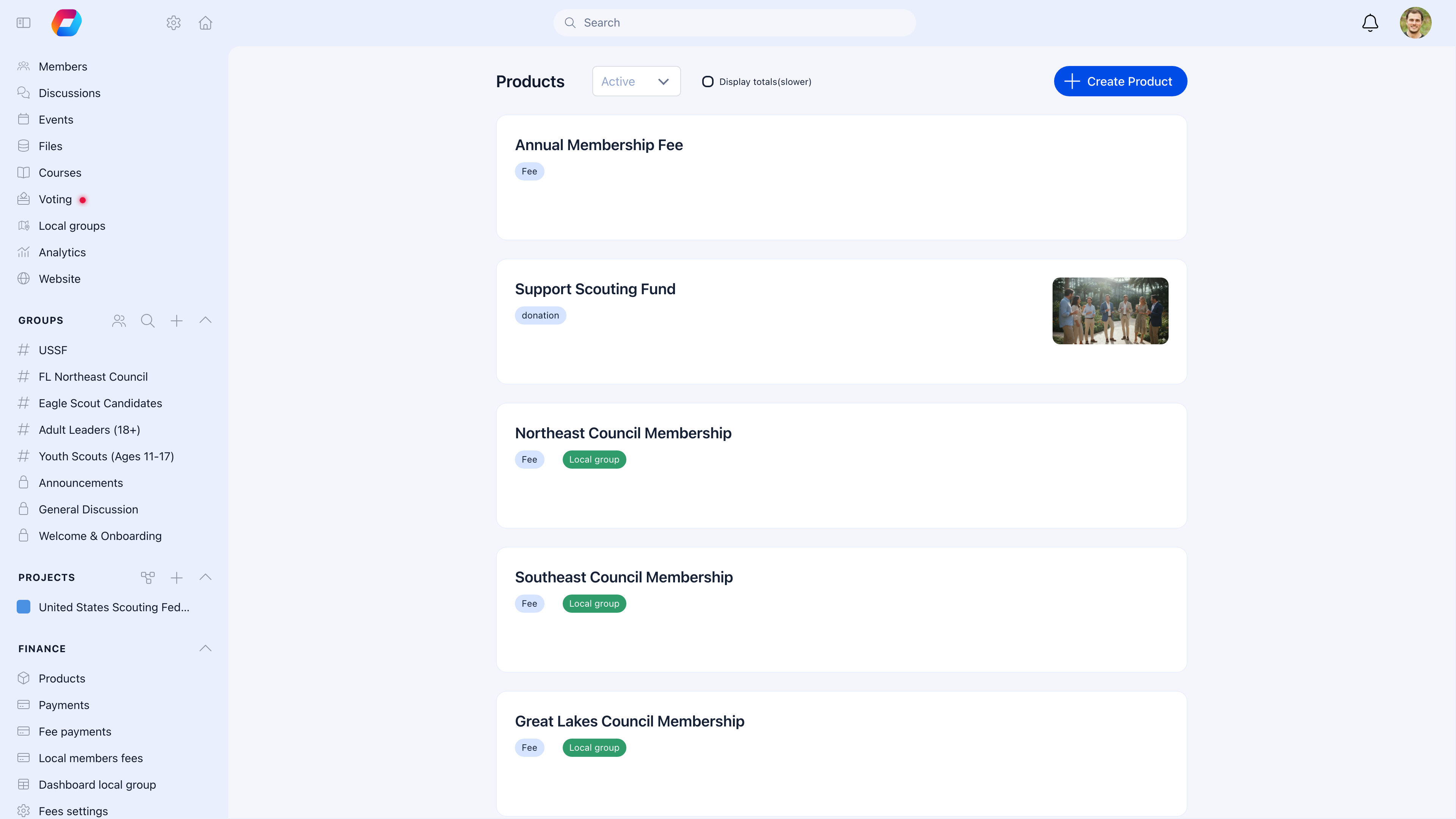
Local Centers can collect their own membership fees independently from the national organization. Each center connects its own Stripe account, sets its own pricing, and receives payments directly into its own bank account. National admins can still see all payments across all centers.
 ***
## When to use Local Center fees
| Your situation | Recommendation |
| ----------------------------------------------------------------------- | ----------------------------------------------------------------------- |
| Each branch charges its own membership fee in addition to national dues | Set up local fee products per center |
| Local branches are financially independent | Each center needs its own Stripe account |
| National org collects everything and distributes | Don't use local fees — use one national product and distribute manually |
| Fees are the same everywhere, only collected nationally | Don't use local fees |
***
## Prerequisites
1. **[Local Centers](/platform/groups/local-groups) enabled** — you need geographic branches set up
2. **Local admin permissions** — the person setting this up needs ADMIN\_LOCAL or FINANCIAL\_LOCAL
3. **Stripe account for the center** — separate from the national Stripe account
***
## Setting up local fee collection
**Sidebar** → **Resources** → **Local Group Settings** (as a local admin).
Click **Connect with Stripe**. Log in to (or create) a Stripe account for this center. Complete identity verification. Return to Orgo.
In **Fee Settings**, create a fee product for the center (e.g., "Berlin Chapter Membership 2026").
Open the product → **Prices** tab → add tiers for different membership levels:
* Student — €25/year
* Regular — €50/year
* Family — €75/year
Select the product and default price tier in **Fee Settings**. This is what new members see when registering for this center.
***
## How payments flow
When a member pays their local fee:
1. Member selects the local membership product
2. Payment is processed through the **Local Center's Stripe account** (not national)
3. Funds are deposited to the **Local Center's bank account**
4. Payment is recorded in both the local and national systems
National admins can view all payments across all centers from the main Fees dashboard using the Local Center filter.
***
## Fee distribution models
| Model | How it works | Best for |
| --------------------- | ----------------------------------------------------------------------- | ------------------------------------- |
| **100% local** | All payment goes to the Local Center's account | Financially independent branches |
| **Split** | Automatic division — e.g., 70% local, 30% national — via Stripe Connect | Federated organizations sharing costs |
| **National collects** | National org receives all payments, distributes to centers manually | Centrally managed finances |
The split model is configured at the national level and happens automatically through Stripe Connect.
***
## Bank details for manual payments
For members who pay by bank transfer:
| Setting | What it does |
| ------------------------- | ------------------------------------------------- |
| **IBAN (local currency)** | Bank account for local currency transfers |
| **IBAN (EUR)** | Separate account for EUR transfers (if different) |
These details can be displayed on invoices and payment pages so members know where to send transfers.
***
## Viewing and managing payments
### As a Local Admin
**Local Center** → **Fees** → **Payments**
See all payments made to your center — filter by status, member, date, amount. Send reminders to unpaid members. Export for local accounting.
### As a National Admin
**Fees** → **Payments** → filter by **Local Center**
See all payments across all centers. Compare collection rates between branches. Export organization-wide financial reports.
***
## Common scenarios
Yes. National and local fee products are independent. A member might pay \$100/year national + €50/year local. Each payment goes to the respective Stripe account.
You can either create one product at the national level with a Local Center option (members choose their branch at checkout), or create identical products per center. The first approach is simpler; the second gives branches more autonomy.
The national organization can collect on their behalf. Don't connect a local Stripe account — instead, use the national fee product and track which center the payment is for. Distribute funds to the branch manually.
Check that: (1) the product isn't archived, (2) it's set as the default fee product in Local Group Settings, (3) the member is actually assigned to your Local Center.
***
## Related
* [Local Centers](/platform/groups/local-groups) — Setting up geographic branches
* [Products](/platform/fees/products) — Creating fee products and price tiers
* [Stripe Integration](/platform/fees/stripe-integration) — Connecting payment processing
* [Membership Fees](/platform/fees/fees) — National fee collection and management
***
## When to use Local Center fees
| Your situation | Recommendation |
| ----------------------------------------------------------------------- | ----------------------------------------------------------------------- |
| Each branch charges its own membership fee in addition to national dues | Set up local fee products per center |
| Local branches are financially independent | Each center needs its own Stripe account |
| National org collects everything and distributes | Don't use local fees — use one national product and distribute manually |
| Fees are the same everywhere, only collected nationally | Don't use local fees |
***
## Prerequisites
1. **[Local Centers](/platform/groups/local-groups) enabled** — you need geographic branches set up
2. **Local admin permissions** — the person setting this up needs ADMIN\_LOCAL or FINANCIAL\_LOCAL
3. **Stripe account for the center** — separate from the national Stripe account
***
## Setting up local fee collection
**Sidebar** → **Resources** → **Local Group Settings** (as a local admin).
Click **Connect with Stripe**. Log in to (or create) a Stripe account for this center. Complete identity verification. Return to Orgo.
In **Fee Settings**, create a fee product for the center (e.g., "Berlin Chapter Membership 2026").
Open the product → **Prices** tab → add tiers for different membership levels:
* Student — €25/year
* Regular — €50/year
* Family — €75/year
Select the product and default price tier in **Fee Settings**. This is what new members see when registering for this center.
***
## How payments flow
When a member pays their local fee:
1. Member selects the local membership product
2. Payment is processed through the **Local Center's Stripe account** (not national)
3. Funds are deposited to the **Local Center's bank account**
4. Payment is recorded in both the local and national systems
National admins can view all payments across all centers from the main Fees dashboard using the Local Center filter.
***
## Fee distribution models
| Model | How it works | Best for |
| --------------------- | ----------------------------------------------------------------------- | ------------------------------------- |
| **100% local** | All payment goes to the Local Center's account | Financially independent branches |
| **Split** | Automatic division — e.g., 70% local, 30% national — via Stripe Connect | Federated organizations sharing costs |
| **National collects** | National org receives all payments, distributes to centers manually | Centrally managed finances |
The split model is configured at the national level and happens automatically through Stripe Connect.
***
## Bank details for manual payments
For members who pay by bank transfer:
| Setting | What it does |
| ------------------------- | ------------------------------------------------- |
| **IBAN (local currency)** | Bank account for local currency transfers |
| **IBAN (EUR)** | Separate account for EUR transfers (if different) |
These details can be displayed on invoices and payment pages so members know where to send transfers.
***
## Viewing and managing payments
### As a Local Admin
**Local Center** → **Fees** → **Payments**
See all payments made to your center — filter by status, member, date, amount. Send reminders to unpaid members. Export for local accounting.
### As a National Admin
**Fees** → **Payments** → filter by **Local Center**
See all payments across all centers. Compare collection rates between branches. Export organization-wide financial reports.
***
## Common scenarios
Yes. National and local fee products are independent. A member might pay \$100/year national + €50/year local. Each payment goes to the respective Stripe account.
You can either create one product at the national level with a Local Center option (members choose their branch at checkout), or create identical products per center. The first approach is simpler; the second gives branches more autonomy.
The national organization can collect on their behalf. Don't connect a local Stripe account — instead, use the national fee product and track which center the payment is for. Distribute funds to the branch manually.
Check that: (1) the product isn't archived, (2) it's set as the default fee product in Local Group Settings, (3) the member is actually assigned to your Local Center.
***
## Related
* [Local Centers](/platform/groups/local-groups) — Setting up geographic branches
* [Products](/platform/fees/products) — Creating fee products and price tiers
* [Stripe Integration](/platform/fees/stripe-integration) — Connecting payment processing
* [Membership Fees](/platform/fees/fees) — National fee collection and management