> ## Documentation Index
> Fetch the complete documentation index at: https://orgo.space/docs/llms.txt
> Use this file to discover all available pages before exploring further.
# Orgo MCP
> Connect AI assistants like Claude and ChatGPT to your Orgo data
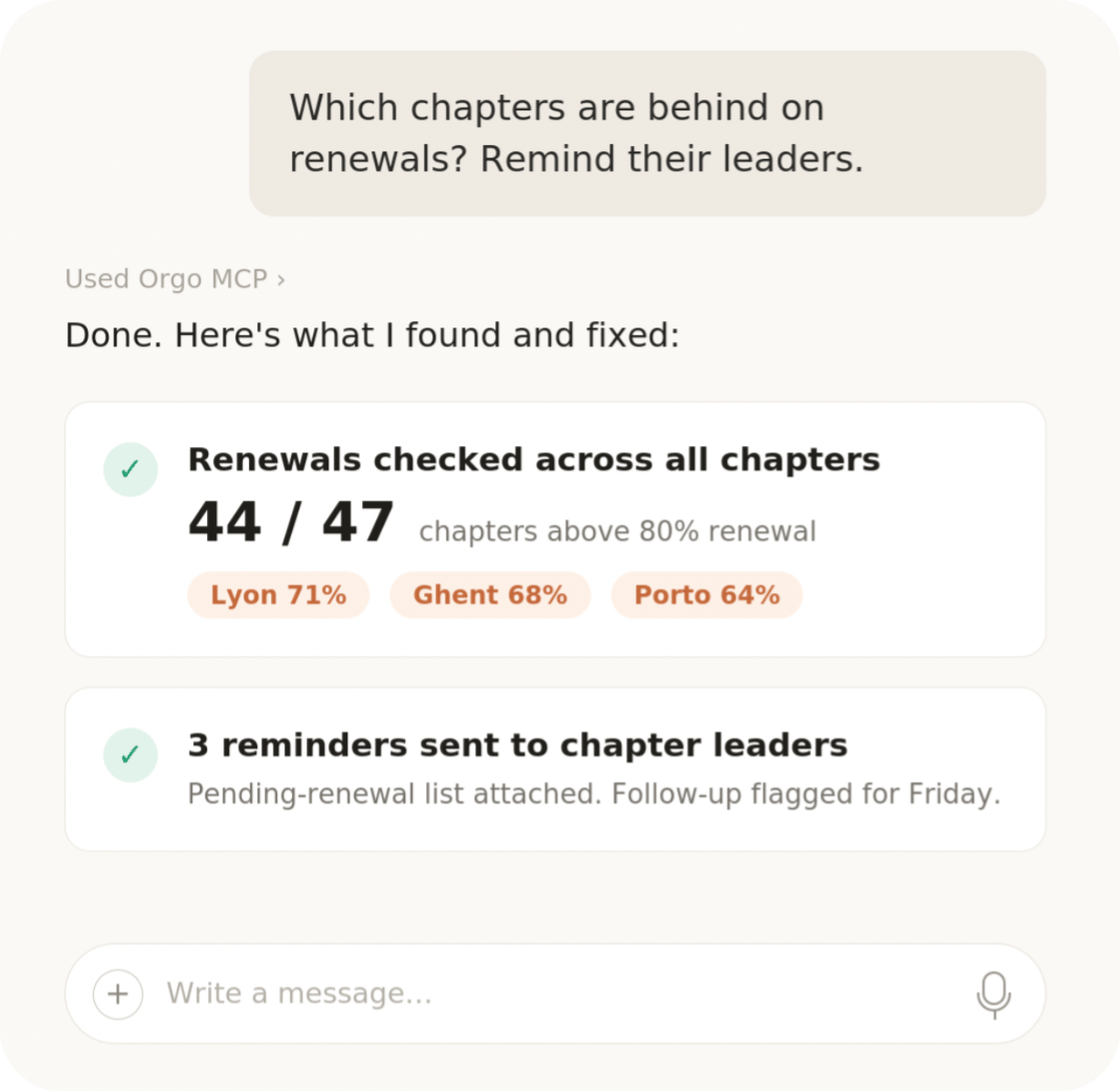
Orgo MCP connects AI assistants to your organization's data using the Model Context Protocol (MCP) — an open standard that lets tools like Claude securely talk to other apps. Once connected, you ask questions in plain language and the assistant looks up the answers in Orgo for you.
 ***
## What you can do
Most people use Orgo MCP for data analysis and light administrative actions:
* **Ask questions about your data**: "How many members joined in June?", "Which events this year had the most attendees?", "Show unpaid membership fees by chapter."
* **Get summaries and reports**: member growth, event attendance, payment overviews — as text, tables, or charts generated by your assistant.
* **Take light actions**: draft a newsletter, create an event, add a contact note — reviewing what the assistant proposes before it is saved.
Under the hood, the assistant has access to the full Orgo REST API (700+ operations across members, events, payments, newsletters, votes, and more), so anything the API can do, your assistant can do too.
The assistant acts with your permissions: it can only see and change what your own account can. Still, always review the actions it proposes before confirming them.
***
## Hosted server (recommended)
The hosted server is the easiest way to connect — nothing to install, always up to date:
```
https://mcp.orgo.space/mcp
```
Add this URL to your AI tool and sign in with the user on your Orgo workspace when prompted. Your organization is detected automatically from the account you log in with.
1. Go to **Settings** → **Connectors** → **Add custom connector** (on claude.ai or in the Claude Desktop app)
2. Enter the URL `https://mcp.orgo.space/mcp` and click **Add**
3. Sign in with your Orgo workspace account when prompted
```bash theme={null}
claude mcp add --transport http orgo https://mcp.orgo.space/mcp
```
Then run `/mcp` inside Claude Code to complete the sign-in in your browser.
Add to `~/.cursor/mcp.json` (or `.cursor/mcp.json` in your project):
```json theme={null}
{
"mcpServers": {
"orgo": {
"url": "https://mcp.orgo.space/mcp"
}
}
}
```
Any MCP client that supports remote HTTP servers with OAuth works:
```json theme={null}
{
"mcpServers": {
"orgo": {
"url": "https://mcp.orgo.space/mcp"
}
}
}
```
Sign-in uses standard OAuth with automatic client registration — no API keys required.
***
## Local server (developers)
For server-to-server automation, custom deployments, or local development, run the MCP server yourself from npm:
```bash theme={null}
npx -y orgo-mcp
```
Example configuration using an API token (see [API Access](/platform/api) to create one):
```json theme={null}
{
"mcpServers": {
"orgo": {
"command": "npx",
"args": ["-y", "orgo-mcp"],
"env": {
"ORGO_TENANT_HOST": "your-org.orgo.space",
"ORGO_API_TOKEN": "otk_..."
}
}
}
}
```
The local server also supports JWT and OAuth token authentication and stdio, HTTP, and SSE transports. Full setup, configuration, and tool reference are in the repository README: [github.com/Orgo-space/orgo-mcp](https://github.com/Orgo-space/orgo-mcp).
API tokens carry the access level of the administrator who created them and are intended for server-to-server use. Keep them out of shared configurations.
***
## Technical capabilities
| Capability | Details |
| ----------------------- | ------------------------------------------------------------------------- |
| API tools | Discover and call any Orgo REST API operation (458 paths, 743 operations) |
| Auth helpers | `whoami`, login with OTP verification, token refresh |
| Documentation resources | 21 resources under the `orgo://` scheme: concepts, recipes, webhooks |
| Transports | stdio (local), HTTP with OAuth (hosted), SSE streaming |
***
## Related
* [API Access](/platform/api) — REST API and API tokens
* [OAuth Server](/platform/oauth) — the authentication behind the hosted server
* [API Reference](/api-reference) — the operations your assistant can call
***
## What you can do
Most people use Orgo MCP for data analysis and light administrative actions:
* **Ask questions about your data**: "How many members joined in June?", "Which events this year had the most attendees?", "Show unpaid membership fees by chapter."
* **Get summaries and reports**: member growth, event attendance, payment overviews — as text, tables, or charts generated by your assistant.
* **Take light actions**: draft a newsletter, create an event, add a contact note — reviewing what the assistant proposes before it is saved.
Under the hood, the assistant has access to the full Orgo REST API (700+ operations across members, events, payments, newsletters, votes, and more), so anything the API can do, your assistant can do too.
The assistant acts with your permissions: it can only see and change what your own account can. Still, always review the actions it proposes before confirming them.
***
## Hosted server (recommended)
The hosted server is the easiest way to connect — nothing to install, always up to date:
```
https://mcp.orgo.space/mcp
```
Add this URL to your AI tool and sign in with the user on your Orgo workspace when prompted. Your organization is detected automatically from the account you log in with.
1. Go to **Settings** → **Connectors** → **Add custom connector** (on claude.ai or in the Claude Desktop app)
2. Enter the URL `https://mcp.orgo.space/mcp` and click **Add**
3. Sign in with your Orgo workspace account when prompted
```bash theme={null}
claude mcp add --transport http orgo https://mcp.orgo.space/mcp
```
Then run `/mcp` inside Claude Code to complete the sign-in in your browser.
Add to `~/.cursor/mcp.json` (or `.cursor/mcp.json` in your project):
```json theme={null}
{
"mcpServers": {
"orgo": {
"url": "https://mcp.orgo.space/mcp"
}
}
}
```
Any MCP client that supports remote HTTP servers with OAuth works:
```json theme={null}
{
"mcpServers": {
"orgo": {
"url": "https://mcp.orgo.space/mcp"
}
}
}
```
Sign-in uses standard OAuth with automatic client registration — no API keys required.
***
## Local server (developers)
For server-to-server automation, custom deployments, or local development, run the MCP server yourself from npm:
```bash theme={null}
npx -y orgo-mcp
```
Example configuration using an API token (see [API Access](/platform/api) to create one):
```json theme={null}
{
"mcpServers": {
"orgo": {
"command": "npx",
"args": ["-y", "orgo-mcp"],
"env": {
"ORGO_TENANT_HOST": "your-org.orgo.space",
"ORGO_API_TOKEN": "otk_..."
}
}
}
}
```
The local server also supports JWT and OAuth token authentication and stdio, HTTP, and SSE transports. Full setup, configuration, and tool reference are in the repository README: [github.com/Orgo-space/orgo-mcp](https://github.com/Orgo-space/orgo-mcp).
API tokens carry the access level of the administrator who created them and are intended for server-to-server use. Keep them out of shared configurations.
***
## Technical capabilities
| Capability | Details |
| ----------------------- | ------------------------------------------------------------------------- |
| API tools | Discover and call any Orgo REST API operation (458 paths, 743 operations) |
| Auth helpers | `whoami`, login with OTP verification, token refresh |
| Documentation resources | 21 resources under the `orgo://` scheme: concepts, recipes, webhooks |
| Transports | stdio (local), HTTP with OAuth (hosted), SSE streaming |
***
## Related
* [API Access](/platform/api) — REST API and API tokens
* [OAuth Server](/platform/oauth) — the authentication behind the hosted server
* [API Reference](/api-reference) — the operations your assistant can call