> ## Documentation Index
> Fetch the complete documentation index at: https://orgo.space/docs/llms.txt
> Use this file to discover all available pages before exploring further.
# Member Invitations
> Let existing members invite new people to join your organization
The invitation system lets your existing members bring in new people by email. It's the simplest growth mechanism — a member enters someone's email, they get an invitation, they click the link and register. The referral is tracked so you know who brought who.
 ***
## How to enable
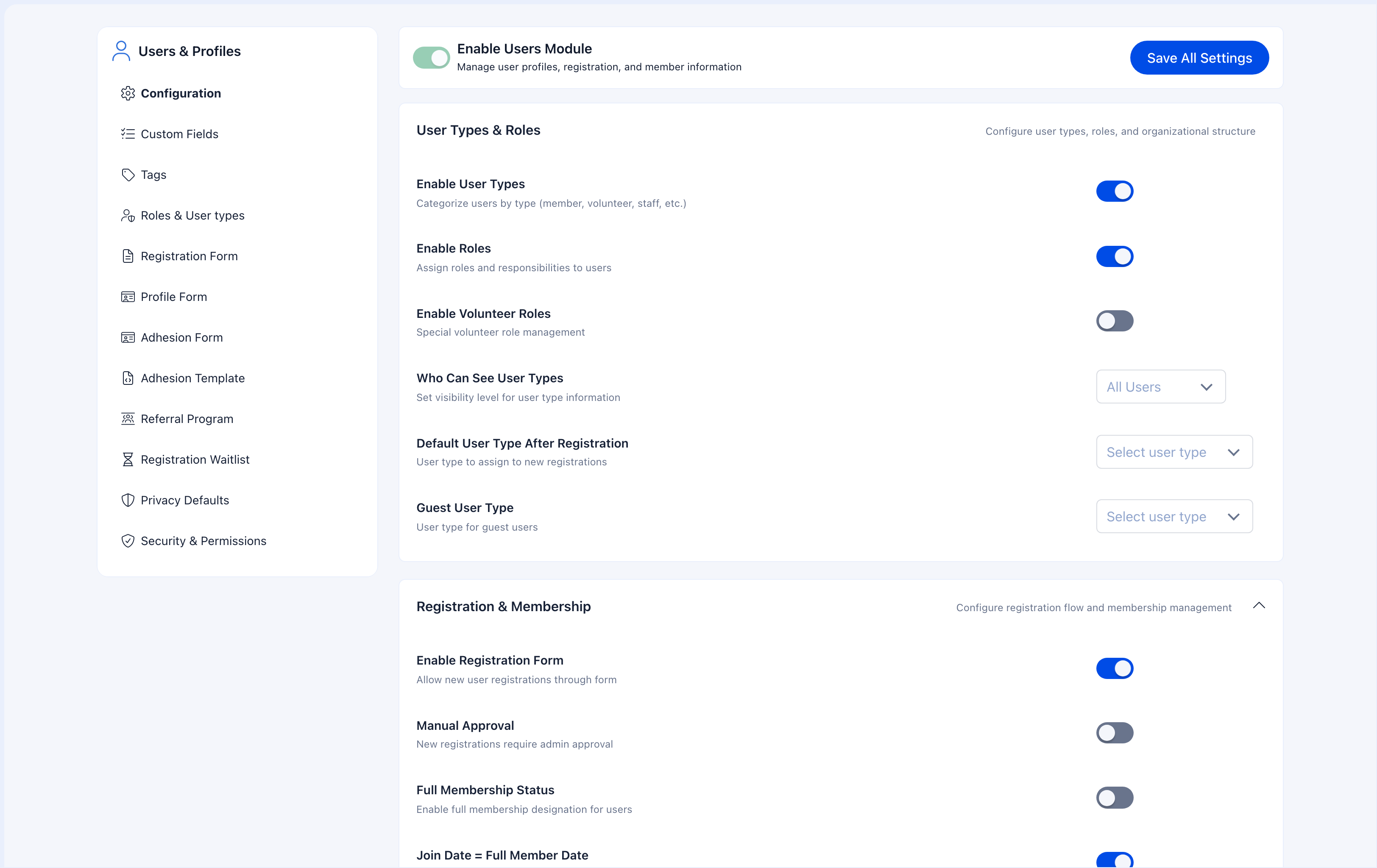
**Settings** → **Users & Profiles** → **Configuration** → **User Invitations** section
Two settings to configure:
| Setting | What it does |
| -------------------------------- | ---------------------------------------------------------------------------------------------- |
| **User Invitations** | Toggle on to enable. Members get access to an "Invite" button. |
| **Minimum permission to invite** | Who can send invitations. Set to "User" to let everyone invite, or restrict to HR/Admin roles. |
### Who should be able to invite?
| Setting | Best for |
| ------------------- | --------------------------------------------------------------- |
| **User** (everyone) | Communities growing through word-of-mouth. Maximum reach. |
| **HR Local** | Local chapter leaders control who gets invited to their branch. |
| **HR Tenant** | Central HR manages all new member intake. |
| **Admin Tenant** | Only top-level admins can invite. Maximum control. |
***
## How it works
### For the member sending an invite
1. Click **Invite** from their dashboard or profile menu
2. Enter the invitee's email address
3. Optionally add a personal message
4. Click Send
### For the person receiving the invitation
1. They get an email from the organization (not a personal email — it's branded)
2. The email includes the inviter's name, any personal message, and a registration link
3. They click the link and land on the registration form with the invitation context pre-loaded
4. They complete registration normally
5. The referral is recorded — the system links them to their inviter
### What gets tracked
* Who invited who (referral chain)
* Date the invitation was sent
* Whether it was accepted, pending, or expired
* The inviter can see their invitation status
***
## Invitations + referral program
Invitations provide the mechanism (sending emails). The [Referral Program](/platform/users/referral) provides the tracking and incentive layer.
When both are enabled:
* Every accepted invitation counts as a referral
* Referral stats are tracked per member
* You can see who your best recruiters are
* If you have [Gamification](/platform/badges), you can award points/badges for referrals
If you also set "Referrals needed for signup" to 1 in [Referral settings](/platform/users/referral), registration becomes **invite-only** — new users can only register if they received an invitation.
***
## Invitations + adhesion
If [Adhesion](/platform/users/adhesion) is mandatory, invited members still need to complete the application process:
1. Existing member sends invitation
2. Invitee receives email and clicks the link
3. They complete registration
4. They're prompted to fill out the adhesion form
5. Admin reviews and approves the application
6. They become active members
The invitation gets them to registration faster, but adhesion still gates full access.
***
## Common scenarios
Just enable Invitations with the permission set to "User". Every member can invite by email. If you later want to track who's bringing in the most people, enable the [Referral Program](/platform/users/referral) too.
Enable Invitations, then go to [Referral Program](/platform/users/referral) settings and set "Referrals needed for signup" to 1. Public registration is disabled — only people with invitation links can register.
Restrict the permission level. Change from "User" to "HR Local" or higher. This limits who can invite without disabling the feature entirely. You can also enable [Adhesion](/platform/users/adhesion) to add a review step for all new members regardless of how they found you.
Check the invitee's spam/junk folder first. The email comes from the organization (not the member's personal address), so it may be filtered. If the invitation was sent, it appears in the member's invitation list. You can also invite the person directly using an admin account.
***
## Related
* [Referral Program](/platform/users/referral) — Track referrals and enable invite-only mode
* [Registration Form](/platform/users/registration-form) — What invitees see when they register
* [Adhesion](/platform/users/adhesion) — Application review (still applies to invited members)
***
## How to enable
**Settings** → **Users & Profiles** → **Configuration** → **User Invitations** section
Two settings to configure:
| Setting | What it does |
| -------------------------------- | ---------------------------------------------------------------------------------------------- |
| **User Invitations** | Toggle on to enable. Members get access to an "Invite" button. |
| **Minimum permission to invite** | Who can send invitations. Set to "User" to let everyone invite, or restrict to HR/Admin roles. |
### Who should be able to invite?
| Setting | Best for |
| ------------------- | --------------------------------------------------------------- |
| **User** (everyone) | Communities growing through word-of-mouth. Maximum reach. |
| **HR Local** | Local chapter leaders control who gets invited to their branch. |
| **HR Tenant** | Central HR manages all new member intake. |
| **Admin Tenant** | Only top-level admins can invite. Maximum control. |
***
## How it works
### For the member sending an invite
1. Click **Invite** from their dashboard or profile menu
2. Enter the invitee's email address
3. Optionally add a personal message
4. Click Send
### For the person receiving the invitation
1. They get an email from the organization (not a personal email — it's branded)
2. The email includes the inviter's name, any personal message, and a registration link
3. They click the link and land on the registration form with the invitation context pre-loaded
4. They complete registration normally
5. The referral is recorded — the system links them to their inviter
### What gets tracked
* Who invited who (referral chain)
* Date the invitation was sent
* Whether it was accepted, pending, or expired
* The inviter can see their invitation status
***
## Invitations + referral program
Invitations provide the mechanism (sending emails). The [Referral Program](/platform/users/referral) provides the tracking and incentive layer.
When both are enabled:
* Every accepted invitation counts as a referral
* Referral stats are tracked per member
* You can see who your best recruiters are
* If you have [Gamification](/platform/badges), you can award points/badges for referrals
If you also set "Referrals needed for signup" to 1 in [Referral settings](/platform/users/referral), registration becomes **invite-only** — new users can only register if they received an invitation.
***
## Invitations + adhesion
If [Adhesion](/platform/users/adhesion) is mandatory, invited members still need to complete the application process:
1. Existing member sends invitation
2. Invitee receives email and clicks the link
3. They complete registration
4. They're prompted to fill out the adhesion form
5. Admin reviews and approves the application
6. They become active members
The invitation gets them to registration faster, but adhesion still gates full access.
***
## Common scenarios
Just enable Invitations with the permission set to "User". Every member can invite by email. If you later want to track who's bringing in the most people, enable the [Referral Program](/platform/users/referral) too.
Enable Invitations, then go to [Referral Program](/platform/users/referral) settings and set "Referrals needed for signup" to 1. Public registration is disabled — only people with invitation links can register.
Restrict the permission level. Change from "User" to "HR Local" or higher. This limits who can invite without disabling the feature entirely. You can also enable [Adhesion](/platform/users/adhesion) to add a review step for all new members regardless of how they found you.
Check the invitee's spam/junk folder first. The email comes from the organization (not the member's personal address), so it may be filtered. If the invitation was sent, it appears in the member's invitation list. You can also invite the person directly using an admin account.
***
## Related
* [Referral Program](/platform/users/referral) — Track referrals and enable invite-only mode
* [Registration Form](/platform/users/registration-form) — What invitees see when they register
* [Adhesion](/platform/users/adhesion) — Application review (still applies to invited members)