eDocuments and eSignatures built for organizations
Create documents from templates. Collect signatures on screen. Track every contract.
Orgo handles the full document lifecycle: template creation, digital signing, PDF generation, and contract tracking. Members and non-members can sign from any device.
Documents and signatures that actually work
Documents from templates, not from scratch
Build document templates once. Generate personalized PDFs for hundreds of members in one click. No copy-paste, no manual edits.
Signatures captured on screen
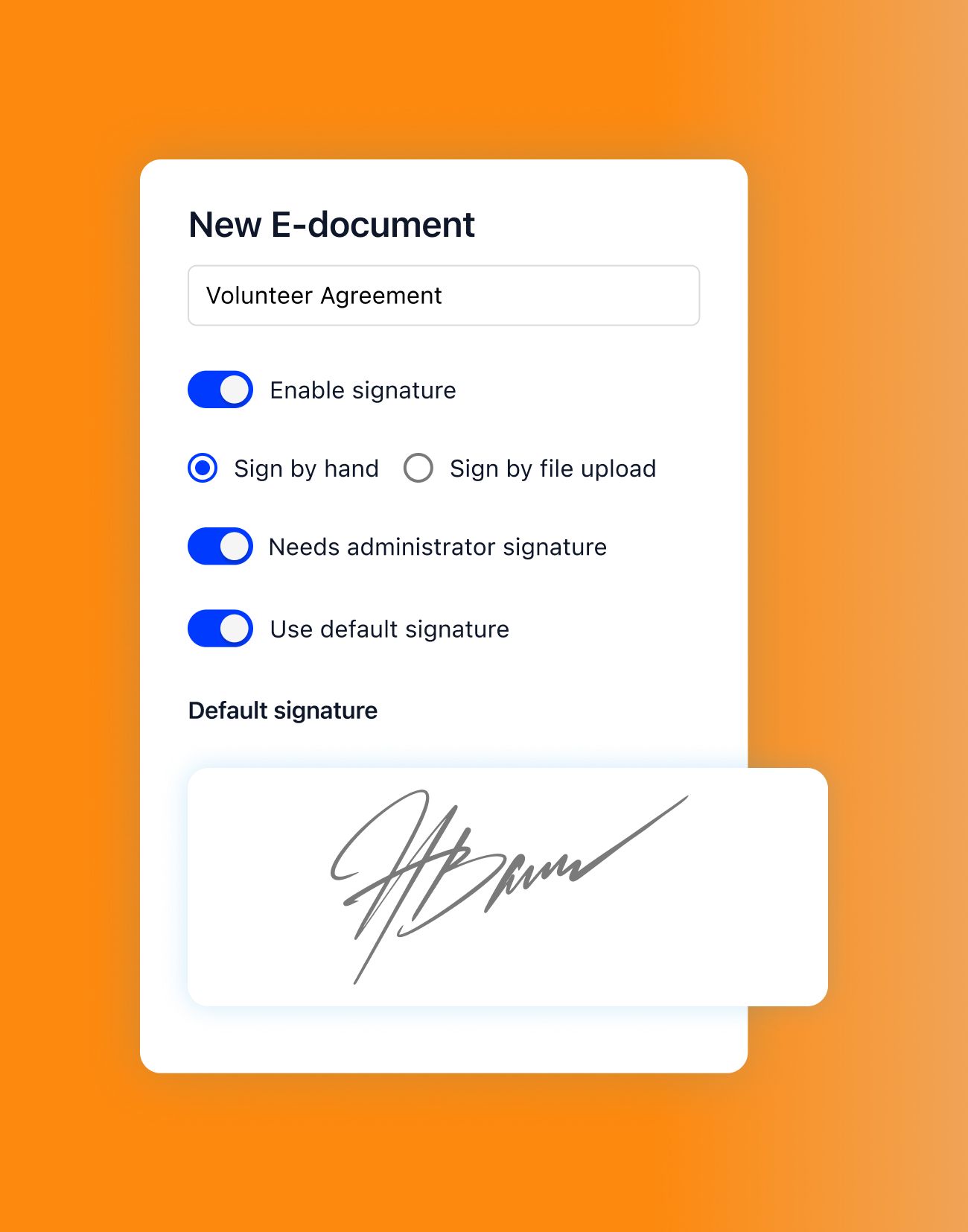
Signers draw their signature on a canvas, right in the browser. Each signature is timestamped and attached to a generated PDF.
Anyone can sign, member or not
Assign contracts to members or share a temporary link with external parties. Everyone signs the same way, no account required for guests.
How eDocuments and eSignatures work in Orgo
Most organizations still email Word docs back and forth, print them for signing, then scan the result. Orgo replaces that entire process. You create a template, assign it, collect signatures digitally, and get a finished PDF with full tracking. Here is how each piece works.
Document templates
Build reusable document templates with dynamic fields and your own branding.
Create or clone
Start from a blank template or clone an existing one. Add your organization's branding, text blocks, and signature fields.
Dynamic fields
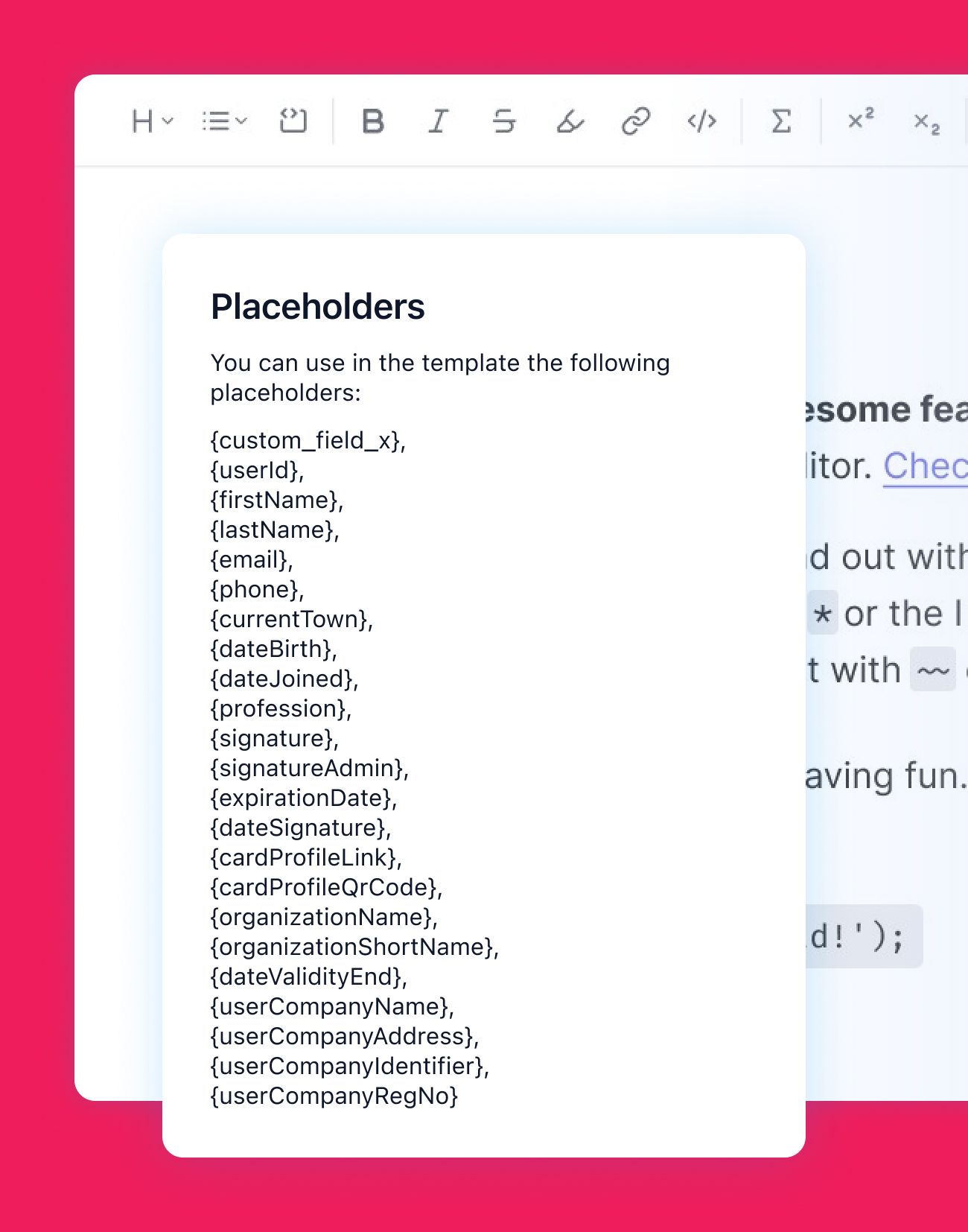
Insert dynamic placeholders that pull member data automatically: name, membership number, date, custom fields.
Live preview
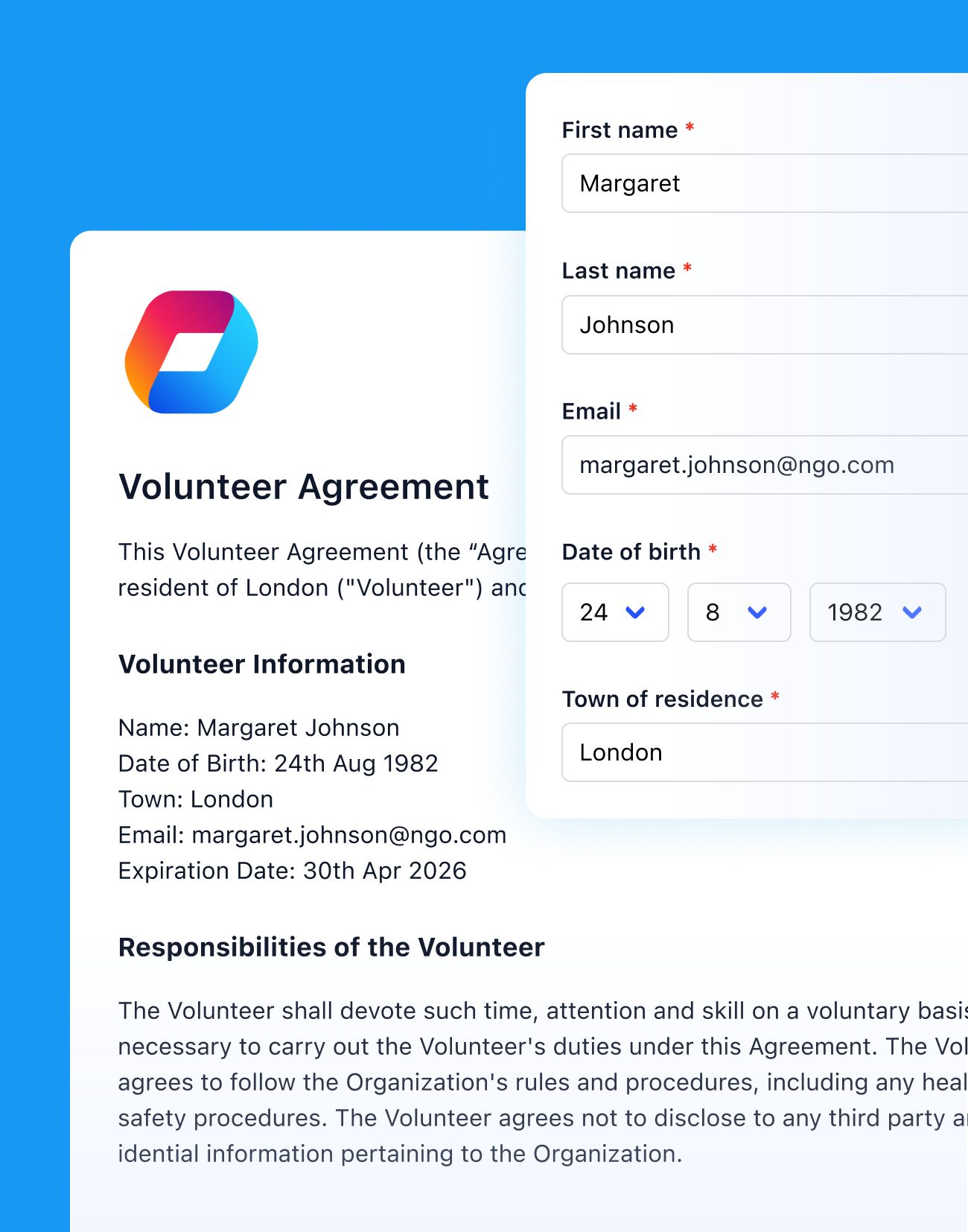
Preview the final document before sending it out. See exactly what the signer will see, including filled-in data.
Upload and store
Upload existing documents directly. Attach them to contracts or share them publicly with a link.
Digital signatures
Collect real handwritten signatures on screen. Track every detail.
Handwritten capture
Signers draw their signature on a canvas using a mouse, trackpad, or finger on mobile. It feels like signing on paper.
Date and time tracking
Every signature records the exact date and time it was made. This data is embedded in the final PDF.
PDF generation
The signed document is generated as a PDF with the signature image placed in the correct position. Ready to download or share.
Signature verification
Verify who signed, when they signed, and confirm the signature has not been altered after the fact.
Contract management
Create, assign, and track contracts across your entire organization.
Template to contract
Create contract templates and assign them to individual members. Each assignment generates a personal contract ready for signing.
Clone and revise
Clone existing contracts to create new versions. Change a clause, save as a new template, and assign it going forward.
User tracking
See who has signed, who hasn't, and when each contract was completed. Filter by status to find outstanding items.
Membership cards
Generate membership card contracts that serve as both an agreement and a credential. Combine signing with card issuance.
Bulk assignment
Assign the same contract to hundreds of members in one action.
One-click bulk assign
Select a group of members and assign the same contract to all of them at once. Hundreds of contracts created in seconds.
Personalized per member
Each member gets their own personalized contract with their data pre-filled. No generic documents.
Batch progress tracking
Track completion across the entire batch. See overall progress and identify who still needs to sign.
Targeted assignment
Filter by membership type, status, or custom fields to target exactly the right group for each contract.
External signing
Let non-members sign contracts through a temporary link. No login required.
Temporary access links
Generate a temporary access link for anyone outside your organization. They open the link, read the contract, and sign it. No account needed.
Time-limited access
The link expires after signing or after a set time period. You control how long the access stays open.
Same signing experience
External signers go through the same signing flow as members: read the document, draw their signature, submit.
Full tracking
All external signatures are tracked and stored with the same detail as member signatures. Full audit trail included.
eDocuments & eSignatures FAQ
You build a template with your text, branding, and dynamic fields (like member name or date). When you assign the template to a member, Orgo generates a personalized document with their data filled in. The member opens it, draws their signature on screen, and submits. Orgo then produces a signed PDF with the signature image and timestamp embedded.
Yes. You generate a temporary access link tied to a specific contract. The external person opens the link in their browser, reads the document, draws their signature, and submits. No account creation, no login. The link expires after signing or after a time limit you set. Their signature is tracked and stored just like any member signature.
Signers draw their signature on a canvas element using a mouse, trackpad, or finger on a touchscreen. The signature image is captured and placed into the document. Orgo records the exact date, time, and signer identity. The final output is a PDF with the signature embedded. You can verify who signed and when through the contract tracking screen.
Select the members you want (filter by group, status, or any custom field) and assign a contract template to all of them at once. Orgo creates individual contracts for each person with their data pre-filled. You can track progress across the batch: who signed, who hasn't, and when each contract was completed.
Orgo supports document versioning, so you can update a template and keep previous versions accessible. Each generated document is tied to the template version it was created from. You can also upload new document files, preview them, and share them publicly via a link. Documents are stored and organized within the platform.
Membership card contracts combine a signing step with card issuance. You create a contract template that acts as both an agreement and a membership credential. When the member signs, they get their card. The contract tracks the signature, and the card serves as proof of membership. You can clone and update these templates as terms change.