Membership management software for nonprofits
Orgo is membership management software for nonprofits that keeps members, volunteers, donors, and projects in one system.
- Donation campaigns with goals, monthly giving, and widgets for your own website
- Volunteers join on their own page, with skills and weekly availability on their profile
- Projects with task boards, timelines, and volunteers who see only their own tasks
Built for NGOs, charities, foundations, and volunteer-run networks that raise money and run programs with the same people.
Nonprofit capabilities at a glance
| Donation campaigns | A public campaign page at /pay/<slug>, no login needed, with story, hero image or video, goal progress bar, and share button |
|---|---|
| Gift frequency | One-off, monthly recurring, or both on the same campaign, with a Give once / Monthly toggle for the donor |
| Campaign goals | Total goal for one-off gifts or monthly goal for recurring revenue, with an optional target date |
| Giving from your website | Embed and popup donation widgets, each with its own colors, language, preset amounts, and statistics |
| Donation currencies | 19 currencies, with an optional Cover the processing fee checkbox for the donor |
| Restricted gifts | Designations per fund or program, each with its own link that pre-selects it at checkout |
| Volunteer sign-up | A separate registration page and form per user type at /join/<slug>, for example one for volunteers and one for members |
| Volunteer matching | Skills and weekly availability on member profiles, both usable as filters in the member list |
| Projects | Tasks with Kanban board, Gantt timeline, objectives, and four project roles: Admin, Member, Contributor, Viewer |
| Recognition | Badges awarded by hand or from events and courses; optional points and a top-50 points leaderboard |
| Payment processor | Stripe checkout, or bank transfer recorded by your team |
| Import | CSV import for members, with an Orgo specialist running the migration with you |
Trusted by leading organizations









Everything you need to run a nonprofit
Donations and fundraising campaigns
Orgo handles donation management for one-off and monthly gifts. Every gift lands in the same payments ledger as your membership dues and event tickets.
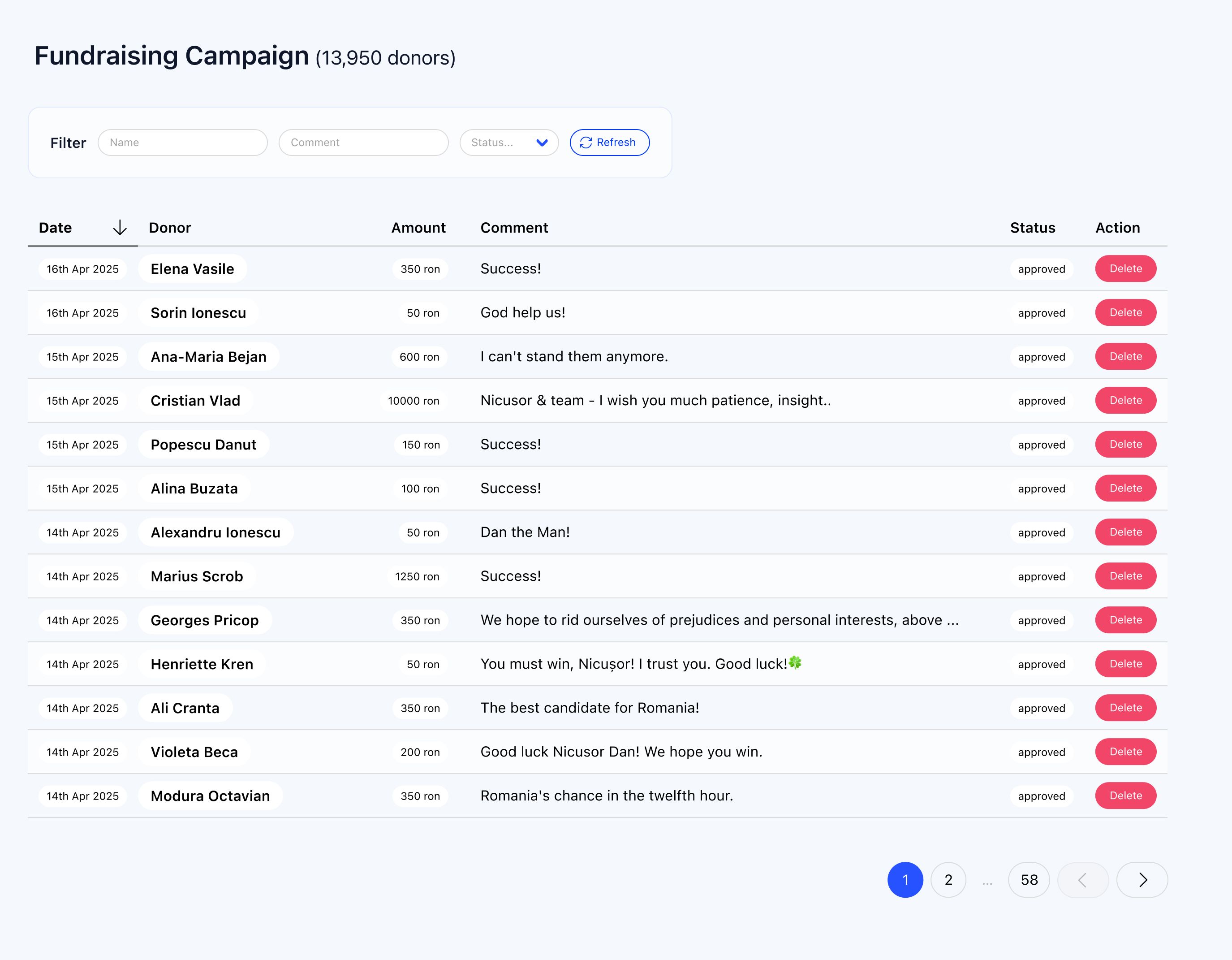
Each campaign gets its own public page with a hero image or video, your story, the amount raised against the goal, and a share button. Donors give without creating an account.

Switch on one-off gifts, recurring monthly gifts, or both. A Subscribers tab lists every recurring donor with their status, and each donor gets a personal cancel link in their subscription emails.
Set a total goal for one-off gifts or a monthly goal for recurring revenue. Add a target date and the progress bar counts down to it instead of showing a percentage.
Place the donation form on your own site as an embedded form or a popup. Each widget has its own colors, language, and preset amounts, and reports its own one-time and recurring totals.
Offer suggested amount buttons, with one pre-selected. Turn on A/B testing to split traffic between sets of amounts and compare the total, average gift, and number of donations for each.
Donors choose which fund, program, or chapter their gift supports. Each designation has its own link, so an appeal email can open the form with the program already selected.
Show a wall of recent donations and messages of support on the campaign page. A donor can tick a confidentiality box to keep their name off it, and active monthly donors carry a Supporter tag on their profile.
Volunteer onboarding and management
Orgo manages volunteers as their own user type, with a separate sign-up page, welcome message, and profile fields for skills and availability. You get volunteer management in the same system as your members.
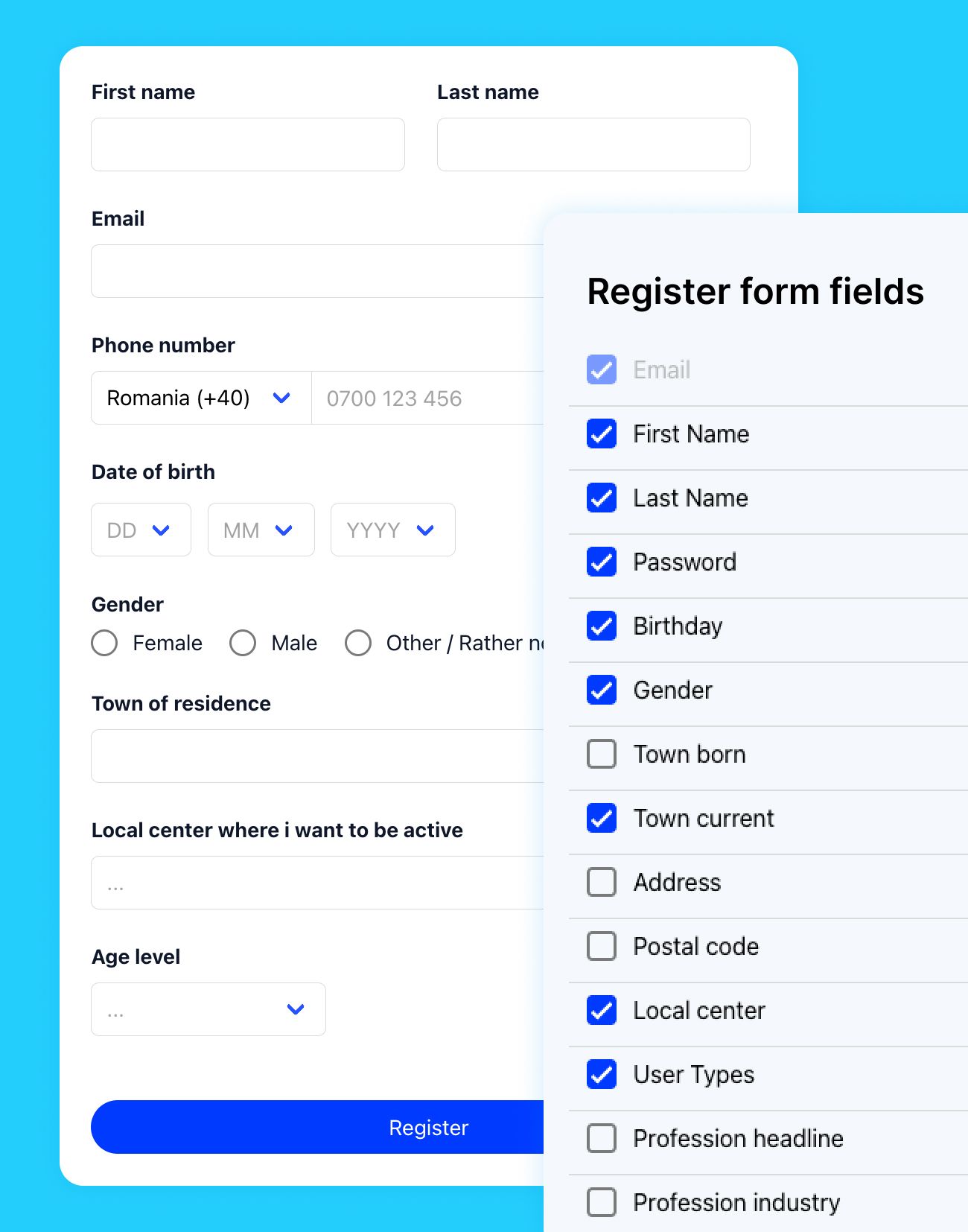
Create a Volunteer user type and give it a URL slug. It gets its own registration page at /join/<slug> with its own form, so volunteers answer volunteer questions and members answer member questions.
Mark the Volunteer user type as not eligible for fee, and volunteers are never assigned membership dues.
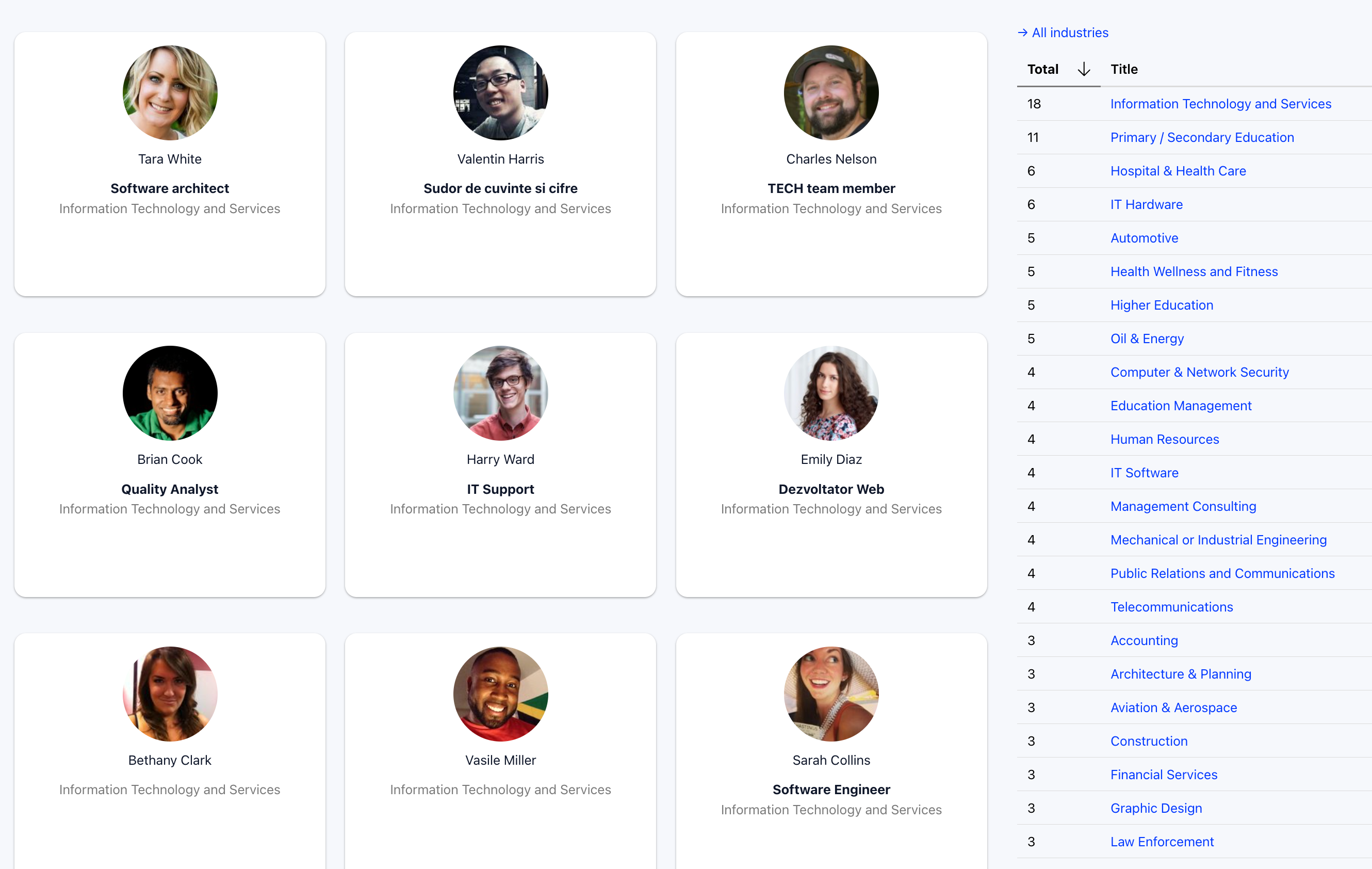
Volunteers record their skills and the hours they can give on each weekday. Staff filter the member list by skill and availability to find who can help with the next activity.
Write a dashboard welcome message aimed only at the Volunteer user type, so the first screen a new volunteer sees explains where to start.
Send a volunteer agreement or code of conduct from a template. The volunteer signs in the browser, the signed PDF is stored on their profile, and the document can expire after a set number of months.
When a local group has more applicants than places, new registrations join a queue. Each person sees their position, and staff admit people in order when there is room.
Coordinators, team leads, and board members hold roles with a start date and an optional end date. When a role ends, the permissions it carried end with it.
Projects and tasks
Orgo projects hold tasks, a Kanban board, and a Gantt timeline. Staff and volunteers plan programs and community projects where they already log in.
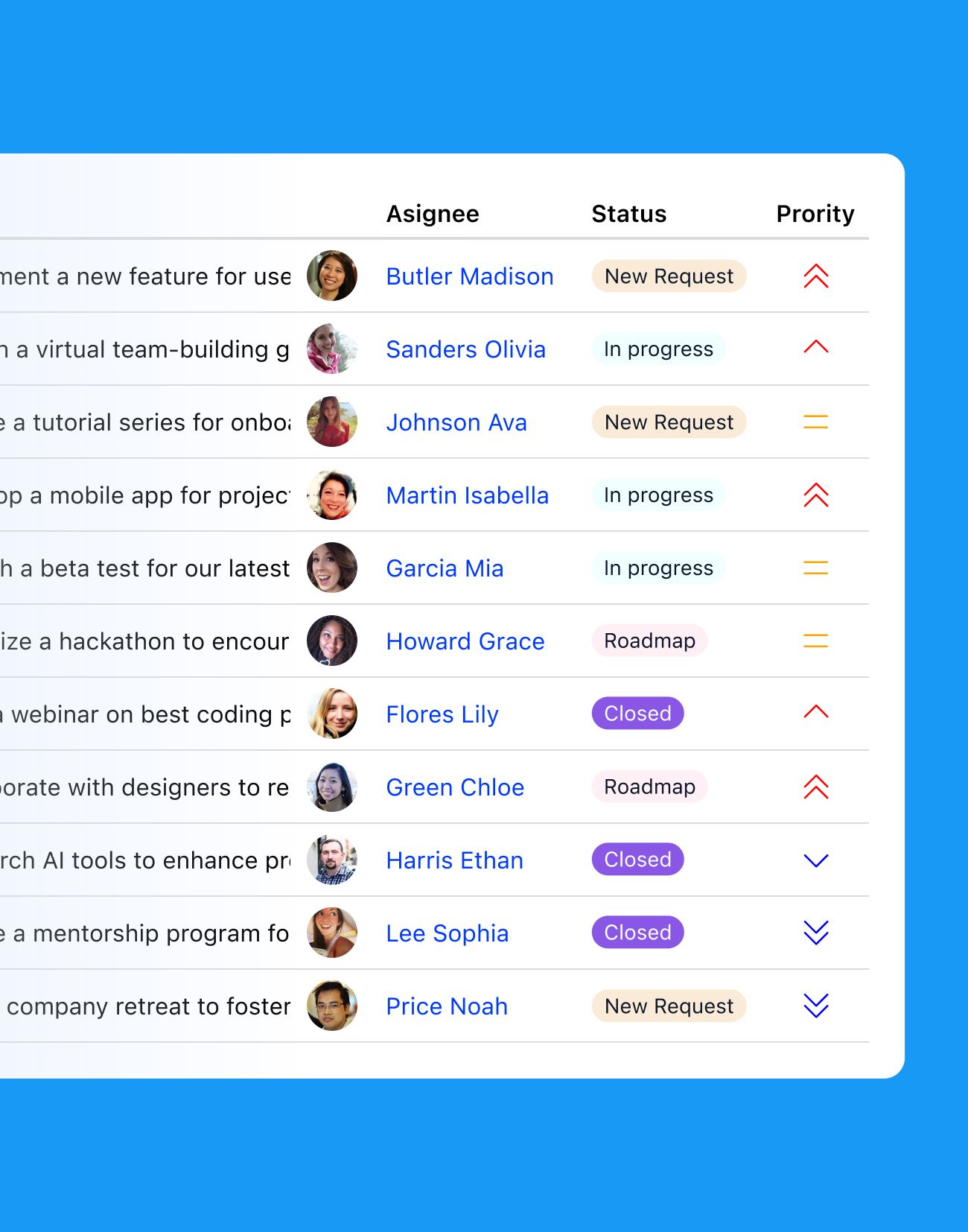
Every project has a task list, a Kanban board with drag-and-drop status changes, and a Gantt timeline with task dependencies when the project uses due dates.
Set Contributors to Only assigned, and a volunteer sees just the tasks they created or were given, not the whole backlog.
Admin, Member, Contributor, and Viewer decide who can create, edit, delete, and comment. Give a whole group access to a project in one step.
Group tasks under objectives such as project phases, and the Overview tracks progress against each one. Dated objectives get their own bars on the timeline.
The Overview counts open, overdue, unassigned, and blocked tasks, and shows the workload of each assignee.
Recognition and community
Orgo recognizes contributions with badges, points, and leaderboards. Volunteers do most of the work at many nonprofits, and these tools make that work visible.
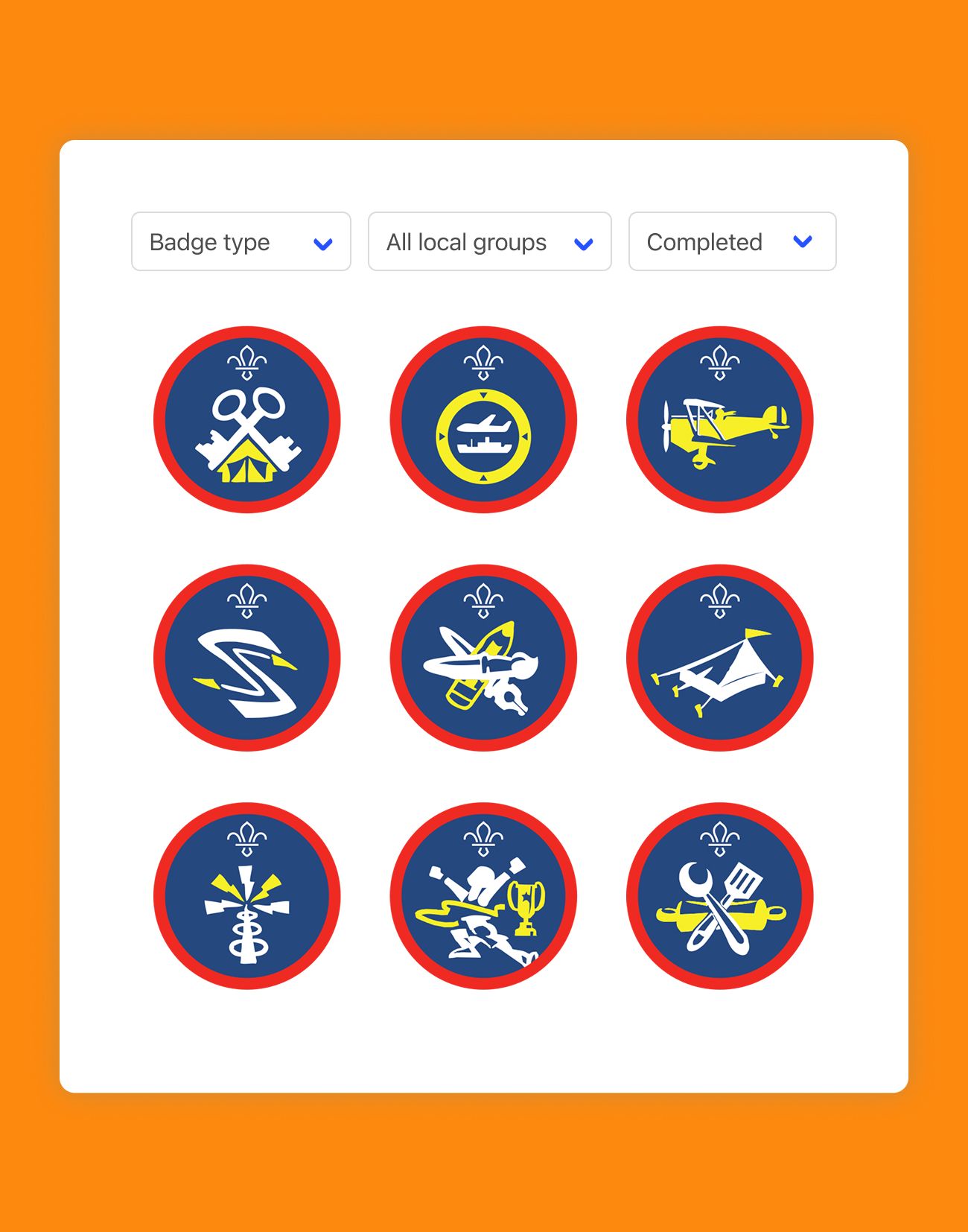
Award badges by hand, or automatically when someone attends an event or completes a course. Badges can include a checklist of steps, with progress shown on the profile.
With points switched on, people earn points for attending events, referring new members, starting discussions, and commenting. You set how many points each activity is worth.
Rank the most active people by events attended, posts, reactions received, and referrals. With points on, a points leaderboard shows the top 50 over 7 days, 30 days, or all time.
Each local group or chapter has its own members, discussions, events, and files, run by local admins.
Members, dues, and structure
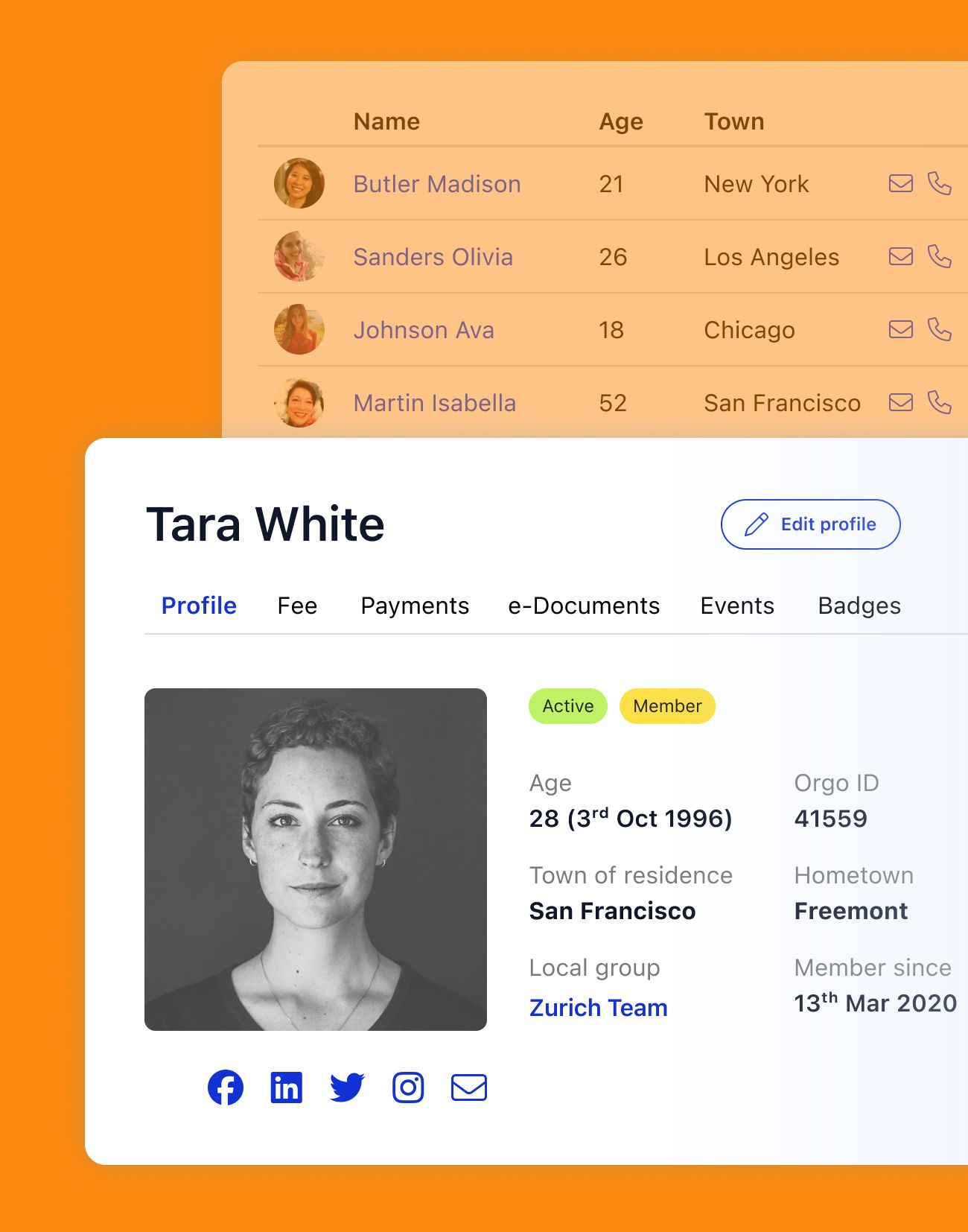
One record for every member, volunteer, and staff member, mapped to the chapters and teams they belong to.
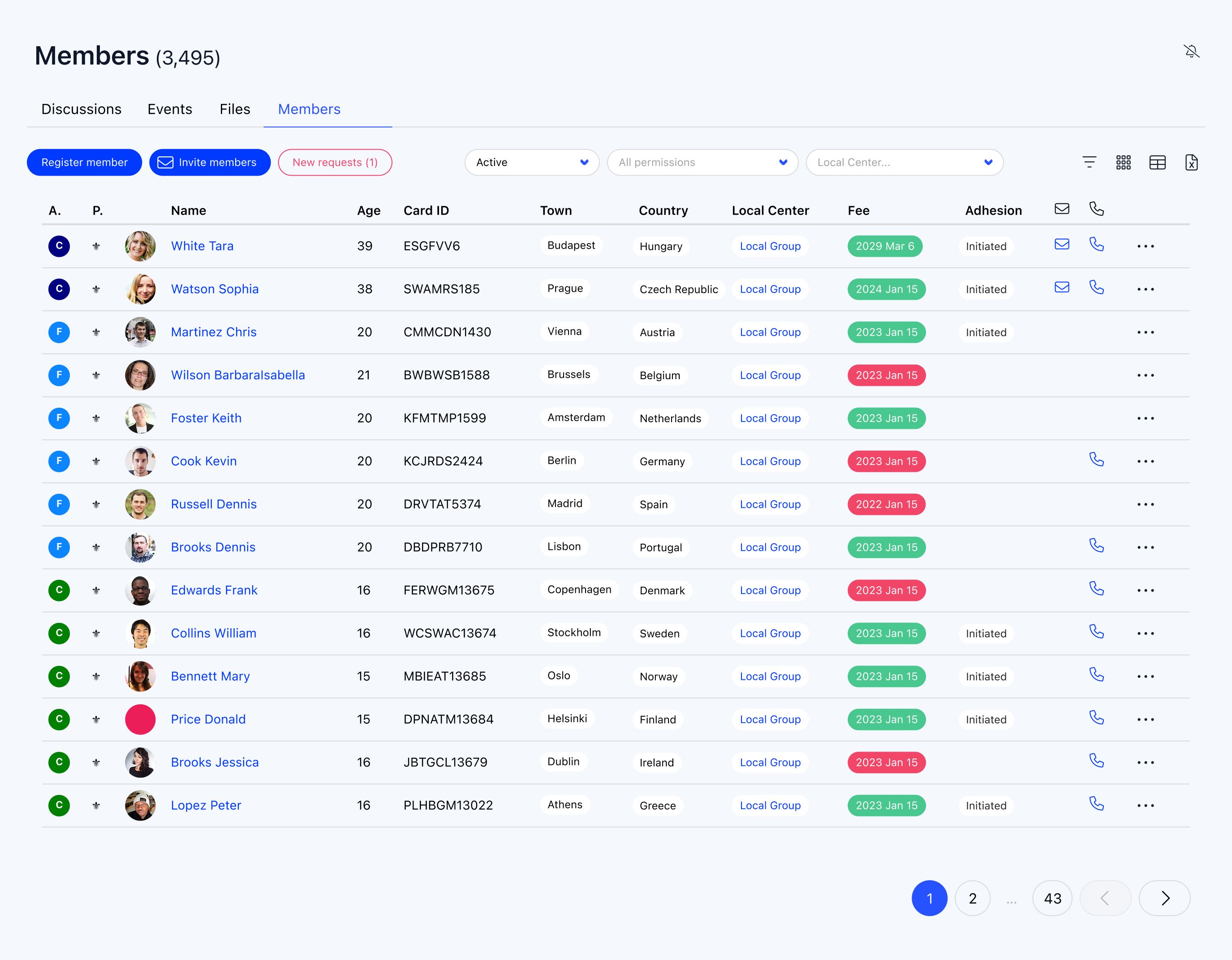
Each person has one profile with their contact details, user type, roles, payments, signed documents, and activity history.
Map regions, chapters, and teams. Local admins manage their own members without seeing the rest of the organization.
Members pay dues through Stripe checkout, or by bank transfer recorded by your team against the member's account.
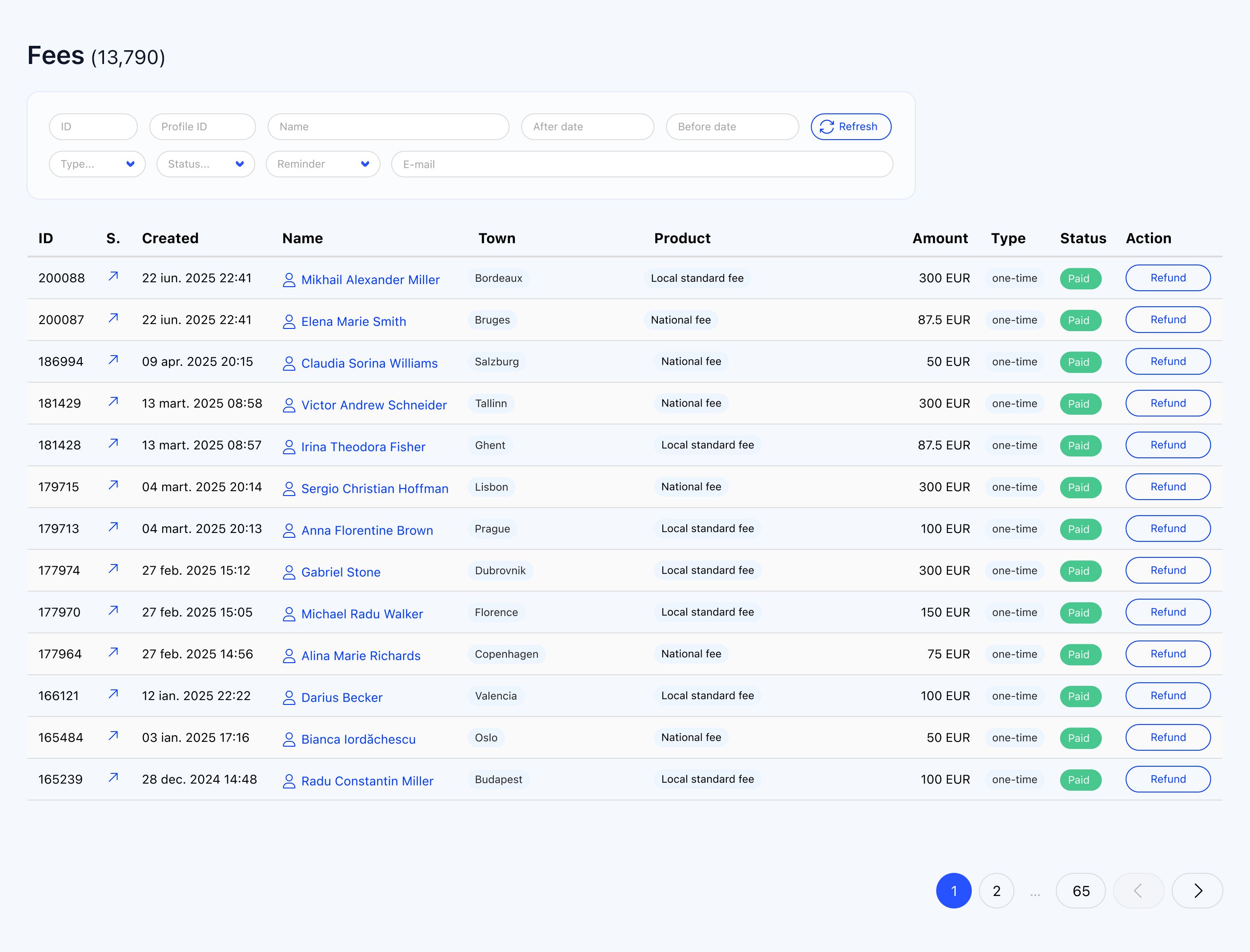
Reminders go out before a membership expires, on the expiry date, and after it, so nobody has to chase renewals by hand.
Ask new members to apply, sign, and wait for approval. Applications move through a review chain before staff accept or reject them.
Events and fundraisers
Run galas, trainings, and community days from the same system that holds your members and donors.
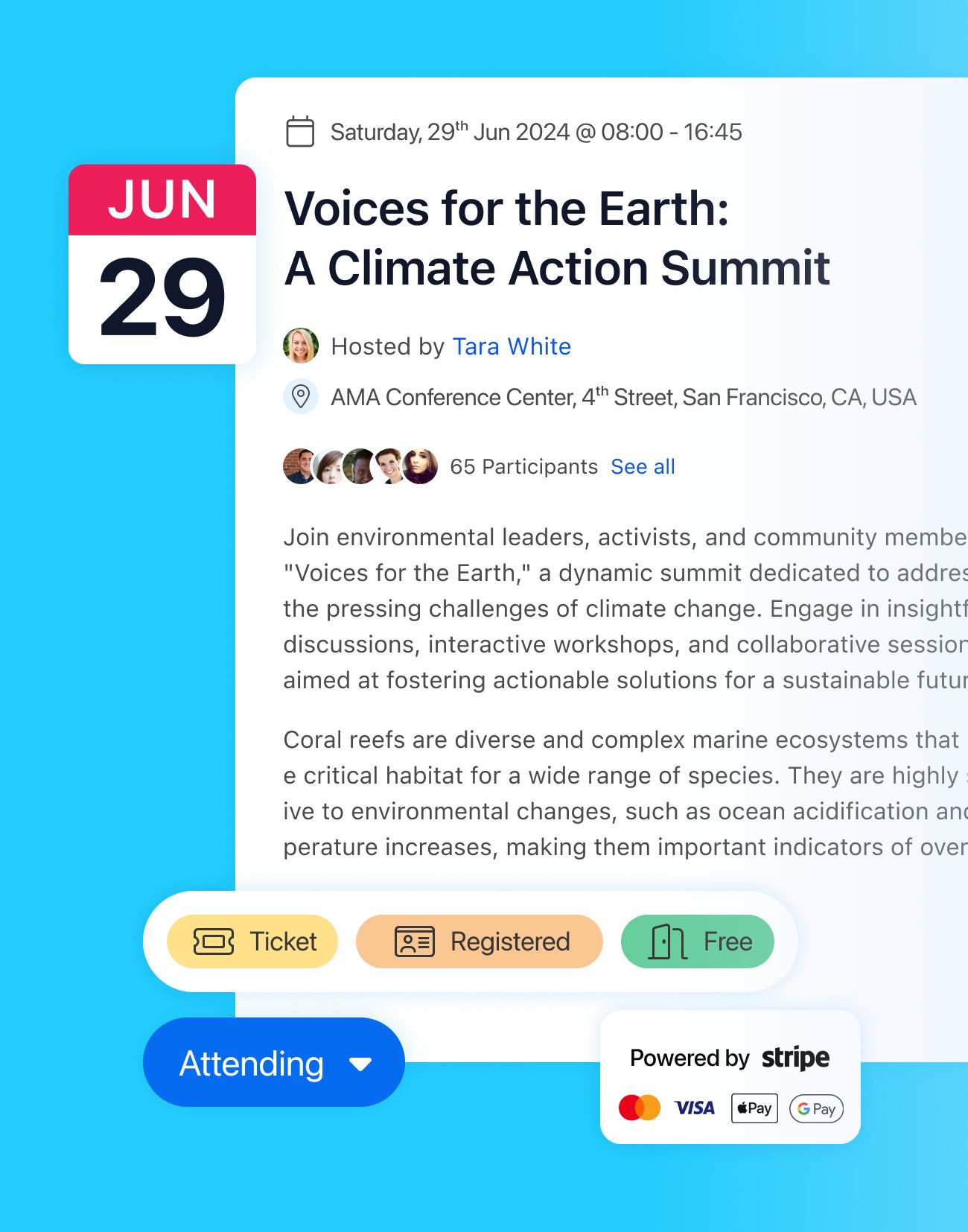
Sell paid tickets or take free registrations online, with your own registration questions.
Each ticket carries a QR code that staff or volunteers scan at the door.
See who attended and what the event raised as soon as it ends.
Communication
Reach donors, members, and volunteers separately, without three different mailing tools.
Send newsletters and appeals to a segment, such as volunteers in one region or members of one project group. Each campaign reports opens, clicks, bounces, and unsubscribes.
Create a follow-up draft that goes only to people who received the original email but never opened it.
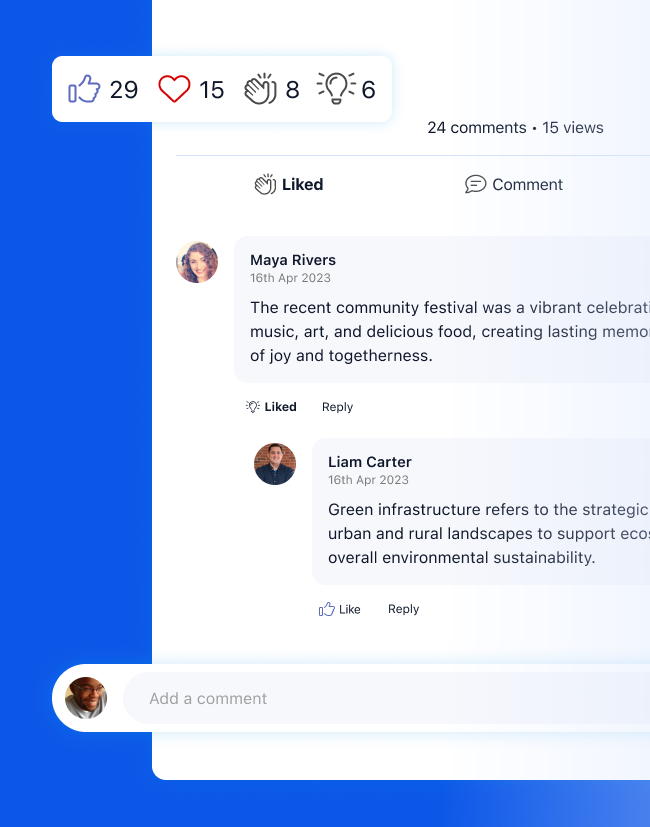
Members and volunteers talk in discussion spaces inside the platform, and urgent updates reach them as push notifications on their phone.
Documents and eSignatures
Keep policies, reports, and signed agreements in one place, with access set by group.
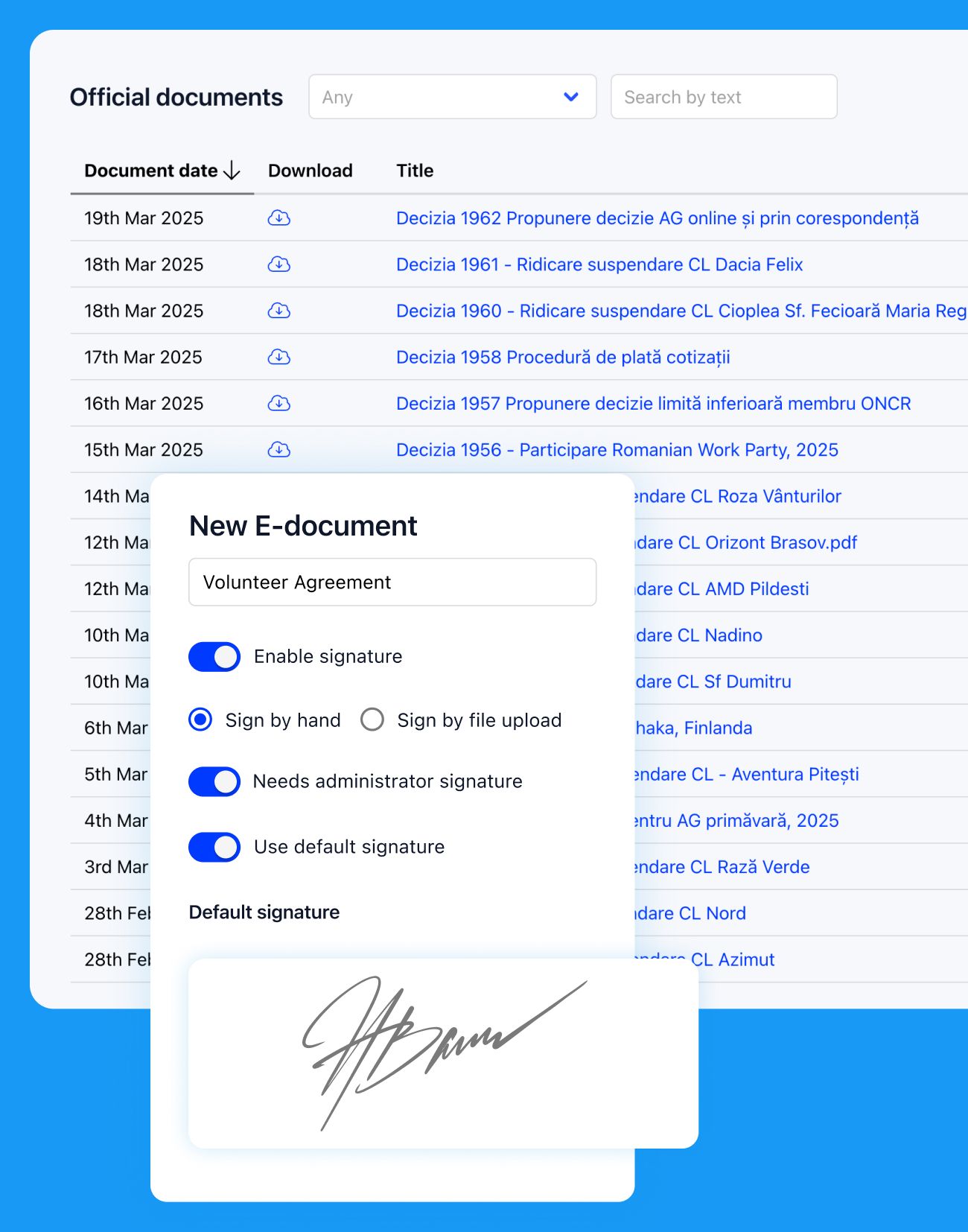
Store policies, grant reports, templates, and photos in folders that each group can see.
Write a document once as a template. Orgo fills in each person's details, sends it, and stores the signed PDF on their profile.
A public link lets someone outside the platform sign a document. The link expires after 72 hours.
Board elections and decisions
Hold general assembly votes and board elections online, without a separate voting tool.
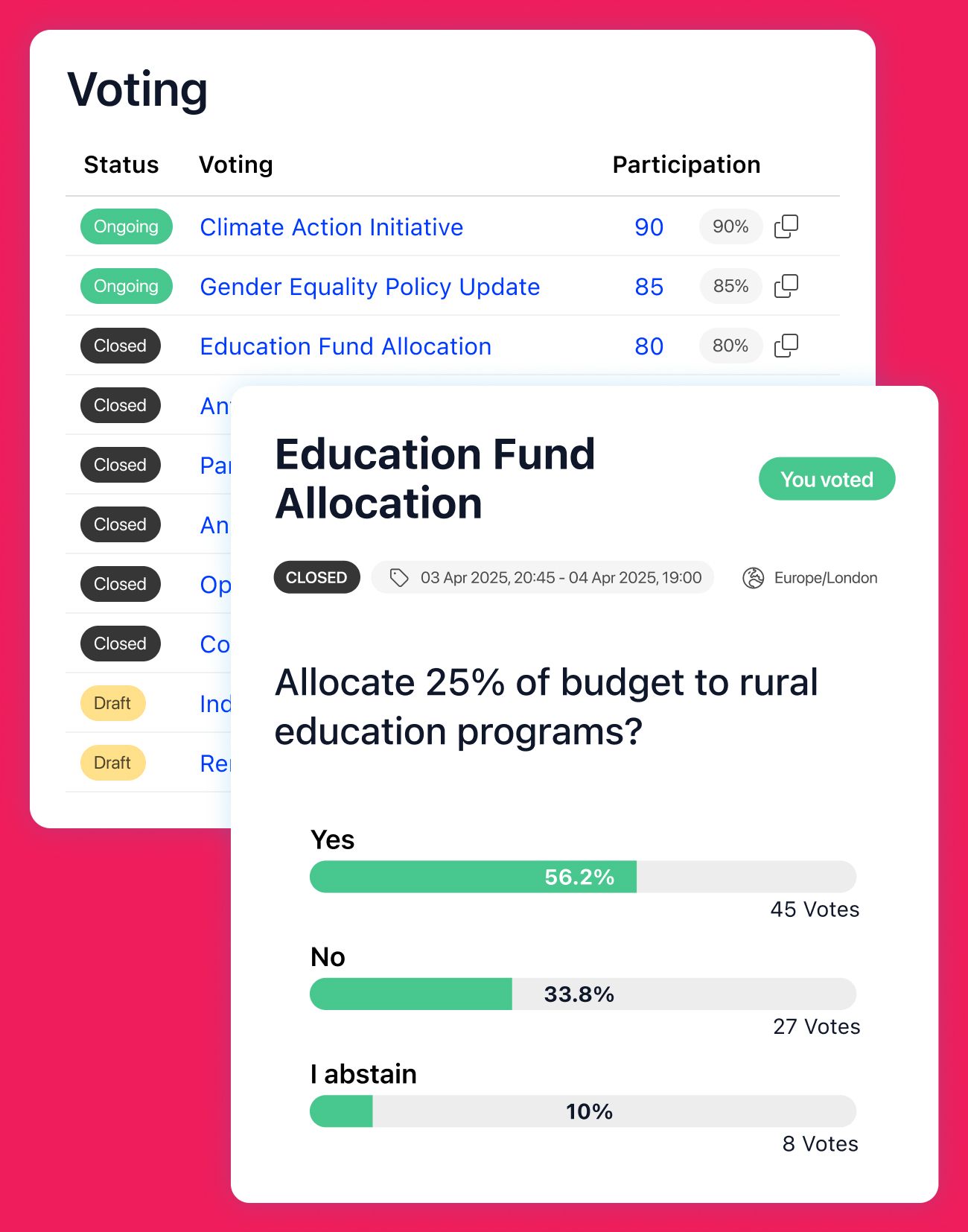
The voter's identity is kept separate from the vote, and results can be verified after the ballot closes.
Decide who votes on each ballot through a group or a private voter list, for example members with dues paid, or the board alone.
Members vote from a phone or computer, so an assembly does not depend on who can travel.
Reporting and data protection
Answer the board, a funder, or an auditor from live data, not a spreadsheet compiled the night before.
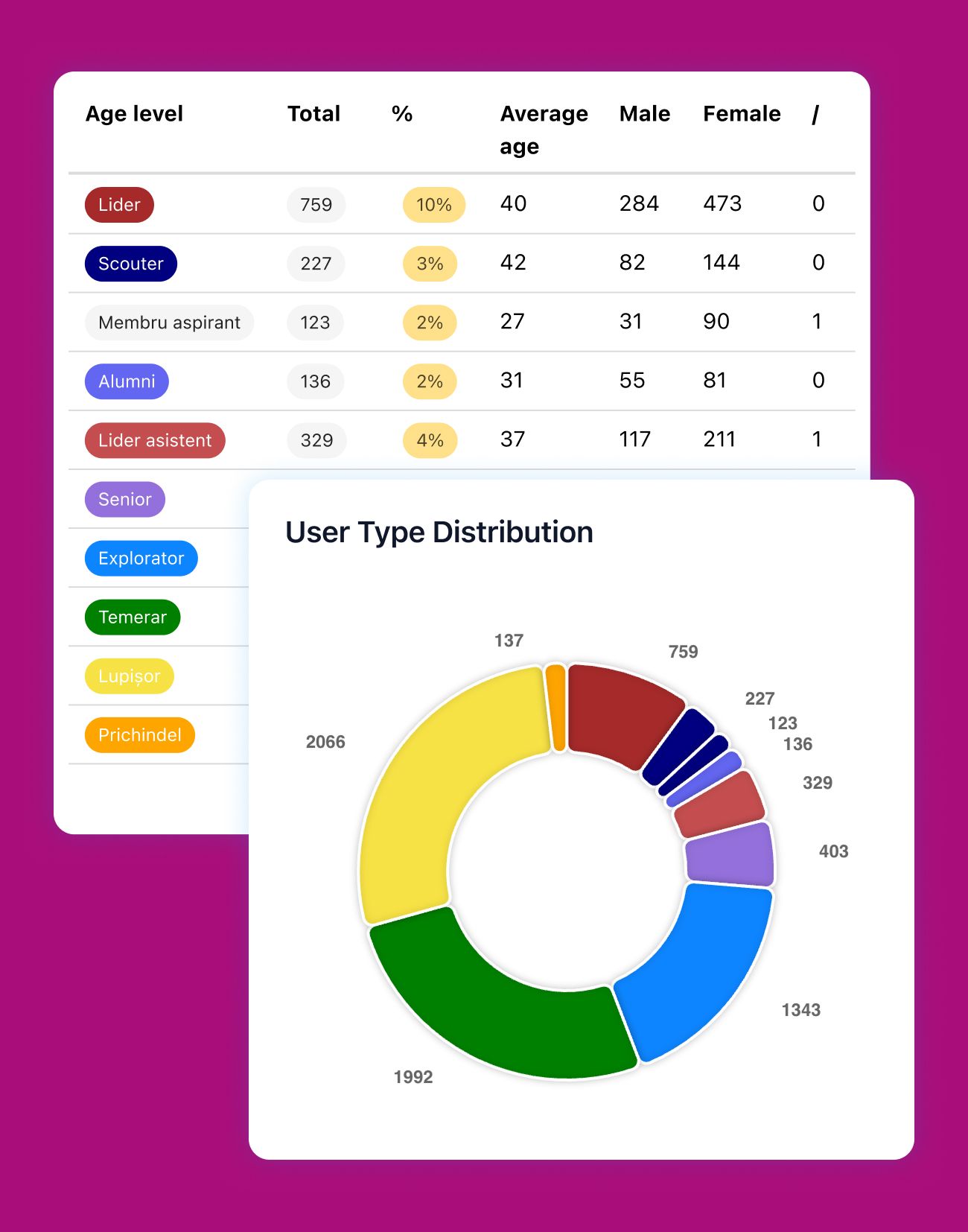
Prebuilt analytics cover membership, geography, activity, and revenue, filtered by chapter or user type.
The report builder lets you choose the subject, tick the columns, add filters, and download a CSV with every matching row.
Each donation campaign shows views, clicks, shares, devices, and UTM sources, and compares widget traffic with the public page.
You sign a GDPR data processing agreement before the first import. The activity log records who changed which record, and what each field changed from.
“With an organization of 8,000 members and more than 80 local groups coordinated almost exclusively by volunteers, Orgo is at the heart of our digitisation process, allowing us to focus on what we do best - learning by doing, nature, and personal development.”

Andrei Avram
President, Romanian Scouts
Move your members, volunteers, and donors across
CSV import from your spreadsheets
Import members and volunteers from a spreadsheet, with user types, chapters, and your own custom fields mapped column by column.
Human-led implementation
An Orgo specialist sets up your organization with you. Not a self-service wizard.
Most organizations go live in 2 to 4 weeks
That includes data migration, platform configuration, and training for your staff and volunteer coordinators.
Support A team that knows how nonprofits work
You talk to the people who built Orgo, not an account executive working from a script.

Vasile Darie
CEO

Alex Plosceac
CTO

Radu Vrabie
CCO
Many of the people who will use Orgo at your nonprofit are volunteers with a day job. We set the platform up so they can find their way around without training sessions, and we stay reachable when your coordinators have a question.
People-first support
Real people who know the platform, reachable when something comes up.
Setup for fundraising and volunteers
Stripe connection, donation campaigns, volunteer sign-up pages, and user types configured with you.
Patience and availability
Support adapts to your team's pace, whether your staff is technical or not.
Built for your kind of nonprofit
Charities and foundations
Donation campaigns and monthly giving run next to the programs the money pays for.
Volunteer-run networks
Local groups coordinated by volunteers, each with its own members, events, and discussions.
Youth organizations
Adult volunteers, young members, and waitlists for groups with limited places.
Environmental NGOs
Clean-ups, planting days, and campaigns planned as projects with volunteer tasks.
Humanitarian and social services
Restricted gifts designated to specific programs, with exports for funder reporting.
Advocacy groups
Supporters who give, members who vote, and appeals sent to each group separately.
Faith communities
Regular giving, community events, and volunteer teams in one place.
Alumni networks
Membership, fundraising appeals, and reunions run from the same member records.
Cultural and community associations
Members, volunteers, and events, with your own website built on the same data.
If fundraising is your main goal
Some organizations come to Orgo mostly for donations: campaign pages, recurring giving, and chapters that collect into their own Stripe accounts. That side is covered in depth on the fundraising software page. A national campaign raised 1.3 million euros from 18,700 individual donors on Orgo, as the political fundraising case study shows. If your nonprofit is a network of local groups, see multi-chapter management.
See your nonprofit in Orgo
- 1 Pick a 30-minute slot. You talk to the people who built Orgo, not an account executive working from a script.
- 2 We set up Orgo with your own members, volunteer roles, and a donation campaign during the call.
- 3 You keep the sandbox to evaluate with your team, plus a written plan for migrating the data you already have.
Nonprofit membership management FAQ
Orgo is used by national, international, grassroots, and volunteer-driven NGOs. Whether you run a membership-based association, a project-focused charity, or a network of local groups, Orgo adapts to your structure with user types, roles, and chapters.
Yes. A donation campaign can take one-off gifts, monthly recurring gifts, or both, with a Give once / Monthly toggle on the page. Recurring donors appear on the campaign's Subscribers tab, and each one can cancel through a personal link in their subscription emails.
Yes. Each campaign can have embed and popup widgets that you paste into your own site. Every widget has its own colors, language, and preset amounts, and reports its own donation totals so you can compare placements.
Yes. Add designations to a campaign, one per fund or program, and donors pick one under Designate to at checkout. Each designation has its own link that opens the form with it pre-selected, and gifts can also be designated to a chapter.
Yes. Members and volunteers are separate user types, each with its own registration page and form. You can mark volunteers as not eligible for membership fees, show them their own welcome message, and filter them by skills and weekly availability.
No. Orgo records each volunteer's weekly availability, meaning the hours they can give on each weekday, but it does not log hours worked. Recognition runs through badges and, if you switch them on, points for activities such as attending events.
Yes. In each project you can set Contributors to Only assigned, so a volunteer sees only the tasks they created or were assigned, on the list, the board, and the timeline. Projects do not include time tracking or budgets.
Most nonprofits go live in 2 to 4 weeks, depending on complexity. Our team supports you through data migration, platform setup, and training so your staff and volunteers are ready from day one.
Yes. Each member chooses their own interface language, and you can map countries, regions, and local groups as chapters with their own admins. Donation campaigns accept 19 currencies.
Yes. You sign a GDPR data processing agreement with Orgo before the first import, and the activity log records who changed which record and when. The details are on our data privacy page.
Related features
Fundraising software
Donation campaigns, recurring giving, and widgets for your website.
Learn moreMembership management software
Member records, dues, renewals, and the member directory.
Learn moreEvent management software
Registration, ticketing, and QR check-in for fundraisers and trainings.
Learn moreHelp desk and project management
Projects, tasks, and boards for programs run by staff and volunteers.
Learn moreeDocuments and eSignatures
Volunteer agreements and consent forms signed on screen.
Learn moreScout membership platform
For youth organizations led by adult volunteers.
Learn more