Institutional membership management
Some of your members are organizations, not people. Orgo treats them that way.
- Each member organization buys a plan with a set number of seats and invites its own staff onto them
- One payment from the organization covers every person on its seats
- Its primary contact runs the team and the payments, and its voting representative casts its vote
Built for trade associations, federations of associations, university networks, and any body whose members are institutions.
Institutional membership at a glance
| Member record | Name, logo, website and description, plus legal name, registration number, VAT number and billing address |
|---|---|
| Seats | Set by the plan the organization pays for; 0 means unlimited; pending invitations count toward the total |
| Invitations | Sent by email, valid for 30 days, and can be resent or revoked |
| Roles | One Primary Contact and one Voting Representative per organization; everyone else is a member |
| Validity | One payment copies the organization's valid-until date onto every person with an account on its seats |
| Payment methods | Card through Stripe checkout, an invoice paid by bank transfer, or marked as paid by your team |
| Renewal reminders | A month, a week and a day before expiry, on the day, then 7, 14 and 30 days after |
| Directory | A member directory of active organizations, a members-only map, and an optional public map |
| Voting | Each organization votes through its Voting Representative; eligibility is set per ballot |
| Import | CSV import for organizations, then for the people linked to them |
Trusted by leading organizations















Institutional membership for
Trade associations and chambers
Your members are companies. Each one puts its own staff on its seats, and the finance department pays one invoice for all of them.
Federations of associations
Your members are associations in their own right. Each member association gets its own profile, its own admin, and its own people under it.
University and research networks
Your members are universities and institutes. Academic and administrative staff join through their institution, and the institution holds the vote.
Everything you need when your members are organizations
Member organizations
Every member organization has a record of its own, and the people who work there join through it.
Each record holds the organization's name, logo, website and description. The billing side holds its legal name, registration number, VAT number and address.
Each organization names the person who receives its invoices and renewal reminders, with two extra Cc addresses for a finance inbox or an accountant.
The Primary Contact runs the organization's page. They edit its details, invite and remove staff, and pay the fee, without asking your team.
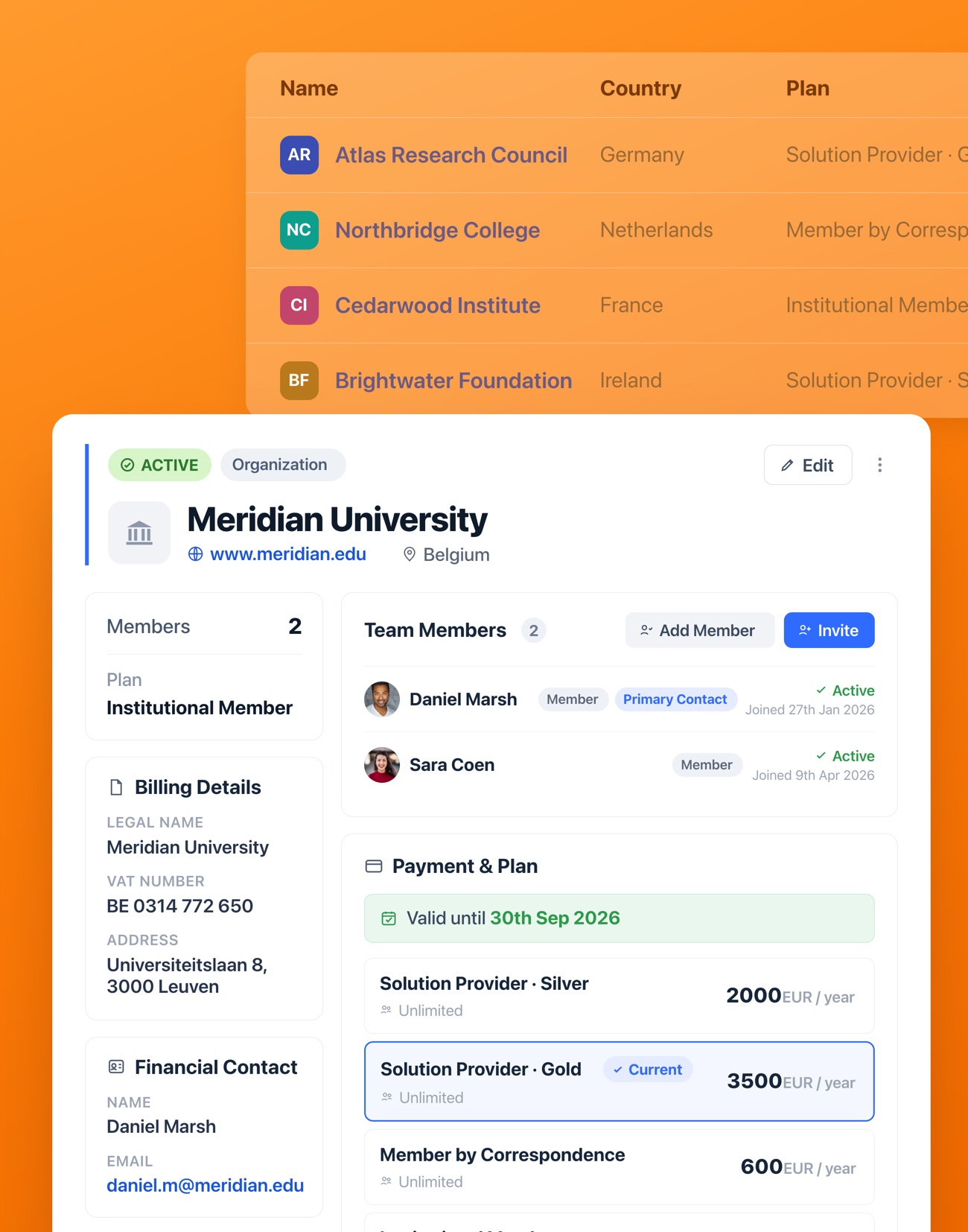
One person per organization holds the Voting Representative role. Assigning it to someone new takes it from the previous holder.
When someone is added or invited, Orgo checks that they don't already belong to another member organization.
Your team creates organizations from the admin side. You can also let any logged-in member create one from their profile, which then waits as Pending until its first payment.
Plans and seats
The plan an organization pays for decides how many of its people can join.
Each plan carries a seat count. When an organization pays for a plan, its seat allowance updates to match. A value of 0 means unlimited seats.
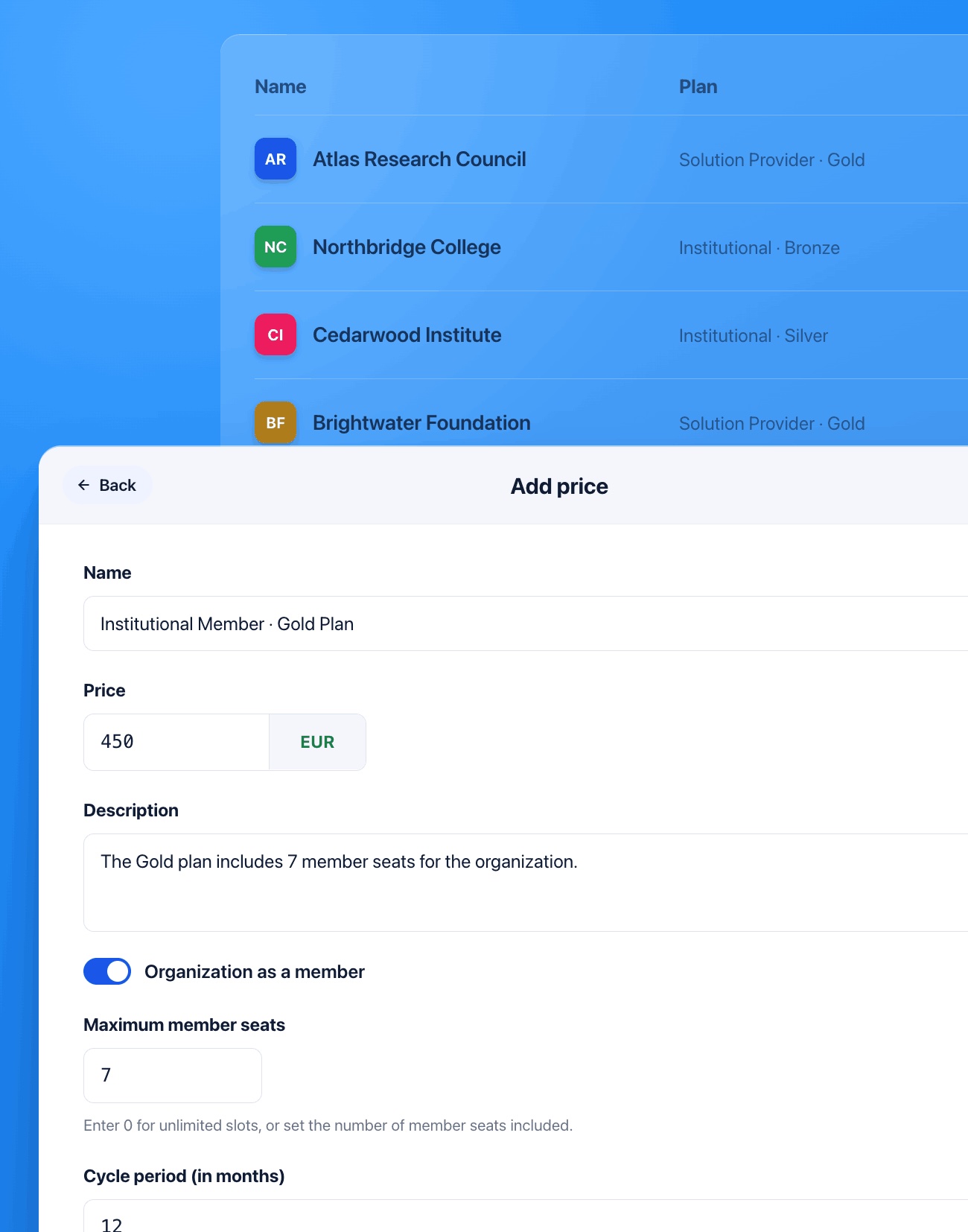
Price plans by seat count, by type of member or by size band. A small organization can sit on a cheaper plan with fewer seats.
Staff are invited onto a seat by email. An invitation stays valid for 30 days, and resending it restarts the 30 days. It can be revoked at any time.
An open invitation counts against the allowance the same as an accepted one. Seats are checked again when the invitation is accepted, so an organization can't go past its limit.
A contact holds a seat and appears on the team without ever creating an account. Contacts don't inherit the organization's valid-until date, because they have no fee record.
When someone registers for an event with an email address on an active organization's website domain, Orgo adds them to that organization, if it has a free seat. Gmail, Outlook and other free providers are excluded.
Fees and renewals
Institutions pay by invoice and bank transfer far more often than by card. Orgo handles both.
When the organization pays, Orgo copies its valid-until date onto everyone on its seats who has an account. Someone who joins later inherits the date straight away. Someone who leaves loses it.
The Primary Contact pays by card through Stripe checkout, with VAT on its own line. They can also request an invoice and pay it by bank transfer.
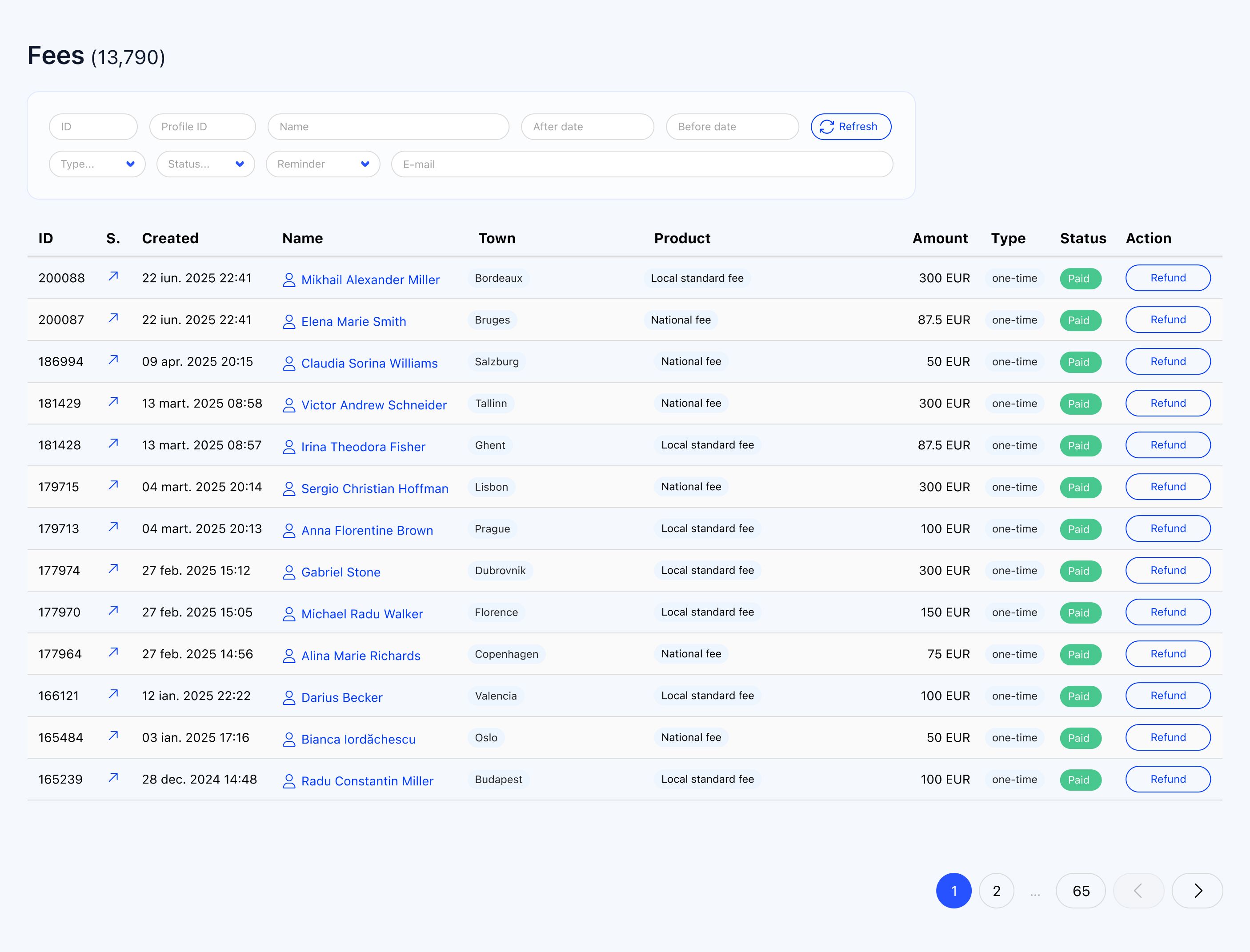
When money arrives some other way, an administrator marks the fee as paid. Any pending bank-transfer invoice is voided at the same time.
Renewal opens 60 days before expiry. An early payment starts where the current period ends, and a payment never shortens the validity an organization already has.
Reminders go out a month, a week and a day before expiry, on the expiry date, then 7, 14 and 30 days after. Each one goes to the financial contact and copies the Primary Contact and both Cc addresses. With invoicing on, the renewal invoice is attached.
Turn on Fee Payment Mandatory and, once the grace period ends, the Primary Contact is sent to the payment page. Everyone else at the organization sees a notice to contact them.
Voting
Ballots run inside Orgo. Each member organization speaks through one person.
eVoting counts one vote per person. To give each organization one vote, scope the ballot to its Voting Representatives. There is one per organization.
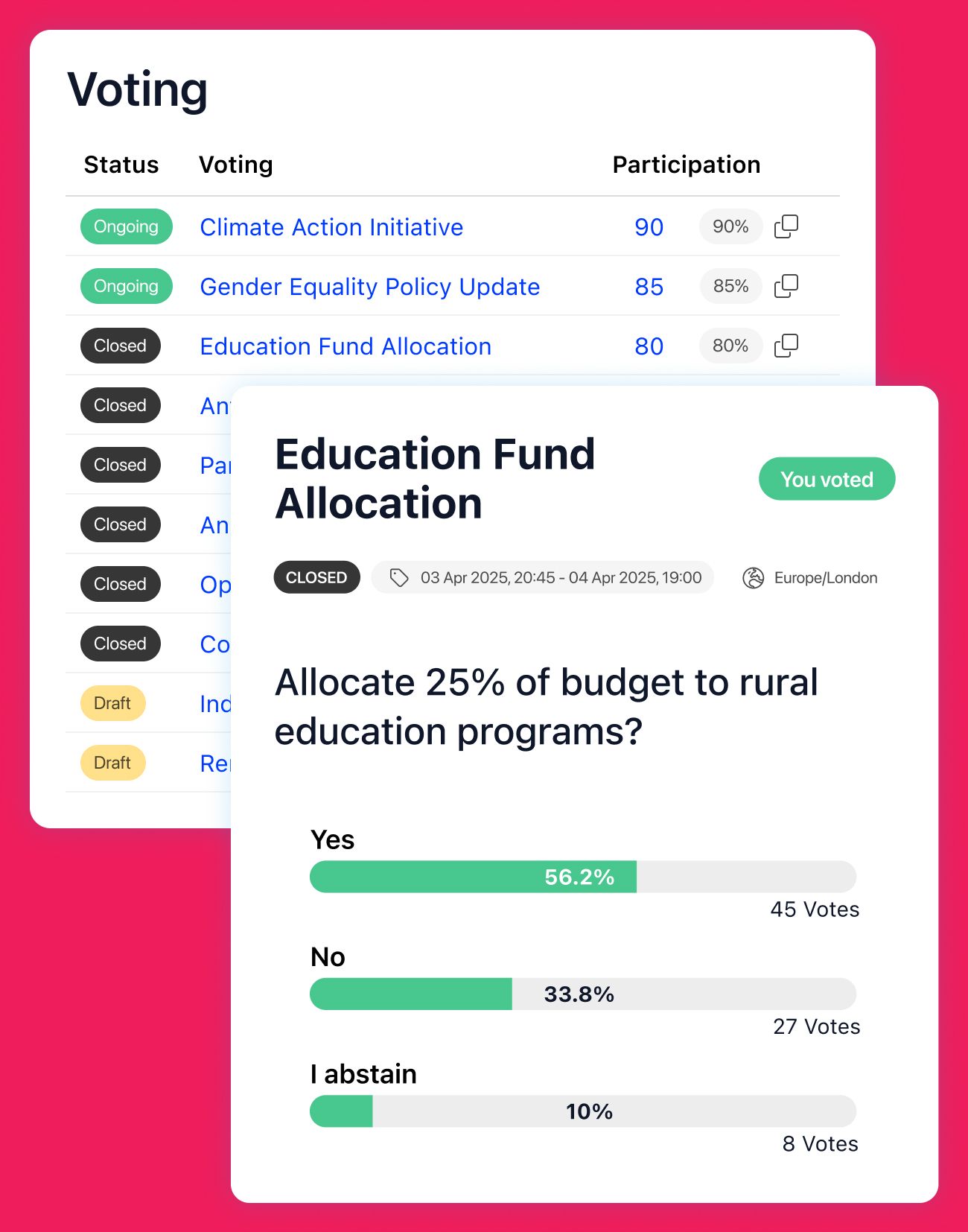
You decide who votes on each ballot through a group or a private voter list. That might be every Voting Representative, or only the representatives of full members.
Identity and vote are kept apart. Results can be checked after the ballot closes.
Committees and working groups
The people behind each member organization meet in committees, councils and working groups.
Each committee or working group gets its own discussion space and shared documents, visible only to its members.
A group can fill itself from a role, for example every board member. People join and leave it as they gain or lose the role.
Committee places are held by individuals from member organizations. The roster shows each person with their organization next to their name.
Directory and map
Members can see who else is in the network, and the public can see it too if you want.
Members browse active organizations by name, town and country. Each card shows the logo, website, description and Primary Contact. Billing details stay hidden.
Every member organization appears as a pin on a map, placed from its address or, without one, its town.
Turn on the public map and embed it on your website. It shows paying organizations only.
General assembly and congress
The annual meeting and its vote run on the same platform as everything else.
Delegates register and pay for the congress online, with paid or free tickets and a QR code on every ticket.
Agenda, personal schedule and networking run inside your own branded app, under your name.

The general assembly vote runs on the same eVoting system as any other ballot. Delegates don't switch tools between the sessions and the vote.
Reporting
Organizations are a data source in Reports, alongside people, payments and events.
See each organization's status and valid-until date, including the ones still waiting on their first payment.
Build a report on member organizations with the columns and filters you need, for the board or the finance team.
What Orgo doesn't do here
No weighted votes
Every vote counts the same. A large member organization can't hold more voting weight than a small one.
No dues calculated from headcount
The fee is set by the plan, not by how many employees or students an organization has. Size bands work as separate plans.
No public sign-up for organizations
An organization is created by your team or by a logged-in member. There is no form where a stranger registers a company.
Not scoped to chapters
Member organizations belong to the whole organization, not to one chapter. If members join through regional bodies, use multi-chapter management instead.
Bring your existing member list
CSV import for organizations and their people
Import member organizations from a spreadsheet, then import the people linked to each one, with their Primary Contact role.
Human-led implementation
An Orgo specialist sets up your organization. Not a self-service wizard.
Most organizations go live in 2 to 4 weeks
That includes data migration, platform configuration, and training your team.
See your member organizations in Orgo
- 1 Pick a 30-minute slot. You talk to the people who built Orgo, not an account executive working from a script.
- 2 We set up Orgo with your real plans and member organizations during the call.
- 3 You keep the sandbox to evaluate with your team, plus a written plan for migrating the data you already have.
Institutional membership FAQ
Yes. A member organization can be any kind of institution: a company, an association, a university or a research institute. The screens call them companies by default, and you can rename the label in your platform's text settings. The rename doesn't reach system emails or PDFs.
Yes. One payment covers every seat on its plan. Orgo copies the organization's valid-until date onto everyone on its seats who has an account, so nobody pays individually.
As many as the seat allowance on its plan. A value of 0 means unlimited. Pending invitations count toward the total the same as accepted ones, so the organization always sees how many seats are really free.
eVoting counts one vote per person. To give each organization one vote, scope the ballot to the Voting Representatives. Each organization has exactly one. There are no weighted votes.
Yes. The Primary Contact can request an invoice and pay it by bank transfer, or pay by card through Stripe. Your team can also mark a fee as paid when money arrives another way.
The organization's financial contact, with the Primary Contact and two extra Cc addresses copied. Reminders go out a month, a week and a day before expiry, on the expiry date, then 7, 14 and 30 days after.
No. When someone is added or invited, Orgo checks that they aren't already in another organization. If a consultant works with two members, they join through one of them.
Probably not on its own. If people join a regional body that is itself a member of the national one, with dues split between levels, that is a chapter structure. Orgo handles it with multi-chapter management, and the two can run side by side.
Related features
Trade association management software
The same model, applied to industry bodies whose members are companies.
Learn moreFederation management software
For networks of member organizations, from congress to general assembly.
Learn moreMulti-chapter management
For members who join through regional or local chapters.
Learn moreElectronic voting
Anonymous, auditable ballots for the general assembly and the board.
Learn more