Learning management system for member training
One learning management system for courses, mandatory training, and the badges that record who completed what, inside the platform your members already log into.
- Build courses with video lessons, quizzes, and an enforced passing grade
- Block platform access until a mandatory onboarding course is finished
- Award badges and points automatically on completion, or by hand for training done in person
Built for associations, nonprofits, scout organizations, and professional bodies that train volunteers and staff.
Courses and recognition at a glance
| Course structure | Sections and lessons; lesson content supports rich text, video (uploaded or embedded from YouTube), audio, and PDF attachments |
|---|---|
| Quizzes | Single-choice and multiple-choice questions, graded against a passing grade your organization sets; sequential lesson progression can be enforced |
| Onboarding courses | Block access to the rest of the platform until the course is completed, used for inductions and safeguarding training |
| Recurring training | Mandatory courses can carry an expiry date, with re-certification reminders when the training runs out |
| Who sees a course | Availability is set by member type, so members, volunteers, and staff each see only their own courses |
| On completion | Recorded on the member's profile, with an optional automatic badge and optional points |
| In-person training | Events marked as trainings appear on the member's profile, with participants and trainers recorded separately |
| Badges | Custom catalog with categories and tiers; awarded manually with a full audit trail, or automatically on a point threshold, event attendance, or course completion |
| Volunteer hours | Tracked against hour-threshold badges that award themselves when a member passes the threshold |
| Leaderboards | Most events attended, most posts, most reactions received, most points, and top referrers, over all time, monthly, or weekly |
| Turning it off | Every gamification element can be disabled independently, including all of them |
The training system for
Orgs with mandatory safeguarding training
Safe-from-harm, first-aid, and induction courses run as onboarding courses that block platform access until completed, and expire when the certification does.
Federations training across chapters
Completion is visible per chapter and across the whole organization, so national leadership can see which chapters have trained leaders and which have not.
Orgs recognizing work done offline
Weekend camps, in-person trainings, and volunteer hours land on the same profile as online courses, awarded by an admin with a record of who awarded what.
Everything you need to train and recognize members
Course building
Courses in Orgo are built from sections and lessons, with the content types your trainers already have on hand.
A course is organized into sections, and each section holds lessons. This keeps a long induction readable instead of presenting members with one continuous page.
A lesson can contain:
- Rich text
- Video, either uploaded or embedded from YouTube
- Audio
- PDF attachments
Lessons can be locked until the previous one is completed, so members cannot skip ahead to the quiz. Your organization decides whether to enforce this per course.
Each course is made available to specific member types rather than to everyone at once. A leaders-only training stays invisible to regular members.
Quizzes and passing grades
Quizzes check that the training was understood, not just opened, and they grade themselves.
Quizzes support single-choice and multiple-choice questions. Both are graded automatically, so no trainer reviews answers by hand.
Your organization sets the grade needed to pass. A member who scores below it has not completed the course, which matters when the course is a compliance requirement rather than an optional resource.
Each attempt is recorded with its score and result, so an admin can see how a member reached a pass rather than only that they did.
Mandatory and recurring training
Some training is not optional. Orgo handles the two cases that come up most: training a member must finish before doing anything else, and training that has to be repeated.
A course set as user onboarding blocks the rest of the platform until it is completed. A new volunteer signs in, completes the induction, and only then reaches events, discussions, and files.
Organizations use this for safeguarding and safe-from-harm training, where partial completion is not acceptable.
A mandatory training can carry an expiry date, with reminders sent when it approaches. A first-aid course that has to be redone every two years stops being something an administrator tracks in a spreadsheet.
Course completion is recorded on the member's profile alongside their roles, trainings, and badges. This gives one place to answer whether a specific leader is currently qualified.
Enrollment and tracking
Orgo tracks who enrolled, how far they got, and when they finished, per course and per member.
Each course has a list of enrolled members with enrollment dates and current progress. Filtering it by progress shows who started the training and stopped partway.
Admins can enroll members directly instead of waiting for them to find the course themselves.
Enrollment and completion data exports to CSV, for organizations that report training numbers to a federation, a funder, or a national body.
Training that happens in person
Most training in a volunteer organization does not happen on a screen. Orgo records it on the same profile as the online courses.
An event can be marked as a training. It then appears in a separate trainings section on the profile of everyone who attended, rather than mixed in with ordinary event history.
A training event records who taught it and who attended, as two distinct roles. Opening a trainer's profile shows every training they have run, which is how organizations find qualified trainers for the next one.
An admin can add a badge to a profile directly, for a skill demonstrated at a camp or a certification issued elsewhere. Every manual award records who granted it and when.
Formal certificates are produced from eDocument templates that auto-fill from profile data, including custom fields. Certificates, confirmations, and membership cards generate without a signature step, and can be produced through the API from an external system.
Badges and points
Badges are the record of what a member has done. Points are the mechanism that awards some of them automatically.
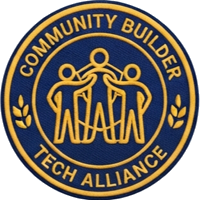
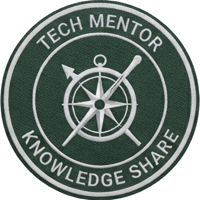


Your organization defines its own badges, grouped into categories and tiers, and they display on member profiles. Scout organizations use this for their badge book; professional bodies use it for skills and qualifications.
A badge can be granted:
- Manually by an admin, with a record of who awarded it
- Automatically when a member passes a point threshold
- Automatically when a member attends a specific event
- Automatically when a member completes a course
Point values are set per action:
- Event attendance, with an override on individual events
- Discussion posts, comments, and reactions
- Course completion
- Referrals
- Donations and purchases
Points can also drive tier-based membership levels, so a member's level follows their activity rather than an admin's list.
Volunteer hours are tracked against hour-threshold badges. A badge set at 100 hours awards itself once a member's logged hours pass it, which turns hours from a reporting chore into a record members can see.
Badge use is reported organization-wide and per chapter, showing completed against pending and how individual badges perform. This answers which parts of a badge program members actually pursue.
Leaderboards, referrals, and switching it off
The competitive layer is optional. Organizations that want none of it can turn every part off and keep the courses.
Leaderboards rank members by:
- Most events attended
- Most posts
- Most reactions received
- Most points
- Top referrers
Each can be viewed over all time, monthly, or weekly, and can optionally be visible to all members rather than admins only.
Every member gets a unique registration link, and referrals are tracked and ranked. Registration can also be configured to require a referral from an existing member, for organizations that admit new members by recommendation.
Points, leaderboards, badges, and profile completion prompts are each switched on or off independently. Organizations that already run a separate badge system keep it and use the API, which exposes badges alongside members and events.
“I appreciate the reliability that comes with using an established product like Orgo, which is developed by people who understand our organizational context and can provide ongoing support and development. The focus on community building enhances its utility, transforming it from just a membership management tool into a robust community platform.”

Manuel Pimenta
President, Escoteiros de Portugal
Learning management system FAQ
A learning management system stores training content, tracks who completed it, and records the result against a person's record. For a membership organization the distinguishing requirement is that the person is already a member, so the training record belongs next to their profile, roles, and history rather than in a separate tool with its own logins.
This is why associations that adopt a standalone course platform often end up reconciling two member lists by hand.
Safeguarding training is usually tracked in three parts: whether a member completed it, when they completed it, and when it expires. Organizations handle the first by making the course mandatory rather than optional, the second by recording completion on the member's profile, and the third by setting an expiry with reminders before the certification runs out.
In Orgo, a safeguarding course can be set as an onboarding course, which blocks access to the rest of the platform until it is finished.
Yes. A course set as user onboarding blocks the rest of the platform until the member completes it. They sign in, work through the lessons and quiz, and only then reach events, discussions, files, and the member directory.
Organizations use this where partial completion is not acceptable, such as safe-from-harm training for anyone working with children.
An event can be marked as a training. Everyone who attended gets that training listed in a separate section of their profile, and the event records trainers and participants as distinct roles. An admin can also add a badge to a profile directly, with a record of who awarded it and when.
This matters because most training in a volunteer organization happens at a camp or a weekend course, not on a screen.
A badge is a record inside the platform: it displays on the member's profile, can be awarded automatically, and can be reported on across chapters. A certificate is a document the member receives, usually because an external body or a funder asks for proof on paper.
In Orgo, badges come from the gamification system, and certificates are generated from eDocument templates that fill themselves in from profile data.
Course availability is set by member type rather than person by person, so a leaders' training appears for leaders and stays hidden from everyone else. Admins can also enroll members into a course manually instead of waiting for them to enroll themselves.
Yes. Mandatory training can carry an expiry, with re-certification reminders when it approaches. This covers annual safeguarding refreshers and first-aid certifications that lapse after a fixed period.
No. Points, leaderboards, badges, and profile completion prompts are each enabled or disabled independently, so an organization can run courses with no competitive layer at all. Organizations that already operate a separate badge system can keep it and pull badge data through the API.
No. Courses sit inside the member portal, so members use the account they already have for events, payments, and discussions. Completion, badges, and training history stay attached to the same member record.
See your courses running in Orgo
- 1 Pick a 30-minute slot. You talk to the people who built Orgo, not an account executive working from a script.
- 2 We set up Orgo on your real organization during the call and build one of your actual courses, with lessons, quizzes, and badges.
- 3 You keep the sandbox to evaluate with your team, plus a written plan for migrating the data you already have.
Related features
Event management
Trainings are events, with attendance, trainers, and check-in.
Learn moreeDocuments & eSignatures
Where certificates and confirmations are generated from templates.
Learn moreMembership management
The member record that training and badges attach to.
Learn moreMulti-chapter management
The chapter structure behind per-chapter completion and badge reporting.
Learn more