Music association software
Your members are acts: bands, duos, solo artists and ensembles. Orgo gives each one a profile and puts them all in a public artist directory that promoters, venues and fans can filter.
- Your own questions, such as genre, type of act or sound format, become the directory's filters
- Every act profile plays its featured track and video in the page, with a gallery of up to 12 photos
- The directory sits on your own website, beside your showcases, workshops and membership sign-up
Built for regional music associations, songwriter and performer networks, and any music organization whose members are the artists it promotes.
Music association capabilities at a glance
| Act record | Each band, duo, solo artist or ensemble is a company record with a name, logo, description, website and a location on the map |
|---|---|
| Directory filters | Any company field marked "Use as a filter" becomes a filter: Dropdown, Checkboxes, Radio choice or Switcher fields |
| Filter logic | Options ticked within one field widen the results; each further field narrows them |
| Directory views | List, Cards and Map, with a search across name and description |
| Listing consent | Opt-in per act through "Show in public directory", on by default for new acts and switchable off |
| Who is listed | Active acts only, and by default only those whose membership fee is paid |
| Featured media | One audio and one video link per act; Spotify, SoundCloud, YouTube and Vimeo play inside the page |
| Photo gallery | Up to 12 JPEG, PNG, GIF or WebP images of 5 MB each; the first is the cover, each can carry a screen-reader description |
| Publishing | A public page at its own address, an embed code for any website, and a directory section in the Orgo website builder |
| Dues | One fee per act that covers its band members' seats, or an individual fee per musician |
| Events | Paid or free tickets, Stripe checkout with no Orgo per-ticket fee, and QR check-in at the door |
| Directory size | The public list shows the first 500 acts and says so when there are more |
Trusted by leading organizations














Everything a music association runs, around its artists
A public artist directory with your own filters
In Orgo every act is a company record, and the questions you ask every act become the filters of a public directory. A booker who needs an acoustic duo for a wedding ticks those two options and sees only the acts that match.
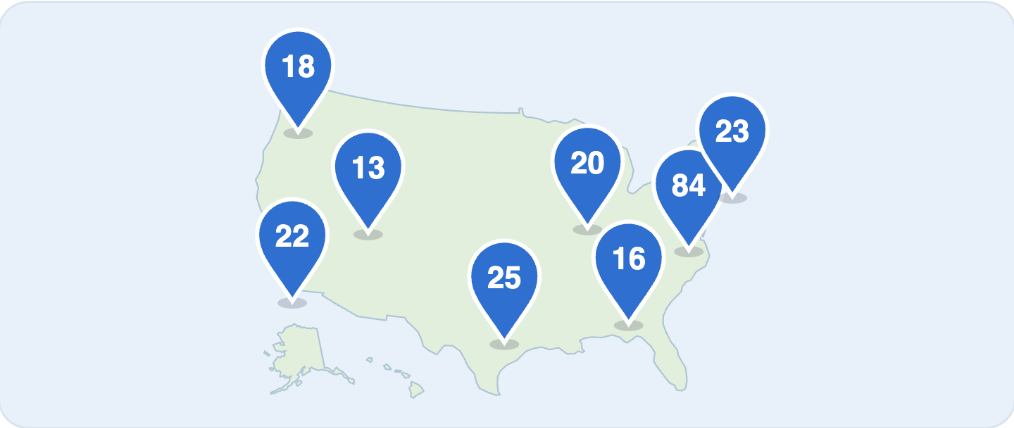
A band, a duo, a solo artist and a twelve-piece ensemble are each a single company record. The record holds the act's name, logo, description, website and location, and the musicians in it join as its members.
You write the questions every act answers: Genre, Type of Act, Type of Performance, Sound Format, Act Format, Music Qualities, or identity and community tags. Mark a question "Use as a filter" and it appears as a dropdown filter on the directory.
- Offered on Dropdown, Checkboxes, Radio choice and Switcher questions
- Options ticked within one question widen the results
- Each further question narrows them
Turn on "Show on list rows and cards" for a question and its answers appear under the act's name. Cards show two chips and count the rest, beside the cover photo from the act's gallery.
You choose which views visitors get and which one the directory opens on. Search runs across act names and descriptions, and place filters narrow the map and the list to a country or a state.
Visitors see an act's name, logo, description, website, town, public answers, featured media and gallery. They never see contact details, billing data, postal address, fees, member counts, or any answer you marked for members or admins only.
With "Only companies that opt in" on, every act controls its own listing through "Show in public directory". An act must be active to appear, and by default its membership fee must be paid.
The directory has its own public address, an embed code for any existing website, and a directory section you can drop into a page built with the Orgo website builder. All three show the views you chose.
Artist profiles that play the music
Orgo gives each act one profile page with its description, a featured track, a featured video and a photo gallery. Bookers hear the act without leaving your directory.
Paste a Spotify or SoundCloud link and the player appears on the profile. Visitors listen without leaving your directory.
YouTube and Vimeo links play inside the profile the same way. Any other https link, such as a Bandcamp page, becomes a button that opens it.
Acts upload up to 12 JPEG, PNG, GIF or WebP images of 5 MB each and reorder them. The first image is the cover the directory cards show.
Each photo can carry its own description, so a visitor using a screen reader hears what the picture shows rather than a file name.
The profile carries the act's description, a link to its own website, and a pin on the directory map from the location you set.
The act's Primary Contact edits the profile, the media and the public answers. Your staff stop re-keying band bios every season.
Your association's website, built in Orgo
The directory, the events calendar and the membership sign-up live on one site, on your own domain, and update themselves.
Six starter templates ship with the website builder. Cultural, made for festivals, theatres, choirs and heritage organisations, is the natural starting point for a music association, and every page stays editable.
Add the directory section to any page and your filterable artist directory appears there, with the same filters and views as the public page.
The events section lists your upcoming public events straight from Orgo. A showcase you publish today is on the website today, with nobody copying it across.
Sections for your newsletter sign-up, your own forms and a contact form send without the visitor leaving the page.
Enter a domain you own and Orgo shows the DNS record to add, then reports when the domain reaches the site.
Showcases, workshops and member events
Showcases, songwriting workshops and industry panels run in the same platform as the directory and the dues.
Sell several ticket types per event, with separate member and non-member prices, add-ons and discount vouchers. Buyers pay by card through Stripe, and Orgo charges no per-ticket fee.
A public event gets its own page. Fans and industry guests register without creating an account and land in your database as contacts.
Every ticket carries a QR code that your volunteers scan at the venue. Attendance is recorded against each person as they come in.
Cap a songwriting workshop at the size of the room. When it fills, a waiting list takes the next sign-ups.
Membership dues per act or per musician
Some associations charge the band, some charge each player. Orgo handles both, and you can run them side by side.
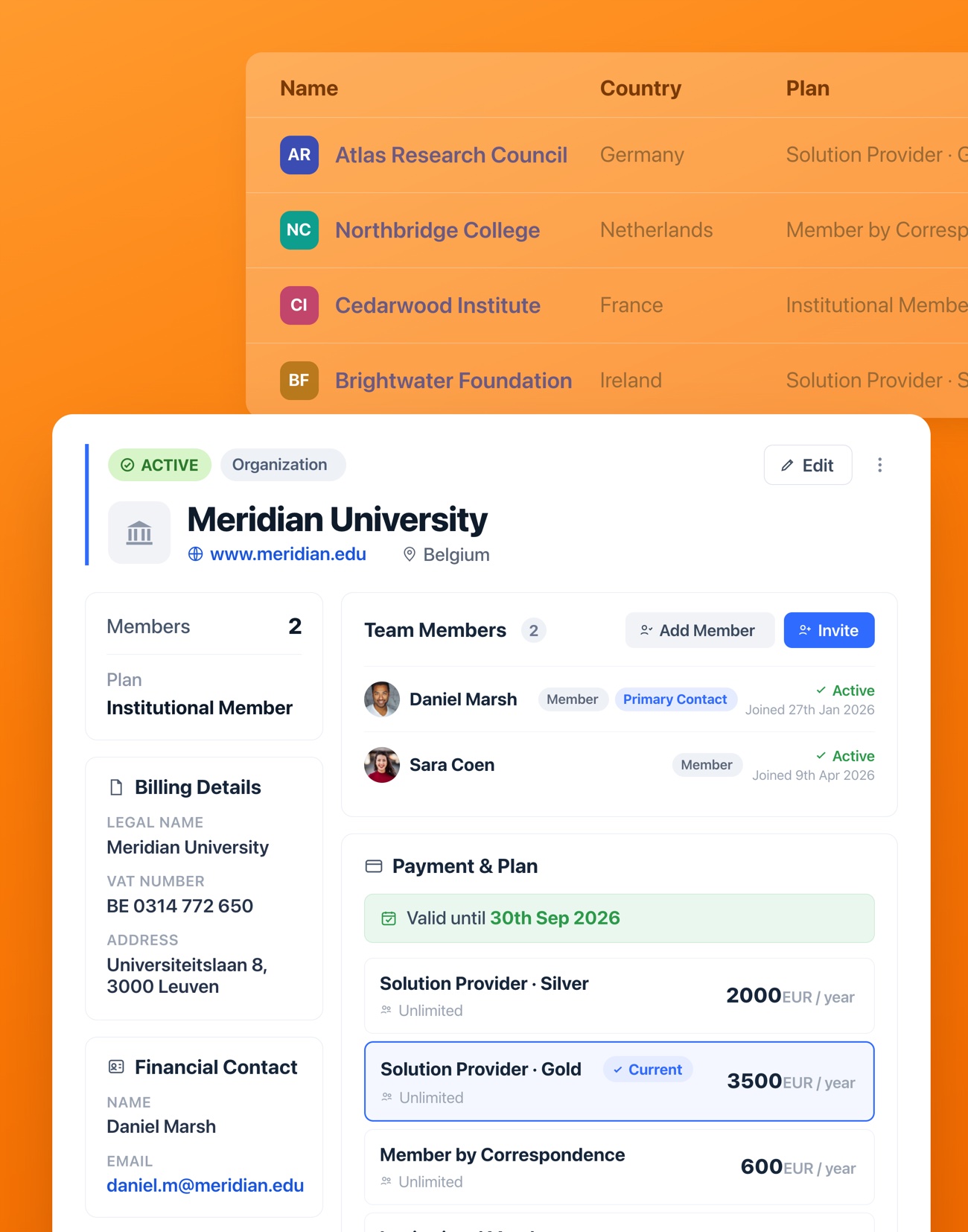
Mark a fee price "Company only" and give it a number of seats. When the act pays, every band member with an account inherits the act's valid-until date.
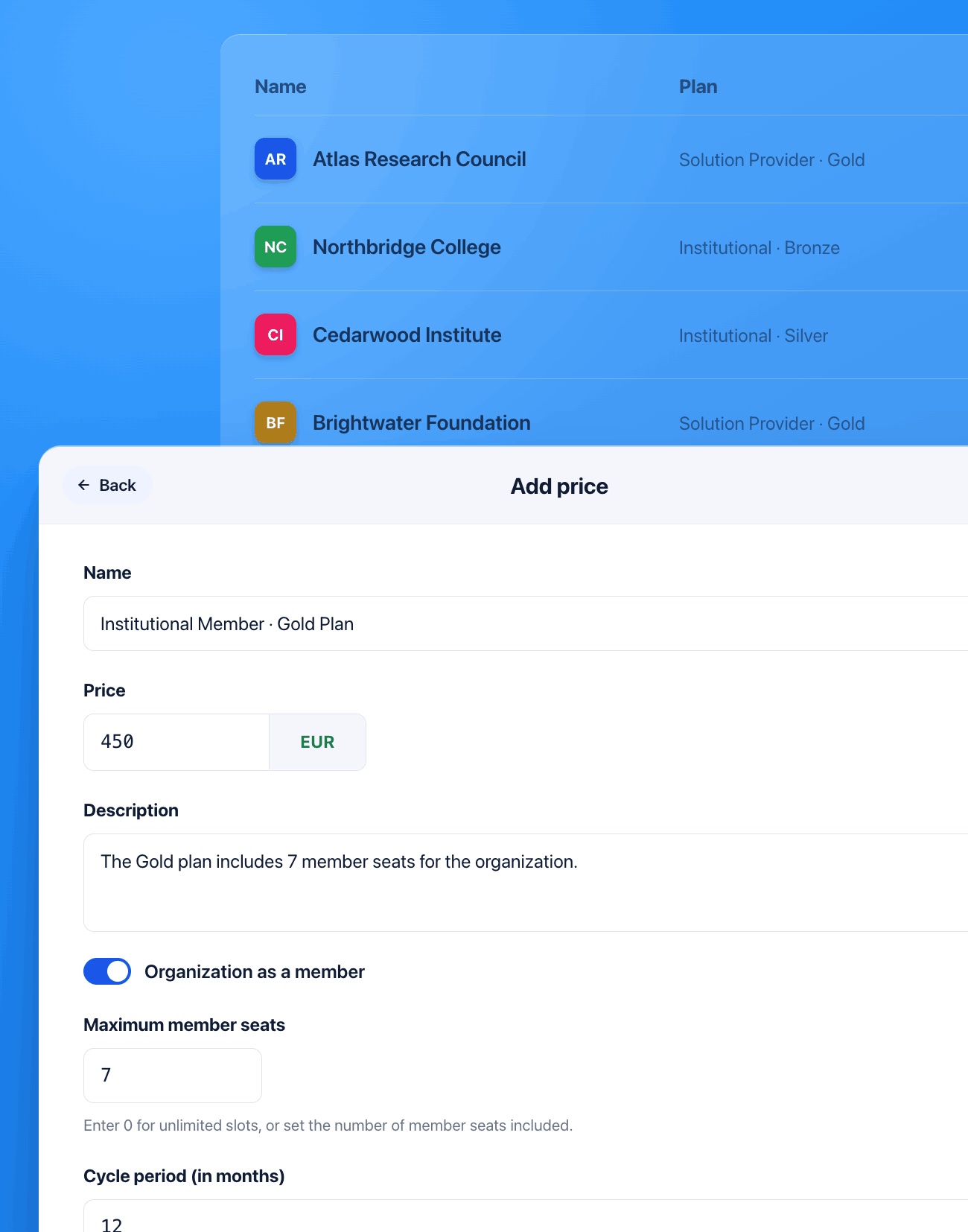
A solo plan with one seat, a band plan with five, an ensemble plan with unlimited seats: the plan the act buys sets its seat count, and 0 means unlimited.
Musicians who join on their own pay an ordinary individual membership fee, with no act record needed.
The act's Primary Contact pays online through Stripe or requests an invoice for bank transfer. Your staff can mark a payment received outside the platform.
Acts get their own reminder ladder, from about a month before expiry to 30 days after. Each reminder goes to the act's financial contact and copies its Primary Contact.
Opportunities and calls for performers
Orgo sends newsletters, collects applications through forms, and grows your subscriber list from your website.
Send a campaign to every member and contact, to one group, to a saved list, or to the people registered for one event.
Publish a form with its own public link and collect applications for a showcase or a festival stage. Forms take no file uploads, so ask for a link to the act's recording instead.
The newsletter sign-up section on your Orgo website adds new subscribers to your own list, ready for the next release roundup.
Board elections run on Orgo's eVoting. A company vote gives each paid-up act one vote through its Voting Representative.
Bring your current roster of acts
CSV import for acts and their musicians
Import your acts with their membership details from a spreadsheet, then the musicians linked to each act, with their roles, as a second step.
Human-led implementation
An Orgo specialist sets up your directory questions, filters and fee plans with you. Not a self-service wizard.
Most organizations go live in 2 to 4 weeks
That includes data migration, platform configuration, and training your team.
Support Set up by the people who built it
You talk to the people who built Orgo, not an account executive working from a script.

Vasile Darie
CEO

Alex Plosceac
CTO

Radu Vrabie
CCO
The questions you ask your acts decide how useful your directory is to the people searching it. We help you choose them, write the options, and decide which ones become filters, before the first act fills in its profile.
People-first support
Real people who know the platform, reachable when something comes up.
Included in every migration
Data cleanup, configuration, and training for your team, not just the initial import.
Paced for volunteer teams
Support works at your team's pace, whether your staff and volunteers are technical or not.
Built for your kind of music association
Regional music associations
Acts from one state or metro area, promoted together to local venues, festivals and media.
Songwriter networks
Writers who list their catalogue style, collaborate, and meet at workshops and writers' rounds.
Jazz, blues and folk societies
Genre communities whose directory filters run deeper than a single genre field.
Event and wedding musician guilds
Performers that planners search by act format, sound setup and type of performance.
Choral and ensemble federations
Choirs, orchestras and bands listed as one record each, with their singers or players on its seats.
Music industry alliances
Artists listed beside the community they belong to, with identity and community tags as filters.
If your members are music businesses rather than acts
Studios, labels, venues and instrument retailers join an industry body as companies with staff, invoices and voting rights. That model is covered on the trade association management software page. If every member joins as an individual musician and you do not need an artist directory, see association management software.
See your artist directory in Orgo
- 1 Pick a 30-minute slot. You talk to the people who built Orgo, not an account executive working from a script.
- 2 We set up your directory questions and filters during the call, with a few of your own acts as examples.
- 3 You keep the sandbox to evaluate with your board, plus a written plan for moving your current roster across.
Music association software FAQ
Yes. Genre is one of your company fields, and marking it "Use as a filter" turns it into a filter on the public directory. The same works for any Dropdown, Checkboxes, Radio choice or Switcher question, such as Type of Act, Sound Format or Act Format.
A band is one profile. Each act is a single company record with its own description, media and gallery, and the musicians join it as members. The directory lists acts, not the people inside them.
Yes. With "Only companies that opt in" switched on, each act decides through "Show in public directory" on its own page. New acts appear unless they switch it off, and an act must also be active, and by default paid up, to be listed.
Spotify, SoundCloud, YouTube and Vimeo play inside the page. Each act has one featured audio link and one featured video link, and any other https link becomes a button that opens it. Audio and video files cannot be uploaded directly.
Yes. The directory comes with an embed code for any website, and its own public address you can link to. If you build your site with the Orgo website builder, you add it as a section on any page instead.
Yes. A "Company only" fee price carries a number of seats, and when the act pays, every band member with an account inherits its valid-until date. Musicians who join alone pay an individual fee instead.
Not as a seat holder. A person belongs to one act at a time in Orgo, so a musician who plays in two bands sits on the seats of one of them. Both acts can still mention the player in their own description.
No. Your staff create each act record, then add a Primary Contact, usually the band leader. From then on the Primary Contact edits the profile, uploads the photos, sets the featured track and pays the act's fee.
No. Orgo runs the membership, the directory, events, payments and communication. Bookers contact acts through the website each act lists on its profile, and contracts and royalties stay with the tools you already use.
Related features
Institutional membership
Member organizations with their own record, seats and a single fee, the model each act uses.
Learn moreWebsite builder
Your association's site on your own domain, with live events and the artist directory as sections.
Learn moreEvent management software
Ticketing, public event pages and QR check-in for showcases and workshops.
Learn moreNewsletter
Campaigns to members, groups, saved lists or event attendees.
Learn more