Membership management that actually works
Know your members. Not just their names.
Orgo handles registration, profiles, dues, groups, and permissions in one place. No duct-taping five tools together.
Built for nonprofits, associations, clubs, and multi-chapter organizations with 50 to 100,000+ members.
Why organizations pick Orgo
Self-service registration and onboarding
Members register, pick groups, complete profiles, and pay dues on their own. You approve or reject. That's it.
Dues collection in 120+ currencies
Stripe payments in 120+ currencies, recurring subscriptions, bank transfers via IBAN, grace periods, and lifetime membership options. All tracked automatically.
Granular roles at every level
Five admin roles (Admin, HR, Financial, Communication, Event) at three levels: tenant, parent local, and local chapter. Everyone sees exactly what they need.
Who is this for?
For nonprofits, professional associations, alumni networks, clubs, and multi-chapter organizations that need member data, payments, and groups in one system.
Registration & onboarding
Three ways to join, custom fields, email verification, and a first-login flow that gets profiles filled out.
Three registration paths
Standard sign-up, referral-code sign-up, and child registration for family memberships. Members choose their workspace if your organization has multiple chapters.
Custom form fields
Add your own required and optional fields to the registration form. Collect exactly the data you need, nothing extra.
Guided first login
New members verify email, select groups, and complete their profile on first login. A progress bar shows what's left.
Bulk CSV import
Import existing member lists from CSV files. Map columns to profile fields and batch-create accounts in one step.
Member profiles
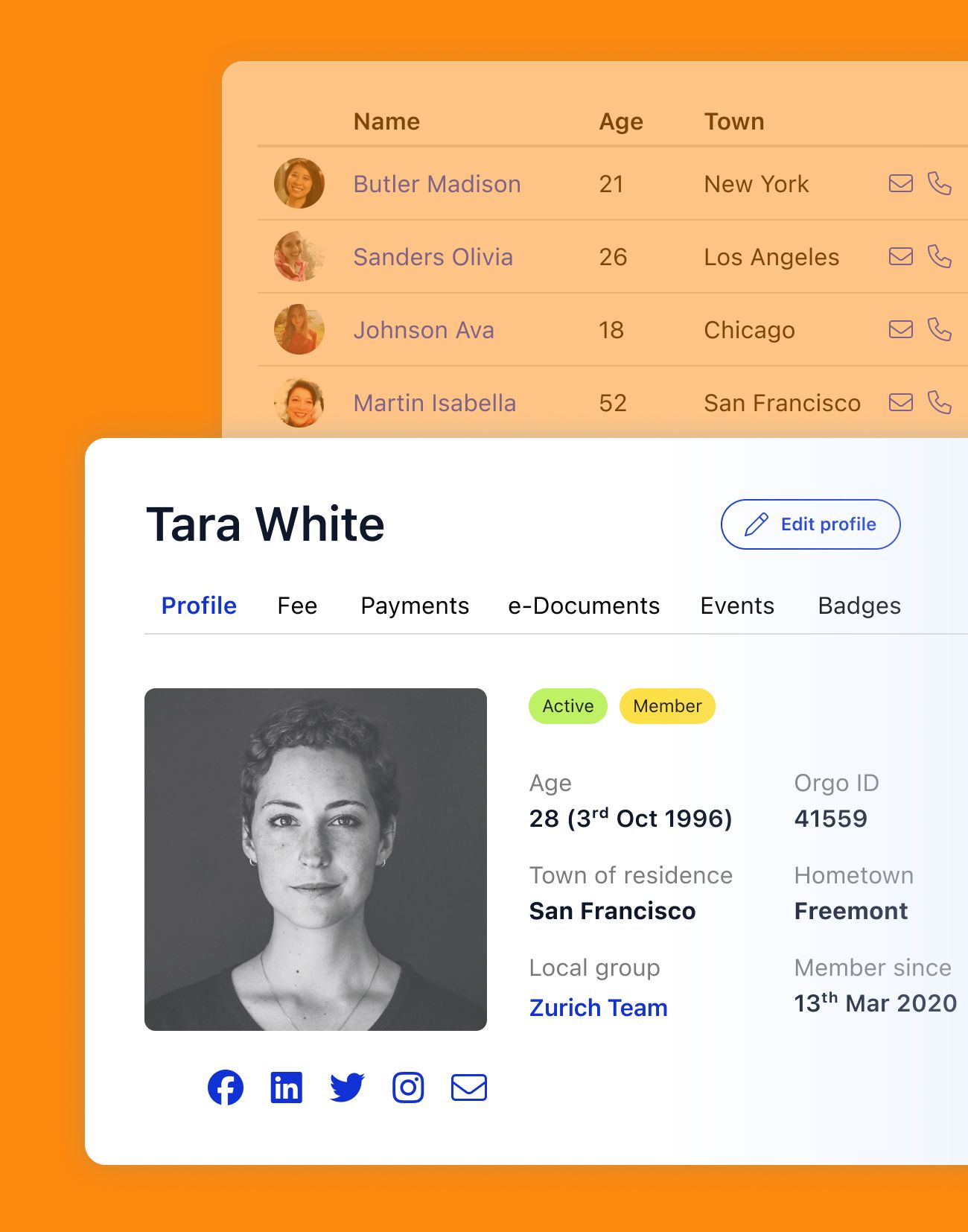
Detailed profiles with privacy controls, completion tracking, and support for six distinct member types.
Rich profile data
Name, email, phone, address, birthday, gender, profile picture, professional info, education, and experience. Plus any custom fields you define.
Per-field privacy
Members control which fields are visible to other members vs. admins only. Per-field granularity, not all-or-nothing.
Completion tracking
A percentage bar shows members how complete their profile is. You set which fields count toward completion.
Multiple user types
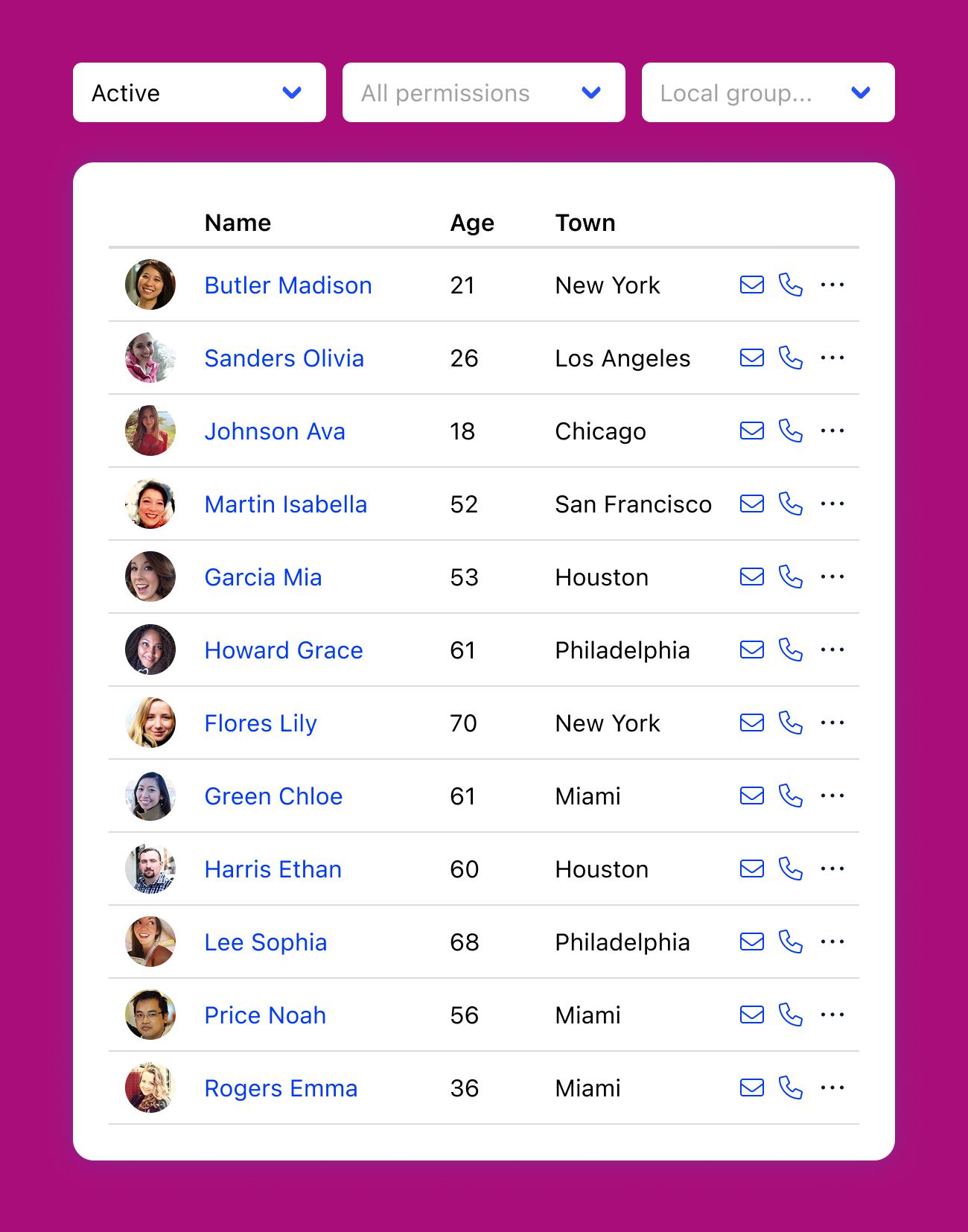
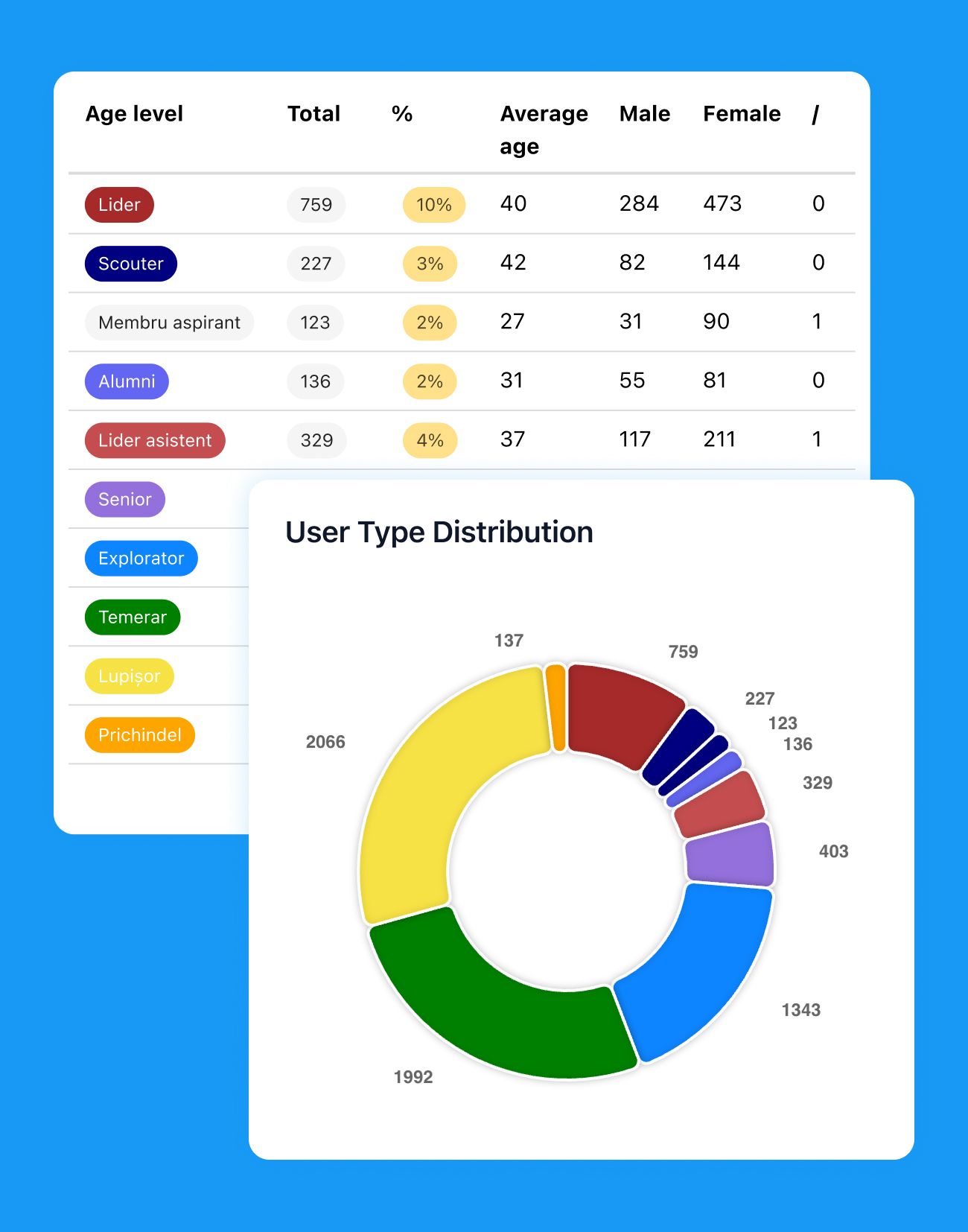
Six member types: Member, Volunteer, Supporter, Donor, Staff, and Parent. Each type can have different profile requirements.
Dues & payments
Stripe payments, bank transfers, recurring billing, and fee tracking. All in 120+ currencies.
Stripe integration
Connect your Stripe account and start collecting. Supports credit cards, debit cards, and 120+ currencies out of the box.
Recurring subscriptions
Set up monthly or annual billing. Orgo tracks who's paid, who's in a grace period, and who's overdue.
Bank transfers
Members can pay by IBAN bank transfer. You match payments manually or mark them as received.
Fee tracking
Full payment history per member. See outstanding fees, validity dates, and payment method used.
Lifetime membership
Offer lifetime membership as a one-time payment option alongside recurring plans.
Roles & permissions
Five admin roles across three organizational levels. SSO with Google, Apple, Microsoft, LinkedIn, and Facebook.
Five admin roles
Five roles: Admin, HR, Financial, HR Assistant, and Communication. Each sees only the tools and data relevant to their job.
Three permission levels
Assign roles at the tenant level, parent local level, or individual chapter level. A national treasurer doesn't need to see chapter HR data.
SSO & 2FA
Sign in with Google, Apple, Microsoft, LinkedIn, or Facebook. Or use email and password with optional two-factor authentication.
Multi-language support
Ten supported languages. Members pick their preferred language, and the interface switches accordingly.
Groups & community
Public and private groups with per-group permissions. Members pick their groups on first login.
Public & private groups
Create public groups anyone can join or private groups that require an invite. Organize them by category.
Group permissions
Control who can post, create events, or upload files within each group. Different groups can have different rules.
Membership management
Add and remove group members individually or in bulk. Track who joined when.
First-login group selection
New members see available groups during first login and can join the ones relevant to them right away.
Member lifecycle
Ten account statuses, waitlists, referral programs, family linking, and a badge system for recognition.
Ten account statuses
Ten statuses track where a member is: Active, Inactive, Unconfirmed Email, Unapproved, Waiting List, Suspended, Excluded, Deleted, and Awaiting Referral.
Waitlist management
Set up a waitlist at the tenant or chapter level. Configure priority, allow self-removal, and promote members when spots open.
Referral program
Require existing members to refer new applicants. Track referral links and set how many referrals are needed to join.
Family linking
Link parent and child accounts. Track non-member family records alongside member profiles.
Badges & recognition
Award badges based on hours contributed, referrals made, or points earned. Set up tiers and levels for recognition.
Membership management FAQ
Orgo combines member database, dues collection, groups, and permissions in one product. Most tools do one of these well and force you to bolt on the rest. With Orgo, a member's profile, payment history, group memberships, and role assignments all live in one place.
It's also built for multi-chapter organizations from the start. You don't need to hack together a single-tenant tool to work across chapters.
Nonprofits can explore how Orgo handles membership management for nonprofits specifically.
Dues are processed through Stripe, which supports 120+ currencies. You can set up recurring subscriptions (monthly or annual), one-time payments, or lifetime memberships. Members can also pay via bank transfer using IBAN.
Orgo tracks payment history, outstanding fees, validity dates, and grace periods automatically. You can see who's paid and who hasn't from one dashboard.
Members control visibility on a per-field basis. They decide which profile fields are visible to other members and which are admin-only. This is not an all-or-nothing toggle. Each field (phone, address, birthday, etc.) has its own privacy setting.
For more details on how Orgo handles data, see our data privacy page.
Yes. Orgo is built for organizations with multiple chapters or locals. Each chapter can have its own admins, groups, dues settings, and waitlist. Roles are assigned at three levels: tenant (the whole organization), parent local, and individual chapter.
See our chapter management page for the full breakdown.
Yes. Orgo supports bulk CSV import. You upload a file, map your columns to Orgo's profile fields, and import. You can also create custom registration fields so you don't lose any data that was tracked in your old system.
Members can sign in with Google, Apple, Microsoft, LinkedIn, or Facebook via OAuth/SSO. They can also use a standard email and password. Two-factor authentication (2FA) and one-time passwords (OTP) are available for accounts that need extra security.
Groups can be public (anyone joins) or private (invite-only). Each group has its own permissions: you control who can post, create events, and upload files. Groups are organized by categories, and new members can select groups during their first login.
Orgo tracks ten statuses: Active, Inactive, Unconfirmed Email, Unapproved, Waiting List, Suspended, Excluded, Deleted, and Awaiting Referral. You can configure waitlists per chapter, set up referral requirements, link family accounts, and award badges based on hours, referrals, or points.
Members choose their notification preference (instant, daily digest, weekly digest, or disabled) and set their timezone. The interface supports ten languages.