TLDR: Quick verdict
The main difference between CiviCRM and Orgo is that CiviCRM is an open-source platform your organization self-hosts and maintains, while Orgo is a fully hosted SaaS where every update, upgrade, and security patch is handled for you. CiviCRM rewards organizations with developer resources. Orgo is built for teams that need a membership platform, not a software project.

Choose Orgo if:
Your team does not include a developer to maintain the platform, apply security patches, or troubleshoot PHP compatibility issues You manage 500+ paying members across multiple chapters and need native multi-chapter coordination You need eVoting and governance tools built into the platform, not installed as a third-party extension You want predictable monthly pricing with no surprise developer bills or hosting incidents You want to go live in 1 to 2 weeks, not 2 to 6 months

Choose CiviCRM if:
You have an in-house developer (or a retained Drupal/WordPress agency) and a $0 software budget Your organization has deeply customized workflows that require open-source extensibility no SaaS platform can match You are already on a sophisticated Drupal build and need deep CMS integration Your mission is values-aligned with community-owned open-source software
Why organizations look for alternatives to CiviCRM
CiviCRM is a powerful, battle-tested platform used by over 11,000 organizations worldwide. Its reporting module, extensibility, and open-source community are genuine strengths. Three recurring challenges emerge when non-technical membership organizations evaluate whether it is the right fit for their team.
Orgo vs CiviCRM
Both platforms serve nonprofits and associations. Where they diverge is deployment model, technical overhead, and which capabilities are built in versus assembled from extensions. CiviCRM is a powerful open-source CRM with strong reporting, advocacy tools, and grant tracking. Orgo is a fully hosted membership platform that combines dues, chapters, community, and governance in a single system with no infrastructure to manage.
The table below covers features both platforms share, areas where CiviCRM has a genuine edge, and areas where Orgo provides capabilities CiviCRM does not include natively.
Side-by-side feature comparison
Every cell has been verified against both platforms' current documentation and user-reported data.
| Feature | | |
|---|---|---|
| Membership management | ||
| Member database and profiles | ||
| Membership types and tiers | ||
| Membership dues collection | ||
| Automated renewal sequences | ||
| Membership application and approval workflow | Requires configuration; not out-of-box | |
| Lapsed member and grace period management | ||
| Fundraising & donor management | ||
| Donation and contribution tracking | ||
| Pledge management | ||
| Grant tracking | ||
| Fundraising campaigns | ||
| Reporting and analytics | ||
| Community & engagement | ||
| Member-facing community portal | Requires Drupal Webforms + form processor extension; developer-dependent | |
| Discussion forums and groups | Via CMS integration (Drupal/WordPress) | |
| Member networking and directory | ||
| Gamification (points, levels, leaderboards) | ||
| Event management | ||
| Courses and learning management | ||
| Email campaigns and newsletters | CiviMail: functional but deliverability requires self-configuration (SPF/DKIM/VERP); official docs recommend adding a paid delivery service | |
| Advocacy & civic engagement | ||
| Canvassing and advocacy campaigns | ||
| Case management | ||
| Payments & billing | ||
| Online payment processing | Multiple processors supported; requires manual SMTP/processor configuration | |
| Per-transaction platform fee | ||
| Administration & security | ||
| Granular permissions / RBAC | ||
| SSO | Via CMS SSO plugins; requires configuration | |
| API and integrations | ||
| Data residency (EU/US) | ||
| Security patches and updates | Organization's responsibility; patches require testing and developer time | |
| Platform & mobile | ||
| Native mobile app (iOS/Android) | CiviMobile (third-party extension by Agiliway); not officially supported | |
| Deployment model | Self-hosted (WordPress/Drupal/Joomla/Backdrop) or Standalone; Spark cloud tier available but limited | |
| Implementation timeline | 2 to 6 months typical; requires server setup, CMS install, CiviCRM configuration, payment processor setup | |
| Requires dedicated technical staff | Yes; reviewers consistently recommend a developer or retainer for ongoing operations | |
A CiviCRM alternative with native community and governance tools
CiviCRM covers membership, events, donations, email, and reporting exceptionally well for organizations with technical resources. These are the capabilities that membership organizations need that CiviCRM does not include natively, and that only Orgo provides without custom development or third-party extensions.
| Your organization needs... | | |
|---|---|---|
| Member-facing experience | ||
| A polished member community portal out of the box, with no developer setup required | ||
| Member networking, connection requests, and direct messaging | ||
| Learning management system (courses, quizzes, certificates) | ||
| Gamification (points, levels, leaderboards) | ||
| Branded native mobile app (iOS/Android) | ||
| Multi-chapter management | ||
| Native multi-chapter hierarchy (HQ, regions, local chapters) with per-chapter permissions | ||
| Member transfers between chapters | ||
| Per-chapter Stripe payment accounts | ||
| Governance | ||
| eVoting and elections built into the platform (not a third-party extension) | ||
| eDocuments and eSignatures | ||
| Platform management | ||
| Zero server, hosting, or infrastructure to manage | ||
| Security patches and updates handled automatically | ||
| Go live in 1 to 2 weeks with white-glove onboarding | ||
These capabilities fall outside CiviCRM's native scope because CiviCRM was designed as an open-source CRM, not a turnkey association management system. If your operations depend on any of them, Orgo was built with them as first-class features from the start.
Why membership organizations choose Orgo over CiviCRM
The deployment model is the most consequential difference between the two platforms. Not because one is technically superior, but because of what it demands from your team.
The Orgo way
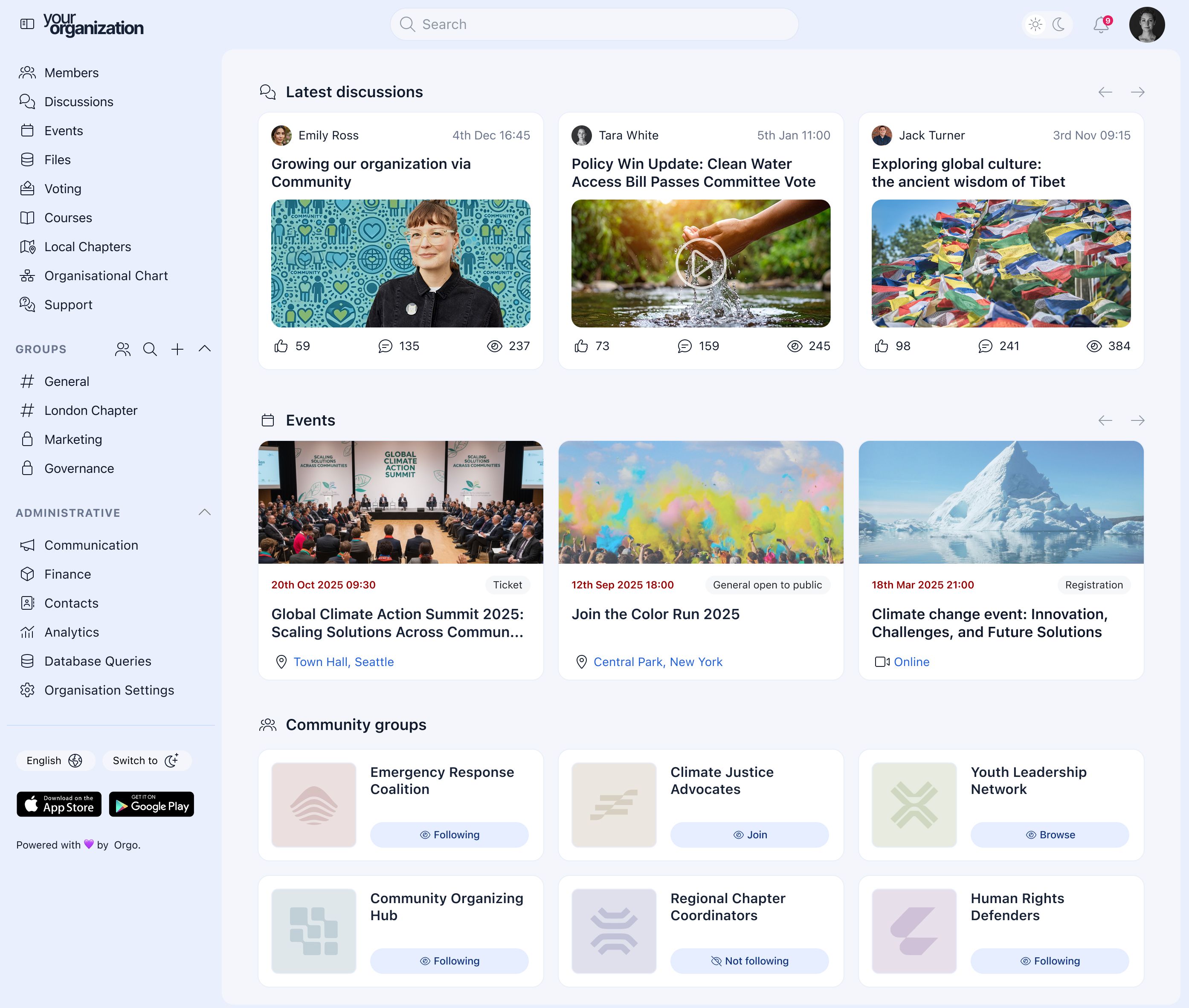
Orgo is fully hosted. There is no server to provision, no PHP version to manage, no CMS to keep in sync, and no security patches to test and apply. Every update happens in the background.
Your team logs in, manages members, runs elections, sends newsletters, and coordinates chapters. None of that requires technical knowledge. The platform is designed for the people who actually run the organization, not for the people who build software.
Onboarding takes 1 to 2 weeks. After that, a dedicated account manager (Impact and above) is your point of contact for any questions.
The CiviCRM way
CiviCRM's open-source model gives organizations complete control over their data and infrastructure. For organizations with technical capacity, this control is a genuine advantage.
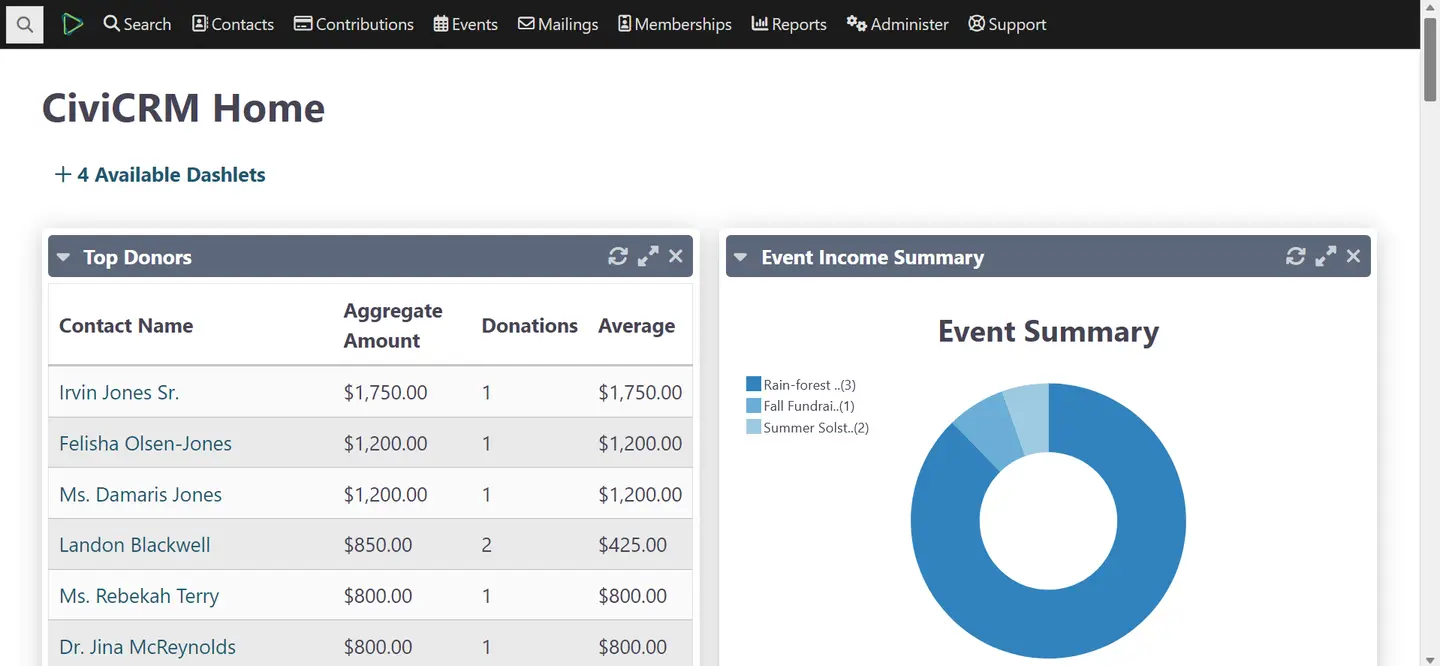
CiviCRM runs on your server, inside your CMS. Keeping it operational means maintaining the server, applying CiviCRM patches, keeping PHP compatible with CiviCRM requirements, and keeping the CMS in sync with CiviCRM's version.
When something breaks (and reviews confirm this is common after updates), a developer resolves it. For organizations without a retained developer, each incident is an unplanned invoice.
The question is not which deployment model is objectively better. It is whether your organization has the technical resources to operate self-hosted infrastructure reliably. For most associations staffed by program directors, administrators, and membership coordinators, the answer determines which platform is viable.
Orgo dashboard
CiviCRM dashboard
Running multiple chapters is where the gap between CiviCRM and Orgo becomes most concrete.
The Orgo way
Orgo's multi-chapter architecture is native. Headquarters, regional offices, and local chapters each have their own space. Chapter admins see their members. HQ sees everything.
Per-chapter payment accounts, chapter-level elections, and member transfers between chapters are all supported natively. No extensions. No ACL configuration. No developer setup.
Organizations with 80+ chapters run on the same infrastructure as organizations with 3.
The CiviCRM way
CiviCRM has no native concept of a chapter hierarchy. To restrict what chapter admins can see, organizations must configure CiviCRM's ACL system. This involves creating groups, assigning roles, and setting up visibility rules for each chapter individually.
The ACL configuration works, but it requires developer knowledge to set up correctly and ongoing maintenance when chapters are added or restructured. Smart groups with restricted users do not automatically show members who are not explicitly added to parent groups, which creates gaps in cross-chapter visibility.
For more complex cross-chapter scenarios, the third-party Permissioned Relationship extension is the recommended workaround. Each additional dependency adds maintenance surface area.
Associations run elections. Bylaws require it. How each platform handles this reveals a fundamental architectural difference.
The Orgo way
Orgo's eVoting module is a first-class feature. It runs binding elections with anonymous encrypted ballots, configurable eligibility rules, audit trails, and result reporting.
Chapters run local elections independently. Headquarters maintains full visibility and oversight. The entire process lives inside the same platform where members are managed and dues are collected.
eDocuments and eSignatures (Scale plan) handle membership agreements, board resolutions, and consent forms within the same interface.
The CiviCRM way
CiviCRM does offer an Elections extension, built by Agileware (an Australian partner). It includes IRV voting, nomination workflows, anonymous ballots, and access-controlled elections. These are genuinely useful capabilities.
The extension is a community-built add-on, not a core product feature. Compatibility with future CiviCRM versions is not guaranteed. Continued maintenance depends on Agileware's priorities. If the extension falls behind a CiviCRM update, elections break until a fix is released.
For organizations where governance compliance is tied to legal or regulatory requirements, a third-party extension carries risk that a native feature does not.
What our clients say about Orgo
""With an organization of 8,000 members and more than 80 chapters coordinated almost exclusively by volunteers, Orgo is at the heart of our digitisation process, allowing us to focus on what we do best - learning by doing, nature, and personal development."














Find the right fit
When Orgo is the better fit
Orgo is built for organizations like yours if:
You need a platform your non-technical staff can operate without ongoing developer support You manage 500+ paying members across multiple chapters or regional branches You need elections or board votes that comply with your bylaws, backed by a reliable native feature Predictable monthly costs matter more than a $0 software license with unpredictable developer overhead You want a member-facing community, LMS, and branded mobile app alongside membership operations You want to go live in weeks without provisioning a server or configuring a CMS
If this sounds like your organization, get a demo and we'll show you exactly how Orgo handles your structure.
Get a Demo When CiviCRM is the better fit
We believe in transparency. CiviCRM is probably the better choice if:
You have in-house developer capacity or a retained Drupal/WordPress agency, and a $0 software budget is the priority Your workflows are highly customized in ways that no off-the-shelf SaaS platform can replicate, and open-source extensibility is a requirement You are a political or civic advocacy organization that needs CiviCRM's canvassing, survey, and advocacy campaign modules Your organization has a values-based commitment to community-owned open-source software You are already deeply integrated into Drupal and need the depth of CiviCRM's Drupal integration
But if your organization needs a platform your non-technical staff can operate independently, with native multi-chapter management, community tools, and governance features included, that is the combination Orgo was built to provide.
Switching from CiviCRM is easier than you think
The biggest objection after "does it do what I need?" is "how painful is the switch?" Our team handles the migration end to end. You stay focused on your members while we move your data, configure your structure, and get your team up to speed.
Data migration
We handle the heavy lifting. Your member records, contact history, chapter assignments, dues data, and event registrations are exported from CiviCRM and imported by our team. Not your staff. We've successfully migrated 40 years' worth of member lifecycle data for one of our clients. No matter how deep your CiviCRM records go, we've done it before.
Stripe payment continuity
If your organization uses Stripe for payment processing, active subscriptions can be migrated without interrupting members. Orgo integrates directly with Stripe. No re-billing. No member disruption. Your existing Stripe setup transfers cleanly.
Dedicated onboarding
A real person walks your team through setup, configuration, and training. Typical timeline: 1 to 2 weeks from kickoff to launch. No developer required. No server to provision. Your staff is up and running in days, not months.
Chapter setup
We configure your multi-tier hierarchy (headquarters, regions, local chapters) to mirror your actual organization from day one. Regional coordinators and chapter leaders get their own access and permissions immediately.
Your brand first
Extensive white-label branding options ensure your platform looks and feels like your organization. Not like a generic software tool.
Orgo vs CiviCRM pricing
CiviCRM's software license is free. Orgo's is a subscription. The right comparison is total cost, not license cost: hosting, implementation, developer support, and maintenance versus a flat monthly fee with everything included.
Orgo pricing
Orgo offers 3 plans based on active member count, starting at $59/month for 200 members on the Grow plan (annual billing).
Grow includes core membership management, eVoting, LMS (courses), fundraising, gamification, and custom branding. Platform fee: 2%.
Impact (most popular) adds multi-chapter management (up to 50 chapters), workflows, and API access, starting at $359/month for 1,000 members. Platform fee: 1%.
Scale offers custom pricing with unlimited chapters, eDocuments, eSignatures, a branded mobile app, and a dedicated customer success manager. Platform fee: 0%.
All plans use Stripe directly (46+ countries). No forced payment processor. No per-user licensing. No surprise renewal hikes.
See full Orgo pricing CiviCRM pricing
Software license: $0. CiviCRM is free to download and use.
CiviCRM Spark (official cloud-hosted tier): starts at approximately $9.50 to $15/month for the entry tier. Designed for small, simple setups with limited features.
Hosting (self-managed VPS): $50 to $200/month ($600 to $2,400/year).
Implementation (typical for an association): $10,000 to $15,000 per SmartThoughts AMS analyst. Range: $5,000 to $25,000+.
Developer support retainer (ongoing, for updates and configuration): $200 to $500+/month ($2,400 to $6,000/year).
Typical year-1 total cost: $8,400 to $35,000+. Year 2 and beyond: $3,000 to $8,000+ annually, depending on support needs and upgrade complexity.
The bottom line
CiviCRM's $0 license is a genuine financial benefit for organizations with developer capacity. For associations with a full-time developer on staff and a minimal software budget, year-2 and beyond costs can be lower than a comparable SaaS subscription.
For organizations without dedicated technical staff, year-1 costs typically range from $8,400 to $35,000 when implementation, hosting, and developer support are factored in. Predictable monthly invoices are often lower over a 3-year period than accumulated developer fees, hosting incidents, and emergency patches.
Orgo includes membership dues, community, governance, chapters, LMS, and email in every plan. The comparison is total cost against total capability and total operational overhead for your specific situation.
CiviCRM migration: Frequently asked questions
Yes. Most organizations run both platforms in parallel for 1 to 2 weeks during onboarding. This lets your team get comfortable with Orgo before you fully switch over. We help you plan the transition timeline so nothing falls through the cracks.
Our onboarding team handles the data migration. We export your member records, contact history, chapter assignments, contribution data, and event registrations from CiviCRM and import them into Orgo. We have successfully migrated 40 years of member lifecycle data for one of our clients. No matter how deep your CiviCRM records go, we have done it before.
CiviCRM's $0 software license is genuine. The real cost question is total cost of ownership.
A typical CiviCRM implementation for an association costs $10,000 to $15,000 in year 1 (hosting, setup, data migration, training), according to AMS analyst SmartThoughts. Ongoing hosting and developer support add $3,000 to $8,000 per year in subsequent years.
Orgo starts at $708 per year (Grow plan, 200 members) with no hosting to manage and no developer bills for updates or configuration changes. For most organizations with 200 to 2,000 members, Orgo's total cost is lower within 2 to 3 years, and the time savings for non-technical staff represent a significant additional benefit.
It depends on the specific customizations. Most custom extensions in CiviCRM address gaps that Orgo covers natively: membership workflows, chapter management, event registration, email campaigns, or reporting.
Before migrating, our team maps your existing CiviCRM extensions to Orgo's built-in modules. In most cases, the workflows your extensions enable are handled natively in Orgo without custom code.
For highly specialized configurations, we discuss what can be replicated and what cannot before you commit to switching.
Typical timeline: 1 to 2 weeks from kickoff to launch. This includes data migration, chapter configuration, branding setup, and team training. The volume and complexity of your CiviCRM data affects the timeline, but Orgo's onboarding team handles the technical work. Most organizations run both systems in parallel for 1 to 2 weeks before fully switching over.
Orgo is THE CiviCRM alternative
for membership organizations
CiviCRM is the right choice for organizations with developer capacity, a values-based commitment to open source, and workflows that require full codebase control. But when your organization needs a fully hosted platform your non-technical staff can operate from day one, with native multi-chapter management, community tools, and governance features, Orgo is the alternative built for exactly that.
Also worth reading:
- Orgo vs Wild Apricot : How Orgo compares to Wild Apricot for membership management.
- Orgo vs Salesforce Nonprofit Cloud : How Orgo compares to Salesforce for nonprofits and associations.
- Orgo Pricing