
To collect membership dues online, organizations need three core components: a payment processor that accepts cards and digital wallets, a member database that tracks payment status, and automated billing workflows that handle renewals without manual intervention. This guide covers each element and walks through practical implementation.

Manual dues collection through checks, cash, and spreadsheets creates predictable problems. Payments arrive late or not at all. Treasurers spend hours reconciling records. Members forget renewal dates. Finance teams lack visibility into cash flow. Moving to an online collection system solves these issues while improving the member experience.
This guide is for associations, clubs, nonprofits, professional organizations, and multi-chapter networks ready to modernize their dues collection process.
Why Collect Membership Dues Online
Online dues collection delivers measurable benefits across operations, finances, and member satisfaction:
- Reduced administrative burden. Automated billing eliminates manual invoice creation, check processing, and data entry. Staff time shifts from chasing payments to mission-focused work.
- Improved collection rates. Members pay faster when they can complete transactions in minutes from any device. Automatic renewal billing prevents lapses caused by forgotten due dates.
- Better cash flow visibility. Real-time dashboards show exactly how much revenue has been collected, what payments are pending, and which members are overdue. Finance teams can forecast accurately instead of waiting for month-end reconciliation.
- Enhanced member experience. Members expect the convenience of online payments. Self-service portals let them update payment methods, view transaction history, and download receipts without contacting staff.
- Automatic record-keeping. Every transaction creates a digital record linked to the member profile. Audit trails, tax documentation, and renewal histories are generated automatically.
- Scalability. Cloud-based systems can handle registration surges and renewal periods without additional staff. Whether processing 100 or 10,000 payments, the workload remains consistent.
What to Look for in an Online Dues Collection System
Effective online dues collection requires specific capabilities. When evaluating platforms, assess the following core functions.
Payment Processing Options
The system should accept multiple payment methods to accommodate member preferences. Credit and debit cards remain the primary choice for most members, while digital wallets like Apple Pay and Google Pay provide faster checkout on mobile devices. Bank transfers (ACH in the US, SEPA in Europe) offer lower processing fees for larger transactions.
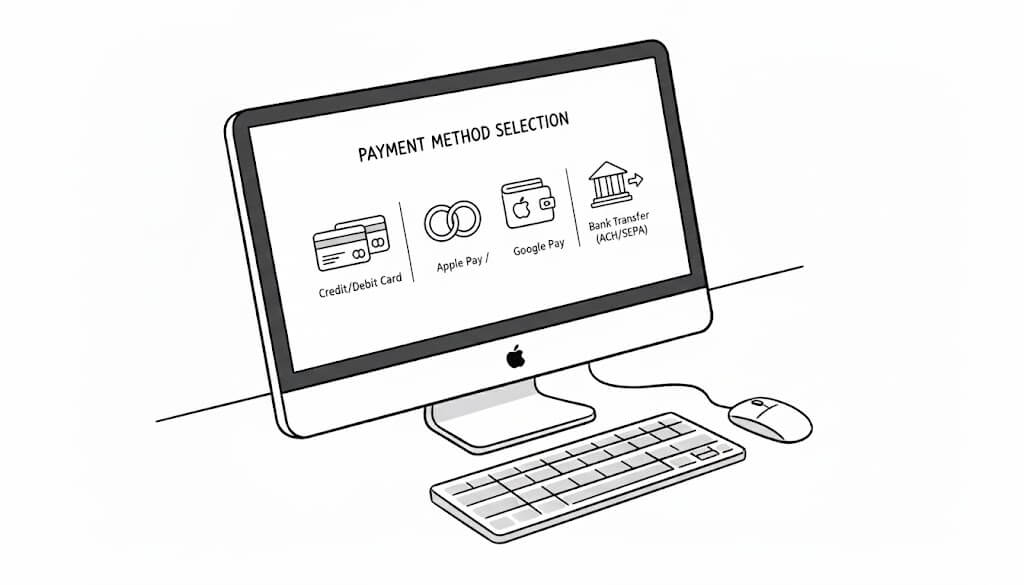
Organizations with international members need to pay close attention to geographic coverage. For example, Stripe operates in 46+ countries and handles currency conversion automatically. Verify that your chosen processor supports the regions where your members reside.
Recurring and Automatic Billing
The system should support multiple billing frequencies: monthly, quarterly, annual, or custom cycles. Look for proration capabilities that calculate partial-year amounts when members join mid-cycle.
Grace periods prevent immediate membership lapses when payments fail. Modern membership fee collection platforms feature configurable retry logic that attempts to process failed payments again before flagging the account. Dunning sequences send automated reminders about expiring cards or failed transactions.
Member Self-Service
Members should manage their own payment details without staff intervention. Essential self-service features include updating credit card information, switching between payment methods, viewing payment history, downloading receipts and invoices, and managing recurring billing preferences.
Self-service reduces support requests and improves data accuracy since members update their own information directly.
Integration with Membership Records
Payment data should flow automatically into member profiles. When a member pays dues, their status updates immediately. The system should track membership start dates, renewal dates, payment history, and current standing in a unified database.
Avoid platforms that require manual synchronization between payment processing and membership management. Disconnected systems create data inconsistencies and administrative overhead.
Reporting and Reconciliation
Financial reporting should include real-time revenue dashboards, payment status by member segment, overdue payment lists, collection rate trends, and exportable transaction records for accounting software.
Reconciliation tools should match payments to members automatically. Exception handling should flag transactions that require manual review without blocking normal operations.
Security and Compliance
Any membership management platform should have a payment processing system that meets PCI DSS (Payment Card Industry Data Security Standard) requirements. This is typically handled by the payment processor rather than the membership platform, but verify compliance before implementation.
For organizations with European members, GDPR compliance can affect how payment and member data are stored, processed, and retained. Look for platforms with built-in consent management, data export capabilities, and appropriate data retention controls.
Understanding Payment Processing Fees
One crucial aspect that many organizations overlook when deciding on a membership platform is the payment processing fees. They are generally not included in the monthly licensing fee and are subtracted from each payment. Thus, they directly impact net revenue. Understanding the fee structure helps you budget accurately, communicate costs to stakeholders, and avoid unpleasant surprises further down the road.
How Payment Fees Work
Most payment processors charge a combination of percentage-based and fixed fees per transaction. A typical structure is 2.9% plus $0.30 per transaction. For a $100 annual membership fee, this means $3.20 goes to the payment processor, and your organization receives $96.80.
Some platforms add their own fees on top of processor charges. These might be called platform fees, convenience fees, or transaction fees. A platform charging 1% on top of Stripe's 2.9% + $0.30 means your actual cost is 3.9% + $0.30 per transaction.
Fee Transparency
When evaluating platforms, ask specifically:
- What are the payment processor fees?
- Does the platform charge additional transaction fees?
- Are there monthly platform fees separate from transaction costs?
- Do fees differ for different payment methods (cards vs. bank transfers)?
- Are there volume discounts for larger organizations?
For example, Orgo takes a transparent approach to payment fees. Organizations pay only Stripe's standard processing costs with no additional platform fees on transactions. For organizations with specific requirements or existing processor relationships, we can integrate alternative payment processors on request.
Calculating Your True Cost
To estimate annual processing costs, multiply your expected dues revenue by the total fee percentage, then add the per-transaction fee multiplied by the number of expected payments.
For an organization collecting $50,000 in annual dues across 500 members at standard Stripe rates: ($50,000 × 2.9%) + (500 × $0.30) = $1,450 + $150 = $1,600 in processing fees.
Bank transfers typically carry lower fees than card payments. If your members are willing to pay via ACH or SEPA, you can reduce processing costs significantly.
Collecting Dues Across Multiple Chapters or Branches
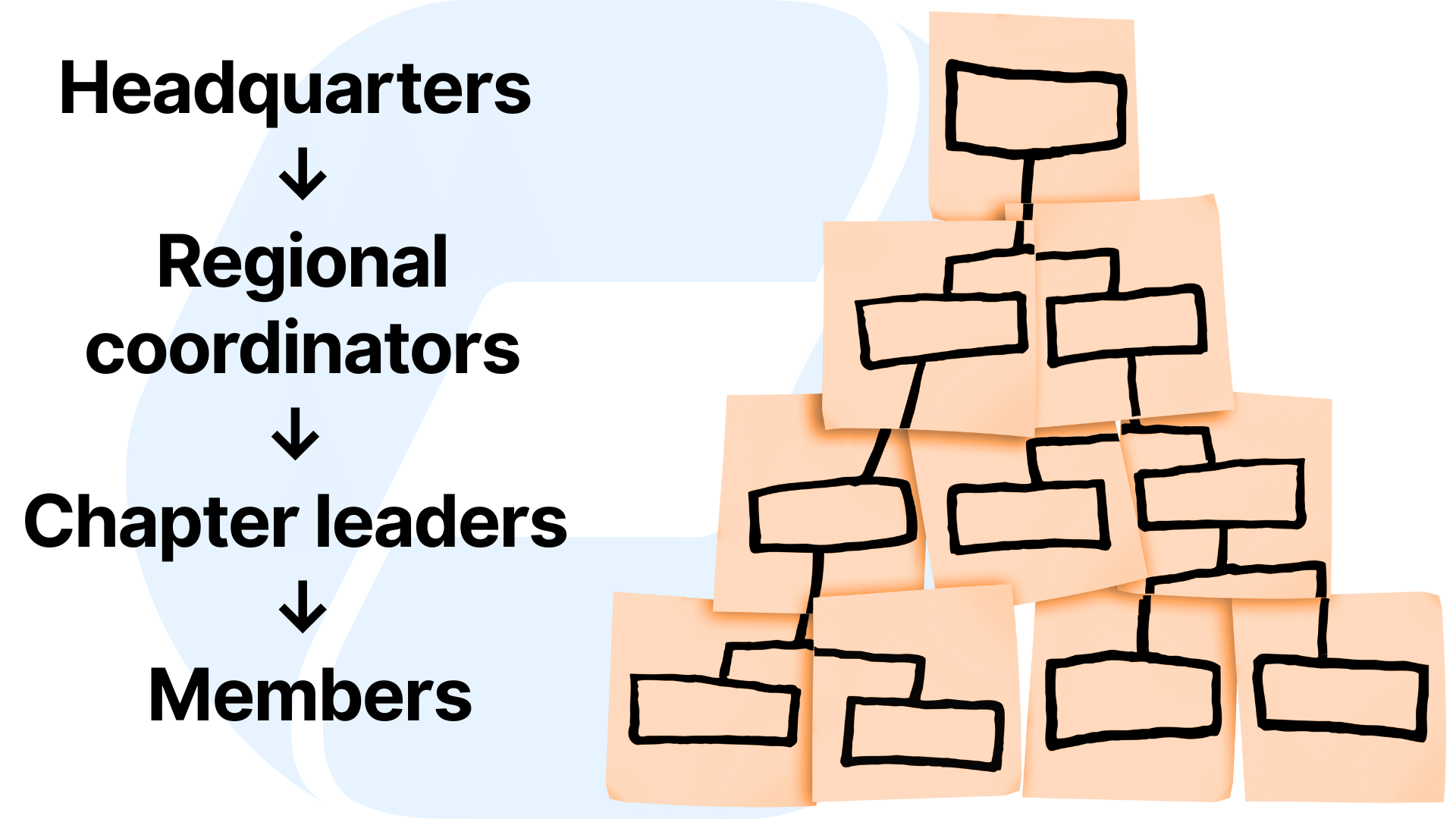
Organizations with regional chapters, local branches, or affiliated groups face additional complexity in dues collection. The fundamental question is how money flows between local and central levels.
Common Multi-Chapter Dues Structures
Centralized collection. All dues flow to the national or central organization, which then distributes allocated portions to chapters. This approach simplifies accounting at the central level but requires robust tracking and distribution processes.
Decentralized collection. Each chapter collects its own dues and remits a portion to the central organization. This gives chapters more autonomy and faster access to funds but creates reconciliation challenges at the national level.
Split collection. Members pay both national and chapter dues, either in a single transaction that splits automatically or in separate transactions to different accounts. This clearly separates revenue streams but requires coordination between systems.
Technical Requirements for Multi-Chapter Dues
Platforms supporting multi-chapter structures should feature several specific capabilities, such as:
- Chapter-specific payment accounts. If local chapters have their own bank accounts to receive funds directly, the platform should support multiple Stripe accounts or similar configurations within a single organizational instance.
- Configurable fee splitting. When a member pays, the system should automatically divide the payment according to predefined rules. For example, $100 dues might be split as $70 to the national office and $30 to the local chapter.
- Forwarding and reconciliation. If chapters collect full dues locally, the system should track what amounts are owed to the national headquarters, facilitate transfers, and maintain clear audit trails.
- Chapter-level reporting. Local treasurers need visibility into their chapter's finances without accessing other chapters' data. National administrators need consolidated reporting across all chapters.
- Member assignment. The system must correctly associate each member with their chapter to route payments appropriately. This requires either geographic assignment rules or explicit chapter selection during registration.
Balancing Autonomy and Oversight
Multi-chapter organizations often struggle to balance local autonomy with central oversight. Chapters want control over their finances and member relationships. Central leadership needs visibility, consistency, and compliance across the network.
Effective platforms allow configurable permissions at each level. Chapter administrators manage their local operations while national administrators maintain oversight and set organization-wide policies. Role-based access controls ensure each level sees appropriate information without unnecessary restrictions.
Orgo addresses these requirements through its local chapter feature. Chapters can maintain their own Stripe accounts for direct payment processing. The platform tracks local and national fees separately, supports configurable fee structures per chapter, and provides reporting at both local and organizational levels.
Step-by-Step Example: Setting Up Online Dues Collection with Orgo
This section walks through the practical steps to configure online dues collection in Orgo. The process covers membership tier creation, payment configuration, billing automation, and member communication.
Step 1: Define Membership Tiers and Pricing
Start by mapping your membership structure. Most organizations have multiple tiers with different fee amounts. Common structures include:
- Individual vs. organizational memberships
- Professional vs. student vs. retired rates
- Annual vs. multi-year options
- Regional pricing variations
In Orgo, navigate to Organization Settings and locate the Fees section. Create a fee product that represents your membership dues. Give it a clear name that members will recognize on their payment receipts.
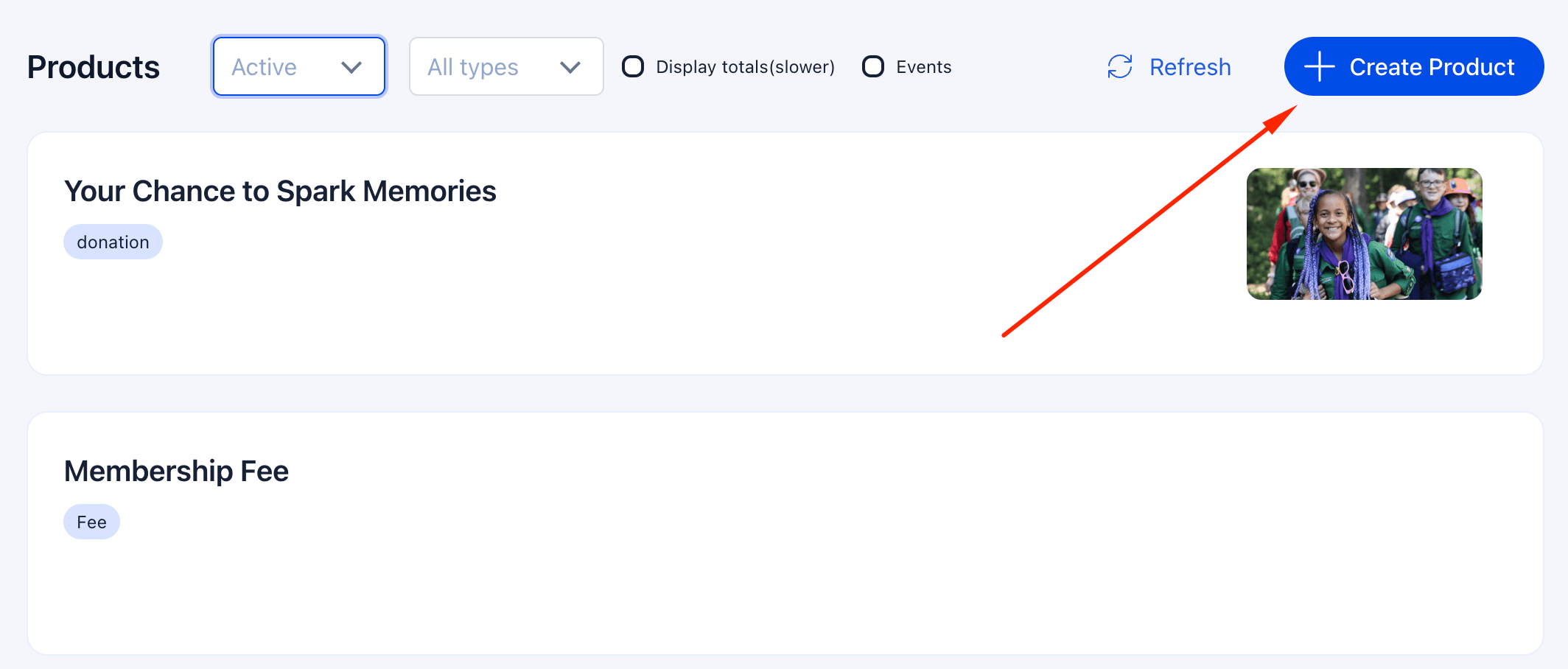
Add price tiers to the product for each membership level. Specify the amount, currency, and billing frequency for each tier. If you offer both annual and monthly options, create separate price entries for each.
Step 2: Configure Payment Processing
Orgo integrates with Stripe for payment processing. If your organization doesn't have a Stripe account, you can create one during setup. If you have an existing Stripe account, connect it to your Orgo workspace.
Access payment settings through organization Settings and locate Online Payments. Follow the prompts to link your Stripe account. Once connected, Orgo can process card payments, handle recurring billing, and deposit funds to your designated bank account.
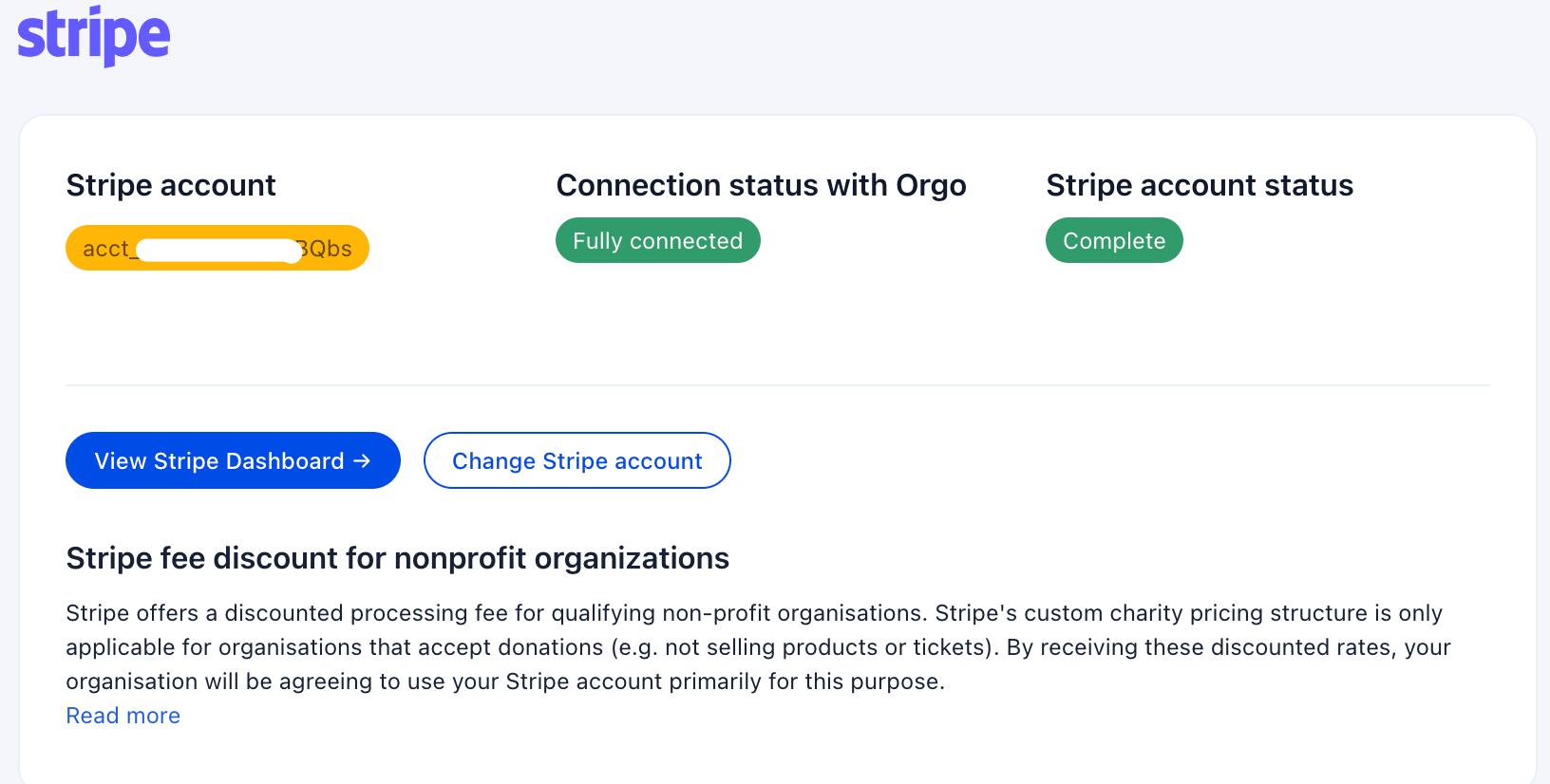
For multi-chapter organizations, each chapter with financial autonomy can connect its own Stripe account through the Local Group Settings area. This enables direct payment processing at the chapter level while maintaining organizational oversight.
Step 3: Set Up Billing Rules and Renewal Cycles
Configure how billing cycles work for your organization. Key decisions include:
Billing start date. Do memberships run on a calendar year (January to December), fiscal year, anniversary date (12 months from join date), or fixed renewal date for all members?
Proration. When members join mid-cycle, should they pay a prorated amount for the remaining period, or pay full price with an extended membership?
Renewal timing. How far in advance should renewal invoices generate? Common approaches are 30, 60, or 90 days before expiration.
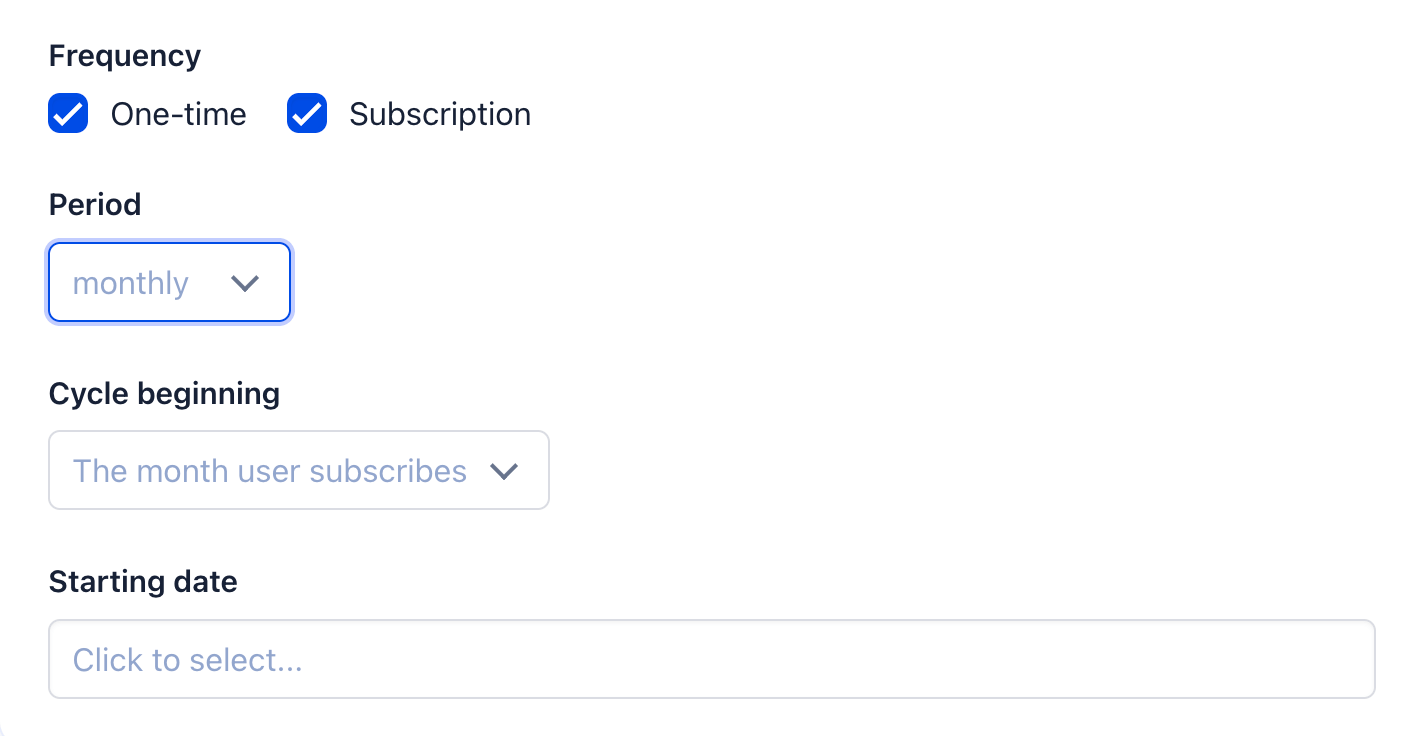
In Orgo, these settings are configured within the fee product. Enable proration if your organization uses fixed renewal dates. Set the billing cycle start date according to your membership calendar.
Step 4: Configure Automated Reminders
Automated communications keep members informed throughout the billing cycle. Set up reminder sequences for:
Upcoming renewals. Notify members 30 days, 14 days, and 7 days before their membership expires. Include a direct link to complete payment.
Payment confirmations. Send immediate confirmation when payments process successfully. Include receipt details and membership validity dates.
Failed payments. Alert members when transactions fail. Provide instructions for updating payment methods and a deadline for resolving the issue.
Overdue notices. Follow up on missed payments with escalating reminders. Specify grace period duration and consequences of non-payment.
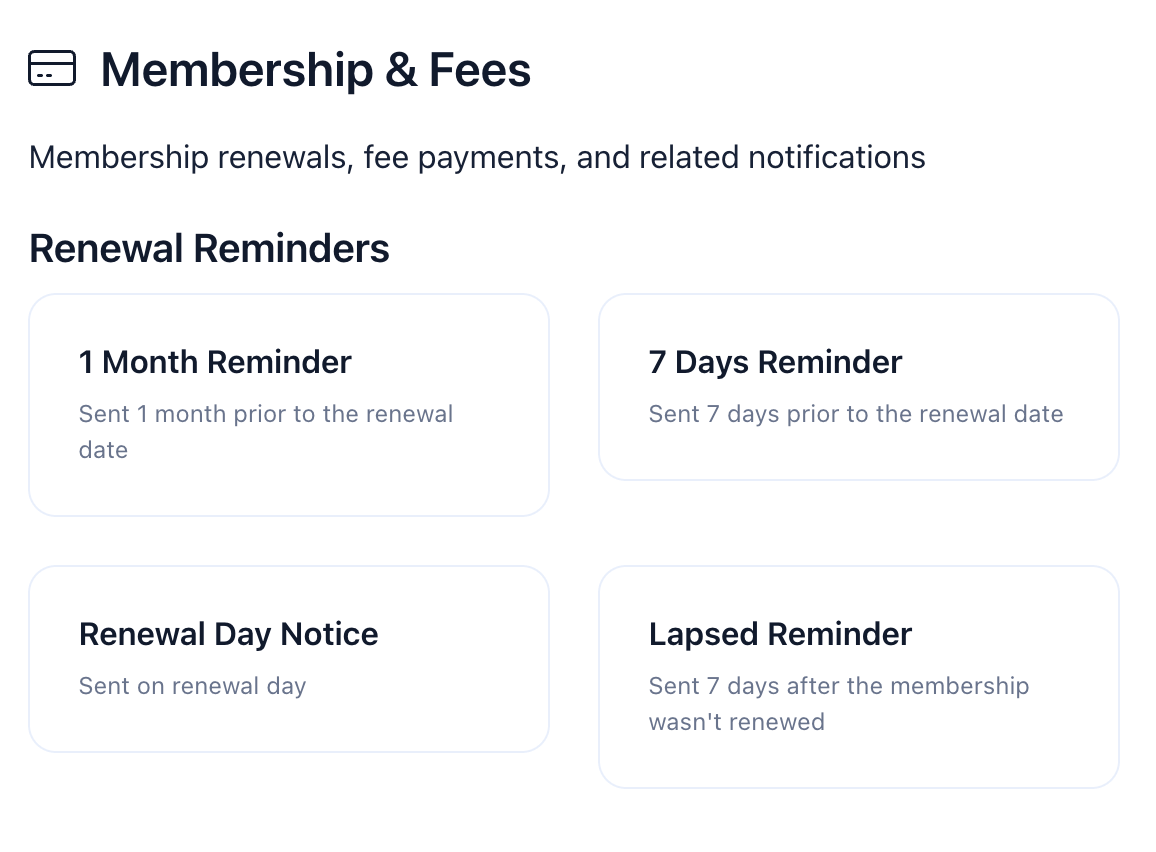
Orgo's notification system handles these communications automatically once configured. Customize email templates to match your organization's voice and branding.
Step 5: Configure Chapter-Based Dues (If Applicable)
For organizations with chapters that collect local dues, additional configuration is required.
Access Local Group Settings within each chapter's administration area. Connect the chapter's Stripe account if they process payments independently. Create local fee products with chapter-specific pricing.
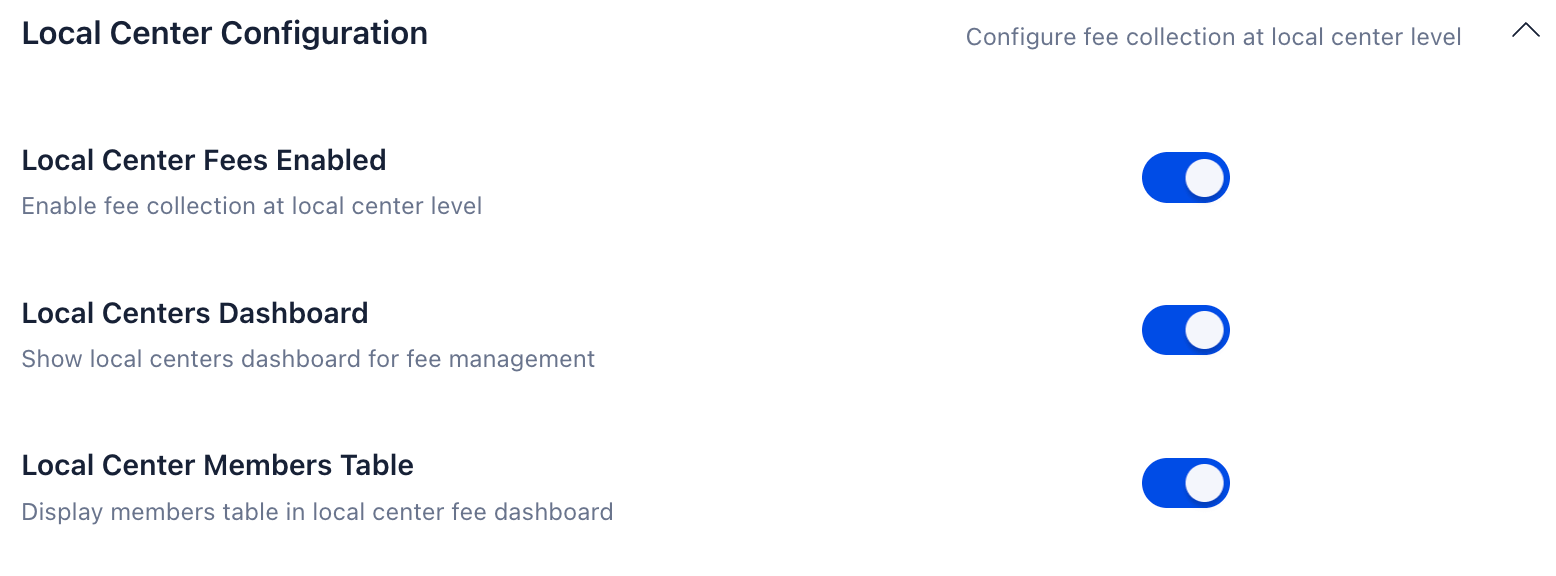
Configure the relationship between national and local dues. Options include:
- Separate transactions: Members pay national and local dues independently
- Combined transaction with split: Single payment divides automatically between accounts
- Local collection with forwarding: Chapter collects full amount and transfers national portion
Set up local administrator permissions so chapter treasurers can manage their fees, view payment reports, and record offline payments without accessing other chapters' data.
Step 6: Test the Member Experience
Before announcing the new system, test the complete payment flow. Create a test member account and process a payment to verify:
- Registration form collects required information
- Payment page displays correct amounts and options
- Transaction processes successfully
- Member status updates automatically
- Confirmation email delivers promptly
- Payment appears in reporting dashboards
- Receipt is accessible in member self-service portal
For multi-chapter setups, test payment flows for members in different chapters to confirm routing works correctly.
Step 7: Communicate the Change to Members
Roll out the new system with clear member communication.
Explain the following:
- What's changing and why
- How to pay dues online
- What payment methods are accepted
- How to access payment history and receipts
- Who to contact with questions
For organizations transitioning from manual processes, consider a parallel period where both old and new methods are accepted. Set a clear deadline for when online payment becomes the primary method.
Provide staff and volunteers with talking points and FAQ responses. Front-line representatives should be prepared to assist members unfamiliar with online payments.
Case Study: How a Multi-Chapter Organization Collects Dues from 8,000 Members
The Romanian Scouts faced a common challenge among large volunteer-driven organizations. With over 3,000 members spread across 80+ local chapters, dues collection relied on spreadsheets, cash payments, and manual coordination between local and national levels.
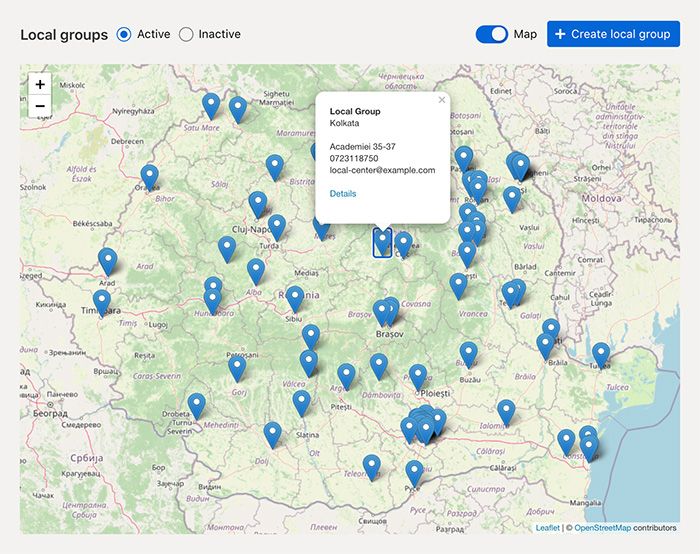
The Challenge
The decentralized approach created persistent problems. Data moved slowly between chapters and headquarters, with information sometimes lost in transit. Cash payments were difficult to track, leading to incomplete financial records and lower overall collection rates. Members questioned the organization's transparency since they couldn't easily verify their payment status or see how funds were used.
Chapter treasurers spent significant time on administrative tasks that pulled focus from their primary mission of youth development. National leadership lacked real-time visibility into the organization's financial health across all chapters.
The Solution
The organization implemented Orgo to centralize member management while preserving chapter autonomy. Each chapter maintained its own administration and could handle local dues collection, with payments flowing through to the national organization according to established policies.
Members gained the ability to pay dues directly by card through their online accounts. For chapters that preferred to collect payments locally, the system provided tools to record those transactions and forward appropriate amounts to national headquarters.
The Results
The streamlined collection process improved payment rates and reduced the administrative burden on volunteers. Clarity increased across the entire organization since both members and administrators could see payment status in real time.
With less time spent on dues collection and record-keeping, the organization redirected energy toward its core mission. Combined with Orgo's other features for event management, communication, and member engagement, the administrative efficiency gains were substantial.
The improved operations supported significant growth. Membership expanded from approximately 3,000 to around 8,000 members, with the platform scaling to accommodate the larger organization without proportional increases in administrative workload.
Conclusion
Collecting membership dues online requires selecting the right platform, configuring payment processing, setting up automated billing, and communicating changes to members. Organizations with multiple chapters need additional consideration for how funds flow between local and central levels.
The key decisions are:
- Which payment methods to accept
- How to structure billing cycles and renewals
- Whether to centralize or decentralize collection for multi-chapter organizations
- What level of automation should be implemented for reminders and reconciliation
Orgo provides the complete infrastructure for online dues collection, from payment processing to multi-chapter fee management with configurable splits and chapter-level bank accounts. The platform integrates dues collection with member profiles, automated communications, and organizational reporting.
For organizations ready to move beyond spreadsheets and manual processes, Orgo offers a path to efficient, transparent dues collection that scales with membership growth.
Frequently Asked Questions
What Is the Best Way to Collect Membership Dues Online?
The best approach combines a payment processor with membership management software that tracks payment status automatically. Look for platforms that integrate payment processing directly with member records, support recurring billing for automatic renewals, and provide self-service portals where members can manage their own payment methods.
How Do I Automate Membership Dues Collection?
You can automate membership fee collection by enabling recurring billing through your membership platform. Make sure to set up automatic renewal charges that process on membership expiration dates, to configure reminder emails to notify members before charges occur, and last but not least, to implement failed payment handling that retries transactions and alerts members to update expired cards.
Can Members Pay Dues with a Credit Card?
Yes, modern membership platforms support credit and debit card payments through processors. Members can save card details for future transactions and automatic renewals. Most platforms also accept digital wallets (Apple Pay, Google Pay) and bank transfers for members who prefer alternatives to cards.
What Happens When a Member's Payment Fails?
When payment fails, the system should automatically retry the transaction after a few days. If the retry fails, automated emails notify the member to update their payment method. Configure a grace period during which membership remains active. After the grace period expires without successful payment, membership status changes to lapsed or inactive based on your policies.
How Much Does It Cost to Collect Membership Dues Online?
Costs include payment processor fees and potentially platform fees, depending on your software. Some platforms charge additional transaction fees on top of processor costs. Calculate your expected annual processing costs by multiplying dues revenue by the fee percentage plus per-transaction charges multiplied by payment volume.
Is Online Dues Collection Secure?
Reputable membership platforms use PCI-compliant payment processors that handle sensitive card data securely. Your organization never stores actual card numbers. Look for platforms with encryption, secure authentication, and compliance certifications appropriate to your region (PCI DSS for payments, GDPR for European data protection).
How Do I Transition from Manual to Online Dues Collection?
Start by importing existing member data into your new platform. Configure payment processing and test thoroughly with staff accounts. Communicate the change to members with clear instructions. Consider a transition period accepting both old and new payment methods. Set a deadline for when online payment becomes the primary method and provide support resources for members needing assistance.