

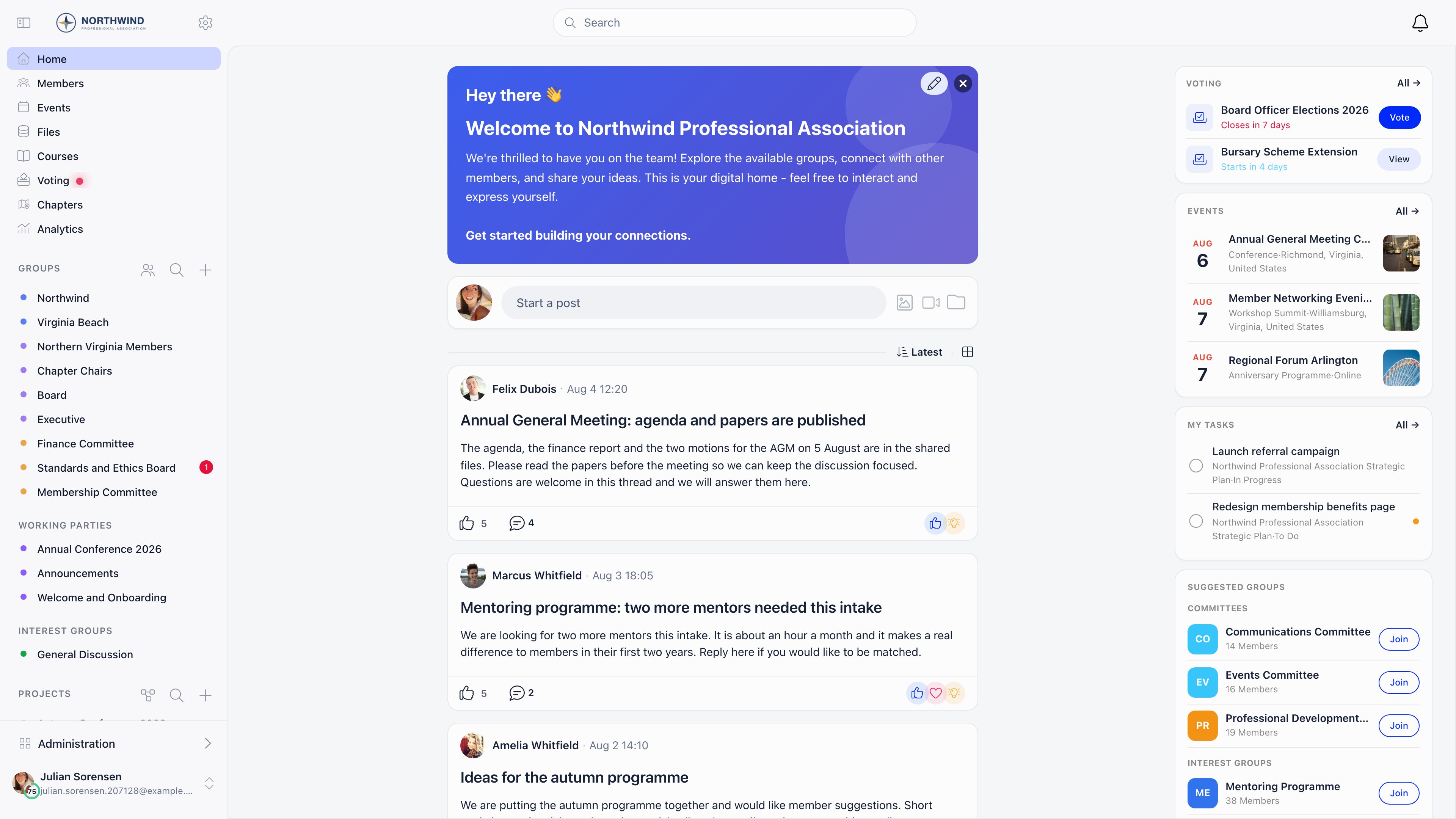
Orgo is modular. Most of what is listed below is a module you switch on in Settings → Modules, so your workspace only shows the parts you use. See Modules for the full list and what each one turns on.
Not sure where to start?
If you already know what kind of organization you’re running, skip the feature-by-feature tour below and go straight to a Setup Template — a playbook that names the exact modules to turn on, in order, for your kind of organization.Political parties
Formal membership applications, identity checks, chapters, internal elections.
Federations
Members that are companies or institutions: company membership, seats, invoicing.
Scouting and youth organizations
Age-based sections, parents and consent, safeguarding, progression, camps.
Fundraising
One-off and recurring giving, campaign pages, donor recognition and receipts.
Set up your organization
1
Fill in your organization record
Name, contact details, legal identity, currency and bank details. Invoices, emails and public pages all read from it.Organization Info → · Branding →
2
Turn on the modules you need
Events, payments, discussions, campaigns, documents. Everything else stays hidden.Modules →
3
Decide how people join
Design the registration form, define your user types, and choose whether new members need approval.Registration Form → · User Types & Roles →
4
Build your structure
Chapters for geography, units for teams inside them, role groups that fill themselves from member roles.Groups & Teams →
5
Give your team access
Assign permissions by domain and scope so chapter admins see their chapter and nobody shares a login.Assigning Permissions →
Members
The member record and everything stored on it.- Users & Profiles: the directory, filters, bulk actions and exports
- Registration Form: what new members fill in when they join
- User Types & Roles: member categories and organizational positions
- Profile Fields: which built-in fields appear, in what order, and which are required
- Custom Fields: your own fields, with per-field visibility and encryption
- Lists & Segments: reusable audiences built from member criteria
- Companies: corporate membership with a seat allowance and one covering fee
- Family Members: parents, guardians and children in one family record
Joining and leaving
- Member Invitations: let members invite the people they know
- Adhesion: a formal application with review before full membership
- Referral Program: existing members vouch for a new signup
- Waitlist: queue registrations per chapter and admit them when there is room
- User Statuses: what each status blocks and who can change it
- Resignation: member-initiated departure with an approval step
- Deletion of Account: what is deleted, what is anonymised, what is kept
- Merging Duplicates: combine two records and choose which values survive
Access and privacy
- Permissions: the six domains, the three scopes, and how they combine
- Assigning Permissions: who should hold what, and how to audit it
- Privacy Settings: organization defaults and per-member controls over profile data
- Identity Validation: collect ID documents and have an admin approve them
- Troubleshooting Member Access: what to check when someone cannot sign in
Groups and structure
- Groups & Teams: how the group types differ and when to use each
- Main Group: the organization-wide space every member can reach
- Local Centers: chapters and branches with their own admins, events and fees
- Units: named teams inside a chapter, typed and nested
- Role Groups: groups that fill themselves from roles, age, chapter or fee tier
- Private Groups: invite-only spaces for committees and project teams
- Member Transfers: move a member between chapters with an approval
Events
- Events: the events module and what it covers
- Create Event: every field on the event form and what it controls
- Event Types and Statuses: categorize events and track their progress
- Event Templates: save a setup once and start new events from it
- Registration Forms: what each event asks at registration
- Ticketing: price tiers, member pricing, addons and vouchers
- Attendance: registrations, invitations, walk-ins and the attendee export
- QR Check-in: scan attendees in at the door
- Speakers and Trainers: who presents, per event and per session
- Public Event Page: the page anyone can open without an account
- Sharing Events: share links, the public directory, and embeds
- Event Reports: record what an event set out to do and what it cost
- Annual Event Report: a printable booklet over any date range
- Event Analytics: attendance, capacity, RSVP mix and ticket revenue
Event App
The mobile companion attendees use during an event, with its own sign-in.- Event App: enabling it, and how attendees sign in with a one-time code
- Agenda, Feed and Votes: the live surfaces during the event
- Networking: attendee profiles, connections and 1:1 meetings
Payments and fees
- Products: fee products, donation campaigns and payment pages
- Membership Fees: dues, who has paid, and subscriptions
- VAT & Registration Fees: tax on fees and a one-time joining fee
- Renewals & Reminders: the reminder schedule and what an expired member can still do
- Recording a Payment: log bank transfer, cash and cheque payments
- Invoices: creation, numbering, templates and delivery
- Cancelling & Correcting Invoices: void, refund, and what that changes
- Stripe Integration: connect Stripe to take payments online
- Donations: campaigns with goals, suggested amounts and donor messages
- Donation Pages & Widgets: the public page, the donor wall and embeds
- Chapter Fees: a chapter fee alongside the organization fee
- Member Fees Table: record payments member by member, period by period
Communication
- Discussions: forum-style posts and conversations inside groups
- Discussion Namespaces: categories members can filter by
- Discussion Moderation: hold posts for review and work the queue
- Newsletter: campaigns with audience targeting, scheduling and delivery reporting
- Newsletter Builder: the drag-and-drop editor, placeholders and reusable designs
- Signup Widgets: embed a subscribe form on your own website
- Emails: sender identity, template language and delivery
- System Emails: every automatic email, its trigger, and which can be switched off
- Email Templates: preview any automatic email and change its wording in place
- Email Lists: reusable audiences and what feeds them
- Email Logs: the record of what was sent, for answering “it never arrived”
- Notifications: in-app, push and email notifications, and member toggles
Governance
- Organizational Chart: a live map of who holds which position
- Official Gazette: a dated, numbered register of decisions and documents
- E-Voting: elections, motions and polls with timed ballots and live results
Documents and files
- Files & Documents: shared drives with public links you can revoke
- E-Documents: templates filled with member data and signed on screen
- Signatures and Records: what a signature captures and how it is stored
Work and automation
- Projects: projects with tasks, a board, a timeline and goals
- Tasks: assignees, statuses, checklists and dependencies
- Issues: a shared board for group work, with types, priorities and comments
- Forms: standalone forms and surveys with a public link and response charts
- Workflows: trigger an email or a tag from something that happens in Orgo
Learning and recognition
- Courses: lessons, quizzes, enrolment and progress
- Badges: awards given by hand or from events, courses and checklists of steps
- Gamification: points, tier badges and the leaderboard
People beyond your members
- Contacts: donors, subscribers, ticket buyers and partners
- Help Desk: members raise tickets, your support team answers them
- Professional Network: members browse each other by industry and connect
Insights and records
- Insights & Ask Orgo: ask questions in plain language, and the built-in dashboards
- Activity Log: a read-only record of who changed what
Organization settings
- Organization Settings: the settings area and what lives where
- Organization Info: identity, contact, legal and bank details
- Branding: logos, login background and the default theme
- Custom Domain: serve your community from your own address
- Modules: turn features on and off, and configure each one
- Mobile Apps: the iOS and Android apps, push setup and branded apps
Customization
- Customization: what can be changed about the interface itself
- Languages: enable interface languages and set a default
- Texts: replace any wording in the interface with your own
- Menu Organizer: reorder, rename, hide and scope the sidebar
- Dashboard Organizer: build the member dashboard from widgets
- Dashboard Welcome: the greeting at the top of the dashboard
- Data Import: bulk-create and update records from CSV
Your Orgo account
- Usage & Billing: what you consume against your plan limits, your plan, card on file, and Orgo’s invoices to you
Developers
- API Access: API tokens, their scopes and the audit trail
- OAuth Server: let members sign in to your own apps with their Orgo account
- Webhooks: push events to your systems in real time
- Orgo MCP: connect AI assistants to your Orgo data
- Integrations: Stripe, analytics, automation tools and SSO
Quick links for admins
Enable Modules
Choose which features are active in your workspace.
Permissions
Six permission domains, three scopes, and what each unlocks.
Custom Fields
Capture organization-specific data on profiles and forms.
Troubleshooting Access
What to check, in order, when a member cannot sign in.
Cannot find what you are looking for? Organization admins can open the support
chat in the corner of the app on desktop, or contact support at
support@orgo.space. See Orgo Support.