

/tenants/modules/emails/templates). Switching an email
on or off needs ADMIN_TENANT; communication managers (COMMUNICATION_TENANT) see
whether each email is on but cannot change it. Changes save as you flip them. The
old Emails Config address now opens this page filtered to the emails that
Can be turned off.
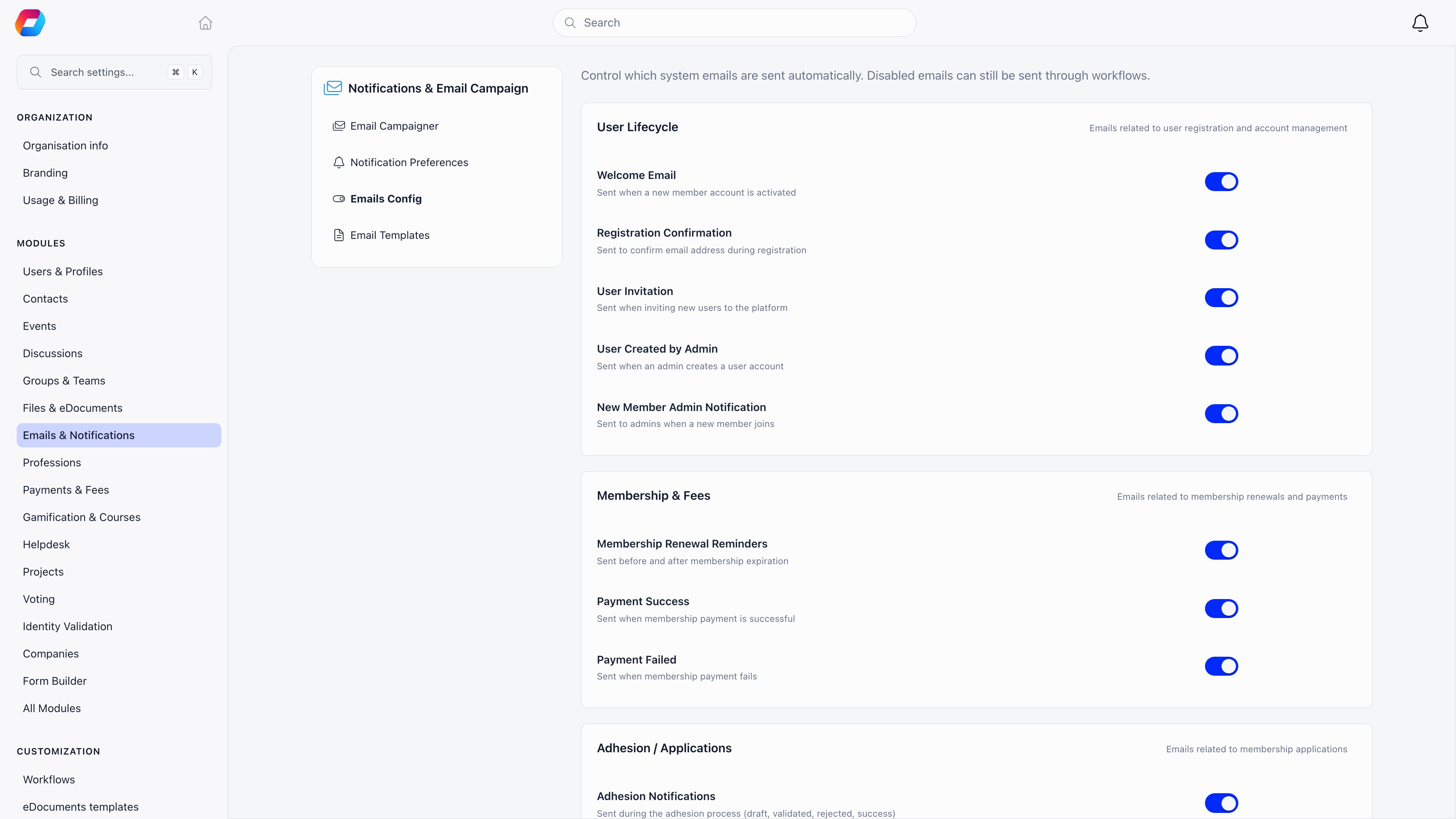
How the switches work
Every email that can be turned off has its own switch on its row. Each section card shows how many of its emails are off, and Turn all off or Turn all on switches the whole section in one go. You can leave the renewal reminders on and silence only the 30-days-after one. A switched-off email is not sent and no log row is written. Nothing queues up for later. Organisations that used the old category switches keep what they chose: an email whose category was off shows as off on its row until you switch it on.Members and accounts
Sign-in and security
None of these can be switched off or edited. They are listed under Sign-in & security on the Emails page so you can preview them, and the platform refuses to save custom wording for them.
Login and multi-factor codes are never written to the log. The other
code-carrying messages (email verification, password reset, password change,
email change and the event app code) do get a row, but with the code stripped
from the subject and no body stored, so an admin reading the log cannot lift a
live code and take over an account. The two messages here that carry no code,
Password changed and Email change request, are logged in full like any
other email.
Membership and fees
The renewal ladder runs once a day at 18:00 UTC and picks one message per member based on how far the renewal date is away. Each of the fourteen (seven here, seven for companies) can be turned off on its own, under Membership & Fees.
Company memberships have their own ladder at 18:30 UTC, addressed to the company’s
contact email, with the primary contacts and any additional addresses in copy.
When the company has no contact email, the first primary contact becomes the
recipient instead. A company with neither is skipped and nothing is sent.
See Renewals for what a member experiences when a fee
lapses, and Invoices for invoice delivery.
Events
Applications, identity and documents
Subscriptions and payments
Community, local centres and everything else
Digests
Three summary emails run on a schedule instead of reacting to one event.
The discussion summary lists discussions only. Events, mentions, comments and votes
reach a member as their own emails, if their preferences ask for them. Sending the
summary marks the discussions it covers as seen in the app, and nothing else. Members choose Instant,
Daily or Weekly in their own notification preferences, or switch discussion email
off entirely.
Discussion and other activity emails follow each member’s notification preference,
so they have no switch on the Emails page. You can preview each one under
Activity notifications. To change what new members start with, set the
defaults in Notification Preferences. See Notifications.
Related
- Emails - sender identity, language and delivery
- Email templates - previewing an email and rewriting its wording
- Email logs - proving an email was sent
- Notifications - in-app, push, and per-member preferences
- Renewals - what the fee reminder ladder is enforcing