

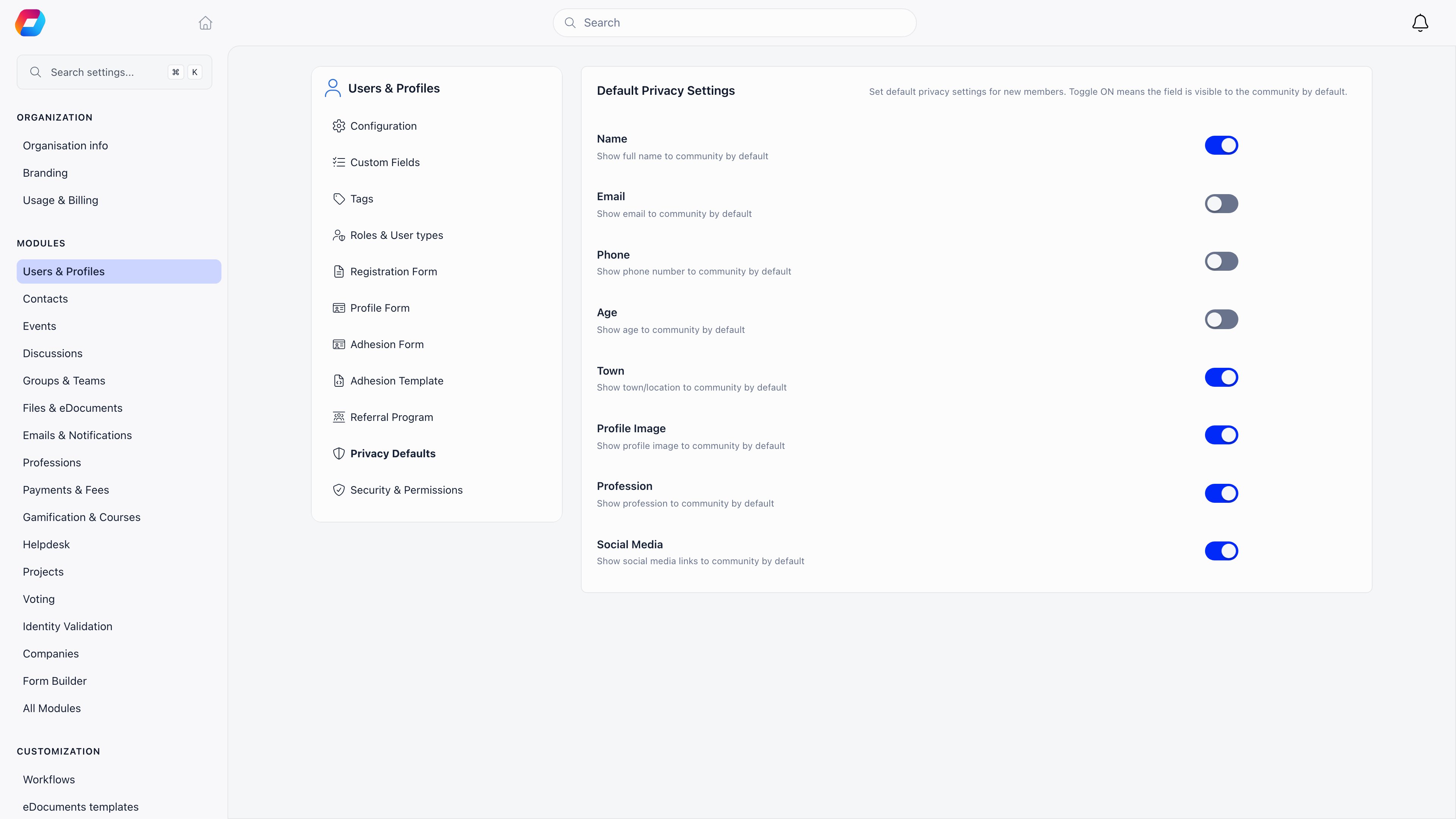
Organisation defaults
Settings → Users & Profiles → Privacy Defaults. RequiresADMIN_TENANT. Toggle ON means the field is visible to the community by default.
What a member controls
A member opens their own profile, then Settings & Privacy → Privacy. Local admins (ADMIN_LOCAL and above) and a parent managing a child’s profile see the same panel.
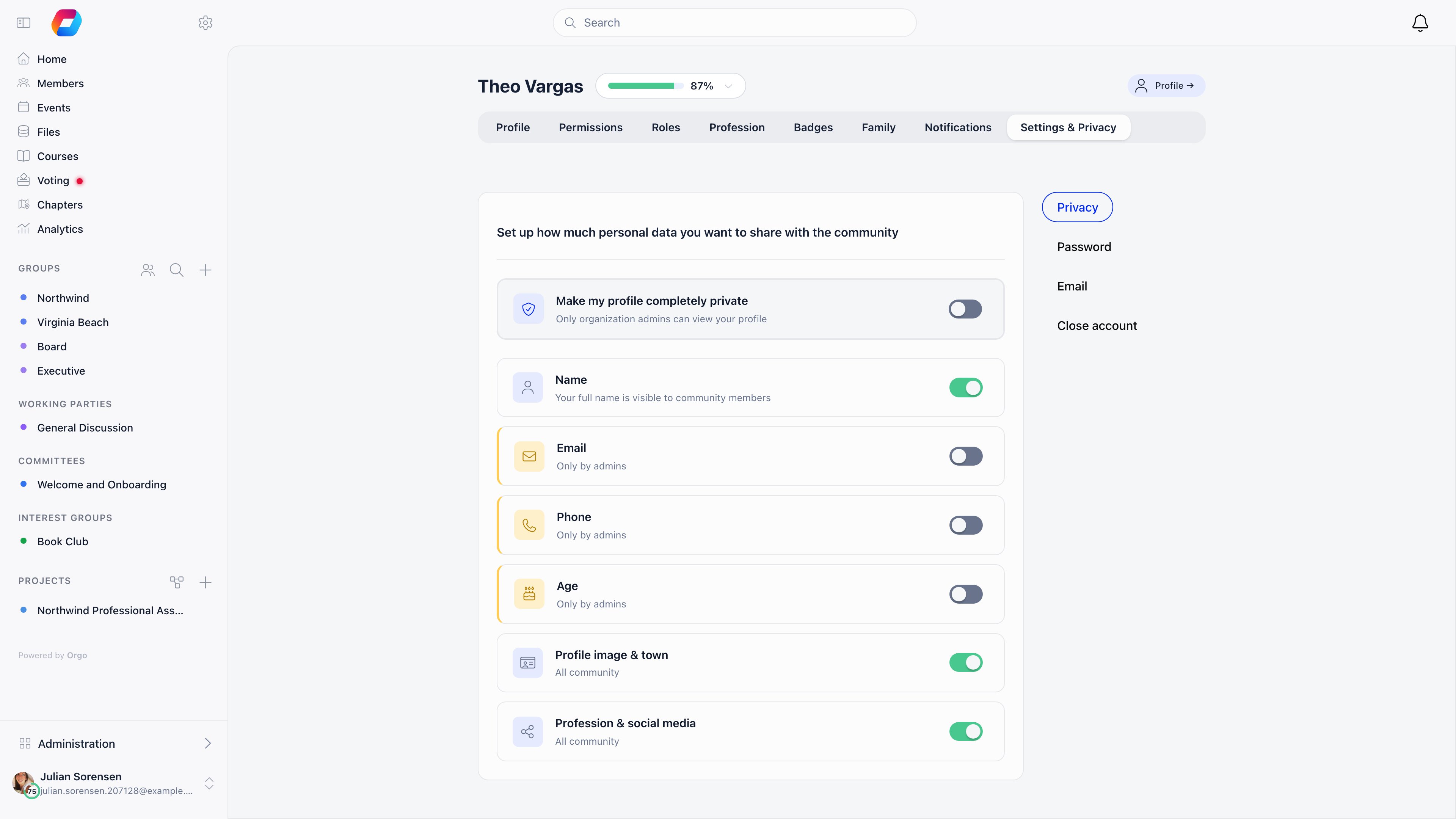
What each setting actually hides
This is what a signed-in member without HR or Financial permissions sees on someone else’s profile.
Three things are hidden from ordinary members no matter how the switches are set: date of birth, member card ID, and the identity verification record. Age can still be shown, date of birth cannot.
Anonymous visitors and guest accounts get the strictest treatment. They see the shortened name and no email, phone, age, town, photo or profession, regardless of what the member chose.
Make my profile completely private does more than blank fields. The member is filtered out of member lists and directory queries entirely, and opening their profile URL returns “This profile is private” to anyone who is not allowed to see it.
Who sees the unredacted profile
Field-level privacy is skipped for:- the member themselves;
- a parent who manages that member’s profile through the family feature;
ADMIN_TENANT;- anyone with
HR_TENANTorFINANCIAL_TENANT, because both imply the assistant-level HR read; - anyone with
HR_LOCAL,HR_PARENT_LOCAL,FINANCIAL_LOCALorFINANCIAL_PARENT_LOCALover that member’s local center, for the same reason.
ADMIN_TENANT, HR_TENANT, HR_LOCAL over the member’s local center, and ADMIN_PARENT_LOCAL inside its regional scope.
Directory-wide visibility
Settings → Users & Profiles → Configuration, section Privacy & Visibility. All three requireADMIN_TENANT to change.
Bulk export
Exporting members to CSV requiresHR_LOCAL at minimum, and the export is capped at 500 rows per page. A plain member cannot download the directory even for fields they are allowed to read on screen, so field visibility and bulk access are two separate controls.
Related
- Profile Fields covers what data a profile holds in the first place
- Custom Fields has its own visibility and encryption options
- Permissions explains the roles named above
- Identity Validation covers ID documents, which privacy switches do not govern
- Account Deletion is the permanent option