

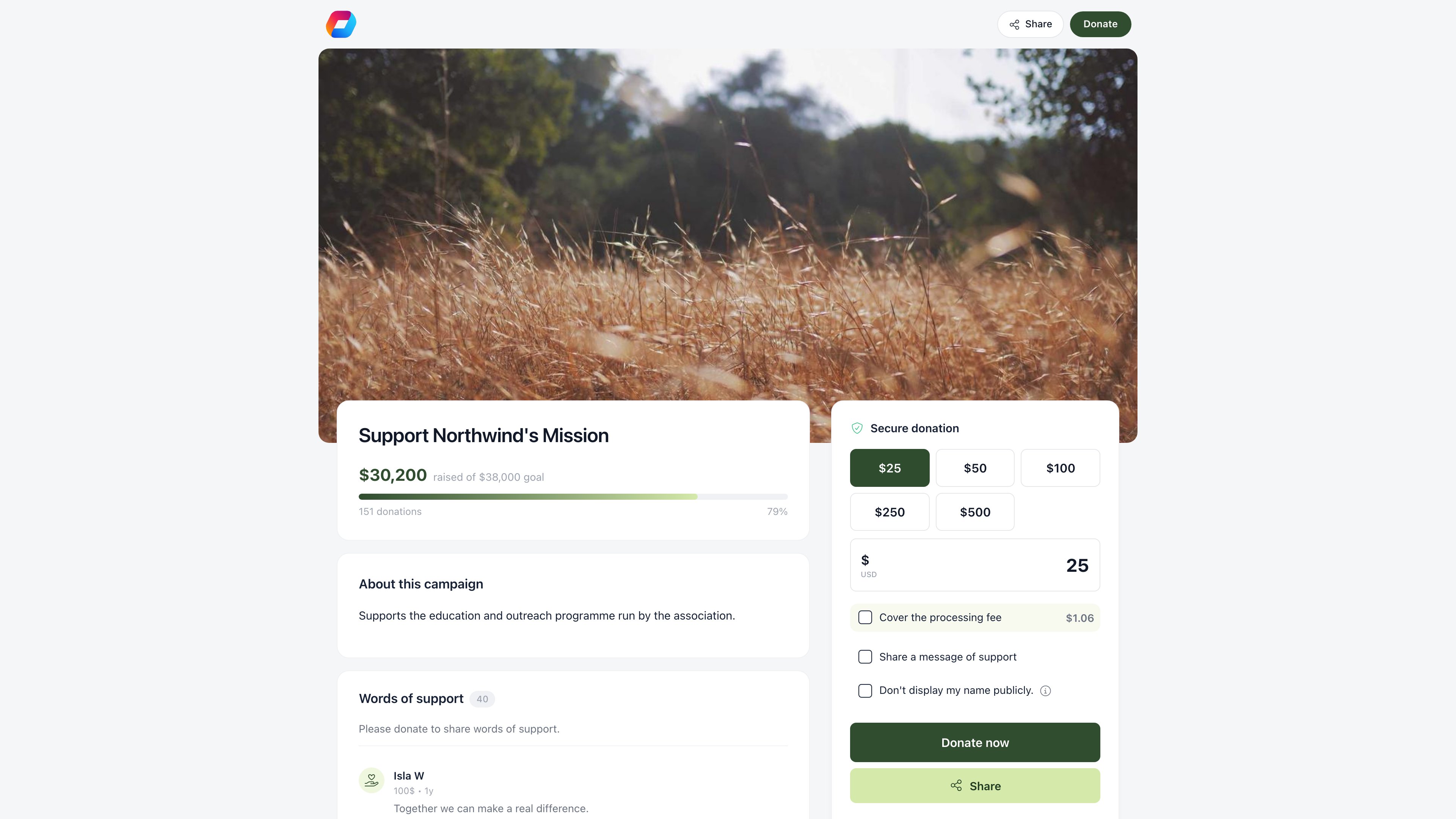
Page addresses
Campaigns live athttps://<your payment host>/pay/<slug>. The slug is generated from the campaign title and editable on the campaign form; without one the page falls back to /pay/i/<campaign id>.
Your default donation product also answers on the short paths /donate, /doneaza and /presedinte. Pick which campaign that is under Settings → Online Payments → Donation Product; the first donation campaign you create claims it automatically.
Copy link on the campaign header publishes the landing page and copies a short URL, https://<your app host>/share/product/<code>, which the in-page Share button and the social preview also use.
The page needs no login to give, and no publish step beyond saving.
The landing page editor
The Landing page tab edits the public page against a live preview you can flip between mobile and desktop framing. Nothing applies until Save.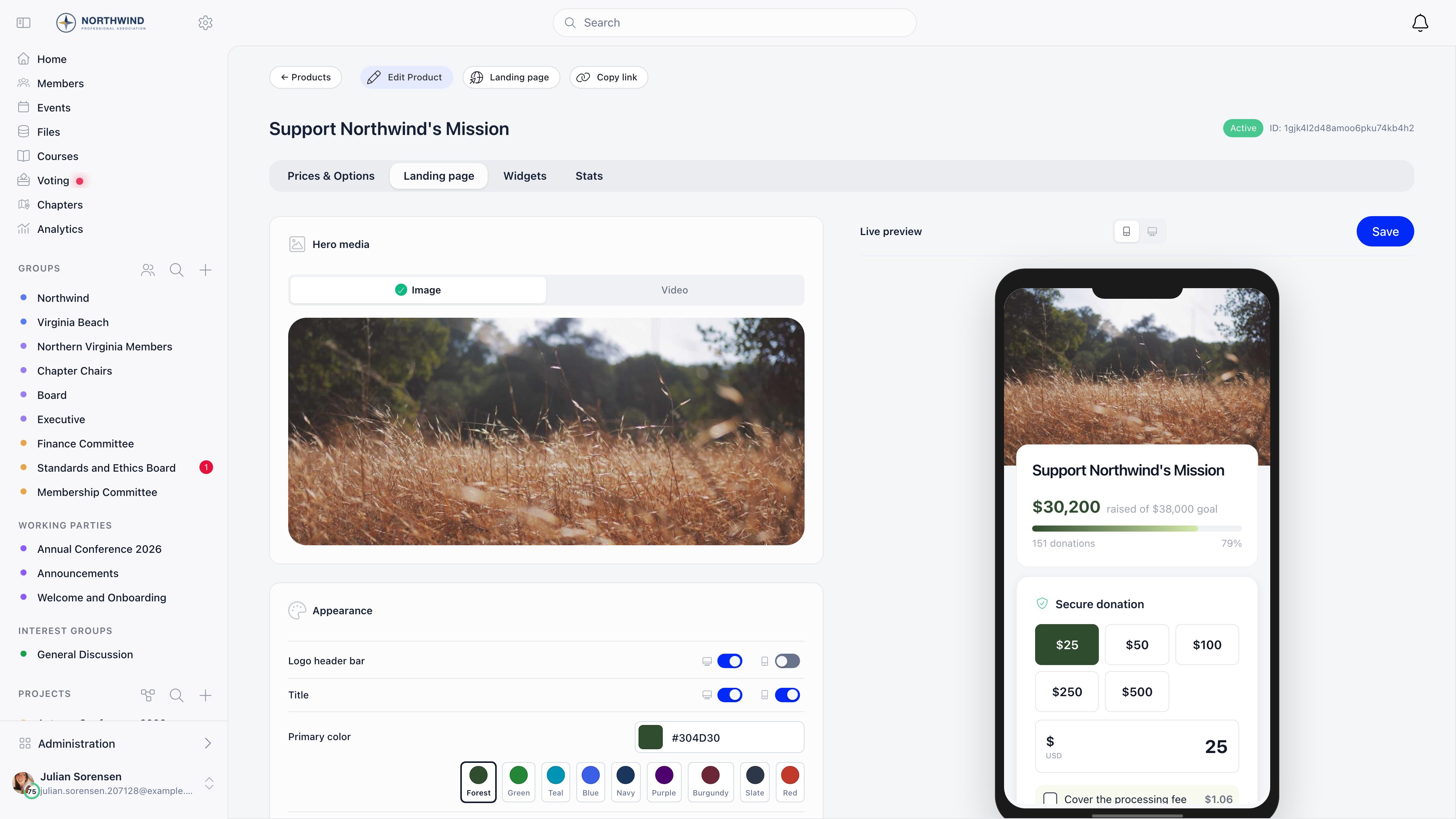
Hero media
Image uploads a campaign photo, shown full width at the top. Video takes a YouTube URL and embeds the player in the hero slot instead.Appearance
Content
Description is the campaign story, in a rich text editor. It sits under About this campaign when the campaign has a goal, under the title when it does not, and truncates behind a Show more control. Thank you message overrides the default confirmation text shown after a successful donation. The editor prints the default underneath so you can see what you are replacing.Social share preview
Upload the image used when the link is pasted into a chat or posted socially. The editor previews the card with your payment host and campaign name. Recommended size is 1200 x 630 pixels, under 1 MB.What a donor sees
- Hero image or video, the campaign title and, with a goal set, a progress bar reading “X raised of Y goal”, the donation count, and either the target date or the completion percentage. On mobile that becomes a progress ring.
- The campaign story.
- Words of support from other donors, if messages are enabled.
- The donation form: a Give once / Monthly toggle when both frequencies are enabled, suggested amount buttons, a custom amount field, Cover the processing fee with the amount spelled out, and a Designate to dropdown when the campaign has options or a chapter picker.
- Name, email, optional phone, a full address when Require full address is on, and optional checkboxes to leave a message, stay confidential, subscribe to the newsletter, or create an account.
- The donor wall and a Share button in the sidebar.
- Stripe takes payment inline. The donor then sees your thank-you message, a share prompt, and gets a thank-you email.
Confidentiality
Enable payment confidentiality gives the donor a checkbox that keeps their name off the public page. The gift still counts toward the goal and the donation count, but the donor wall and their message show “anonymous”. With Confidentiality Agreement Mandatory on, the donor must accept the confidentiality notice before the donate button unlocks.Donor messages
With Messages of support from donors enabled, a donor can attach a message to their gift. Approved ones appear in Words of support on the public page, 30 at a time, newest first, names shortened to a first name and a surname initial, or “anonymous” for confidential gifts.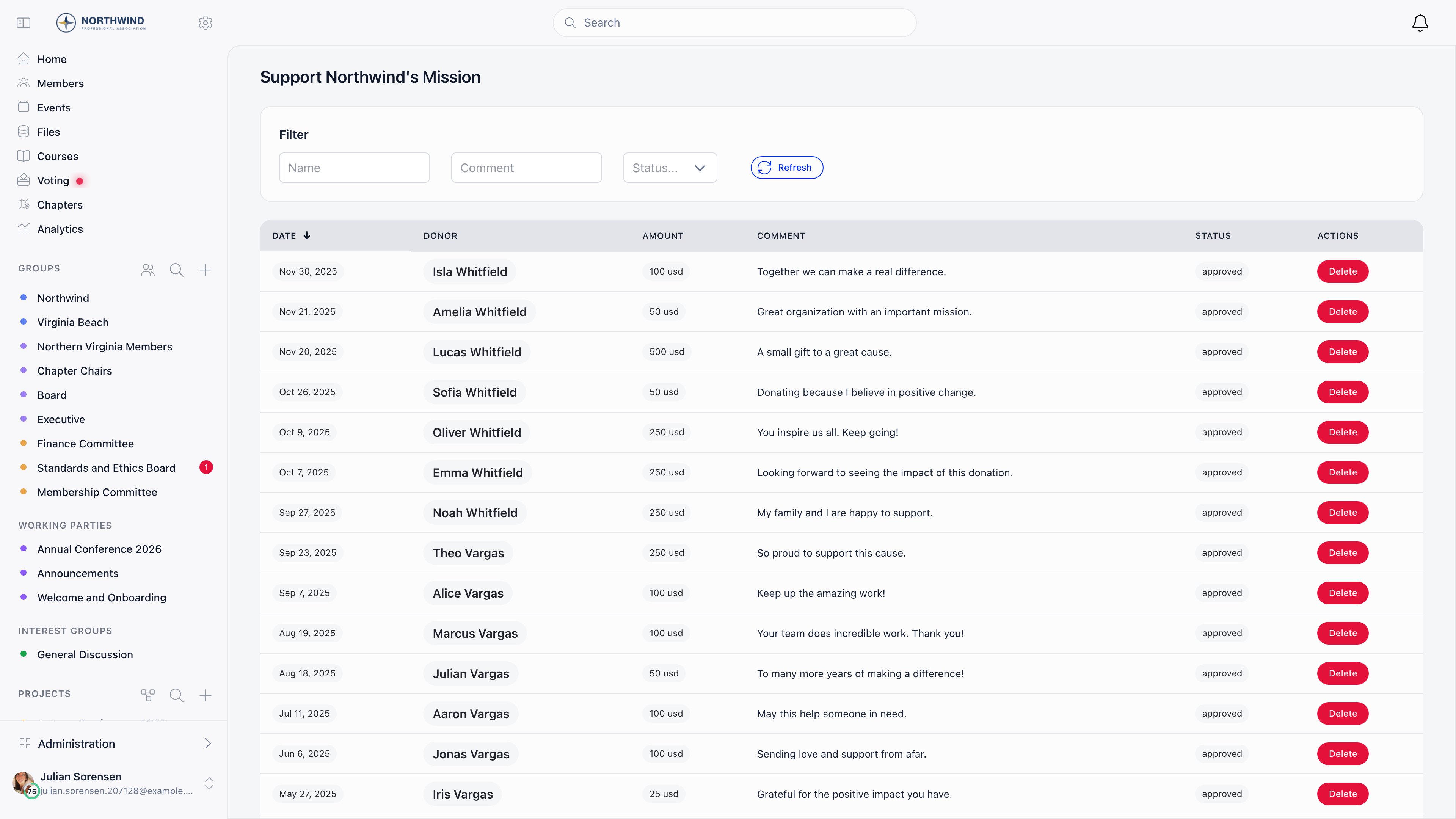
Messages are published immediately, not held for review. A message attached to a payment that is successful or on hold is stored as approved, so moderation is after the fact: you review the list and take down anything you do not want. There is no pending queue to work through.
The donor wall
Display top 50 recent donations adds a live panel to the page sidebar: the running count, the five most recent gifts with initial, amount and relative date, and a “N persons just made a donation” flash when several arrive at once. See all opens a paginated list of every donation, 50 at a time; See top opens the largest gifts. Confidential donors show as “anonymous” throughout.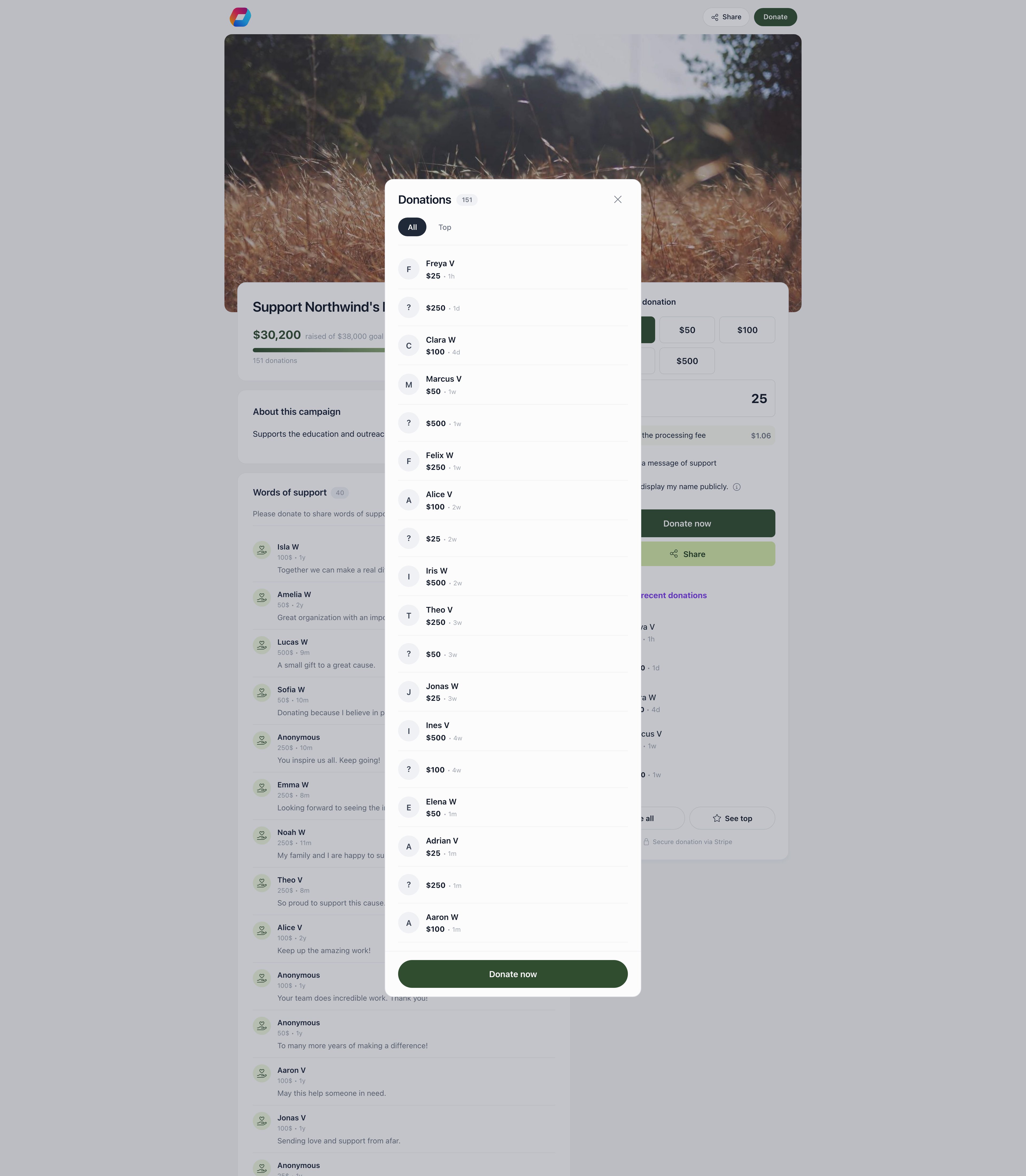
Donation widgets
Widgets put the donation form on a website you already run. The Widgets tab creates and manages them; each carries its own configuration and statistics. Create one by choosing its type and giving it a name and a title.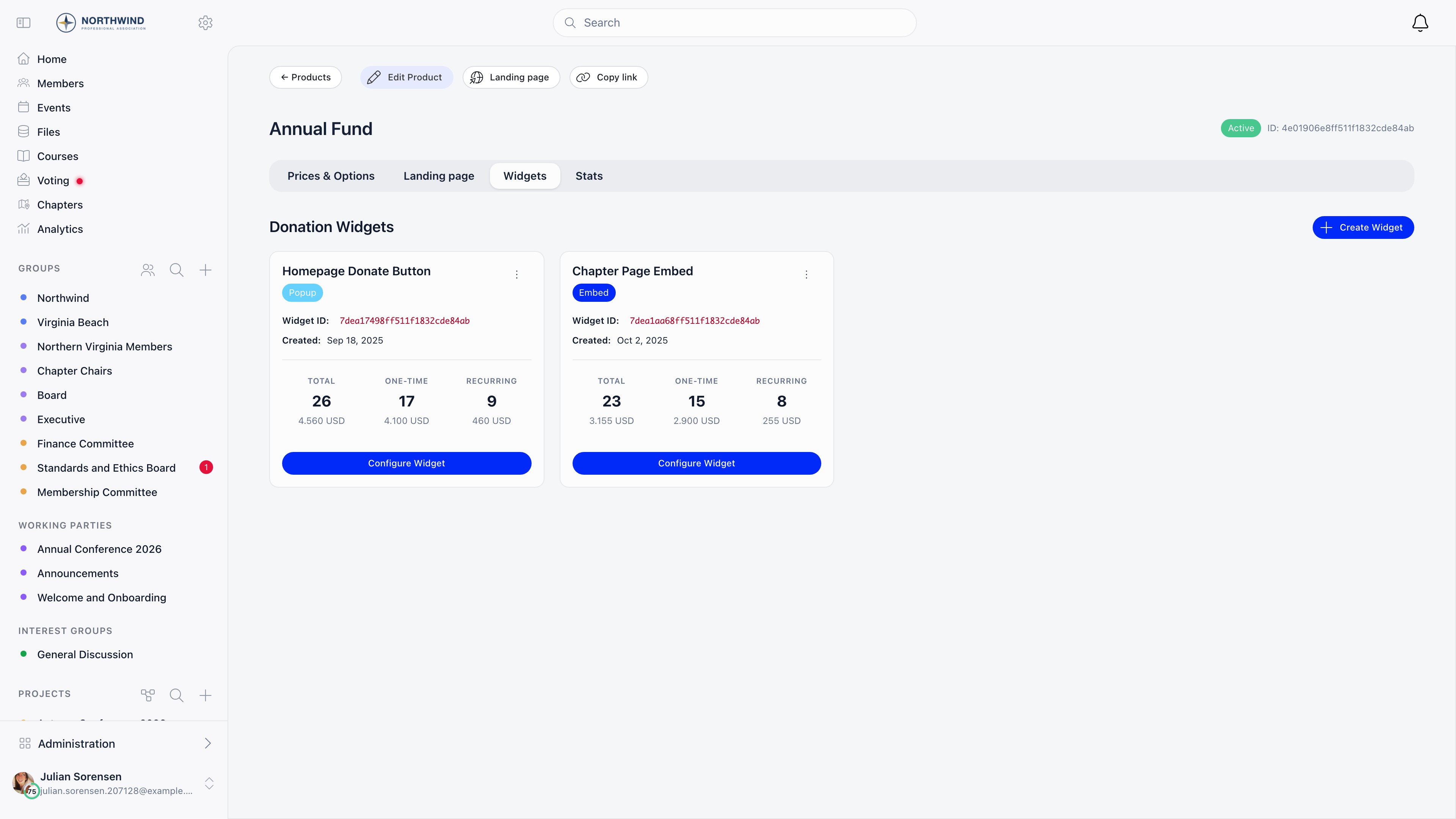
Embed
A full donation form rendered inline in a container you place on your page.
Popup
A floating button that opens the donation form in an overlay. Good for sidebars, footers, and blog posts.
Configuration
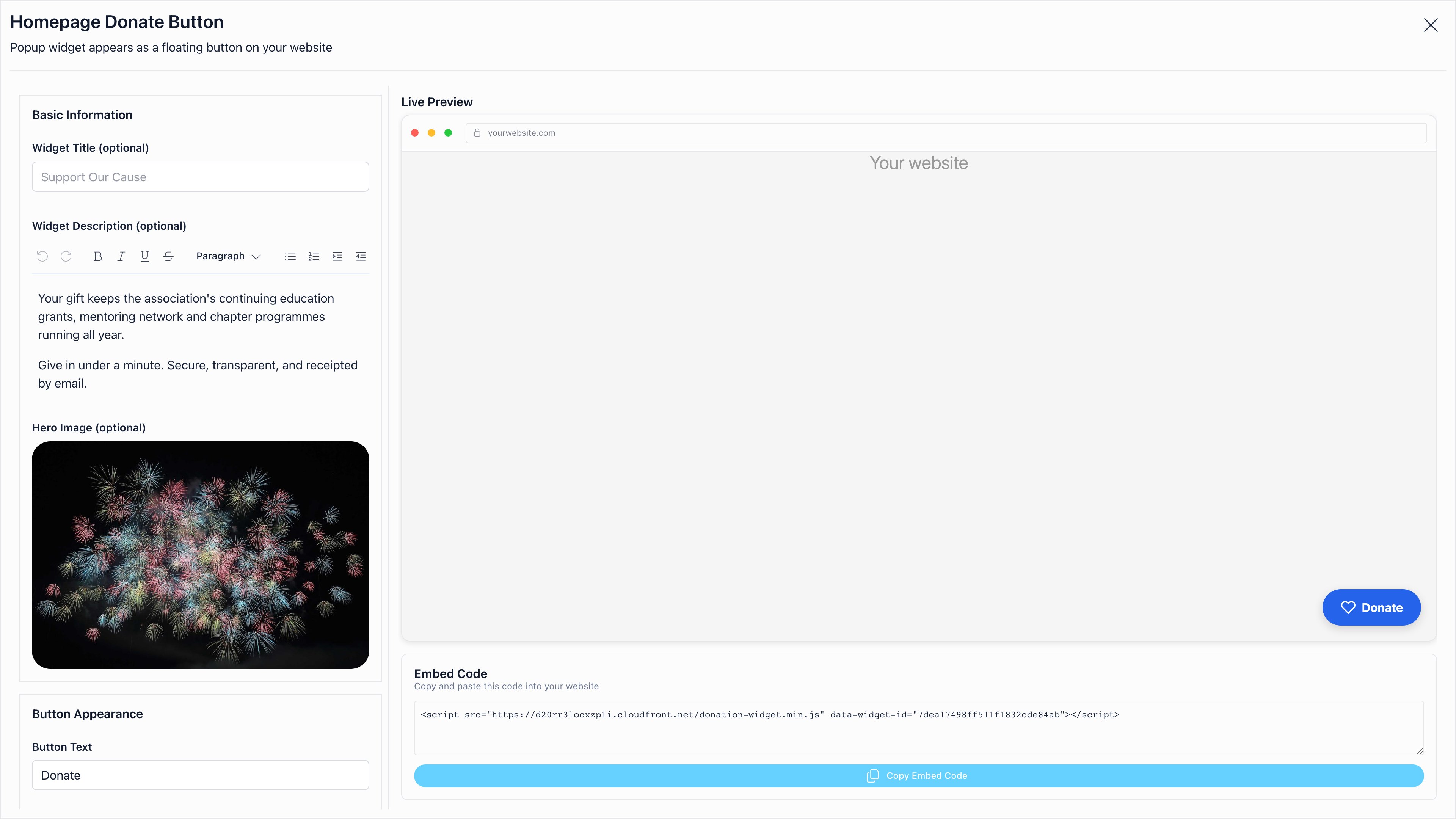
Configure Widget opens a full-screen editor with a live preview, grouped as follows.
Leave a text override empty and the widget uses the translation for its configured language.
Embedding
Copy Embed Code gives a ready-to-paste snippet: a popup widget is one script tag carrying the widget id; an embed widget is a container div carrying the widget id and the color settings, plus the script tag. Both load from Orgo’s CDN and handle the whole flow through to the Stripe payment.Widget statistics
Each widget card reports Total, One-time and Recurring donation counts with the amounts behind them, so you can compare placements. The campaign’s Stats tab also splits views and donations between widget traffic and the public page.Goal tracking
The bar fills to the share of the goal raised and caps its display at 100%. Passing the goal does not stop donations.
Related
- Donations - creating a campaign, prices, payments, refunds
- Products - product types and pricing
- Stripe Integration - connecting payment processing
- Newsletter widgets - the same widget system for email signups
- Permissions - who can edit campaigns and moderate messages