

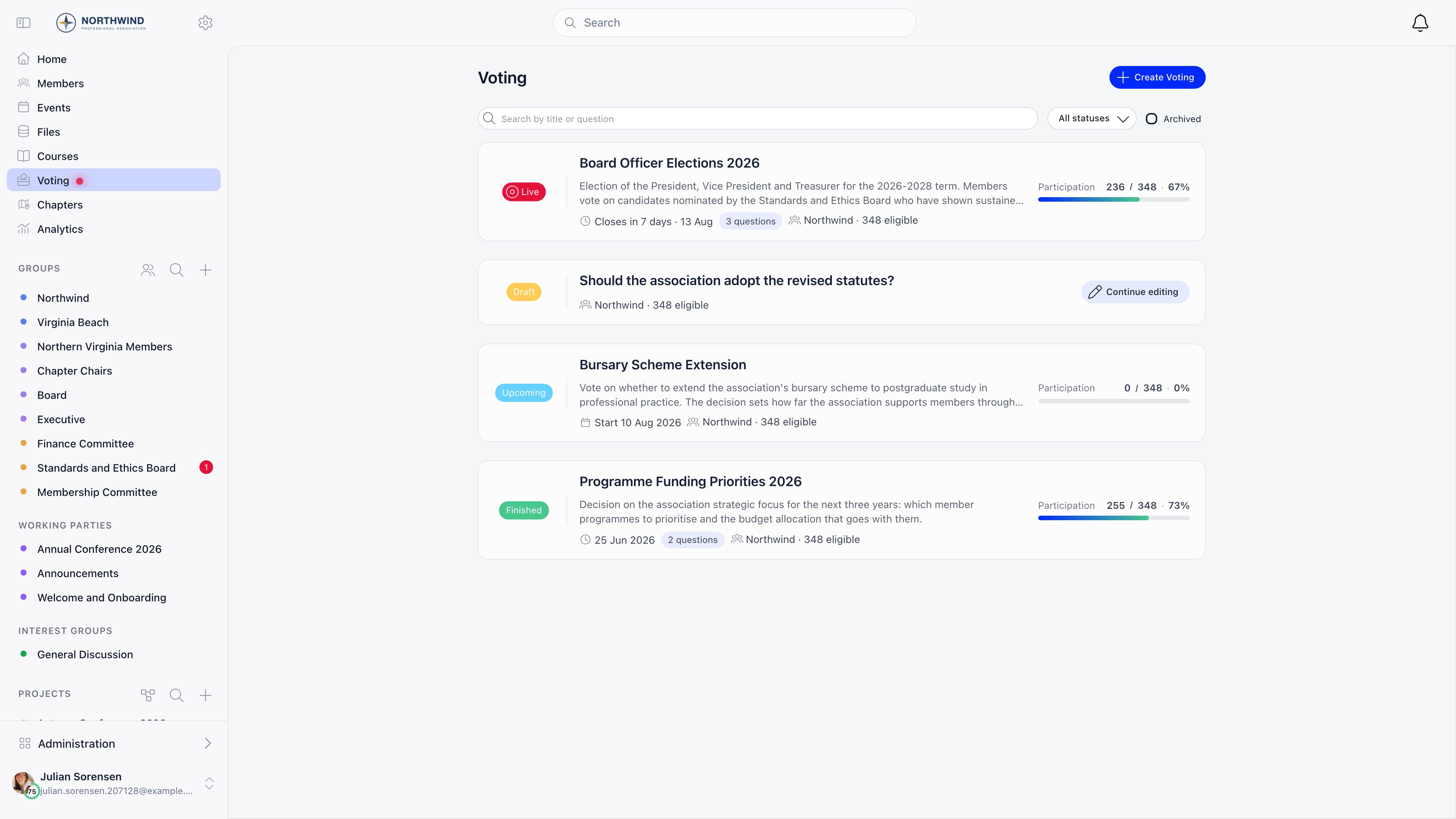
E-Voting is a module. Turn it on at Settings → Modules → Voting → Enable Voting Module. It is on by default for new organisations. When it is off, the Voting entry disappears from the sidebar and the mobile tab bar.
Creating a vote
Open Voting and select Create Voting, shown to members withADMIN_TENANT or HR_TENANT.
1
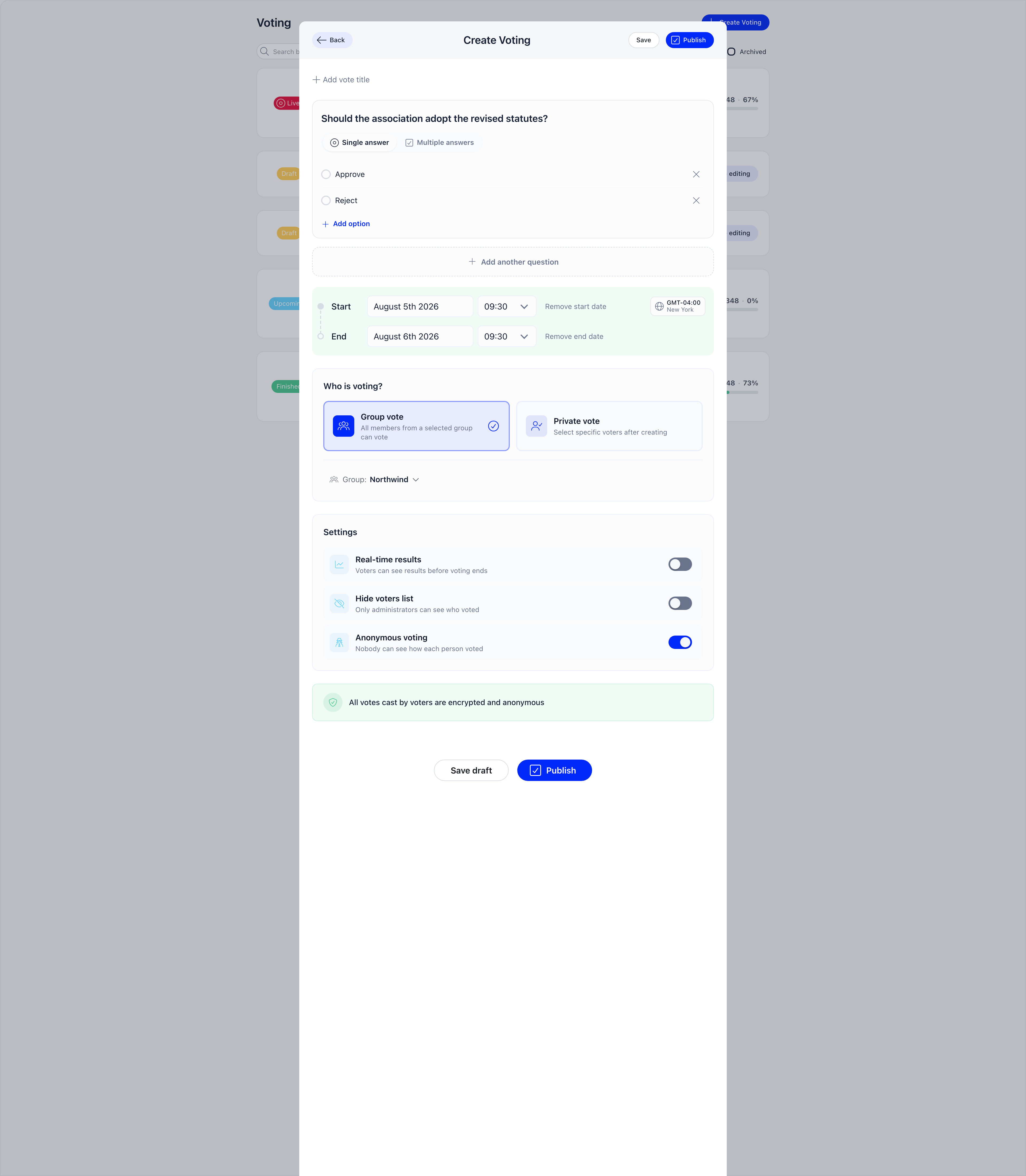
Write the question and its options
A question needs at least one option; options can be added, deleted and dragged into order.
2
Pick the answer type
Single answer shows radio buttons and accepts exactly one option. Multiple answers shows checkboxes and accepts any number, but at least one.
3
Add more questions if you need them
Add another question makes it a multi-question ballot, one question per board seat for example. Voters answer every question in one submission; a partial ballot is rejected. Two or more questions also require a vote title, which becomes its name in the list.
4
Set the window
Start and end dates are optional and carry a timezone you pick per vote. With no start date voting opens on publish; with no end date it stays open until every eligible voter has voted or an administrator closes it.
5
Choose who votes and save
Pick the audience, then Save draft to keep it hidden, or Publish to make it live or upcoming and notify voters.
Who can vote
The Who is voting? cards set eligibility.
On a private vote only the creator can add or remove voters, using the member search in the Participation panel and only while the vote is still editable. A voter who has already cast a ballot cannot be removed.
Settings
Lifecycle
A vote is editable only while it has no ballots and is neither live nor finished, so questions and options can still be corrected during Upcoming. Once it goes live the question builder is locked, dates included.
Close voting appears only on a live vote with no end date, and only for people who can manage it; a vote with an end date runs until that moment. Archive, offered once a vote is finished, hides it from the default list; the Archived checkbox above the list brings archived votes back. Duplicate copies the questions, options and, on a private vote, the eligible voters into a new draft named “Copy …” with no results and a fresh one-hour window that you then adjust.
Voting and results
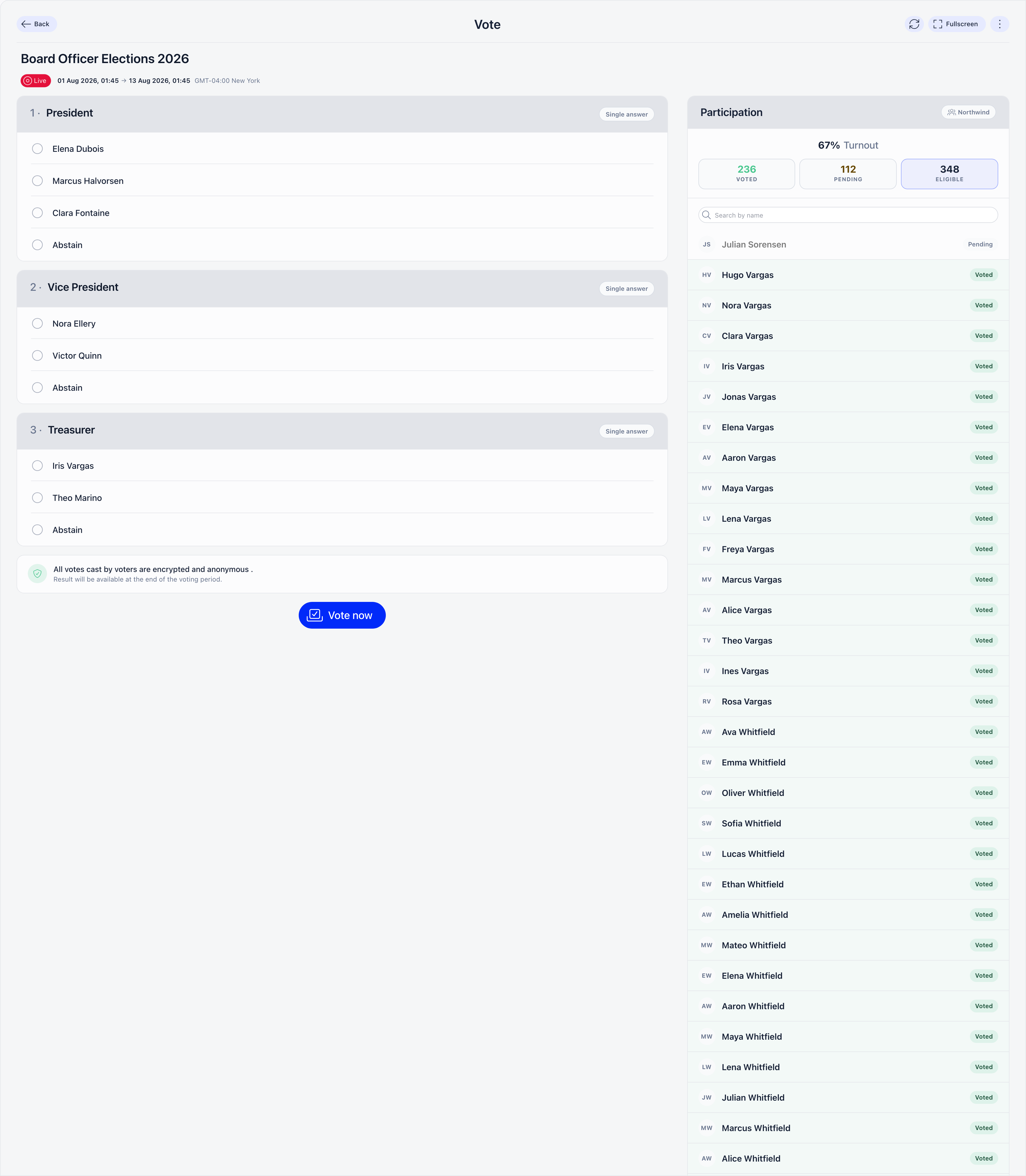
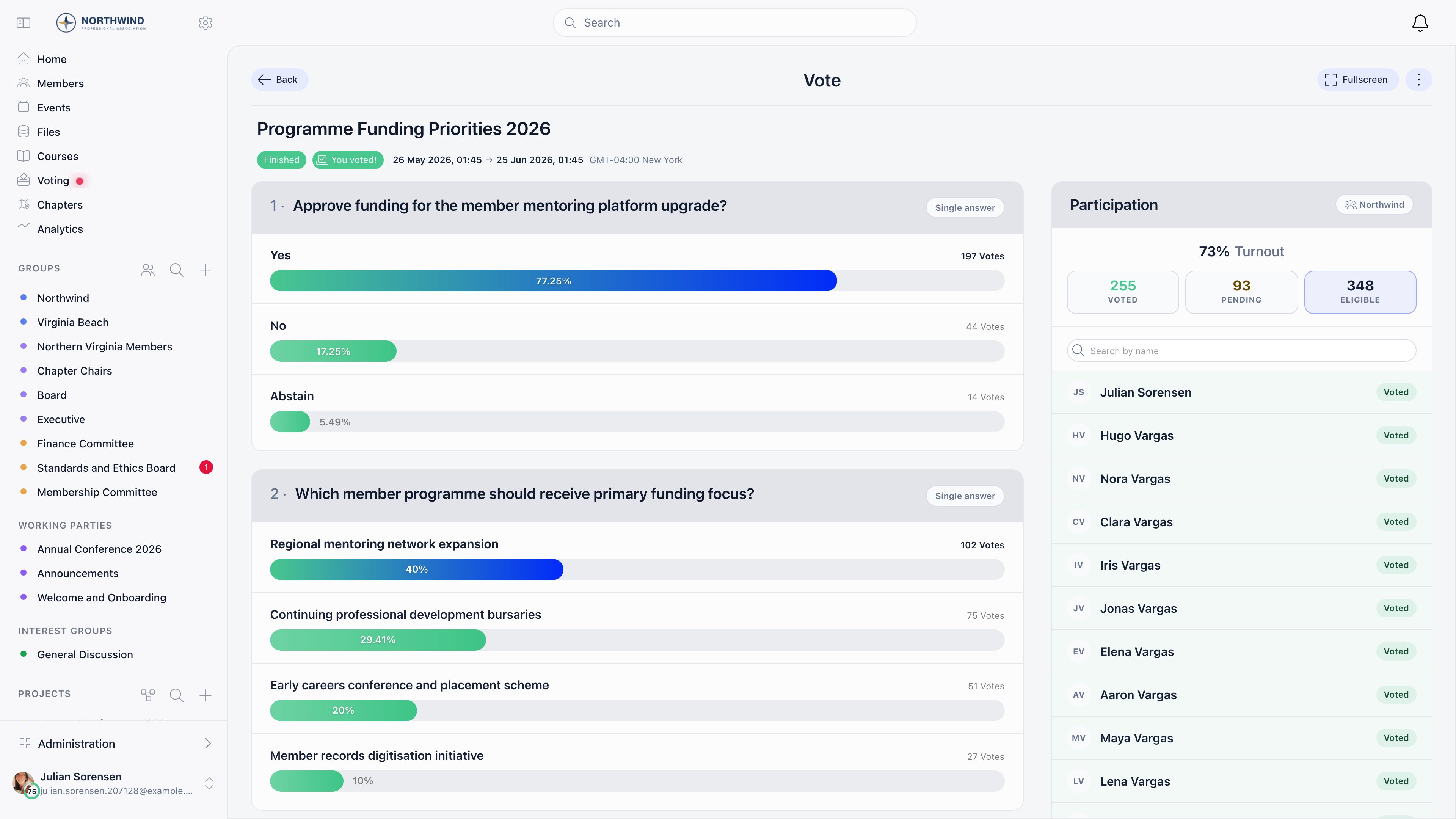
- Export results: on an anonymous vote, one row per recorded answer with the question, the answer and that ballot’s integrity seal, and no voter names. On a non-anonymous vote the same button downloads the per-voter file instead.
- Export voter list: one row per eligible voter with name, email and a yes or no for having voted, plus a company column when the Companies module is on. Offered on anonymous votes.
Anonymity and integrity
Anonymous voting on (the default): a ballot is stored with no reference to the person who cast it and no linking record is written anywhere. Administrators see who voted, never what they chose. This is structural rather than a display rule: the storage that would hold the voter’s identity is never populated. Anonymous voting off: each ballot is linked to its voter, who is warned of that on the ballot before answering. After the vote closes, people who can manage it get an Individual results panel listing each voter with their answers, and Export results downloads a per-voter CSV with one column per question. The panel shows up to 500 voters; the CSV holds all of them. The setting freezes once the vote is published or the first ballot is cast, so a vote presented as secret can never be opened up afterwards, and the reverse is blocked too.The integrity code
Voting in the member app returns an integrity code, shown once in the confirmation panel. Paste it into Integrity verification in the vote’s actions menu and Orgo confirms whether the tally recorded when that ballot was counted still matches the stored ballots.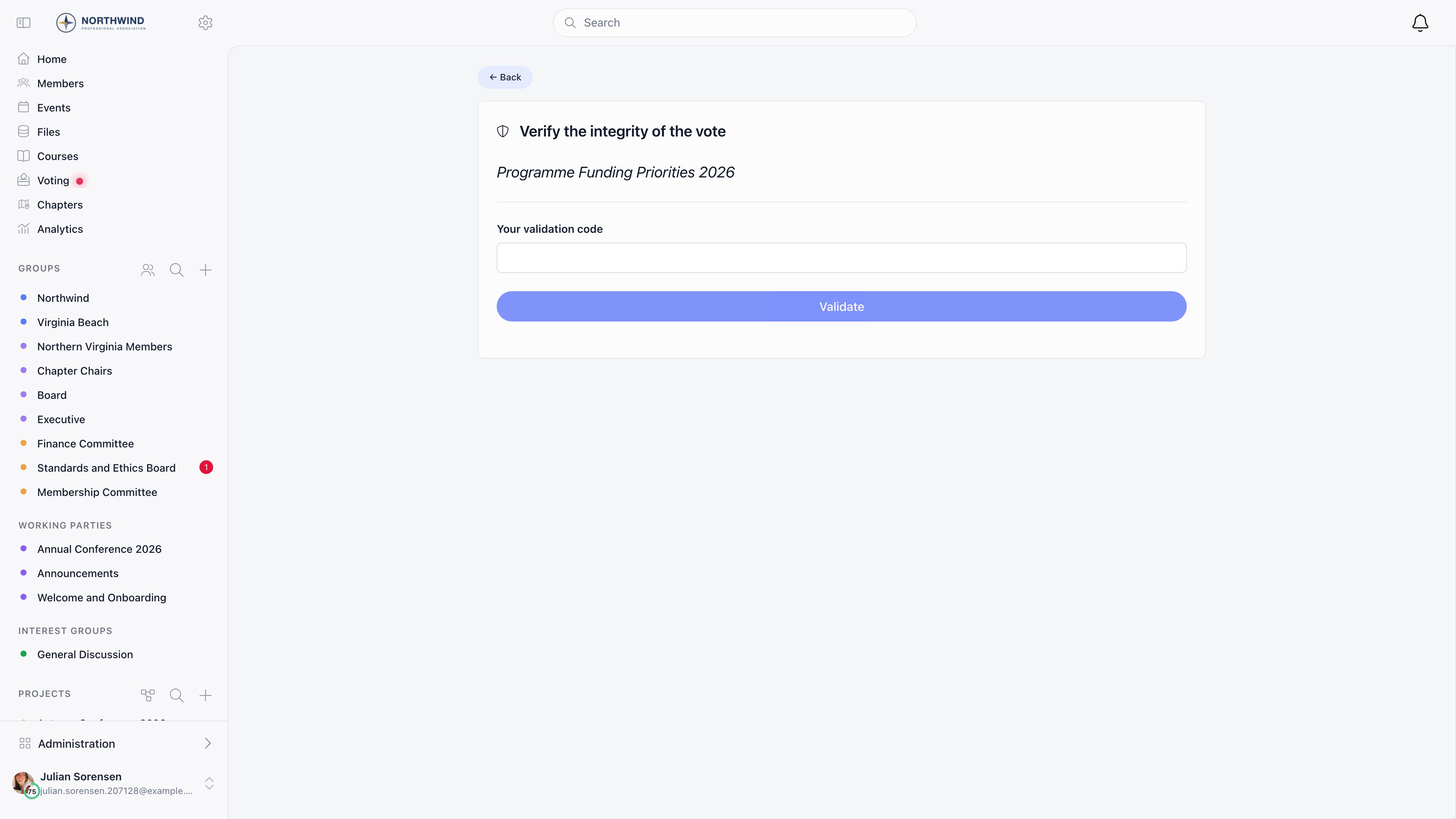
Orgo records who has voted and when each ballot was stored. In a very small electorate, anyone watching the live participation roster can narrow down who cast what by timing alone. That is inherent to showing live turnout; turn on Hide voters list if it matters for your vote.
Event votes, sharing and notifications
Start a vote from an event and it is bound to that event’s attendees for its whole life. Attaching it requires you to be the event owner or to holdEVENT_LOCAL on the event. Published event votes appear on a Votes tab on the event page and in the Event App, where attendees answer on their phone. Non-member attendees invited as contacts get an emailed link to a public voting page.
Share in the actions menu mints a stable link and QR code that you can show fullscreen for a room to scan. It appears only while the vote is live, and only for people who can manage it; draft votes cannot be shared. The link routes to the vote page, or to the Event App for an event vote, and asks anyone not signed in to log in first. It does not grant eligibility: the rules above still decide who may vote.
Publishing a vote sends a notification: to the listed voters on a private vote, to the attendees on an event vote, and to the organisation or the selected group’s audience on a group vote. Closing a vote sends a second one. Each reaches the member in the app, and by email when that member’s Voting / Polls preference is set to Instant. The organisation default for new members is Email Notifications: Votes under Notification Defaults. See Notifications.
Permissions
See Permissions for what each level means.
Common questions
A member says they cannot vote
A member says they cannot vote
Check the audience: on a group vote they must be in the group with an active role, on a private vote on the voter list, on an event vote invited or fully registered and not cancelled. Then check the status: an upcoming vote refuses ballots, and a member who already voted sees their own answers instead of the ballot.
The vote closed before the end date
The vote closed before the end date
A vote also closes once the number of ballots equals the number of eligible voters. On a group vote that count is recalculated live, so it moves as members join or leave the group.
I need to fix a question on a vote that is already live
I need to fix a question on a vote that is already live
You cannot. Close it, use Duplicate, correct the copy and publish that, telling voters why.
Our bylaws require a two thirds majority. Can Orgo enforce it?
Our bylaws require a two thirds majority. Can Orgo enforce it?
No. Orgo has no quorum or threshold setting. It reports counts and percentages, and your organisation applies its own rule and records the outcome.
Where did a finished vote go?
Where did a finished vote go?
Someone probably archived it. Tick Archived above the list to see archived votes.
Related
- Events for attaching a vote to a general assembly or conference
- Event App for in-event voting on a phone
- Groups for the groups a vote can be scoped to
- Notifications for how members are told a vote opened
- Permissions for the roles named on this page