

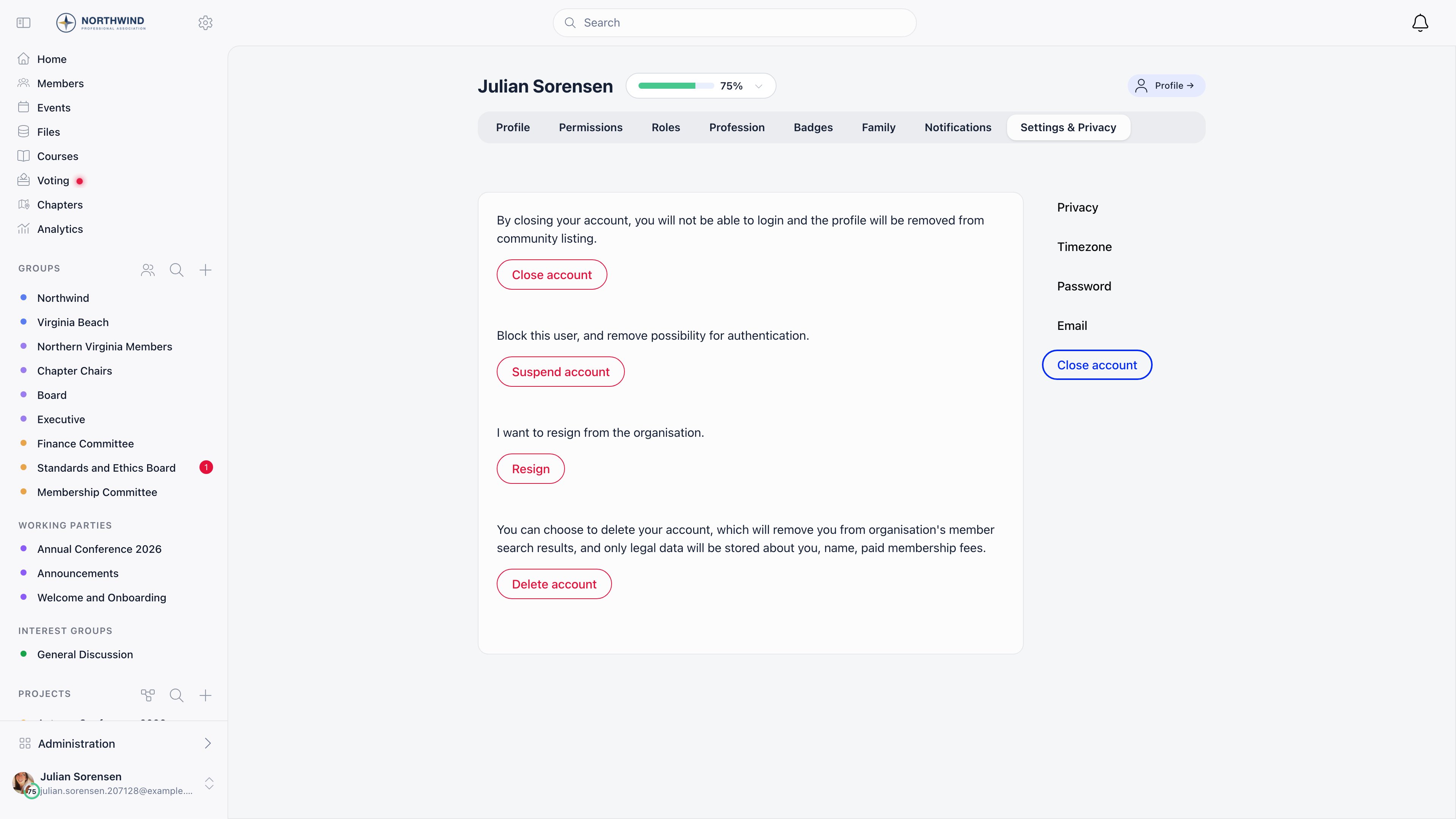
Where it lives
Profile → Settings & Privacy → Close account, then Delete account. A confirmation dialog appears (“Are you sure you want to completely delete the account? This action cannot be undone!”) and confirming applies the change immediately. There is no module to enable and no setting that turns deletion on or off. The same page also offers Close account (sets Inactive, reversible) and, for admins, Suspend account. Those are the reversible options; see User statuses.Who may delete an account
Ordinary members cannot self-delete. An erasure request from a member is
something an administrator carries out on their behalf, which is worth building
into your privacy procedure rather than pointing members at a button they will
not find.
What deletion removes
These are cleared or deleted outright on the account:What deletion keeps
These are not touched:Both tables describe the Delete account action only. A record that was merged
away also ends up on the Deleted status, but it is not shaped like a deleted
account: its email is prefixed rather than cleared, its phone number and local
group are kept, and its roles were transferred to the surviving record rather
than deleted. See Merging duplicates.
What deletion does not do
- It does not notify anyone. No email goes to the member and none to your administrators. The Notify Admins on Account Deactivation setting covers a member closing their own account (Inactive), not deletion.
- It does not write an audit entry. There is no deletion record in the member’s activity log, so if you need a compliance trail, record the request and the action in your own system.
- It does not free places. Event registrations, attendee lists and waitlist entries are untouched. Cancel those separately if the place should be released.
- It cannot be undone. There is no restore action, and a deleted account can no longer be edited: an administrator who tries is refused with “User has been deleted”. The one exception is a merge, whose source record is also set to Deleted and is put back on its previous status if the merge is undone within 30 days.
What the member experiences
Immediately after deletion:- their session ends and they are returned to the login screen;
- signing in with a password fails, because the sign-in identifier no longer matches;
- asking for a one-time code returns the neutral “if this email exists, a code has been sent” response and no code is sent;
- they no longer appear to other members anywhere in the app.
Automatic clean-up of unconfirmed registrations
One deletion happens without anyone pressing a button. Every night at 05:00 UTC, accounts that have been sitting on Unconfirmed email for more than two months, with no payments and no adhesion, are removed. Where related records prevent the row from being removed, the account is marked Deleted instead and is anonymised in the same way as above. This only ever touches accounts that never verified their email address. Nothing else is cleaned up on a schedule.Common questions
A member asked me to delete their data. What do I actually do?
A member asked me to delete their data. What do I actually do?
Delete the account from their Close account page as an
ADMIN_TENANT (or an
ADMIN_LOCAL for their local group). Then decide, against your own retention
policy, what to do with the name, profile fields, custom field values,
identity documents and adhesion record, which the action leaves in place.
Record the request and what you did outside Orgo, because the platform does
not log the deletion.A member deleted their account by mistake, can I restore it?
A member deleted their account by mistake, can I restore it?
No. Even setting the status back to Active does not return their email, phone
number, local group or roles. They should register again.
A member wants to leave but keep their record
A member wants to leave but keep their record
Use resignation, or set them to Inactive. Both
keep everything and both are reversible.
Do they still owe us money after deletion?
Do they still owe us money after deletion?
Payments, invoices and fee history survive untouched, so an unpaid invoice is
still an unpaid invoice. Deletion does not cancel debts and does not write
anything off.
Their name still shows on an old event attendee list
Their name still shows on an old event attendee list
Expected. Event attendance is not touched. Remove the attendance record from
the event if it should not be there.
Related
- User statuses - Inactive and Suspended, the reversible alternatives
- Resignation - recording a departure without removing anything
- Privacy settings - limiting what others see, short of deletion
- Identity validation - the identity documents deletion leaves behind
- Permissions - the permissions named on this page