

All three need administrator rights: voiding and marking refunded need
ADMIN_TENANT, and the Stripe refund needs FINANCIAL_LOCAL for the payment’s
local centre, or FINANCIAL_TENANT when the payment has no local centre on it.
Voiding an unpaid invoice
Invoices, open the invoice, then Void. The button only appears while the invoice is unpaid, and the action cannot be undone. Voiding sets the invoice to voided and leaves it in the list. That is the point: an invoice that vanishes leaves an unexplained gap in your numbering and no answer to the question “what happened to invoice 214?”. A voided one answers it. For an event registration invoice, voiding also unwinds the booking. Every registration still waiting on that invoice is cancelled and the seats it held are released back to the ticket, along with any add-ons. The payment record attached to the invoice is cancelled too. You do not need to remove the attendee separately.A plain unpaid invoice has no payment record to cancel. One is only created when
the invoice is marked as paid, so voiding an unpaid manual invoice touches
nothing but the invoice itself.
Duplicate bookings
When someone registers twice, void the duplicate rather than removing the person.1
Identify which one to keep
Keep the invoice the member has already paid or already sent to their finance
department. Ask if you are unsure, because the reference they quoted
internally is the one that must survive.
2
Void the other
If it is unpaid, Void removes it from your totals and, for an event
invoice, frees the seat.
3
Check the attendee list
Voiding releases seats held by registrations that were still awaiting
payment. A registration that was already confirmed is not touched by a void,
because a confirmed registration means the invoice was paid, and a paid
invoice cannot be voided.
Marking a paid invoice as refunded
A paid invoice cannot be voided. The action offered instead is Mark as refunded, and it is exactly what it says: it does not move any money. Use it after you have already returned the money yourself, by bank transfer or in Stripe.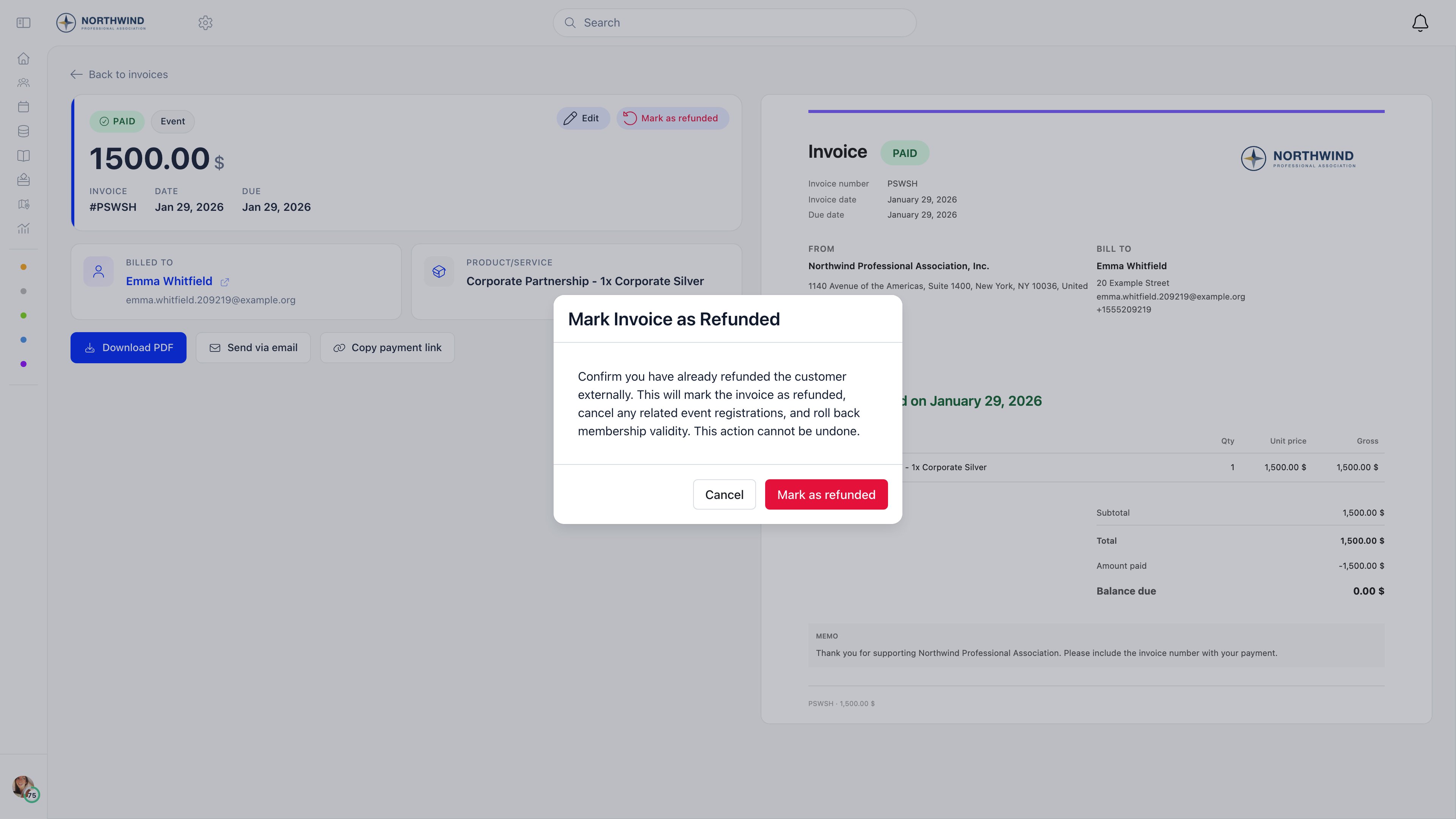
- The invoice becomes refunded, with your name and the date recorded, and a REFUNDED badge added to the document.
- The linked payment record is marked refunded, so it drops out of your totals.
- On a membership invoice, the member’s fee validity date is recalculated from the payments that survive, and a company’s membership is rolled back to what its remaining payments justify.
- On an event registration invoice, the confirmed registrations are cancelled and their seats and add-on places are released.
Marking as refunded does not email the customer. Tell them yourself.
Returning money through Stripe
If the customer paid by card and you want Stripe to send the money back, do it from Payments. Open the row menu on the payment and choose Refund. The option only appears on a successful payment that has a Stripe charge behind it. The refund covers that payment row in full. There is no partial-amount option in the interface, and where one charge produced several payment rows (a membership fee and its separate joining fee, for example) only the row you acted on is refunded. Refunding through Stripe also cancels any event registrations paid for by that payment, releasing their seats and add-on places, and recalculates the member’s fee validity if the payment was for a membership fee.Related
- Recording a payment marking an invoice paid
- Invoices creating invoices, numbering and templates
- VAT and invoice templates tax details on the document
- Stripe integration card payments and payouts
- Membership fees how fee validity is calculated