

Where templates live
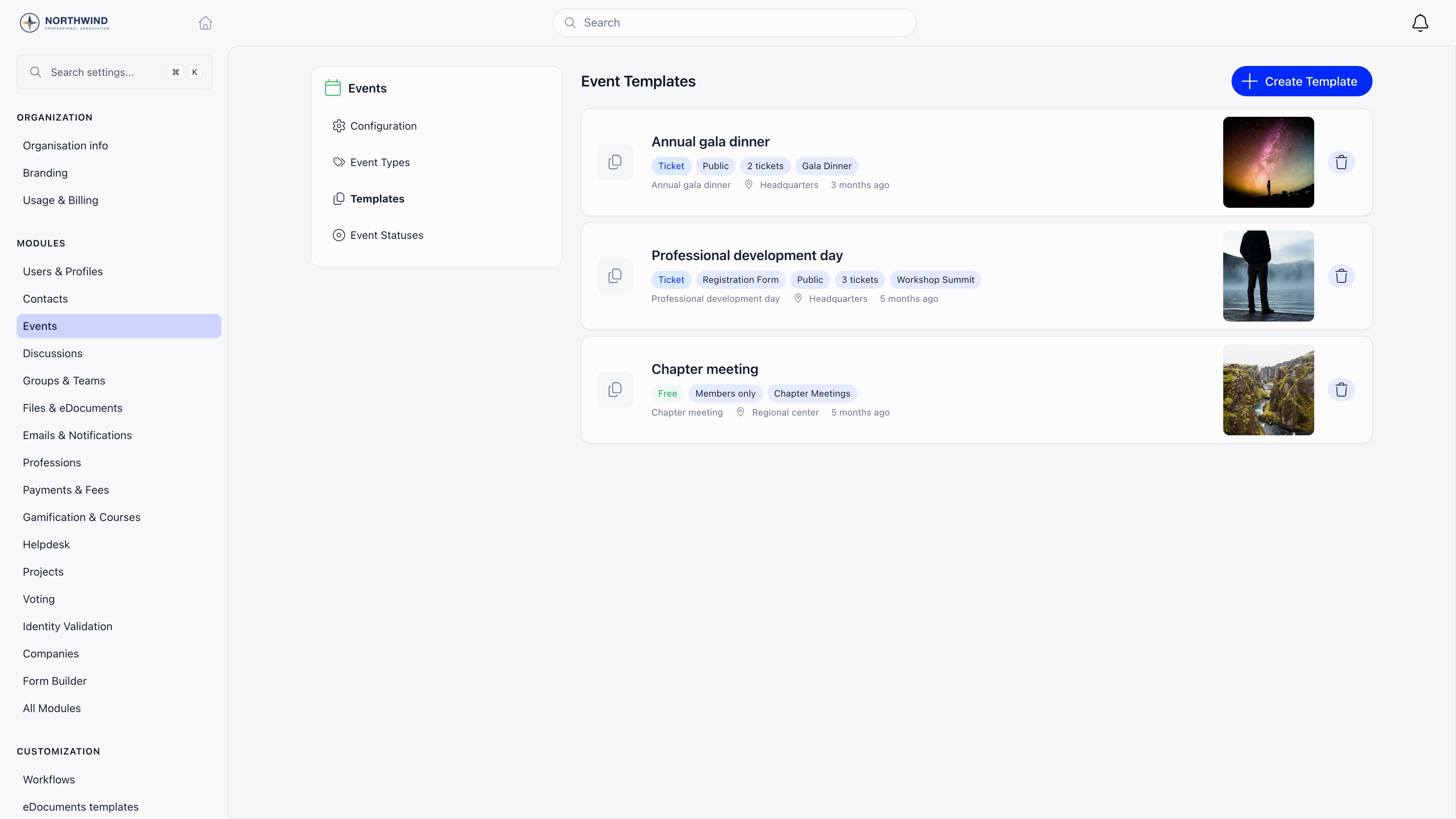
Settings → Modules → Events → Templates. Creating, editing, and deleting templates requiresADMIN_TENANT. Templates belong to the whole organization, not to a group or local center.
Two ways to create one
1
Build it from scratch
Settings → Modules → Events → Templates → Create Template.
2
Or save an existing event as a template
Open any event, then use Save as Template in the event sidebar and give it a name. This copies the event’s settings, its live ticket types (skipping archived ones), its vouchers, and its custom registration fields. Requires
ADMIN_TENANT.What a template stores
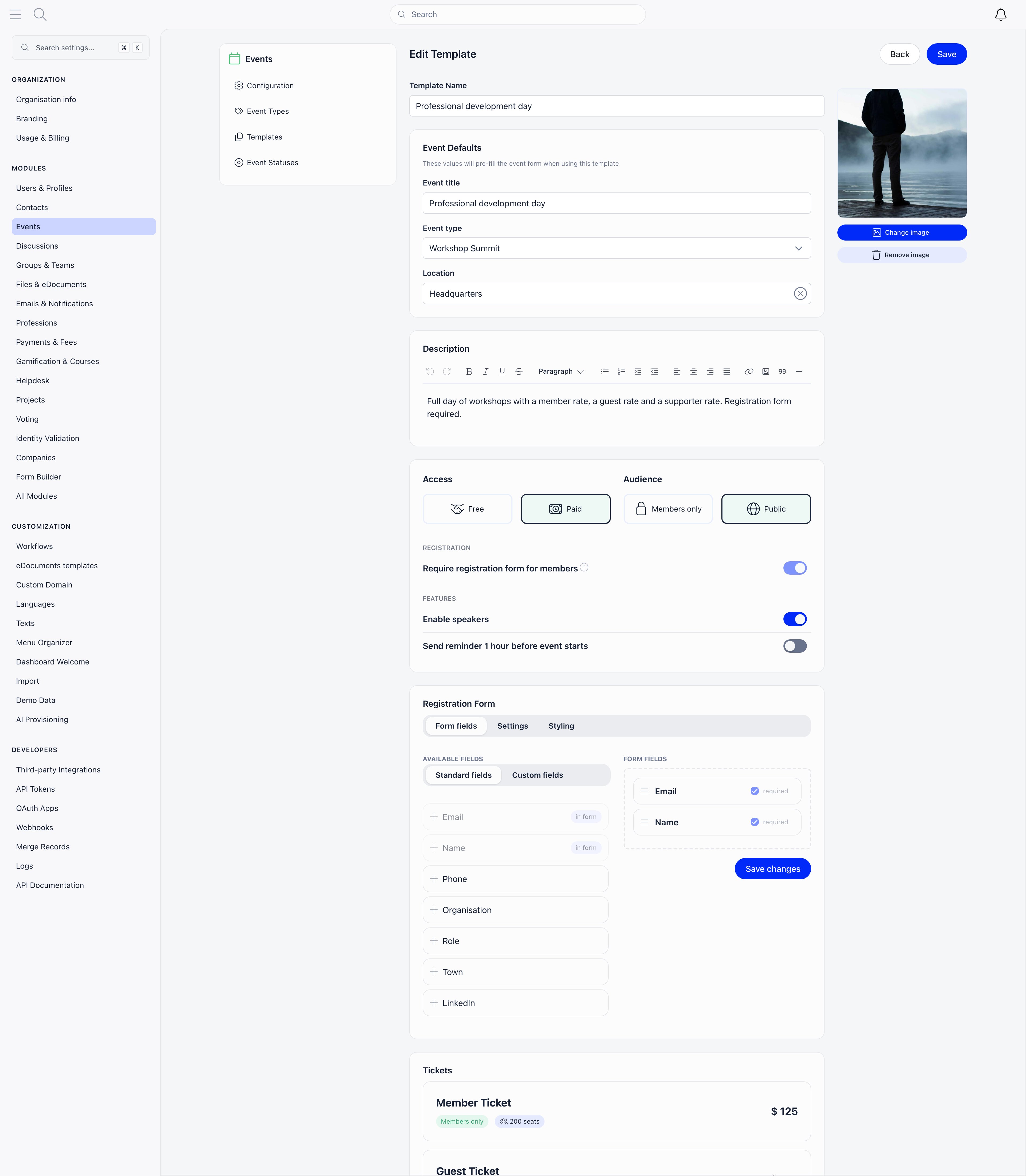
A template deliberately does not carry dates and times, the hosting group, attendees, or speakers. Those are decided per event.
Registration form
The Form fields tab is a drag-and-drop builder. Standard fields available: Email and Name (always required), plus Phone, Organisation, Role, Town, LinkedIn, X (Twitter), Instagram, Company Identifier, Company Name, and Company Address. You can also define custom fields with a name and a type: text input, text area, dropdown, radio, checkboxes, date, or yes/no. Dropdown, radio, and checkbox fields need at least two options. The Settings tab holds Disable newsletter subscription, Disable register checkbox, and Custom text at bottom of registration form (shown above the consent checkboxes). The Styling tab holds Display title, Selected color, Button color and Hero image border radius.Tickets and vouchers
Ticket types carry their name, price, currency, description, seat limit, sort order, group name, members-only flag, and sale window. Vouchers carry a Code, a percentage or fixed Discount type and value, a Currency, an optional Max discount amount, Max uses, Max tickets per use, the Active flag, and an optional restriction to specific ticket types. See Ticketing for what each of those does at checkout.Using a template
On the events list, select Create an event. When your organization has at least one template, a Start from template button appears in the header of the create panel.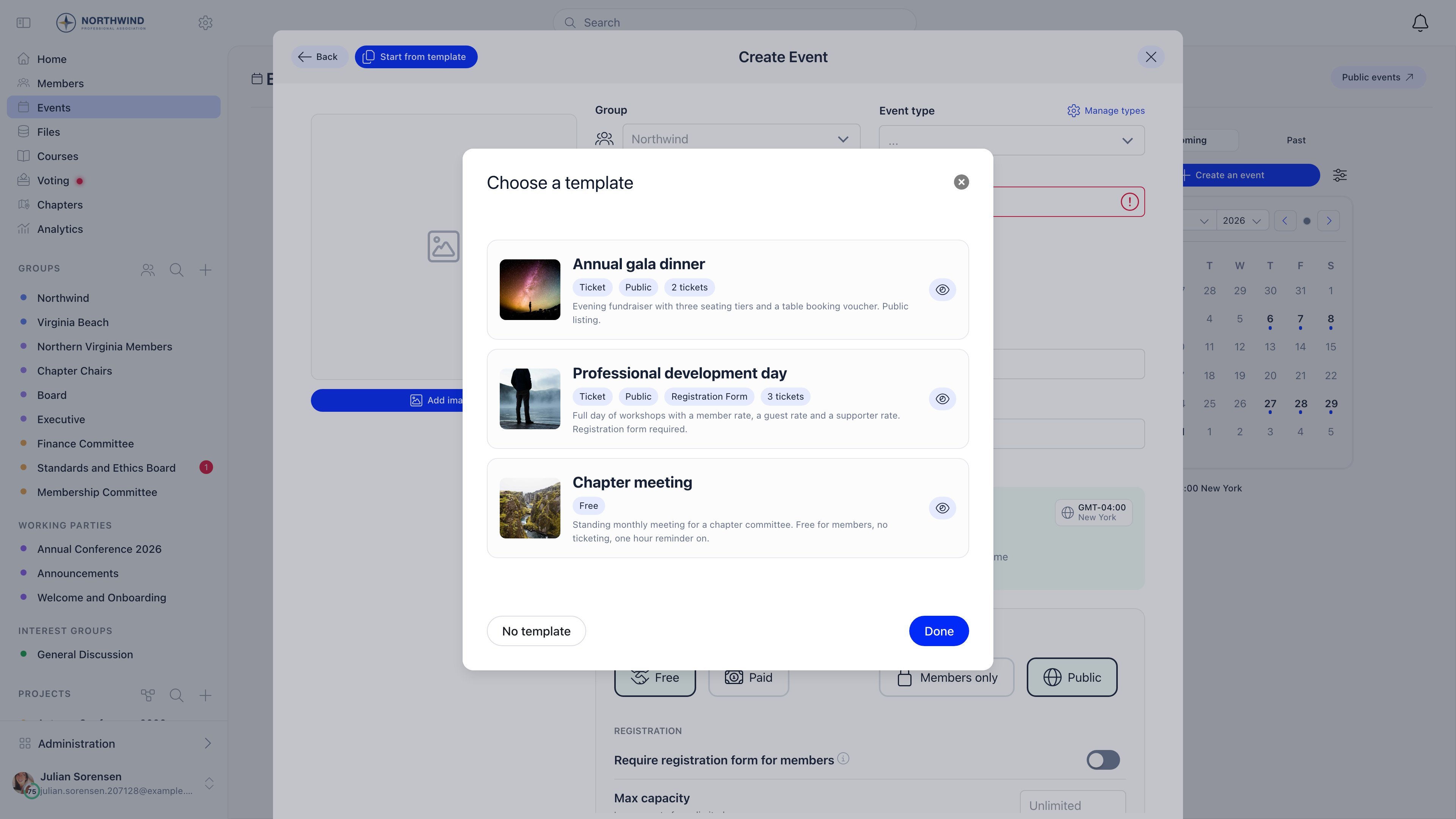
Template management is admin-only, but the picker itself works for any organizer who can create an event. That is the point: admins curate the setups, everyone else uses them.
Common questions
I changed a template. Do existing events change too?
I changed a template. Do existing events change too?
No. A template is applied once, at creation. Events created earlier keep whatever they had.
A template or a duplicate: which should I use?
A template or a duplicate: which should I use?
Duplicate copies one specific event, including its group and its agenda, and is quickest for “same event, new date”. A template is the right tool when several people create similar events and you want a consistent starting point without them hunting for last year’s event.
Can a template set the hosting group?
Can a template set the hosting group?
No. The group is always chosen on the event form, because it decides who sees the event and which permissions apply.
Why does a paid template force the registration form on?
Why does a paid template force the registration form on?
Ticket buyers have to supply at least a name and email to receive a ticket, so paid events always collect a form. The toggle is shown but locked.
Related
- Create Event - the form a template pre-fills
- Event Types and Statuses - the type a template can default to
- Ticketing - ticket types, vouchers, and checkout
- Registration forms - the per-event form builder
- Events overview - module settings and the event workspace