

Turning it on
Settings → Modules → Files & eDocuments → eDocuments, then Enable eDocuments Module. Module settings requireADMIN_TENANT.
Day-to-day work lives at eDocuments in the admin menu (
HR_TENANT), with Documents and Templates tabs. ADMIN_TENANT satisfies every HR_TENANT check.
Templates
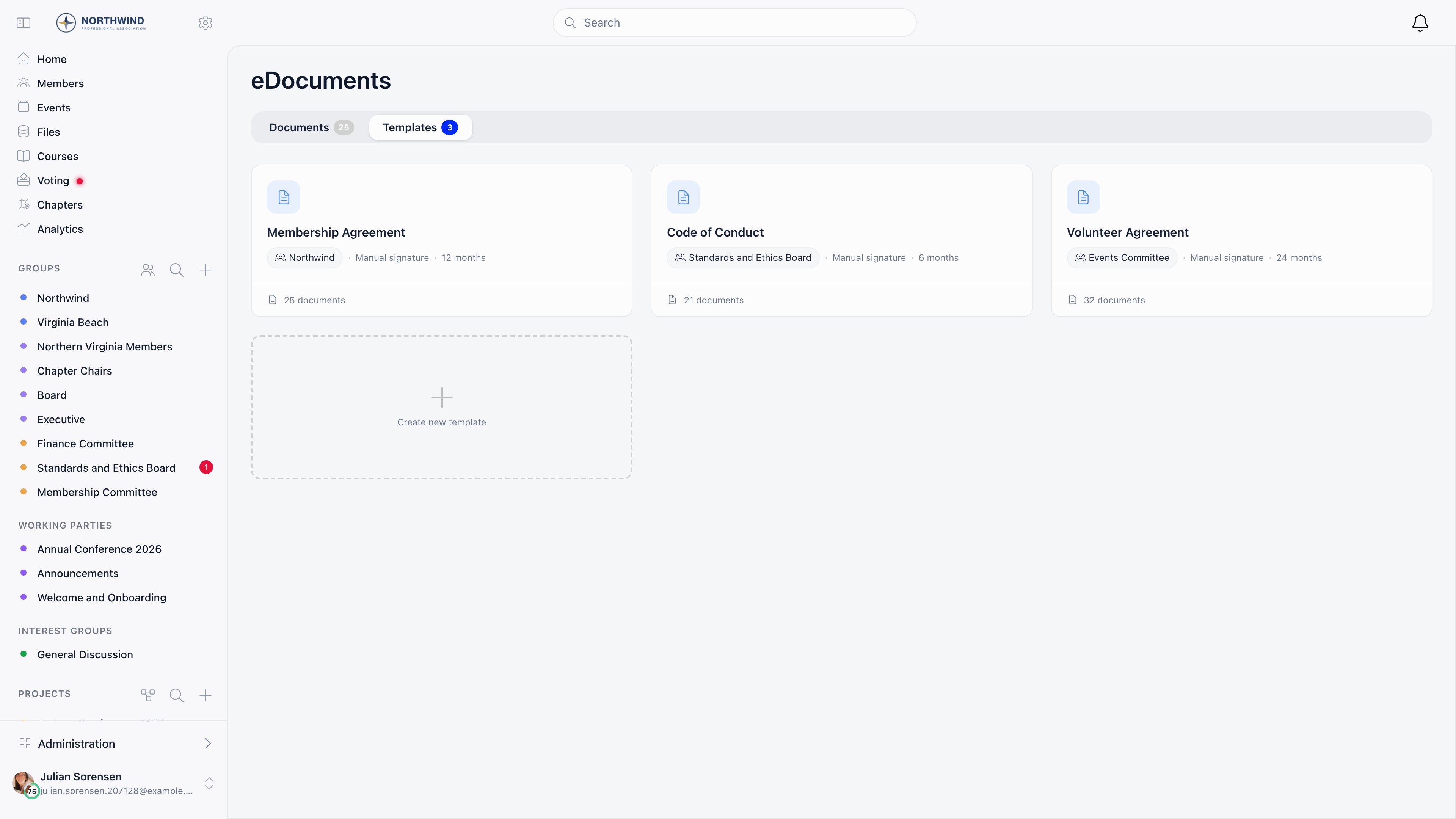
Copy .
Creating a template requires ADMIN_TENANT; editing, cloning and deleting require HR_TENANT.
Settings tab
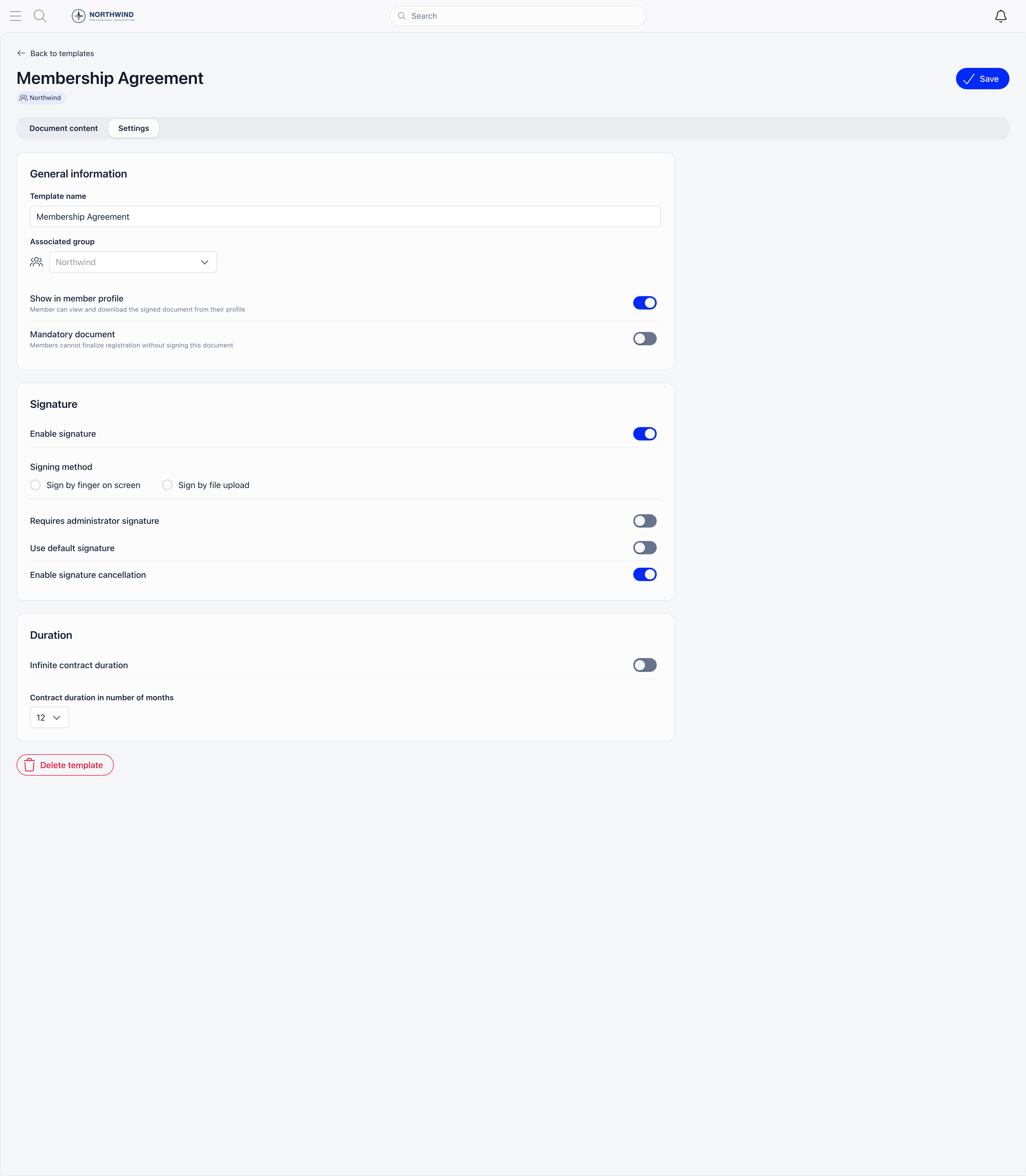
Delete template refuses once any document from it has been signed. Cancel all signed (
ADMIN_TENANT) instead cancels every outstanding document from that template and asks everyone to sign again.
Document content tab
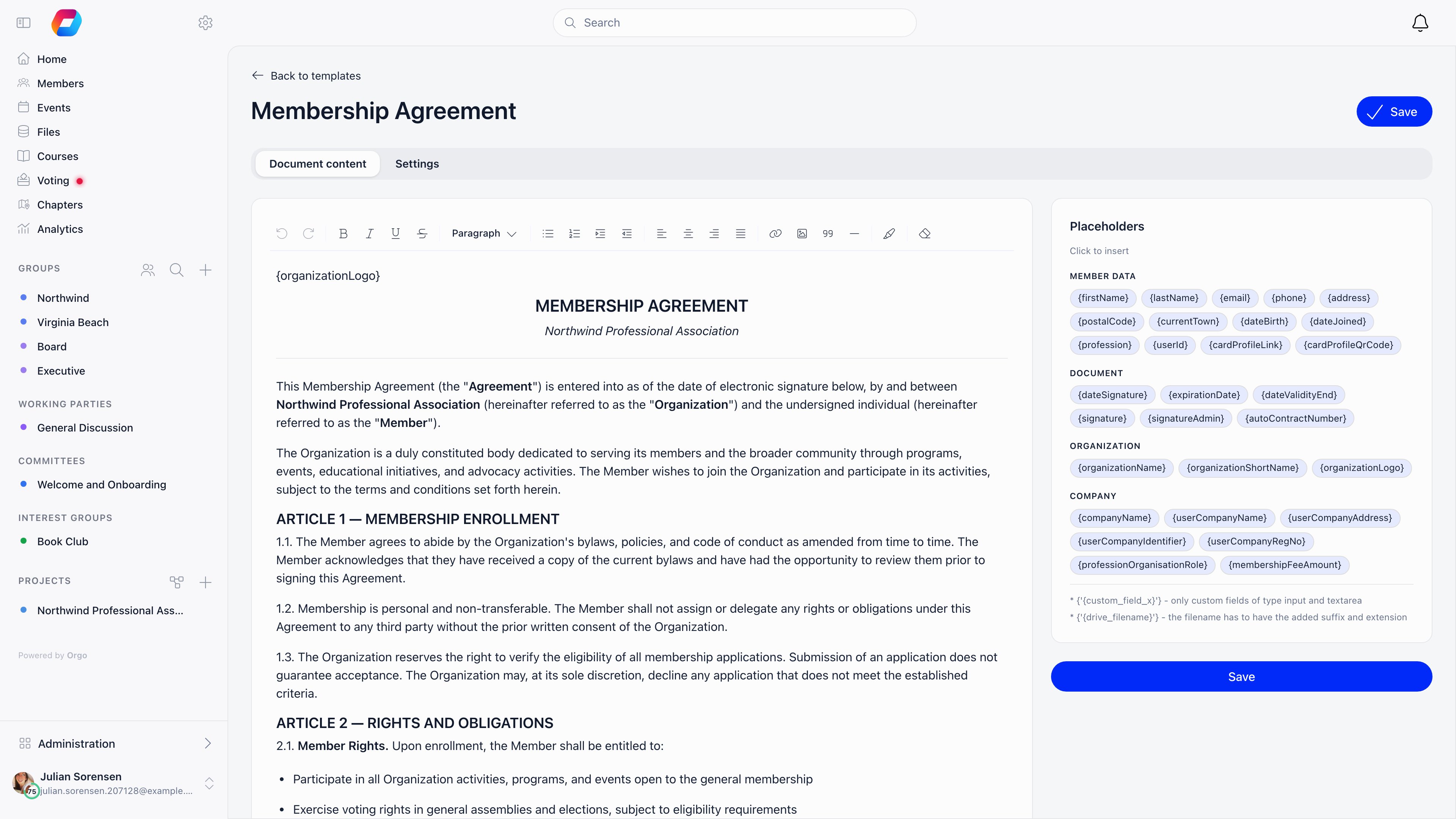
Two more forms work but are not listed as tags:
{custom_field_ID} for a custom field (text input and text area insert their value directly; yes/no, dropdown, checkbox and file render their label or a download link), and {drive|filename.ext} to link a file from Drive.
{signature} and {signatureAdmin} mark where the signature images land; a missing signature prints a blank line instead.
The two end dates are not the same tag. {dateValidityEnd} prints the validity end held on that person’s own document, the date set when it was sent, and prints nothing when the document has none. {expirationDate} is worked out while the document renders, as today plus the template’s duration, and prints “undetermined” on a template with no expiry.
Sending a document
In the Documents tab, Start document opens a panel with three fields: the template (shown only when more than one exists), a Search member autocomplete across members and contacts, and validity. Contract validity date start defaults to today, and the end date comes from the template duration unless you switch on Custom contract validity date end. Assigning to someone else requiresHR_TENANT, or HR_LOCAL when the template’s associated group belongs to a local center. Members can always start their own document from their profile.
Public links
Two buttons produce a link that works without an Orgo login: Generate public link on a template creates a blank invitation (the visitor gives a name and email, which creates a contact, then signs), and Share on a pending row links to that one document. Both live at/public/document/<hash> and expire 72 hours after creation. Creating one requires HR_TENANT unless it is for yourself. Every link for a document is deleted as soon as that document is signed.
Statuses
A nightly job moves signed documents to Expired the day after their validity ends.
Tracking
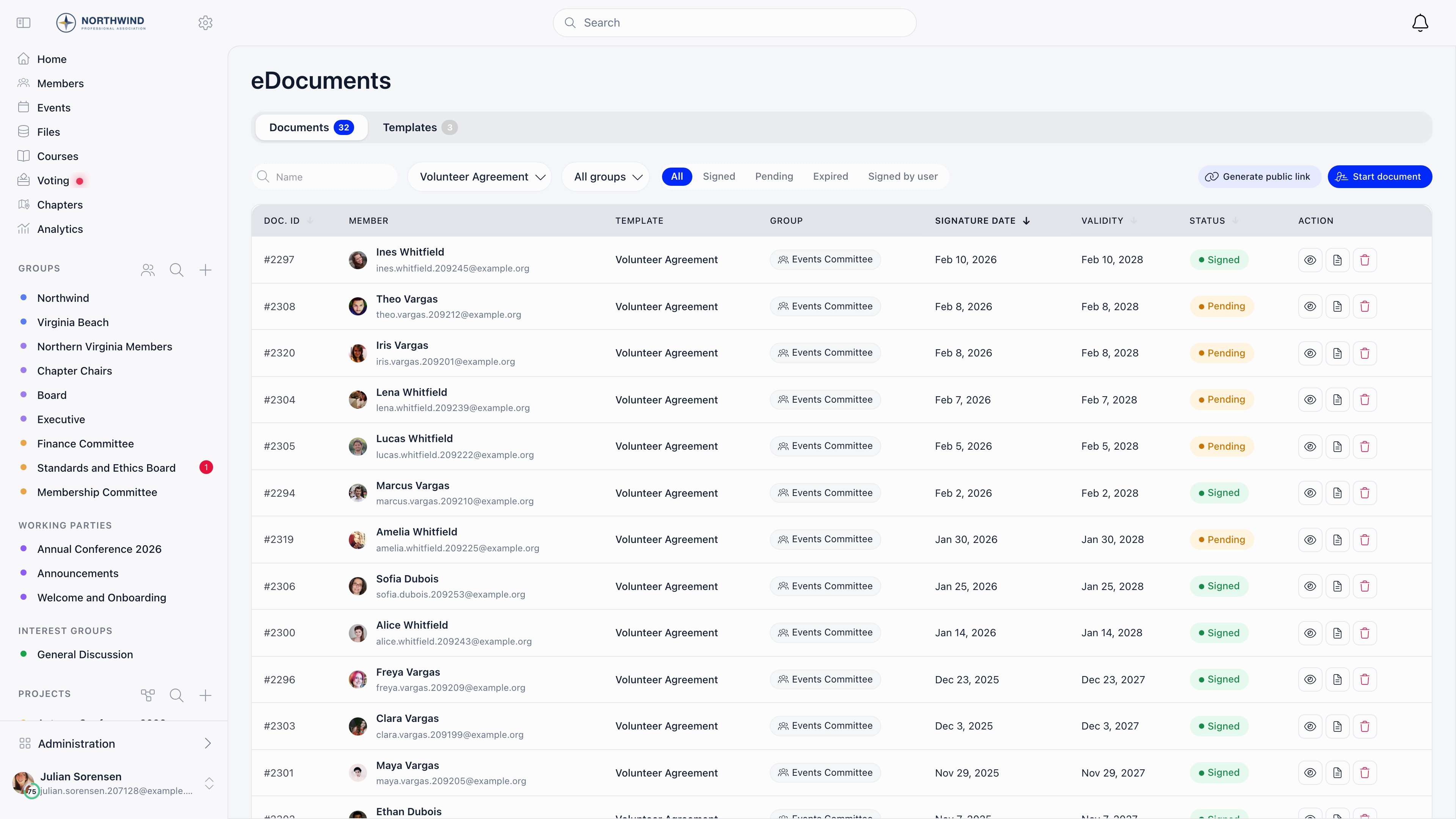
HR_TENANT.
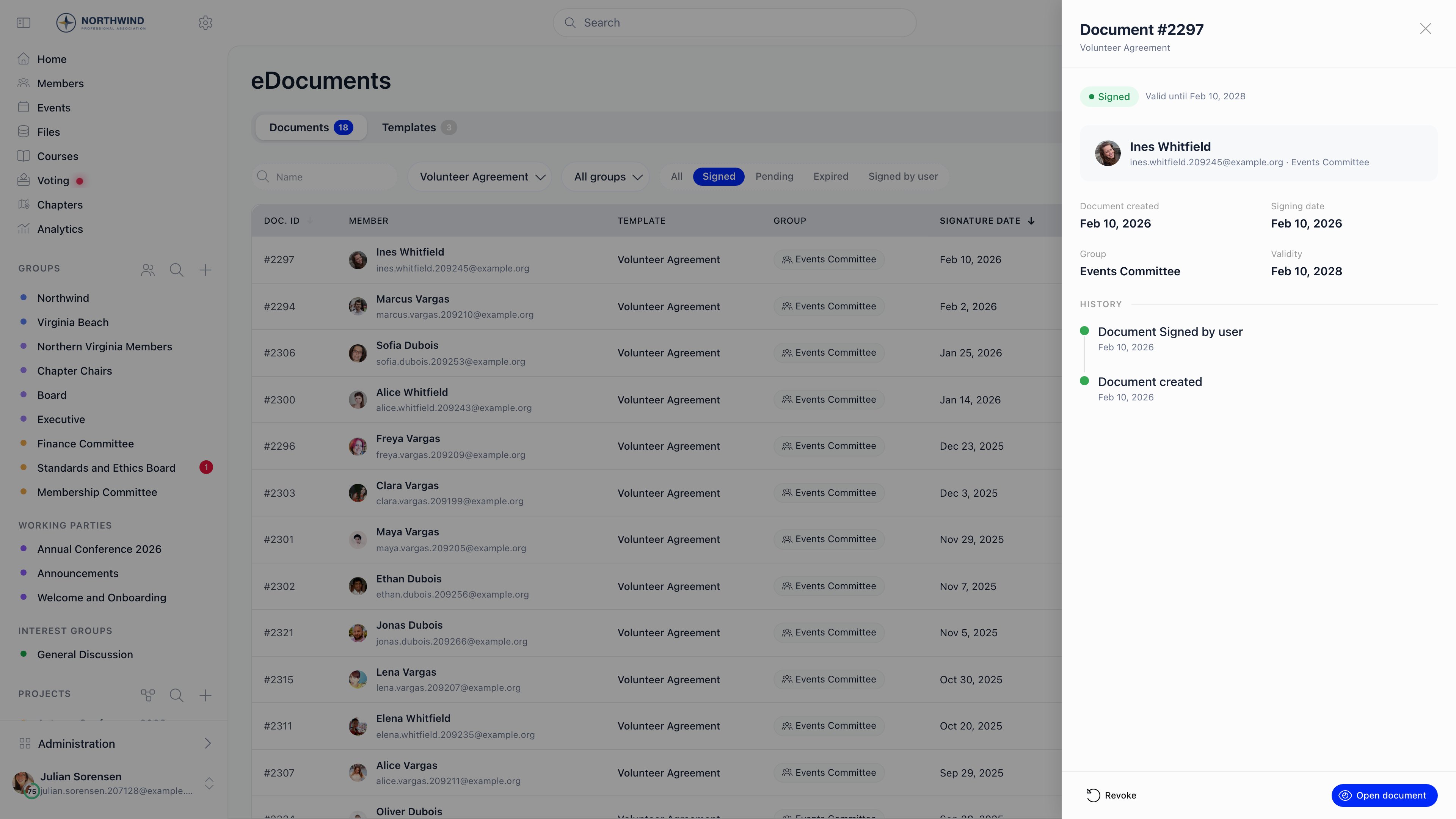
HR_TENANT: Modify document text (edits this copy before it is completed), Mark as signed (records an offline signature with your own start and end dates), and countersigning, by drawing a signature or with Sign with default signature.
What the member sees
Members find their documents under E-Documents on their own profile: a card per template with Sign, Upload file or Download PDF, a running count of required documents signed, and previous versions with their validity ranges. On a signing template, the screen shows the document beside a short form for whatever placeholders it uses (first name, phone, town, company details, custom fields), then the member draws a signature. What they enter is written back to their profile where that field was empty.Mandatory documents
Mandatory document shows the member an onboarding step listing everything they still have to sign, and holds them there until they do. A document is outstanding when it has never been signed, is waiting for the administrator signature, or its validity has ended. Tenant HR admins are exempt. Separately, Settings → Modules → Payments & Fees → Membership Fees → Require Contract for Membership blocks paying the membership fee until the template named in Membership Contract Document ID has been validly signed.Related
- E-Document Records and Legal Weight - what a signature captures, storage, validity and renewal
- Files - general document storage and sharing
- Custom Fields - the fields you can pull into a template
- Adhesion - the separate membership application document
- Permissions - what
HR_TENANTandADMIN_TENANTunlock