

/email-log) and needs
COMMUNICATION_TENANT or ADMIN_TENANT. It is also embedded in two places where you
are more likely to want it: a member profile has Email
Logs under its More menu (that entry itself needs ADMIN_TENANT), and a contact record shows an
Email logs card.
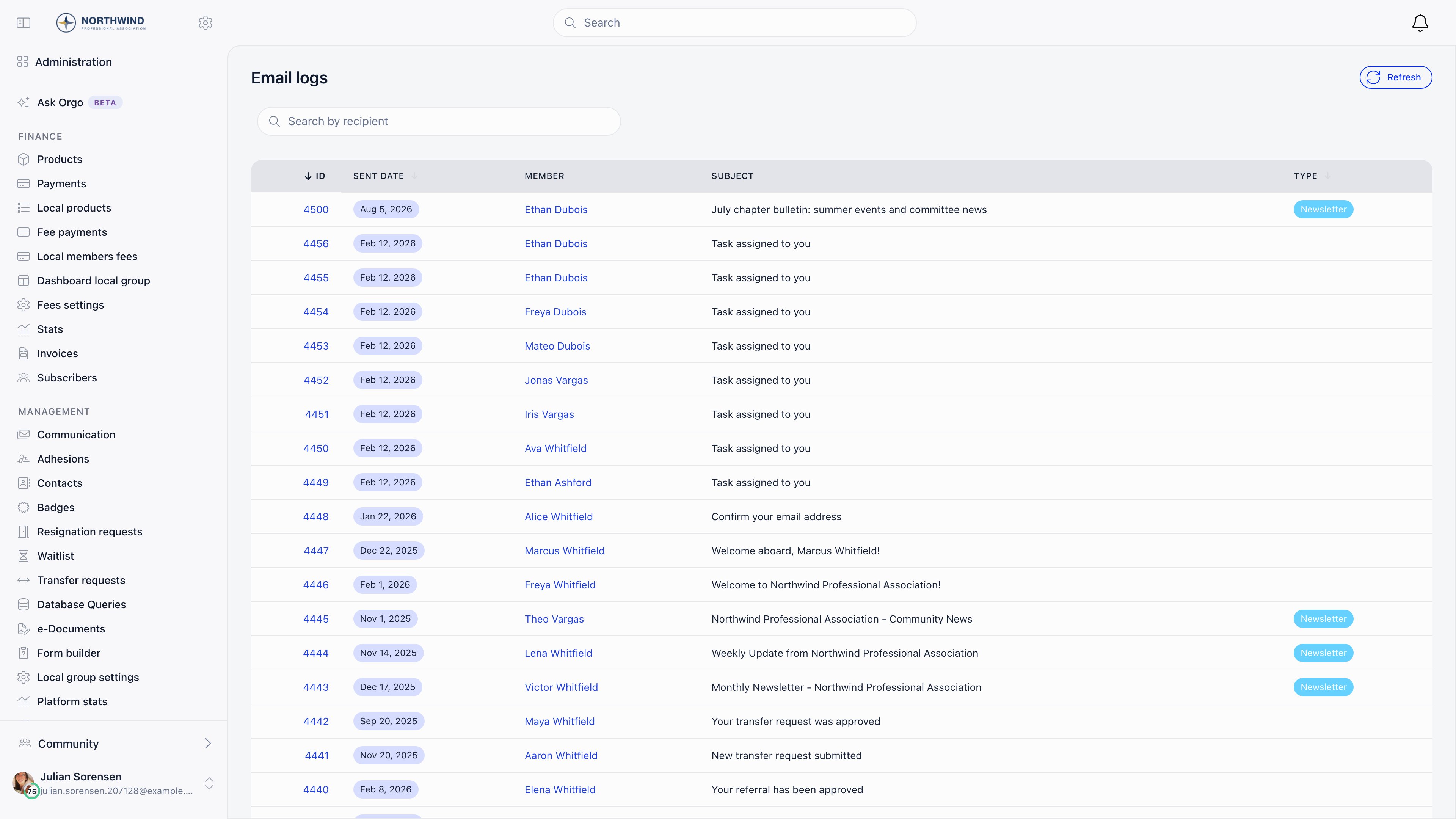
Reading the list
Newest first, twenty per page. Each row shows:
ID, sent date and type are sortable.
Searching and filtering
The row of filters above the table narrows the list. They combine, and none of them can show you an email outside your organisation or outside the member or contact you are already looking at.
On a member profile (More → Email Logs) and on a contact record’s Email
logs card, only the Search subject or content box is offered, applied to
that person’s emails.
The content search reads the body Orgo stored. Notification emails (discussions,
comments, mentions, events, votes) store only the subject, and one-time codes
store no body, so searching for text from inside those messages
finds nothing. Search by a word from the subject instead.
Reading one entry
Opening an entry shows the recipient, the subject, the sent date, the type, and Email Preview: the message body exactly as it was rendered for that person, with their name, dates and links already substituted. Rows tagged Transactional email that came from a notification (a discussion, comment, mention, event or vote alert) store the subject only, so their preview is empty. Everything else stores the full body.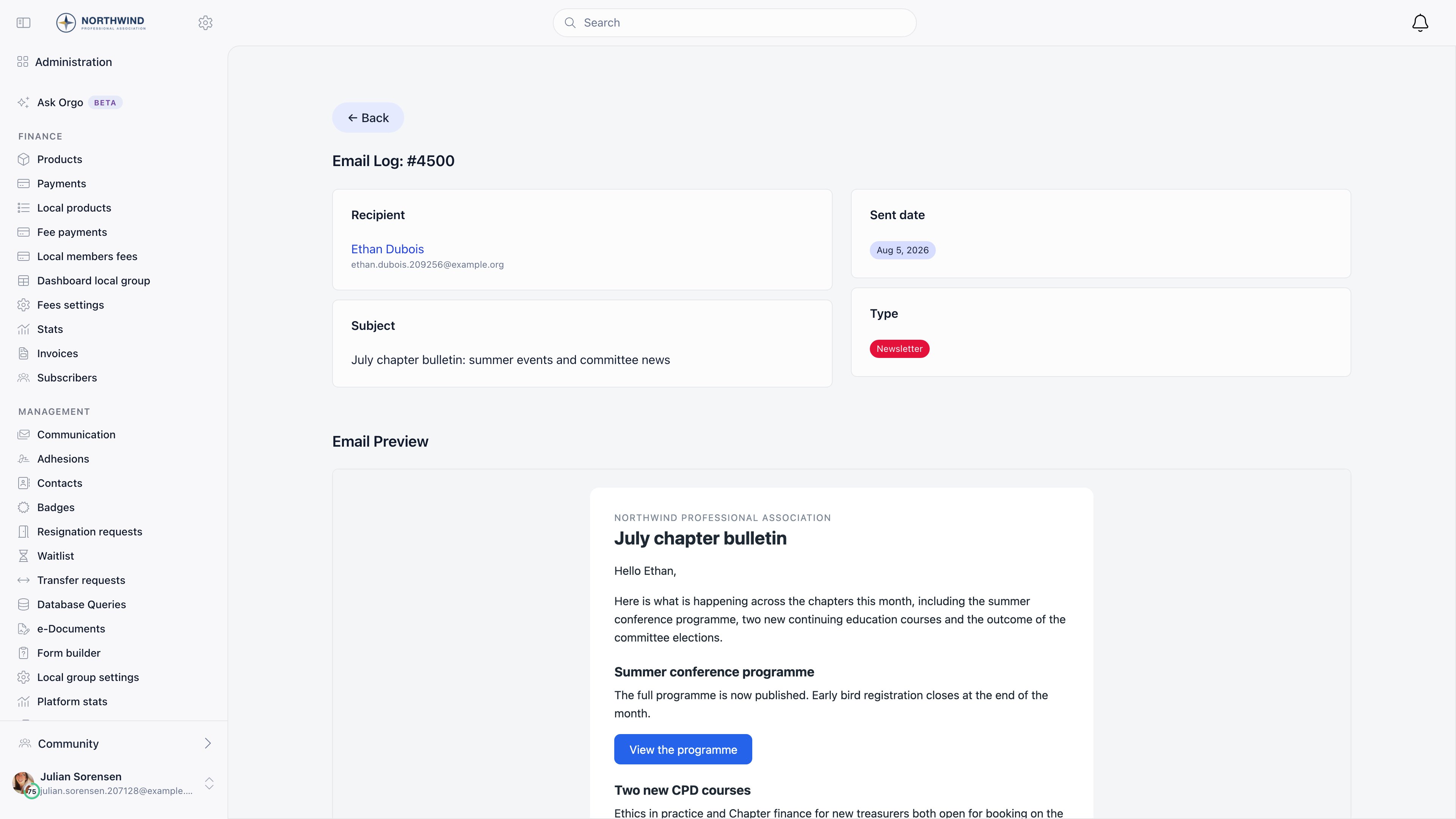
Answering “the member never got it”
1
Find them in the log
Search by recipient, or open their profile and use More → Email Logs. Working
from the profile is usually faster and avoids picking the wrong person.
2
No row at all?
Usually Orgo did not send it: either the email is switched off (check
the Emails page) or the thing that triggers it
did not happen. Check first that the email is one Orgo logs. Waitlist
messages and family invitations are never written to the log, so their
absence here is normal.
3
A row exists?
Orgo handed it to the mail service. Check the address on the row: an old
address, a typo, or a placeholder address left by a data import all produce a
row that was never going to arrive. If a whole day’s mail is missing for
everybody rather than for one member, it is not the address: tell Orgo
support, because the row records the handover and not the delivery.
4
Right address, still missing?
It is a delivery problem, not an Orgo problem. Ask them to check spam and
quarantine, and check whether their employer’s mail filter is involved.
5
Subject starts with FAILED?
The message was queued but could not be delivered after repeated attempts, and
the entry records why instead of the body. Usually the address is invalid.
Questions
How do I find every email that mentions a word or an invoice number?
How do I find every email that mentions a word or an invoice number?
Type it into Search subject or content on Administration → Email
logs. It checks the subject and the stored body, ignores capital letters
and needs at least 2 characters. To limit it to one person, run it on that
member’s profile under More → Email Logs.
The search finds nothing, but I know the email was sent
The search finds nothing, but I know the email was sent
Check three things. The text may sit in a notification email, which stores
only the subject. It may be in a one-time-code email, which stores no body.
Or the search has fewer than 2 characters, in which case it is ignored and
the full list shows. Also clear any Date, Company or recipient filter
that is hiding the row.
Can the search show me emails from another organisation or another member?
Can the search show me emails from another organisation or another member?
No. The search only narrows what the list already shows you, so it never
reaches beyond your organisation, or beyond the member or contact whose
profile you are on.
My export has more rows than my search showed
My export has more rows than my search showed
The export ignores the search box and follows only the Date and Company
filters. Filter the downloaded file in a spreadsheet instead.
What the log does not tell you
The log is a record of sending, not of delivery. It has no opened, clicked, bounced or delivered status. Those exist only for newsletter campaigns, where they are shown as campaign statistics: see Newsletter. Two more gaps worth knowing:- Login and multi-factor codes are not logged. Nothing at all is written for them. Other one-time codes (email verification, password reset, password change, email change, event app sign-in) do get a row, but with the code removed from the subject and no body stored, so nobody with access to the log can use it to get into a member’s account.
- Deleting a member deletes their email history. Log entries are attached to the member or contact record and go with it. Export anything you need to keep before deleting an account.
Newsletters in the log
Campaign sends appear here too, one entry per recipient, tagged as Newsletter and linked to the campaign that produced them. So a member who says they received a campaign they should not have appears in the log with the campaign named.Retention
Orgo does not expire log entries on a schedule: they stay until the person they belong to is deleted. On a large organisation the log grows to millions of rows, which is why it always opens filtered to a page rather than counted in full.Related
- System emails - what should have been sent, and its switch
- Email templates - changing what a message says
- Emails - sender identity and deliverability
- Newsletter - campaign statistics, including opens and clicks
- Users & Profiles - the profile’s Email Logs view
- Activity log - who changed what, with before and after values