

Turning invitations on
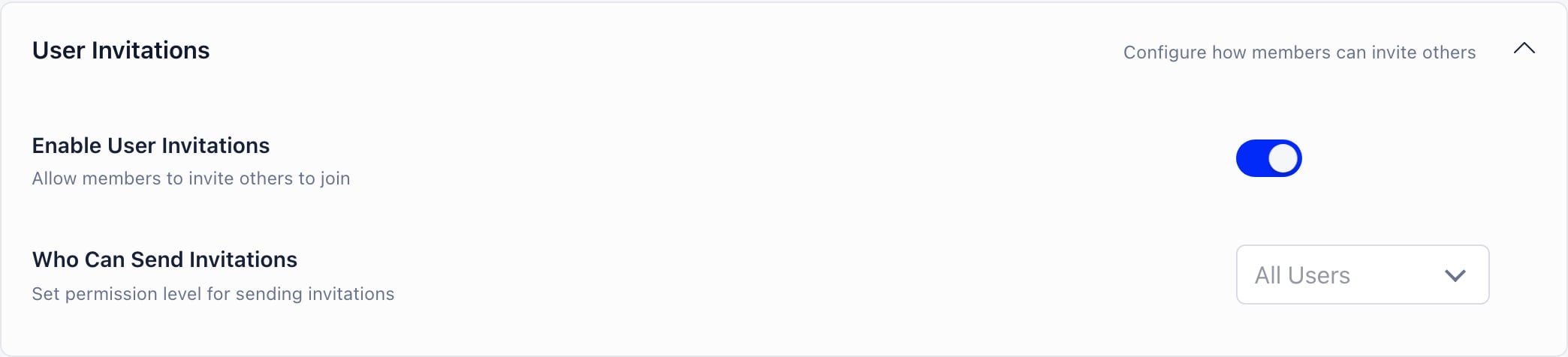
Settings → Users & Profiles → Configuration → User Invitations. Changing these settings requires ADMIN_TENANT. The same Enable User Invitations switch also appears on the Referral Program settings page, so you can find it from either place.
Both the interface and the API check Who Can Send Invitations, so restricting
it actually blocks sending rather than just hiding the button.
Where members invite from
Members invite from the Referrals tab on their own profile. The tab only appears if invitations are on and the member meets Who Can Send Invitations. There is also an Invite a friend button above the member directory, which opens the same tab. The tab offers two mechanisms.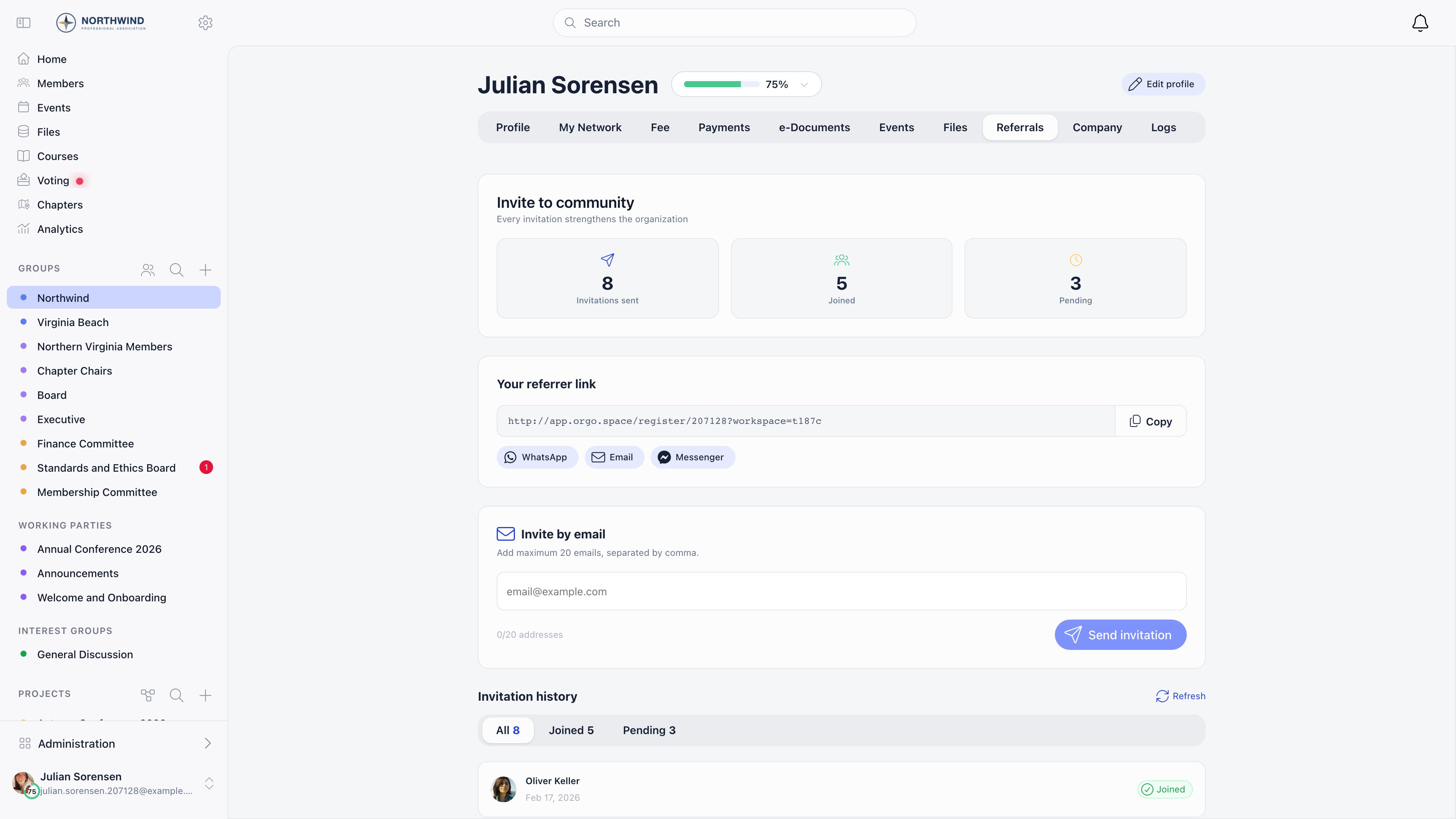
Your referrer link
A personal link of the formhttps://<your app host>/register/<member id>, with
copy, WhatsApp, Email and Messenger share buttons. Anyone who registers through
it is recorded as referred by that member. Nothing is sent by Orgo: the member
shares the link themselves.
Invite by email
The member types addresses into the email box and sends. Orgo emails each address a registration link tied to that specific invitation.
Malformed addresses are skipped silently, and an address that already has a
pending invitation is reported back as already invited rather than emailed twice.
Because only the first ten addresses in a send are processed, work in batches of
ten rather than pasting twenty at once.
If a local administrator opens the tab in their local center context, the
invitations they send carry that local center, and people who accept are placed in
it automatically.
What the invited person experiences
1
They receive the invitation email
Sent from your organisation’s address, naming the member who invited them and
the local center if there is one. The email is controlled by Settings →
Emails & Notifications → Emails → User Invitation: turn that
off and no invitation emails go out.
2
They open the link
The registration form loads with their email already filled in and locked to the
invited address. If they have no account yet, the form also asks them to set a
password.
3
They register
An invited registration skips email confirmation: the account is created as
active with the email already confirmed, and they are signed in and taken to the
dashboard straight away.
4
The inviter is notified
The invitation record is consumed, the inviter gets an in-app notification that
their invitation was accepted, and the person moves from Pending to Joined in
the inviter’s history.
Tracking who brought whom
The Referrals tab shows the sender three counters: Invitations sent, Joined and Pending, plus a conversion percentage once there are more than two invitations and at least one join. Below them, Invitation history lists every invitation under All, Joined and Pending tabs, and the member can delete any of their own pending invitations. Pending means the invitation was emailed and nobody has registered with it yet. Joined means someone registered through that member’s link or invitation and the referral record is complete.If your organisation reviews new registrations (Manual Approval in
Settings → Users & Profiles), the referral is not completed at
registration. It completes when the member is activated, and that completion step
also awards referral points. It currently only runs when the Gamification module
with tiers is enabled, so on a manual-approval organisation without gamification
the invitation stays in Pending.
Invitations do not expire on their own. The tab shows a note about 30 days, but no
job deletes old invitations: a link keeps working until the person registers with
it or the inviter deletes it.
Not the same thing as the referral program
Invitations are an existing member reaching out to an outsider, and they make signup faster. The Referral Program is other members vouching for someone who has already registered, and it makes signup slower on purpose. They share the Referrals tab and sit on the same settings page, but neither one turns the other on, and neither makes your organisation invite-only.Common scenarios
I want everyone to be able to invite
I want everyone to be able to invite
Enable invitations and set Who Can Send Invitations to All Users. Every
active member gets the Referrals tab with the email box and their personal link.
Too many low-quality signups are coming through invitations
Too many low-quality signups are coming through invitations
Raise Who Can Send Invitations to HR Local or higher, so only chapter
staff can invite. To keep open invitations but add a review step, turn on
Manual Approval so new registrations land as Unapproved, or use
Adhesion for a full application.
A member says the invitation email never arrived
A member says the invitation email never arrived
Check the spam folder first: the mail comes from your organisation, not from the
member’s own address. Then check whether that address was already invited, in
which case the send is skipped and no second email goes out. Confirm the User
Invitation system email is still switched on, and look the address up in the
delivery log under Emails & Notifications. As a fallback, delete the pending
invitation from the history list and send it again.
Should I turn the registration form off and rely on invitations?
Should I turn the registration form off and rely on invitations?
Yes, that combination works. With Enable Registration Form off, the public
Register link disappears and self-registration is refused, while a valid invitation
link still opens the form for the person you sent it to. Manual Approval and the
Waitlist are the alternatives if you want the form to stay
open and the intake reviewed instead.
Related
- Adding Members - all four routes into the platform compared
- Referral Program - members vouching for a new signup
- Registration Form - what invitees fill in
- Waitlist - queueing new registrations per local center
- Adhesion - application review for new members
- Permissions - what each permission level covers