

Turning it on
Nothing. There is no module to enable and no setting to configure. The launcher appears for the people described below and for nobody else.Who sees it
Members never see it, so it is not a route for them to reach you. Give them the
Help Desk instead.
Where it appears
- Inside the signed-in workspace, on any page.
- On desktop only. It is hidden at phone widths, so an admin looking for it on their phone will not find it.
- Not on the login or register screens. You have to be signed in, which means a member who cannot sign in cannot use the chat to say so: they need support@orgo.space, or you on their behalf.
- Not in the Event App, which has its own separate sign-in and is meant for attendees.
The launcher disappears while you are impersonating another member, so a question
you raise is never attributed to the person whose account you were viewing. Stop
impersonating first.
Who answers
An AI agent answers first. Fin is Orgo’s agentic AI support assistant. It reads your question, works out what you are trying to do, and answers from the same documentation you are reading now, citing the pages it used so you can check them. It handles follow-up questions in context, so you can keep the conversation going rather than starting again. A real answer. The question was typed with a typo and still understood, the reply sets out each route in order, and the small numbers beside the steps are citations back to the documentation pages the answer came from.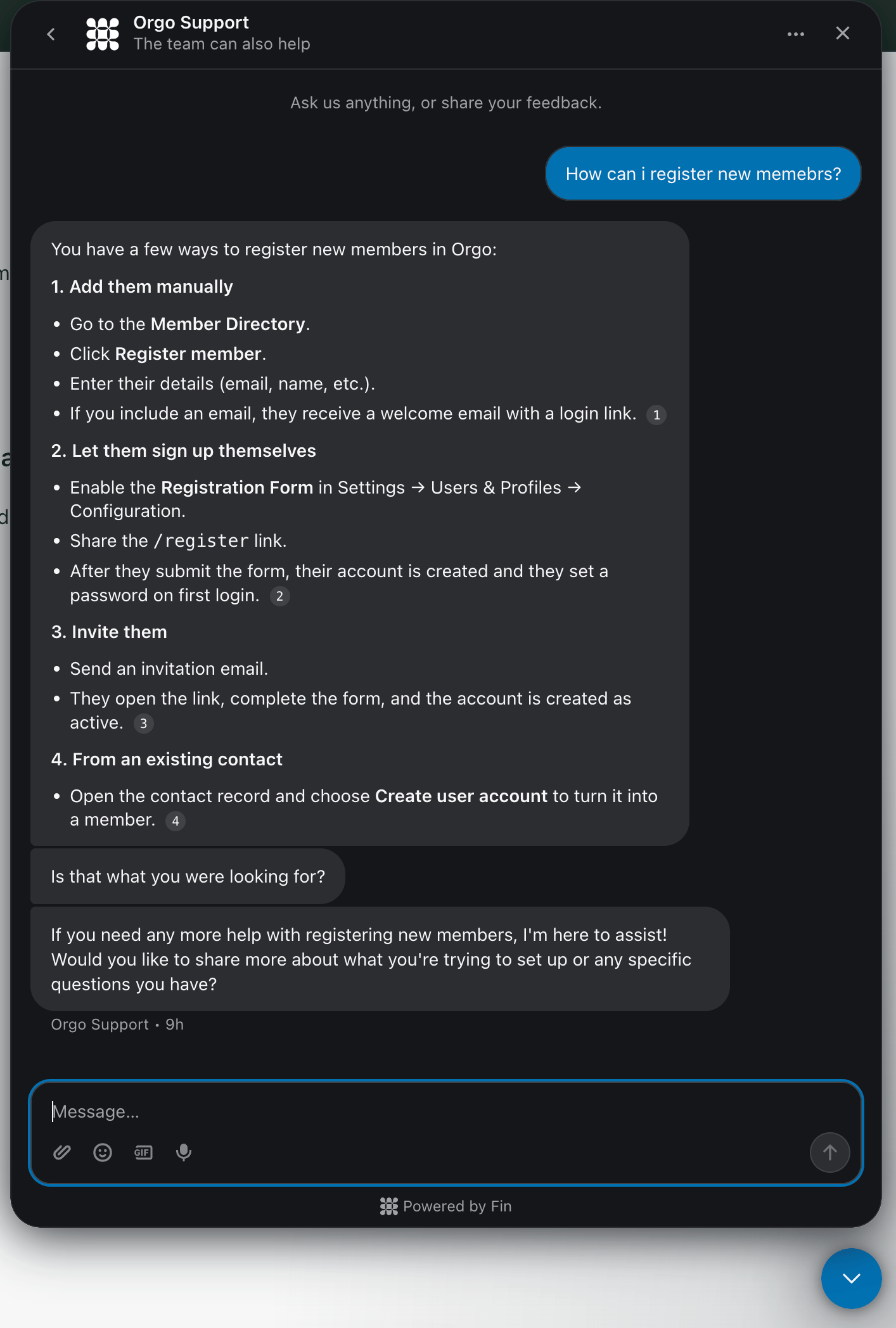
You are talking to an AI first, and it will say so. If you would rather have a
person, ask for one and the conversation is passed on. Treat its answers the
way you would treat any assistant’s: it is reliable on documented behaviour and
worth double checking on anything specific to your own configuration or data,
because it cannot see inside your workspace.
What Orgo can see
Opening the chat passes a small amount of context so that support knows who is writing and from which organization:
The chat carries the account you are signed in as and the organization you are
in. It does not give the support team a way to read your data.
Common questions
What is the difference between this and the Help Desk?
What is the difference between this and the Help Desk?
Direction. This chat is you writing to Orgo about the platform. The
Help Desk is a ticket board inside your workspace where
your members write to your own admins. They share nothing: a ticket raised in
the Help Desk never reaches Orgo, and a message in this chat never appears on
your ticket board.
A chapter admin cannot see the launcher
A chapter admin cannot see the launcher
Expected. It is limited to
ADMIN_TENANT, so chapter-level admins do not get
it however wide their local permissions are. Either raise the question
yourself, or write to support@orgo.space.The launcher is missing on my phone
The launcher is missing on my phone
It is desktop only. Open the workspace on a computer, or email
support@orgo.space.
A member asked me to open the chat for them
A member asked me to open the chat for them
Do it from your own account, not while impersonating theirs: the launcher is
hidden during impersonation, and a question raised that way would carry the
wrong identity.
Can support see our member data through the chat?
Can support see our member data through the chat?
No. Only your own name, email, account creation date and interface language
reach the conversation, along with your organization’s name and plan. Member
records are never part of it.
Related
- Help Desk - the other direction: your members writing to you
- Permissions - what
ADMIN_TENANTcovers - Troubleshooting Access - sign-in problems you can solve without support