

Requires ADMIN_TENANT. Every module settings route is guarded by
ROLE_ADMIN_TENANT, and every save goes through PATCH /tenants/{id}, which the API only accepts from an admin of that same organization.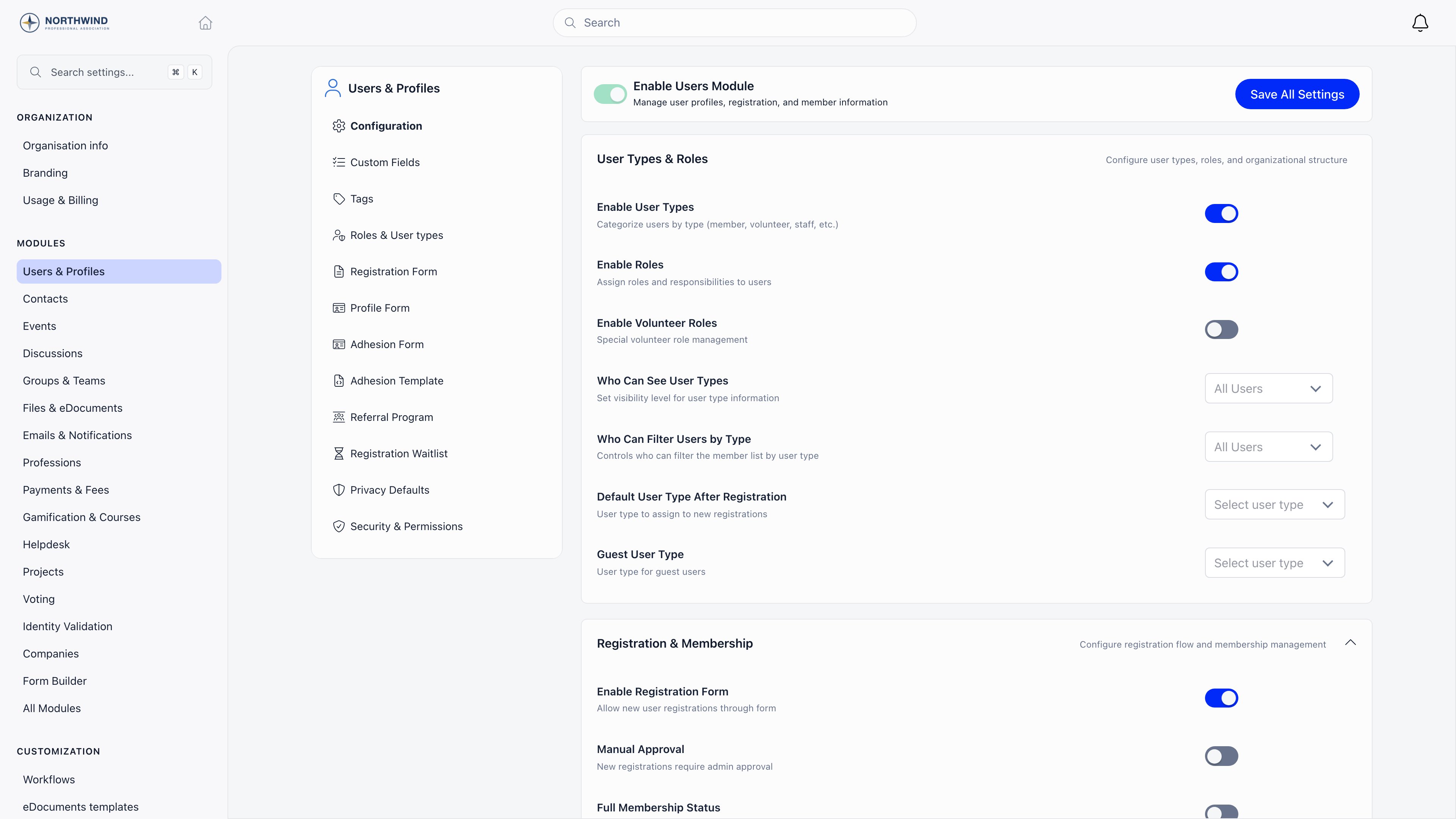
How a module page works
The Settings sidebar has a Modules group listing sixteen modules, then All Modules at the bottom for everything else. Press Cmd+K (Ctrl+K on Windows and Linux) anywhere inside Settings to search modules, tabs and individual settings by name; choosing a setting opens its page, scrolls to it and highlights it for a couple of seconds. Your last five searches are kept. Each page puts a sticky card on the left with the module name and its tabs, and the settings on the right.- Enable X Module is the first card on every Configuration tab. Switch it off and the rest of the page is replaced by “Module is currently disabled”.
- Tabs are tied to settings. Turn on Enable Custom Statuses in Events and an Event Statuses tab appears in the left card.
- Flipping a switch saves about a second later and confirms with “Settings saved automatically” in the bottom right corner. Most pages have no Save button.
Module reference
Every module in the Settings sidebar, in the order it appears.
Several of those tabs only appear once their own setting is on. Event Statuses needs Enable Custom Statuses, Attendance Reminder needs Enable Attendance Reminder, Group Categories needs Enable Group Categories, Unit Types needs Enable Organizational Units, Regions needs Local Centers plus Enable Regions, Contact Statuses needs Enable Contact Statuses, Discussion Categories needs Enable Discussion Namespaces, Profession Industries needs Enable Industry Tracking, Badges and Badge Categories need Gamification on, Invoice Templates needs Invoices on, and the Users tabs for Roles & User types, Registration Form, Adhesion Form, Adhesion Template, Referral Program and Registration Waitlist each need their own feature switched on.
eDocuments Templates is the odd one out: it leaves Settings and opens the eDocuments list in the main application. Requires HR_TENANT.
Where each module is documented
- Users & Profiles: Members, User types, Registration form, Profile fields, Custom fields, Privacy settings, Statuses, Family members
- Contacts: Contacts
- Events: Events
- Discussions: Discussions
- Groups & Teams: Groups, Units, Local groups
- Files & eDocuments: Files, Contracts, Official Gazette
- Emails & Notifications: Newsletter, Notifications
- Payments & Fees: Membership fees, Products, VAT, Stripe, Donations
- Gamification & Courses: Badges, Courses
- Helpdesk: Help desk, Issues
- Voting: E-voting
- Identity Validation: Identity validation
- Companies: Companies
- Adhesion, Referral, Waitlist, Resignation: Adhesion, Referral, Waitlist, Resignation
- API & OAuth: API, OAuth, Integrations
Modules configured somewhere else
Several modules have no sidebar entry of their own. They are switched on from inside another module’s page, or from All Modules.
Four of those deserve a note:
- API & OAuth decides whether API Tokens and OAuth Apps appear in the Developers group.
- Analytics turns the statistics dashboards on. Who may open each area (membership, geography, leaderboards, platform, finance) is set on Users & Profiles → Security & Permissions, not here.
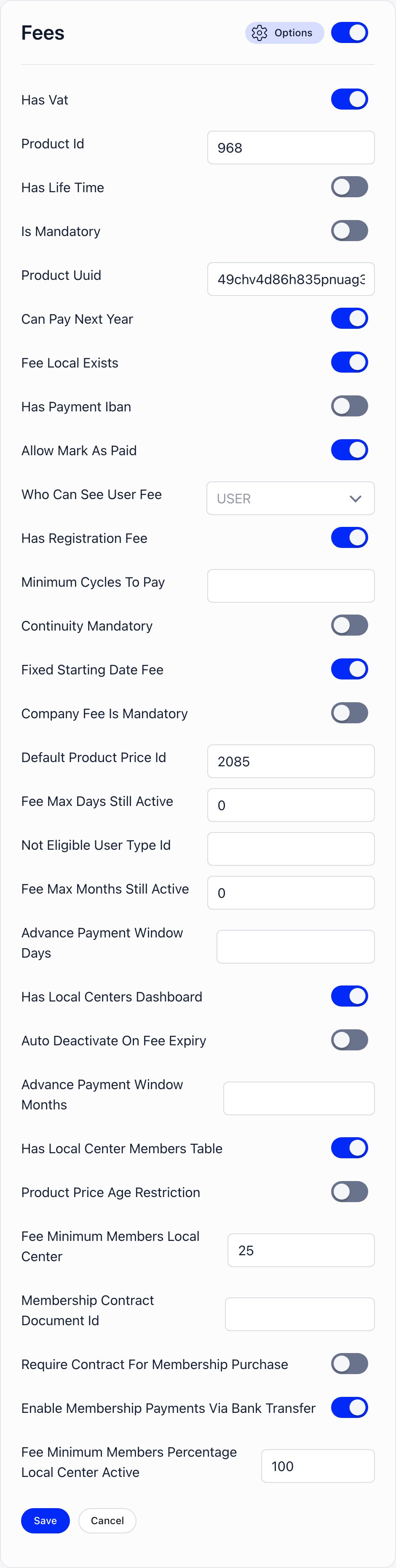
- Extra User Statuses is six independent switches (Suspended, Waiting list, Unreachable, Excluded, Helping hands, Contributor) deciding which optional statuses appear in the member status dropdown, member list filters and membership statistics. Open Options on the card to reach them. The card’s own master switch gates nothing.
- Realtime is on by default and drives live updates over Mercure in feeds, discussions, votes and networking. Switching it off does not break those screens, it just stops them refreshing on their own.
The All Modules page
Settings → Modules → All Modules shows every module as a card with a master switch, whether or not it has a page of its own. It is the fallback for anything the dedicated pages do not expose.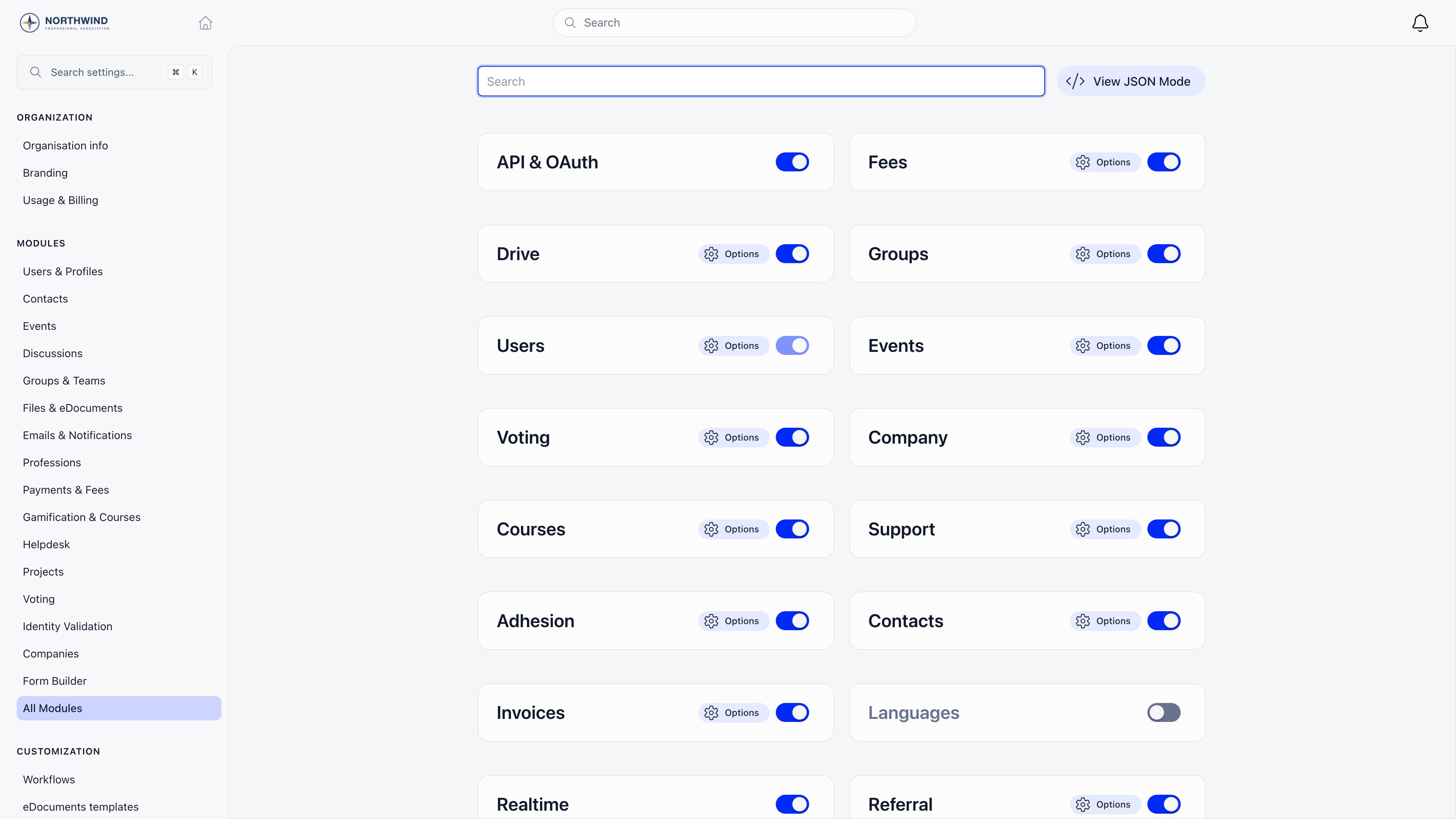
Dependencies worth knowing
- Event ticket settings are greyed out until Online Payments is on. The page says so and offers a shortcut to enable it.
- Local center roles such as
ADMIN_LOCALandHR_LOCALonly appear in permission dropdowns while Local Centers is on. - Per-chapter contacts and Regions both need Local Centers.
- Company fees only appear on the Companies page while Membership fees is on.
- Enable Skills Field creates a Skills custom field, seeded with a starter list, the first time you turn it on. Turning it back off keeps the values members already entered.
- Enable Weekly Availability behaves the same way: existing values survive being switched off.
- Invoices creates its invoice product for you the first time it is switched on, if you have not chosen one.
Permission levels in module settings
Many module settings are a dropdown of permission levels rather than a switch: who can create public events, who can send invitations, who can see member fee status. The list isUSER, then the organization levels (ADMIN_TENANT, HR_TENANT, FINANCIAL_TENANT, EVENT_TENANT, COMMUNICATION_TENANT, HR_ASSISTANT_TENANT), then the chapter levels (ADMIN_LOCAL, HR_LOCAL, FINANCIAL_LOCAL, EVENT_LOCAL, COMMUNICATION_LOCAL, HR_ASSISTANT_LOCAL) when Local Centers is on.
Users & Profiles → Security & Permissions collects every one of those dropdowns from every active module onto one page, grouped by module, alongside the MFA switch. See Permissions for what each level unlocks.
Troubleshooting
I turned a module off and members still see it
I turned a module off and members still see it
Members carry a copy of your organization settings from when the app last booted in their browser. It refreshes on a full page reload, not on navigation inside the app, so a member who has left a tab open all day is working from the old copy. Ask them to refresh.
A tab I need is missing from the module
A tab I need is missing from the module
Tabs are tied to settings. Check the Configuration tab for the switch that owns it: Event Statuses needs Enable Custom Statuses, Regions needs Enable Regions, Badges needs Gamification, and so on.
Local center options are missing from a dropdown
Local center options are missing from a dropdown
Enable Local Centers first, from Groups & Teams → Local Centers.
Ticket settings on the Events page are greyed out
Ticket settings on the Events page are greyed out
Online Payments is off. Turn it on from Payments & Fees → Online Payments, then come back.
I cannot open Settings at all
I cannot open Settings at all
You need ADMIN_TENANT. Without it the gear icon does not appear and the module routes bounce you to the login screen.
Will turning a module off lose our data
Will turning a module off lose our data
No. The switch writes a flag on your organization and nothing else. Records stay in the database and reappear when you turn the module back on.
Related
- Organization Settings for the four settings sections and what each one covers
- Organization Info for the details that flow into invoices, emails and public pages
- Branding for logos, the login background and the default theme
- Permissions for what each permission level unlocks
- Customization for languages, labels, menu and dashboard layout