

Opening the editor
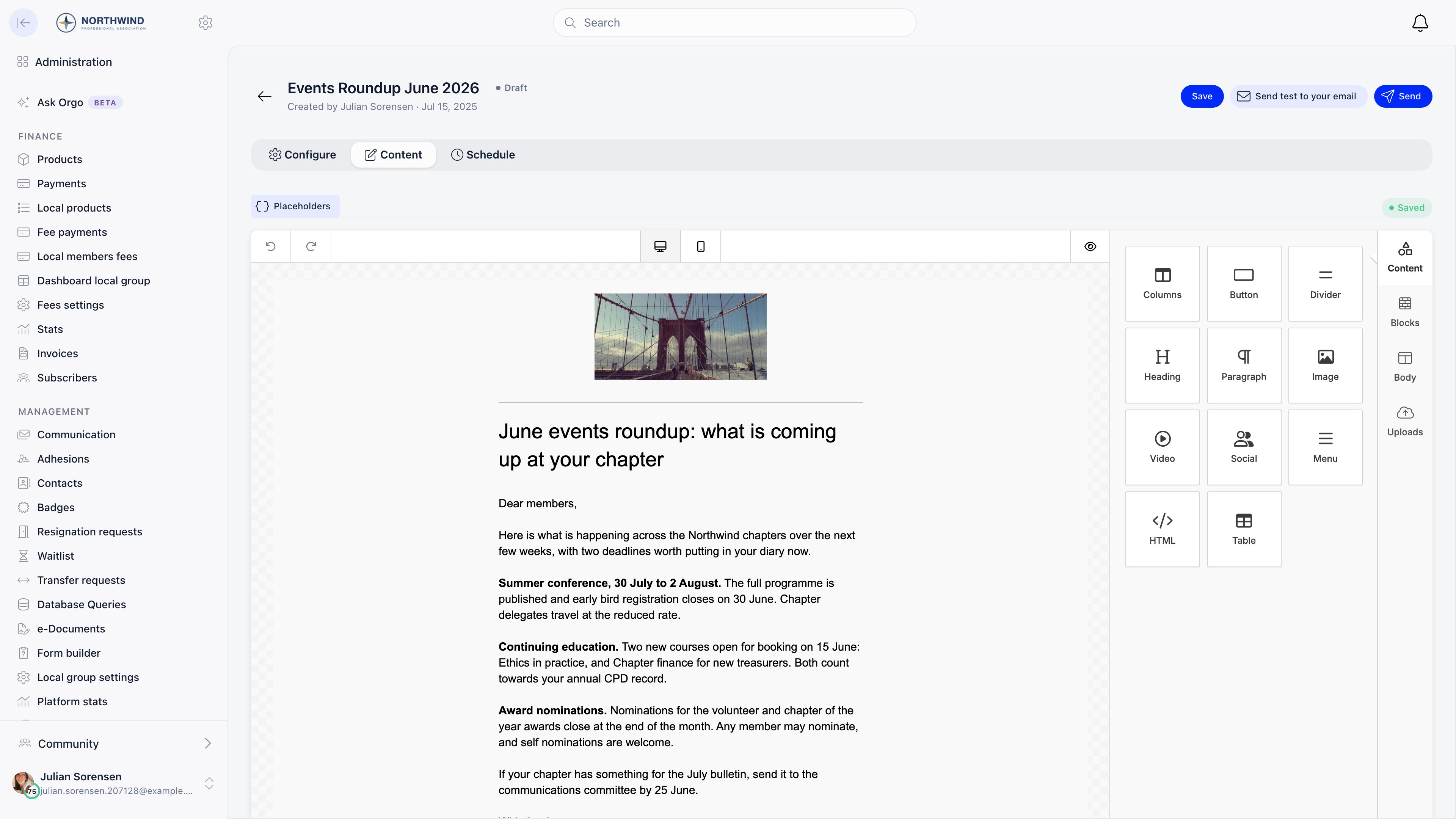
Open a draft campaign and switch to the Content tab. Content saves automatically while you work, and the toolbar shows Saving and then Saved; Save forces it. The same editor opens standalone when you create or edit a template. The editor loads inside the page from Orgo’s canonical app domain, so it works the same on a custom domain.Blocks
Drag a block from the right-hand palette onto the canvas, then click it to edit its content and styling.
The side tabs are Content (the palette above), Blocks, Body, and
Uploads. The toolbar has undo and redo, a desktop and mobile preview toggle,
and a full preview.
Stock image search and the Facebook, Google, and Unsplash integrations are
switched off. Upload your images or paste their URLs.
Placeholders
Placeholders in the toolbar copies a token to your clipboard; paste it anywhere in the design and it is replaced per recipient at send time.
A campaign attached to an event gets eight more:
{eventTitle},
{eventDescription}, {eventDateBegin}, {eventDateEnd}, {eventTimezone},
{eventLocation}, {eventRegisterUrl}, and {eventAgendaUrl}. Event dates are
rendered in the recipient’s own timezone where they have one, otherwise the
event’s, otherwise the organization’s.
Notes that save people time:
- Both
{firstName}and{{firstName}}work. - Placeholders work inside link URLs as well as in text.
{unsubscribeUrl}and{preferencesUrl}become a bare URL inside anhrefand a ready-made link when used on their own. - Anything that does not resolve for a given recipient (a phone number they never filled in) is replaced with nothing, not left as raw text.
{eventAgendaUrl}only resolves for recipients with a confirmed registration for that event.- If the design contains no
{unsubscribeUrl}, Orgo appends an unsubscribe footer automatically before sending.
Templates
Administration → COMMUNICATION → Campaign templates holds the reusable designs. They are filtered by All, Orgo (the designs that ship with the platform), and Custom (yours), with a badge on each card.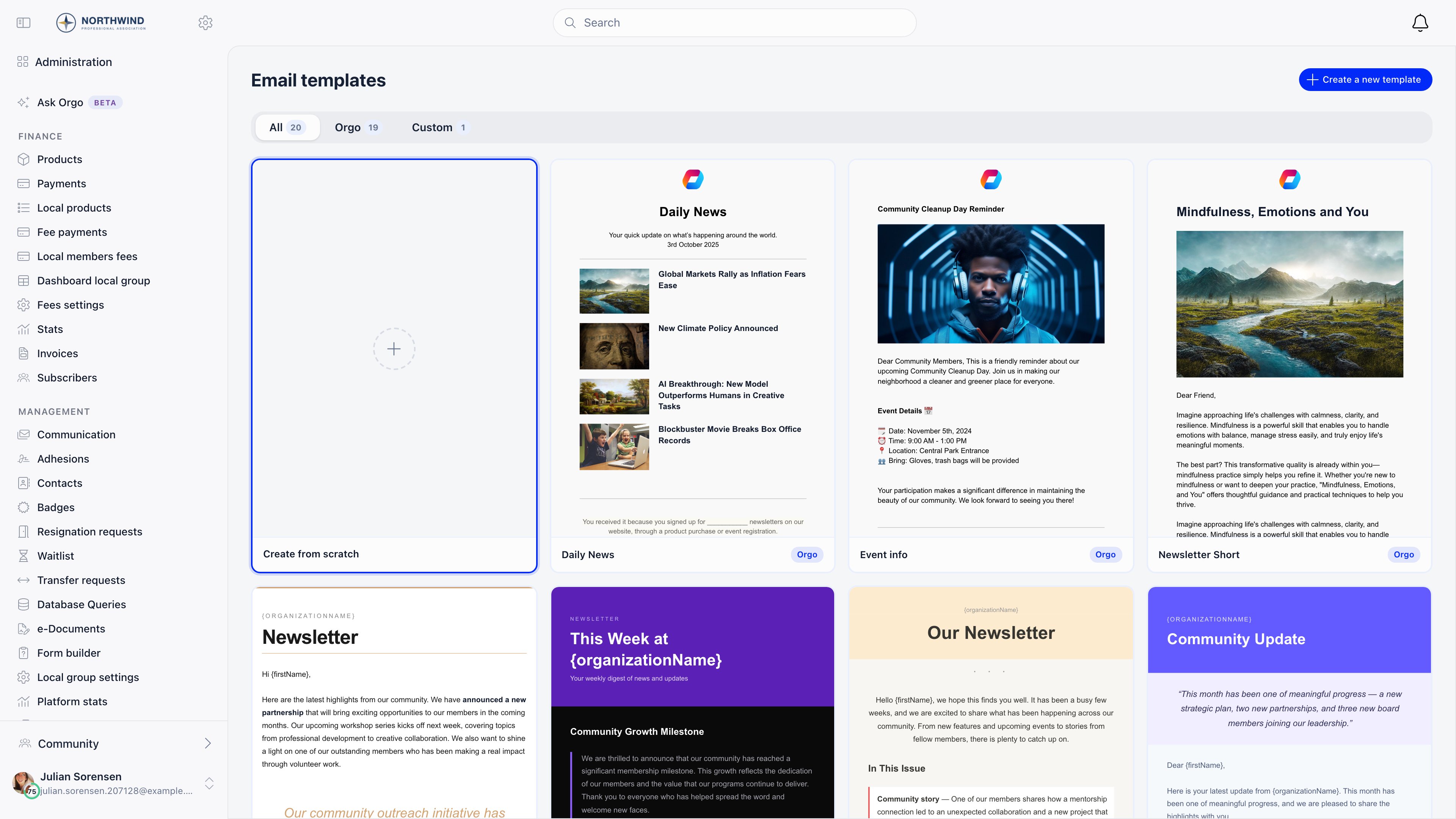
- Start Campaign, which opens the create form with that template preselected
- Preview, a full-size render
- Duplicate, which copies it into a new custom template you can edit
- Edit and Delete, on your own templates only
Troubleshooting
A placeholder arrived as literal text
A placeholder arrived as literal text
It was almost certainly misspelled or is not in the list above. Copy it from
the Placeholders menu rather than typing it, and check the case:
{firstname} is not {firstName}.The email looks different in the recipient's inbox
The email looks different in the recipient's inbox
Mail clients strip modern CSS. Keep to the blocks, avoid pasting styled
content from a word processor, and check the mobile preview before sending.
Test sends are the only reliable check.
I want the same design every month
I want the same design every month
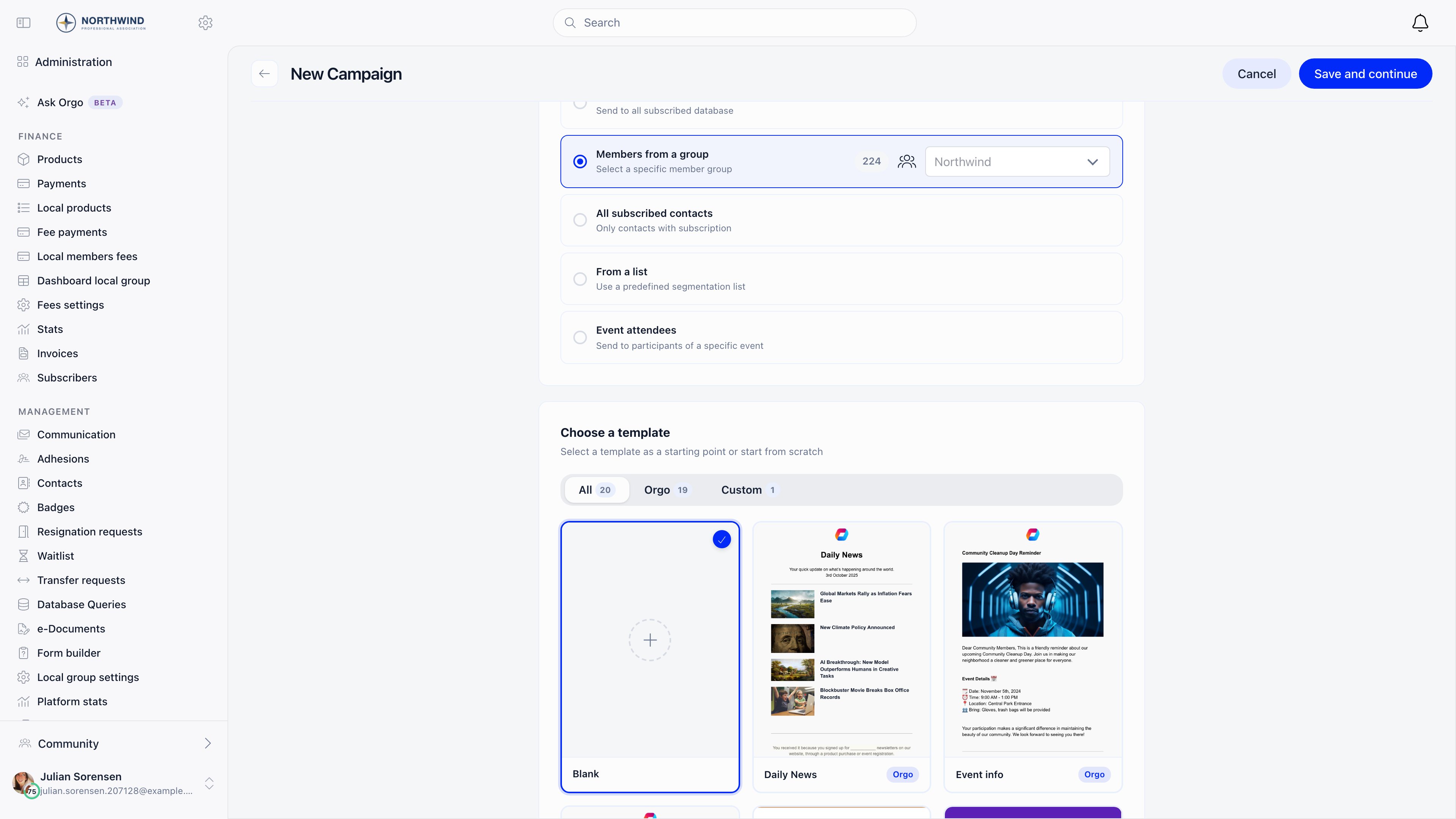
Build it once, save it as a template, then use Start Campaign from the
template each month. Duplicate campaign on a sent campaign is the other
route, and it also carries the settings across.
Related
- Newsletter for audiences, sending, and reporting
- Signup widgets for collecting subscribers
- Email templates for automatic system emails
- Branding for logos used in emails