

Turning the form on
Open the event, go to Modify, and under Registration switch on Require registration form for members. A Registration form entry then appears in the event sidebar. Without it, members simply RSVP. Editing the form needsEVENT_LOCAL on the event’s group, which EVENT_TENANT and ADMIN_TENANT
satisfy tenant-wide.
Ticketed events always use a registration form. Switching an event to Paid turns this on
automatically and locks the toggle, with the hint “Paid events always require a registration form”.
Switching an event’s audience to Public turns it on too, though there the toggle stays editable.
Building the form
The Form fields tab is a two-panel builder: Available fields left, Form fields right. Click or drag a field across to add it, drag rows to reorder, tick required where an answer is mandatory, then Save changes.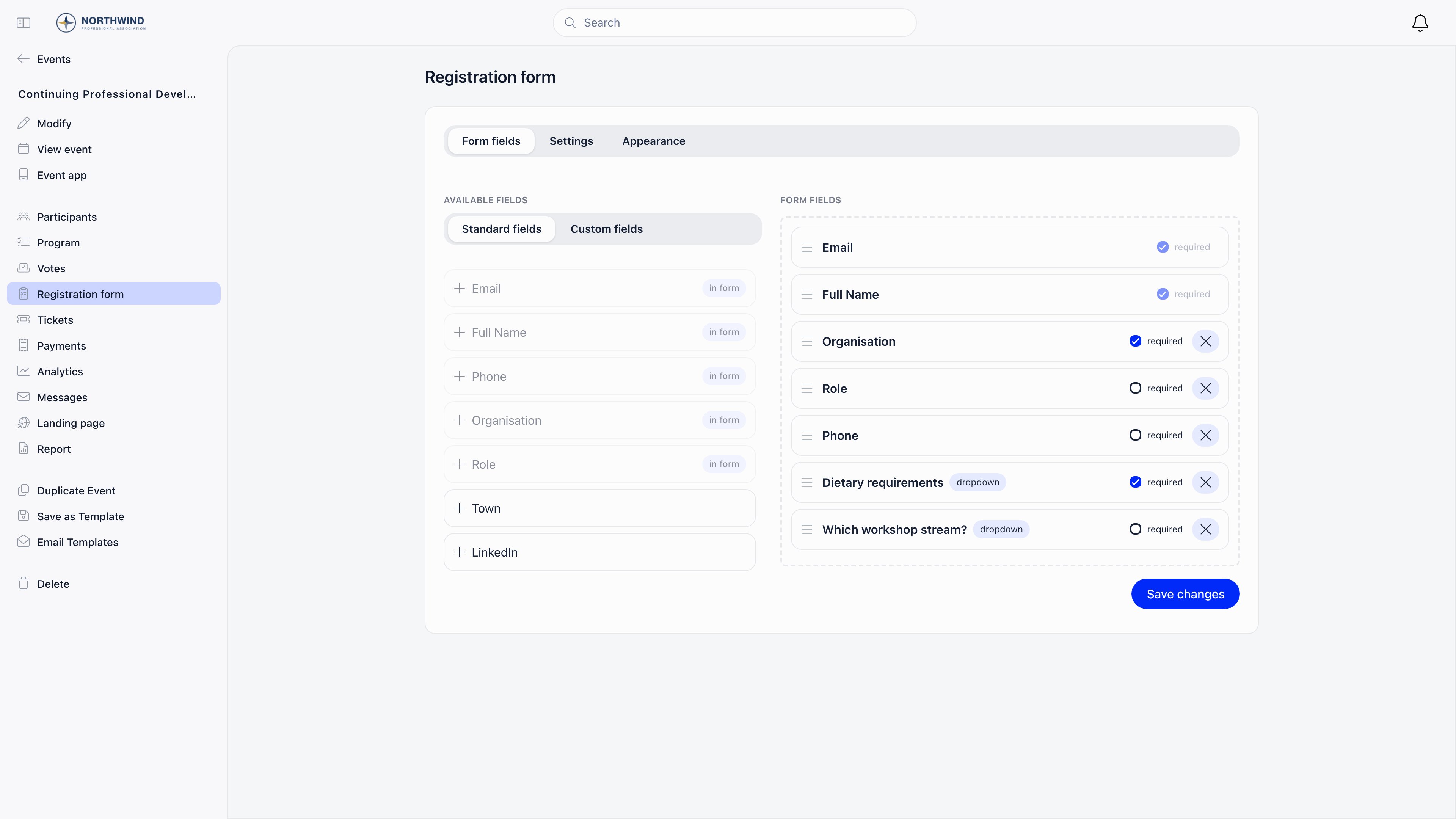
Standard fields
Twelve fields, no others, and their labels cannot be edited. For a logged-in member they arrive prefilled, so the member confirms rather than retypes.
Write-back happens only when the answer is not empty and differs from what is stored. Fields marked
No are still collected and exported, just not copied onto the profile by this path. Removing
Email or Full Name through the API silently puts them back at the top of the form on save.
Custom fields
Anything the standard list does not cover becomes a custom field: use Create on the Custom fields tab of the left panel.
Options for the three list types are entered one per row and can be dragged into order. Deleting a
custom field also removes it from the form layout, and needs the same permission as editing the form.
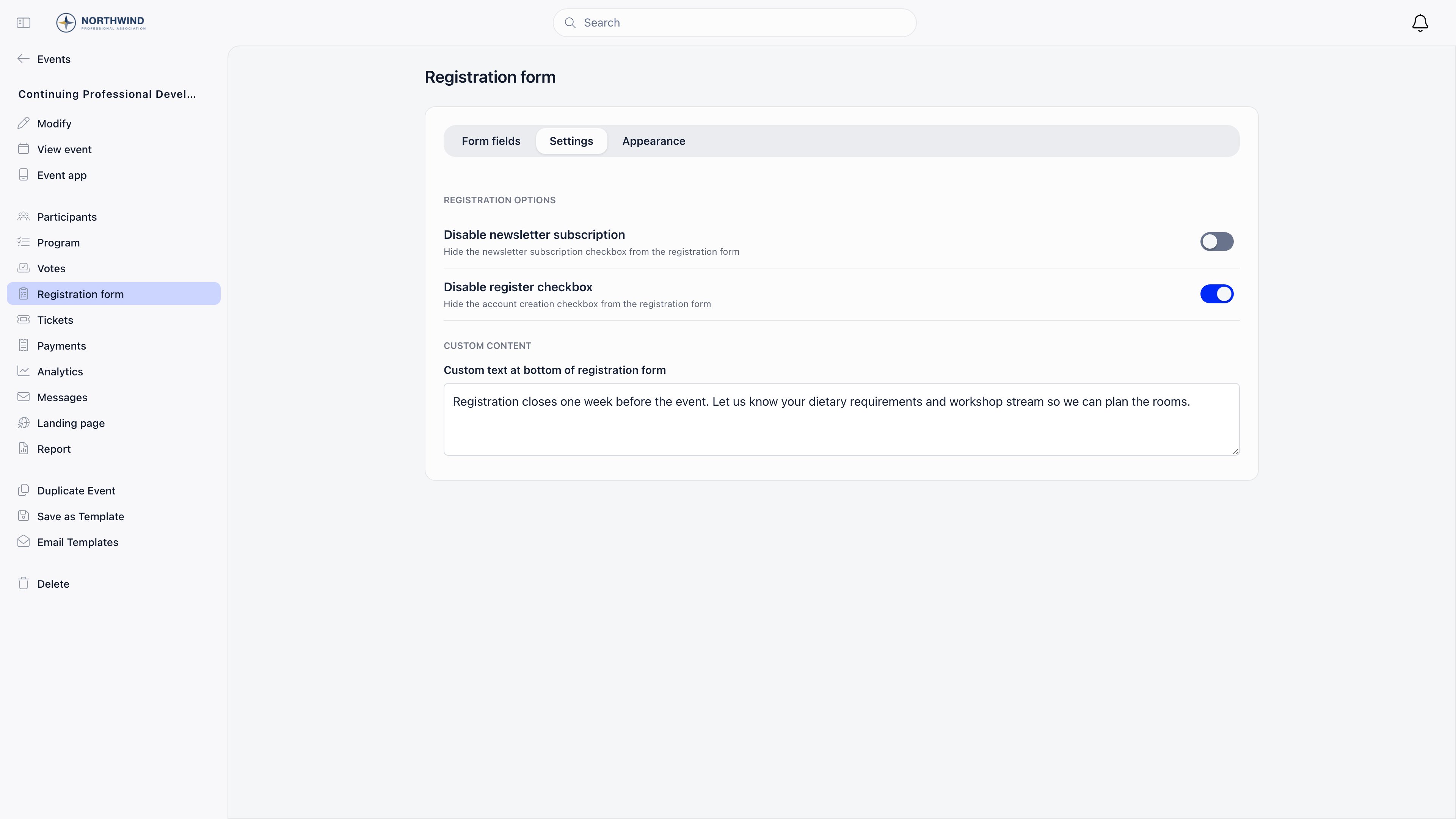
Settings tab
Appearance tab
Hero image border radius is only applied when Selected color also has a value, so set a
selected colour if you want the rounding to take effect.
Where the answers end up
- Custom field answers are stored per registration, on that attendee’s record for that event. The same person answering differently at two events keeps two answers.
- Standard answers update the profile as in the table above.
- The participant export contains exactly the standard fields on the form, plus every custom
field, once a form layout has been saved. An event that requires a form but has no saved layout
exports all ten profile fields instead, and an event that does not require a form exports six
legacy fields: phone, organisation, role, LinkedIn, X and Instagram. Checkbox, radio and dropdown
answers export as their visible labels, dates as
YYYY-MM-DD. Exporting needsEVENT_TENANT,EVENT_LOCALon the event, or event ownership.
Troubleshooting
A change does not show on the public page
A change does not show on the public page
Public event pages are cached. Saving the form clears that cache for public and ticketed events,
so reload the public page itself, in a private window, rather than the editor.
I cannot change the wording of a standard field
I cannot change the wording of a standard field
Standard field labels are fixed. Add a custom field with the wording you want and leave the
standard field off the form.
I want the same questions on every event
I want the same questions on every event
Build the event once with its form and custom fields, save it as an
event template, and create future events from that.
A field I added is not in the export
A field I added is not in the export
The export includes only the standard fields currently on the form. Remove a field after people
registered and their answers stop appearing in the export, even though the profile values remain.
Related
- Create an Event - the Registration section of the event form
- Ticketing - paid registration, which always uses this form
- Event Templates - reusing a form across events
- Custom Fields - organisation-wide fields, which are a different thing
- Attendance - the participant list and its export