

Settings
Resignation is off by default.What the member does
Profile → Settings & Privacy → Close account → Resign. The form opens in place.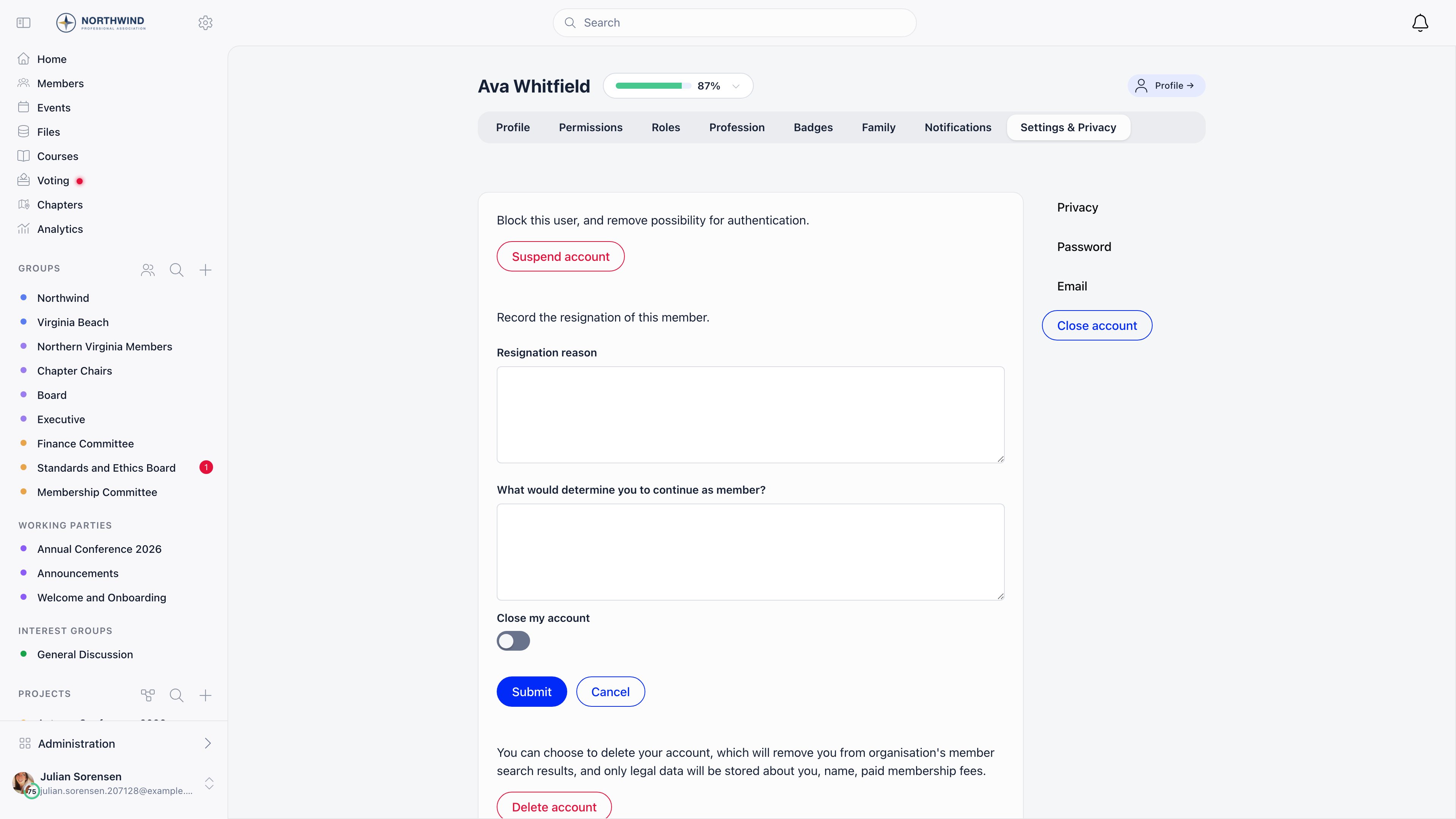
When Automatically Inactivate Accounts After Resignation is on, the toggle is
replaced by a line in red: “This account will be closed after resignation is
approved.”
After Submit, the Close account page shows “Your resignation is pending and it
will be processed by administration” with a Cancel resignation button. The
account works normally until an admin acts.
A member may have only one pending request at a time. Submitting a second one is
refused with “Your current resignation request is pending, we will email you once
is processed.”Guest accounts do not see the Resign button at all.
HR_LOCAL over the member’s local group sees the same form
on that member’s Close account page, headed “Record the resignation of this
member”, plus a shortcut with that label on the member’s Permissions tab. Use it
when somebody resigns by email or in person.
What administrators do
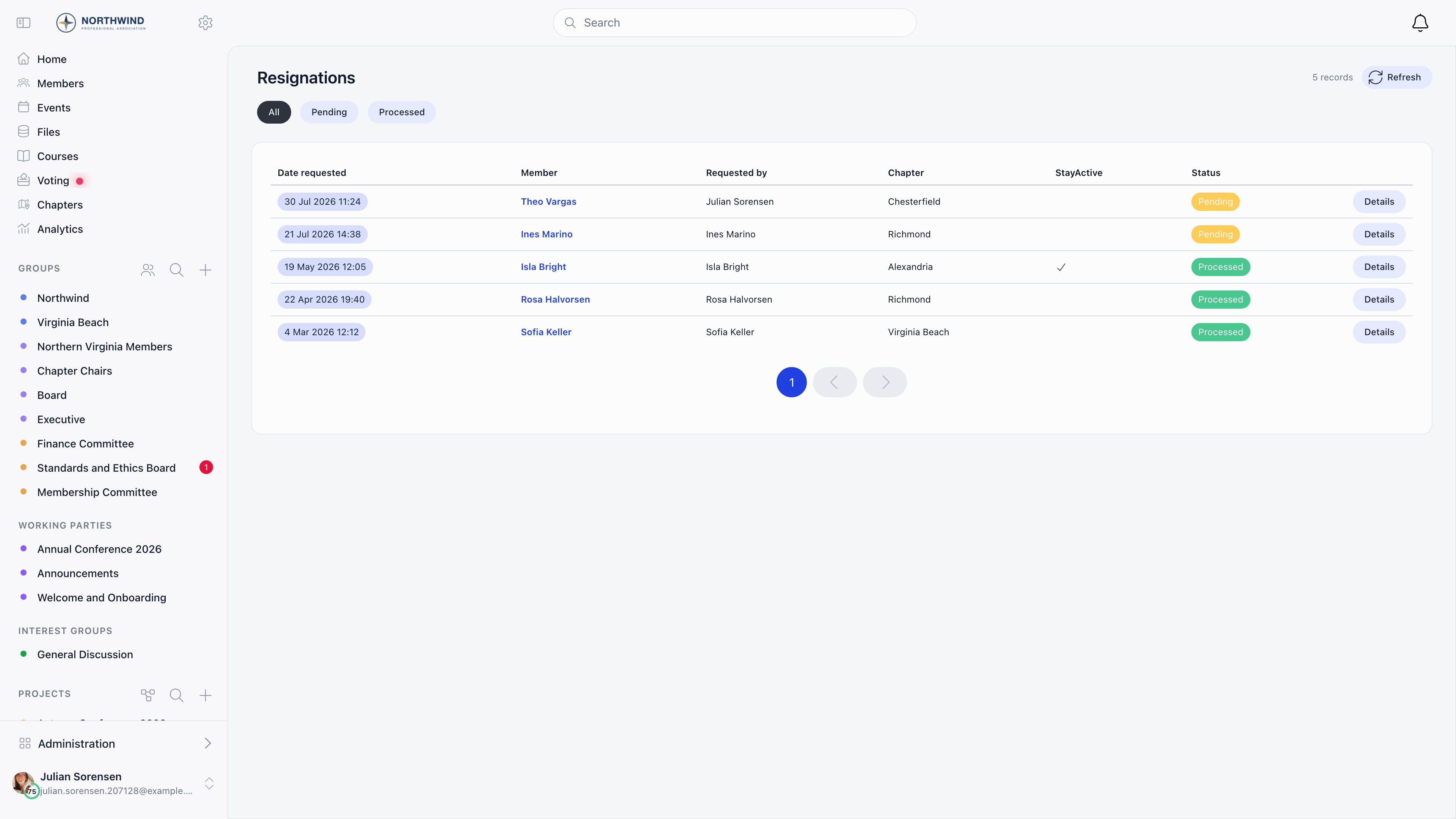
The queue is Resignation requests in the sidebar under MANAGEMENT, visible toHR_LOCAL and above once the module is on. The screen is titled Resignations:
30 requests per page, newest first, chips for All, Pending and
Processed, and columns for date requested, member, requested by, chapter,
StayActive and status. StayActive is hidden when automatic inactivation is on,
because the answer never varies.
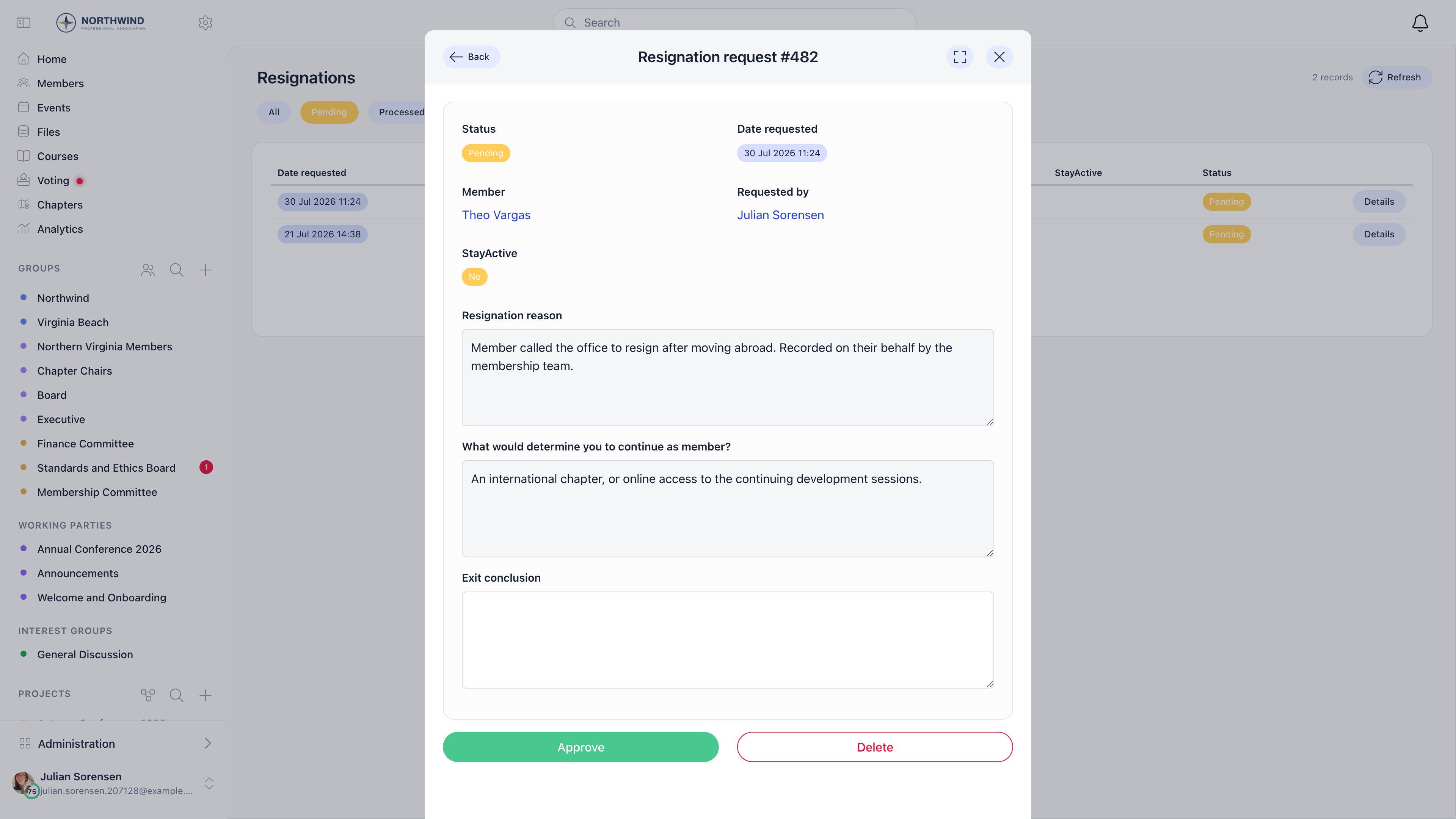
Opening a row shows the reason, the retention answer and an Exit conclusion
box for the reviewer’s note. The exit conclusion is hidden from the resigning
member and read-only once approved. Approve processes the resignation;
Delete removes the request entirely and is only offered in the queue to
ADMIN_TENANT.
HR_TENANT and ADMIN_TENANT cover every local group.
What approval actually changes
Approval, in one step:- stamps the request as approved, with the approving admin and the date;
- sets the member Inactive if automatic inactivation is on, otherwise Inactive or Active according to their “Close my account” choice;
- sets the member’s user type to the configured Guest User Type;
- clears the member’s adhesion link, if the Adhesion module is on and a guest user type is configured;
- end-dates every open role the member holds, as of the resignation date;
- emails the member the resignation-approved notice.
Emails
Each has its own switch on the Emails page.
A member asking for their data to be removed is making a different request:
handle that through account deletion, and
read that page first so you can tell them what survives. The two are independent:
deletion does not require a resignation, and resigning does not start a deletion.
Common questions
A member submitted a resignation and changed their mind
A member submitted a resignation and changed their mind
While it is pending, the member withdraws it with Cancel resignation on
their Close account page, or an
ADMIN_TENANT deletes it from the queue.
After approval, set their status back to Active on the Permissions tab and
reassign the roles the approval end-dated.A resignation was approved but the account is still Active
A resignation was approved but the account is still Active
The member left “Close my account” off and your organisation does not force
automatic inactivation. The resignation is on record and the roles are closed,
but the account still works. That is a supported outcome.
Requests sit in the queue for weeks
Requests sit in the queue for weeks
Nothing expires or auto-approves a request. A member who says the form “did
not work” has usually submitted one that is still sitting there.
Can I approve requests in bulk?
Can I approve requests in bulk?
No. Approval is one request at a time, from the detail view.
Should I delete a request instead of approving it?
Should I delete a request instead of approving it?
Delete is for invalid or test entries. It notifies nobody, so the member is
left thinking they resigned when nothing was recorded.
Related
- User statuses - what Inactive blocks, and how to reverse it
- Deletion of account - the separate erasure request
- Adhesion - the joining flow this mirrors
- Permissions - the permissions named on this page
- Troubleshooting member access - when a departure was not the cause