

Before you start
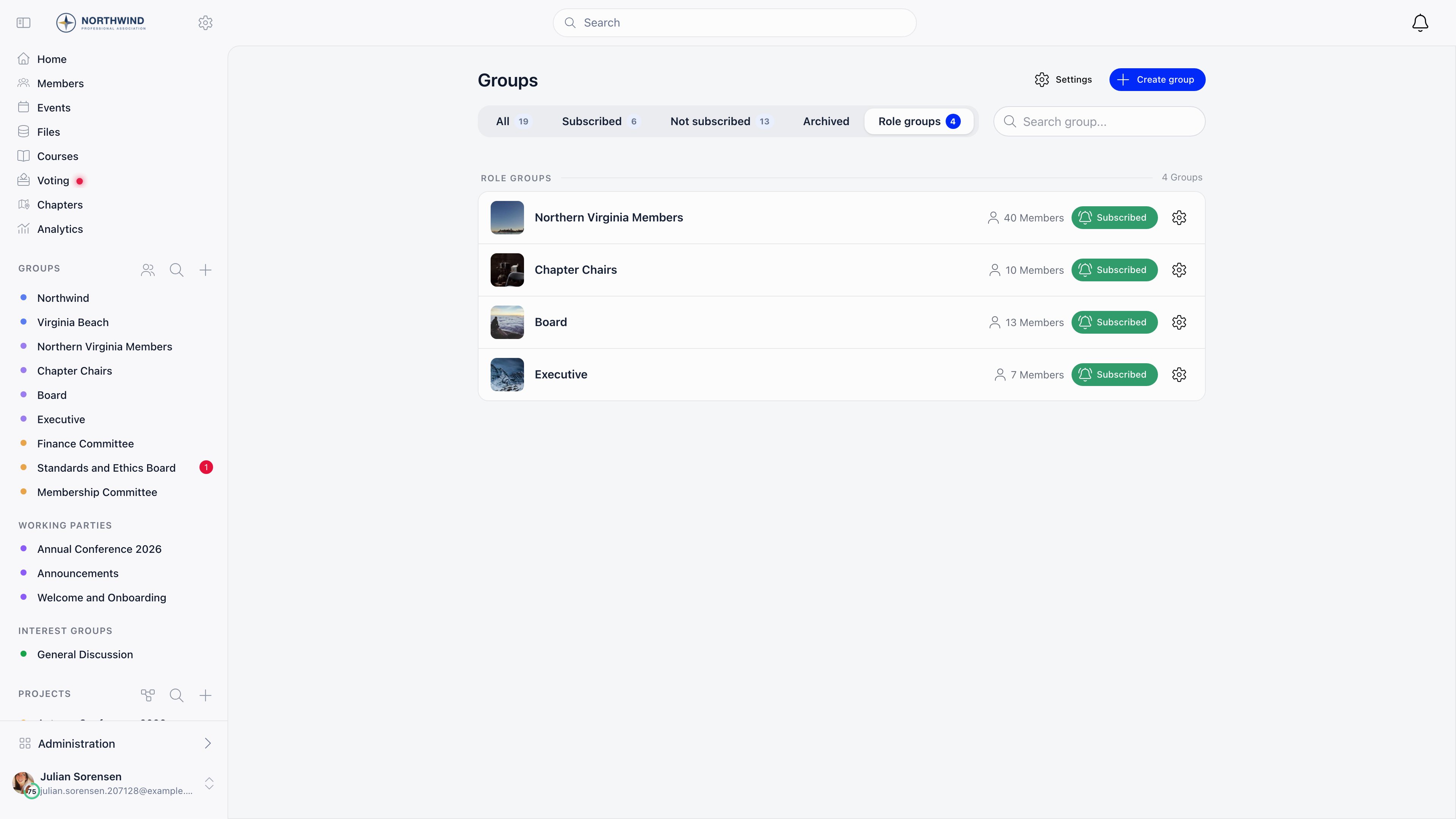
Role groups need Enable Role Groups on under Settings → Groups & Teams → Configuration, andADMIN_TENANT to create or edit. Without both, the Role group access mode, the Create role group action and the Role groups tab are hidden.
Creating a role group
1
Open the create form
Groups → Create group → Create role group, or pick Role group in the Access selector on the normal create form.
2
Name it
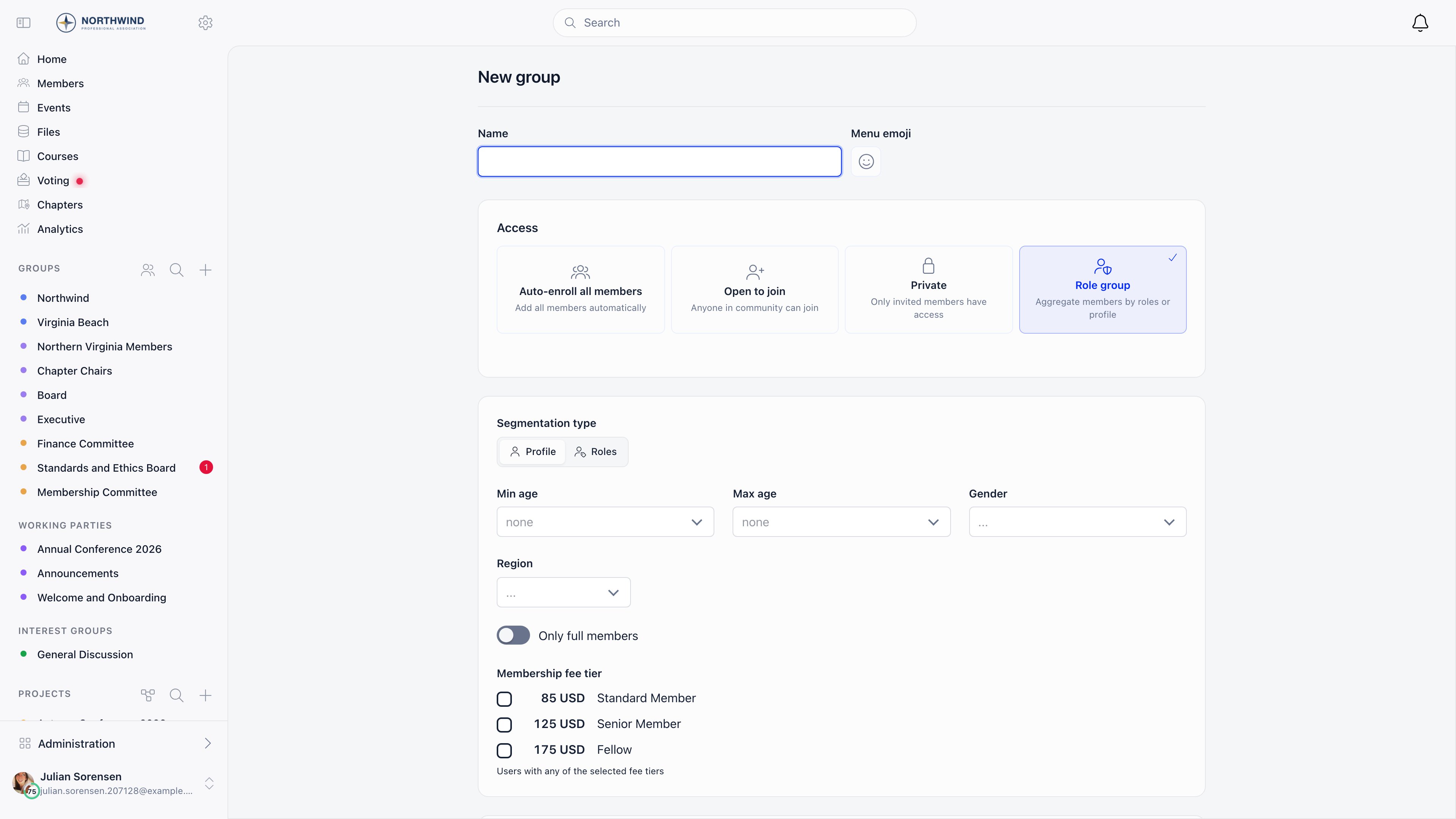
A name that describes the membership, plus an optional Menu emoji shown beside it in the sidebar.
3
Choose a segmentation type
The Segmentation type toggle switches between Profile (who the member is) and Roles (what they have been assigned).
4
Set the criteria and save
Fill in the fields below. Saving scans your members, populates the group and subscribes them, so they get its notifications.
Criteria
Profile segmentation
Roles segmentation
Under Users with any of the following roles, tick the roles that qualify; a member matching any ticked role is in. Roles are grouped by where they apply: User type, Tenant, Parent chapter, Chapter, each unit type, and Other. Alongside it, Chapter restricts the group to one chapter, and picking a parent chapter covers every chapter beneath it, at any depth: with a three-layer structure, restricting a group to the national chapter includes the regions and their branches.Combining criteria
Every field you fill in must match, so criteria narrow the group, and an empty field is not applied. Only members with an active status are ever included. The Segmentation type toggle only changes which fields are on screen; it does not clear the other set. Values set under Profile stay in effect when you switch to Roles, so “leaders over 18” is the leader roles ticked plus Min age 18.When membership is recalculated
- when you save the role group itself, which rebuilds it from scratch
- when a member’s roles are added, changed or removed
- when a member’s profile is created or edited
- when a chapter’s region changes, for region-based role groups
Age boundaries are evaluated when membership is recalculated, not on the member’s birthday. A member who crosses an age threshold joins or leaves the group the next time their profile or roles are saved, or the next full rebuild.
Adding people the criteria miss
A role group has an Admins tab, visible to organization admins. Anyone added there is kept in the group even though they do not match the criteria, and survives the rebuild that a re-save triggers. Use it for the exceptions that always exist; for anything larger, adjust the criteria. Ordinary members cannot leave a role group, because membership is derived from their profile. They can mute it with the Subscribe / Subscribed button on the Groups page.What is inside a role group
Discussions, Events and Files where the corresponding modules are enabled, plus a Members tab and the Admins tab for organization admins.Editing, archiving and deleting
Edit a role group from the gear icon on the Role groups tab of the Groups page, or from Settings in the group’s own header.Common scenarios
The role group is empty after I saved it
The role group is empty after I saved it
The criteria are over-narrowed. Every field you fill in must match, and age criteria exclude members with no date of birth. Clear a field to stop applying it.
Can I build a role group per chapter?
Can I build a role group per chapter?
Yes, set Chapter in the Roles segmentation. Each chapter is already its own space with discussions, events and files, so a per-chapter role group is only worth it when you also need a role filter on top.
Related
- Groups & Teams - all access modes and when to use each
- Private Groups - for manually controlled membership
- Main Group - the organization-wide space
- Local Centers - geographic branches
- Permissions - what
ADMIN_TENANTandHR_TENANTcover