

Requires ADMIN_TENANT. The page is a tenant settings route and is not available to local, HR or financial admins.
Setting up languages
1
Open Language Settings
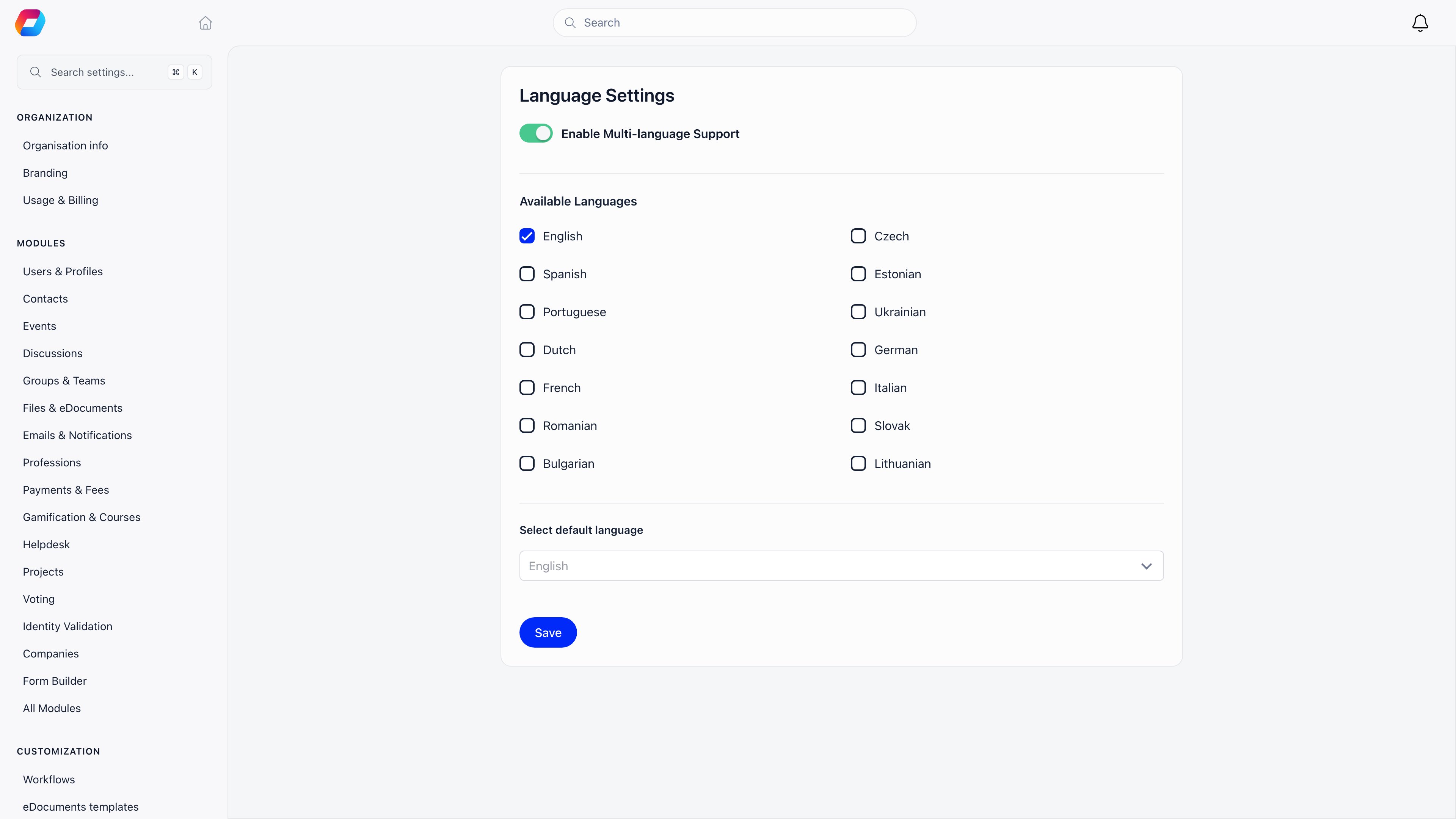
Go to Settings → Customization → Languages. The page is headed Language Settings.
2
Turn on Enable Multi-language Support
With this switch off, everyone sees the platform in the single default language and no language picker is shown. With it on, an Available Languages checkbox list appears.
3
Tick the languages your members need
Every one of the 14 supported languages has a checkbox, including languages added after your organization was created.
4
Pick the default under Select default language
While multi-language is on, the dropdown only offers languages you ticked. With it off, the dropdown offers all 14.
5
Save
Saving with multi-language on and nothing ticked is refused with Please enable at least one language. If your chosen default is not among the ticked languages, Orgo silently moves the default to the first ticked one.
Supported interface languages
All 14 carry the full interface catalogue, several thousand phrases each. A phrase that has not been translated yet falls back to English rather than showing a blank or a raw key.
Note the Portuguese code: Orgo uses
pr, not the more common pt.
How a member’s language is decided
Orgo resolves the interface language in this order, highest priority first:- A
?lang=parameter on the URL, if that language exists in the platform. This is how invitation and campaign links can open in a specific language. - The member’s saved preference on their profile, set the first time they use the language picker.
- The organization default you set on this page. When multi-language support is off, the default always wins over any saved preference.
- English, if the resolved language is not one Orgo ships.
Changing the organization default does not move members who already picked a language. It affects new members and anyone who never chose.
What is and is not translated
Troubleshooting
Members do not see a language picker
Members do not see a language picker
The picker is tied to Enable Multi-language Support. Turn it on and tick at least two languages. On mobile the picker also requires more than one enabled language.
I changed the default but existing members still see the old language
I changed the default but existing members still see the old language
Expected. A saved profile preference beats the organization default. Members switch it themselves from the profile menu. The default only rules for members who never chose, and for everyone while multi-language support is off.
A member sees a mix of their language and English
A member sees a mix of their language and English
Any phrase missing from that language file renders in English. This affects a small number of recently added phrases. It is not a configuration problem on your side.
Emails arrive in English although our interface is set to Czech
Emails arrive in English although our interface is set to Czech
System emails render in English, Romanian, German, Bulgarian, Lithuanian, Spanish, French, Italian, Dutch, Ukrainian and Portuguese, chosen from the organization language, with English as the fallback. Czech is not among them, so English is correct behaviour. Invoices are the exception: the invoice PDF and the email that carries it cover all 14 languages, so a Czech organization’s invoices do arrive in Czech.
We run in two languages. What about member-written content?
We run in two languages. What about member-written content?
Enable both and make the majority language the default. Posts, event descriptions and file names stay in whatever language they were written in. Bilingual organizations usually post announcements in both languages in the same message.
Related
- Texts - replace Orgo’s wording with your own, per language
- Customization - everything under Settings → Customization
- Organization Info - country, currency and timezone
- Dashboard Welcome - the greeting on the dashboard
- Newsletter - campaigns you write in a specific language