

Contact or member
The deciding question. If the person needs fee status, courses, badges or governance
votes, they have to be a member. If they do not, a contact is enough, and it is cheaper to
maintain: no invitation, no password reset, no seat in your member count.
What a contact can do
- Pay you. Donations, event tickets, invoices and recurring subscriptions all attach to a contact. Payments and the fee boundary
- Receive newsletters. Contacts and members are drawn into the same audiences, and only subscribed contacts are included. Newsletter and consent
- Register for events. A non-member attendee is a contact, holds the same QR badge, and can sign in to the Event App. Events and the Event App
- Arrive on their own. Contact forms, newsletter signups, public event registrations, donation checkouts, form submissions, signing links, imports and Stripe all create contacts. Where contacts come from
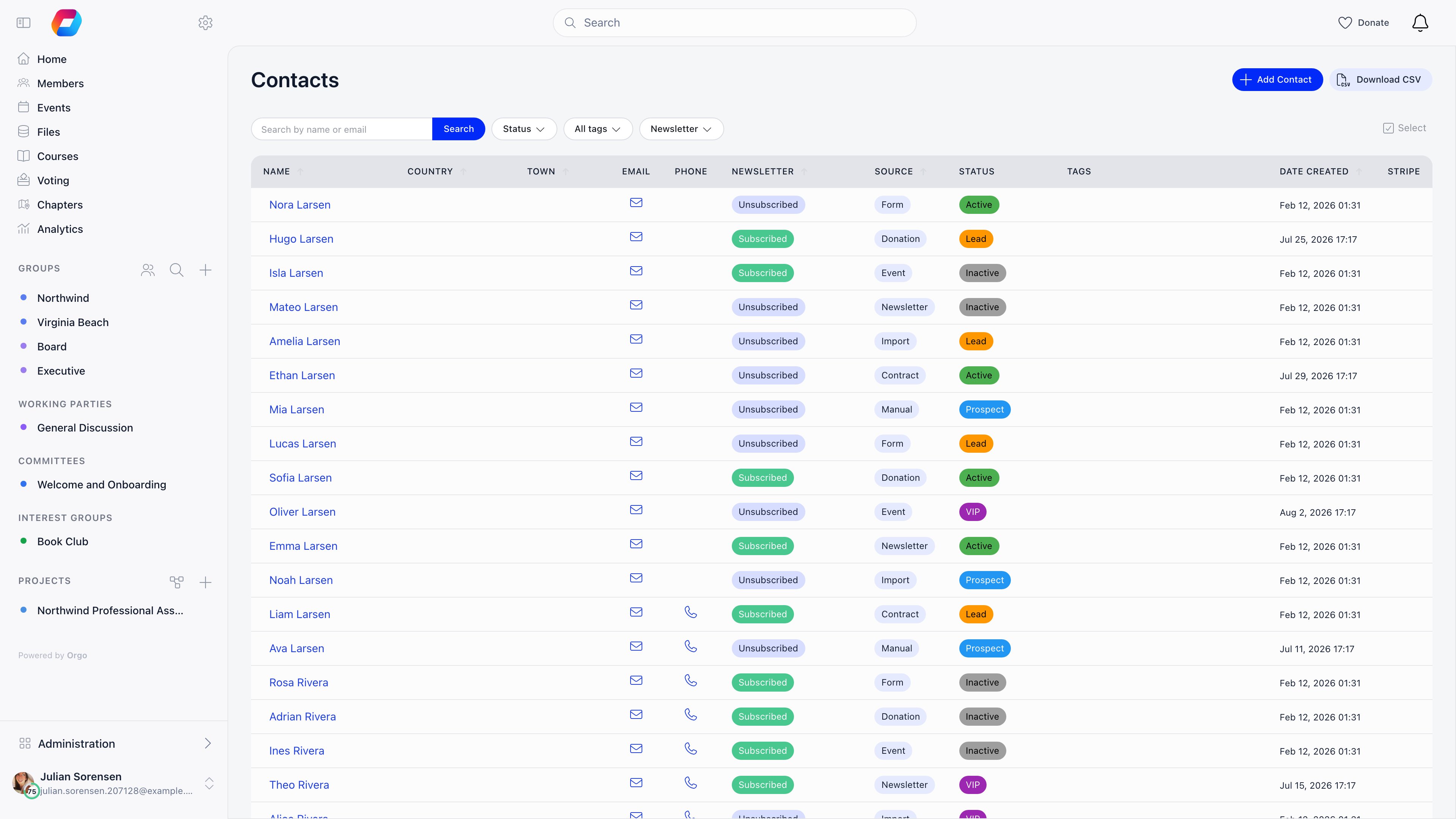
- Carry a profile. Status, tags, custom fields, notes and an activity feed. The contact record
- Sign documents. A contract or e-document can be assigned to a contact, and the signing link can create the contact from the signer’s own details. See e-Documents
- Trigger automations. A contact is a workflow subject for the form-submitted and event-attended triggers, and can be emailed or tagged by a workflow. See Workflows
- Become a member. Merging is the real conversion, and it moves their history across. Becoming a member
Turning the module on
Settings → Modules → Contacts. RequiresADMIN_TENANT.
Both extra switches stay disabled while Enable Contacts Module is off.
Enable Per-Chapter Contacts does more than add a column. While it is off, chapter-level
managers cannot reach contacts at all, and only tenant-level managers see the list. Turning
it on is what opens contacts to chapter admins, scoped to their own chapters.
Where contacts live
Contacts sits in the MANAGEMENT section of the sidebar by default, next to Companies. The entry opens the contacts list; each row opens a contact record, which is one scrolling page rather than a set of tabs. Configuration is elsewhere, under Settings → Modules → Contacts. The sidebar entry is hidden unless you hold a contact permission and, on top of that, either a tenant-level permission (HR_TENANT, FINANCIAL_TENANT or ADMIN_TENANT) or
Enable Per-Chapter Contacts is on. A chapter HR manager in an organisation that has not
turned per-chapter contacts on will not see Contacts in the sidebar at all, and that is
the expected behaviour rather than a permission fault. The sidebar itself is editable, so
your organisation may have moved or renamed the entry.
How many contacts do we have
The nightly metrics job recordscontacts_count for the whole organisation only. It is
never written per chapter, because contacts have no chapter dimension in that job’s model.
Two consequences:
- Contact growth per chapter cannot be read from the metrics tables or dashboards.
- Adding up the per-chapter rows to get an organisation total gives zero contacts, not the real number. Read the organisation-wide row instead.
Related
- The contact record - fields, statuses, tags, custom fields, notes and activity
- Where contacts come from - every creation path, imports and duplicates
- Payments - donations, tickets, invoices, subscriptions, company seats and the fee boundary
- Newsletter - subscription states, consent, audiences, unsubscribes and bounces
- Events - registration, badges, the Event App and attendee privacy
- Becoming a member - merge, the Create user account button, and what transfers
- Contact permissions - who sees what, chapter scoping, export and erasure
- Users and Profiles - the member directory a contact converts into
- Permissions - the permission set these rules are built from