

The short share link
Open the event and use Copy link in the event sidebar. It appears once the event is published and public. The first time you use it, the event is given a permanent seven-character code and a small preview page is published for it. You get a link shaped like:Copying the link again republishes the preview page, so a new title or cover image is picked up.
Facebook, LinkedIn and X cache previews aggressively, so use their own preview debugging tools if an
old card keeps appearing.
The public event directory
Every organisation has a page listing its public events: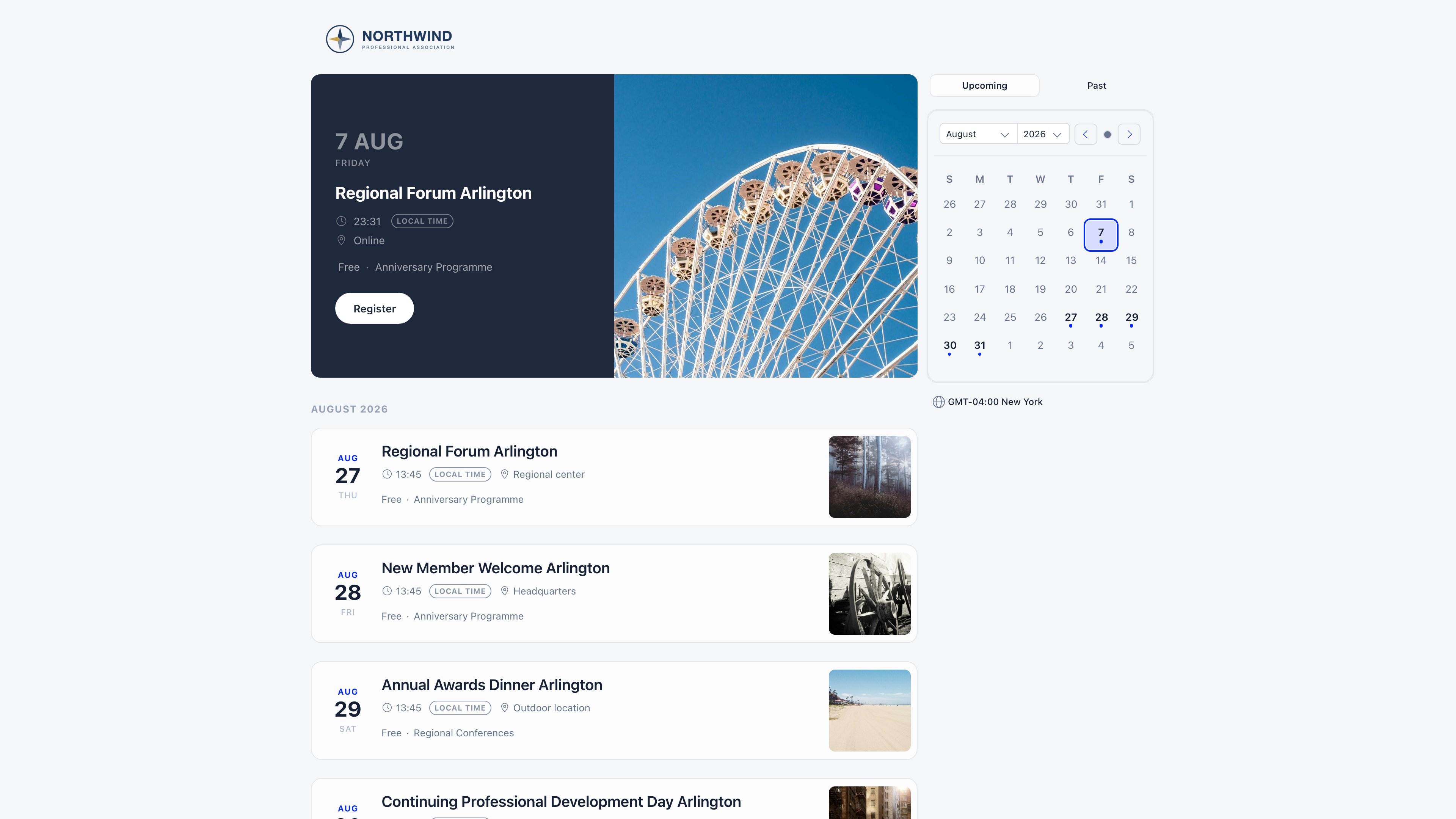
Visitors get no search box and no filters. Those controls are for signed-in members on the internal
event list.
Embedding on your own website
The directory and the agenda are both embeddable in aniframe. Adding iframe=true to the address
strips the page down for embedding: it hides your logo and the “built with Orgo.space” line, and
forces the light theme so the embed does not turn dark on a visitor whose device prefers dark mode.
If your organisation uses the built-in website, its “Upcoming events” section already embeds this
exact page for you, so you do not need to paste anything.
Embedding the agenda
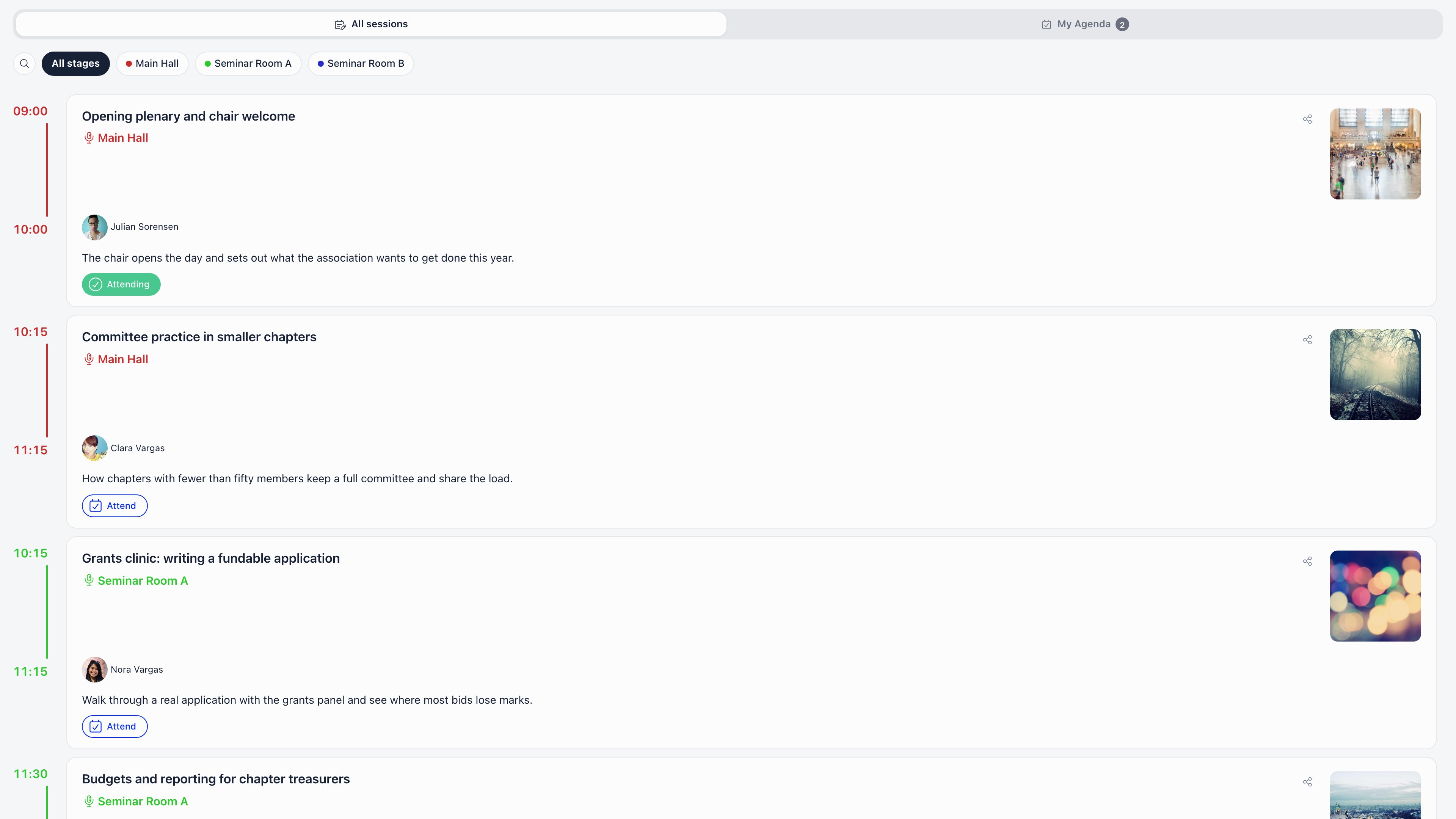
For a conference the agenda is often what people want on the website. Open the event, go to Program, and use Iframe URL. The button only appears when the event is public or ticketed. It copies an address of the formhttps://<your app domain>/public/event-agenda/<event uuid>?workspace=<your slug>&iframe=true,
ready to drop into an iframe. The embed shows the sessions grouped by day with their times, stages
and locations, and speaker cards that open a profile with the speaker’s bio and their other sessions.
The event title is hidden in embed mode so it sits under your own heading.
Print and QR codes
The public page address is a plain URL, so any QR code generator can turn it into a code for posters and flyers. Nothing in Orgo needs to be configured for that, and the code keeps working as long as the event exists. Do not confuse it with the QR code an attendee receives after registering. That one identifies the person, not the event, and is what gets scanned at check-in.Search engines
Crawling is not blocked, but do not plan a search strategy around it. The public event page is a JavaScript application whose browser tab title is your organisation name, not the event name. The only page that serves proper title, description and image tags to a machine reading the raw HTML is the short share link’s preview page, which is what makes social cards work. If search visibility matters, publish the event on your own site and link out to the Orgo page for registration.Permissions
ADMIN_TENANT satisfies all of these organisation-wide.
Related
- Public event page - what the page shows and what it never exposes
- Ticketing - tickets, pricing and checkout
- Create an event - visibility, cover image and description
- Custom domain - serving public pages from your own domain
- Check-in - the attendee QR code and scanning at the door