

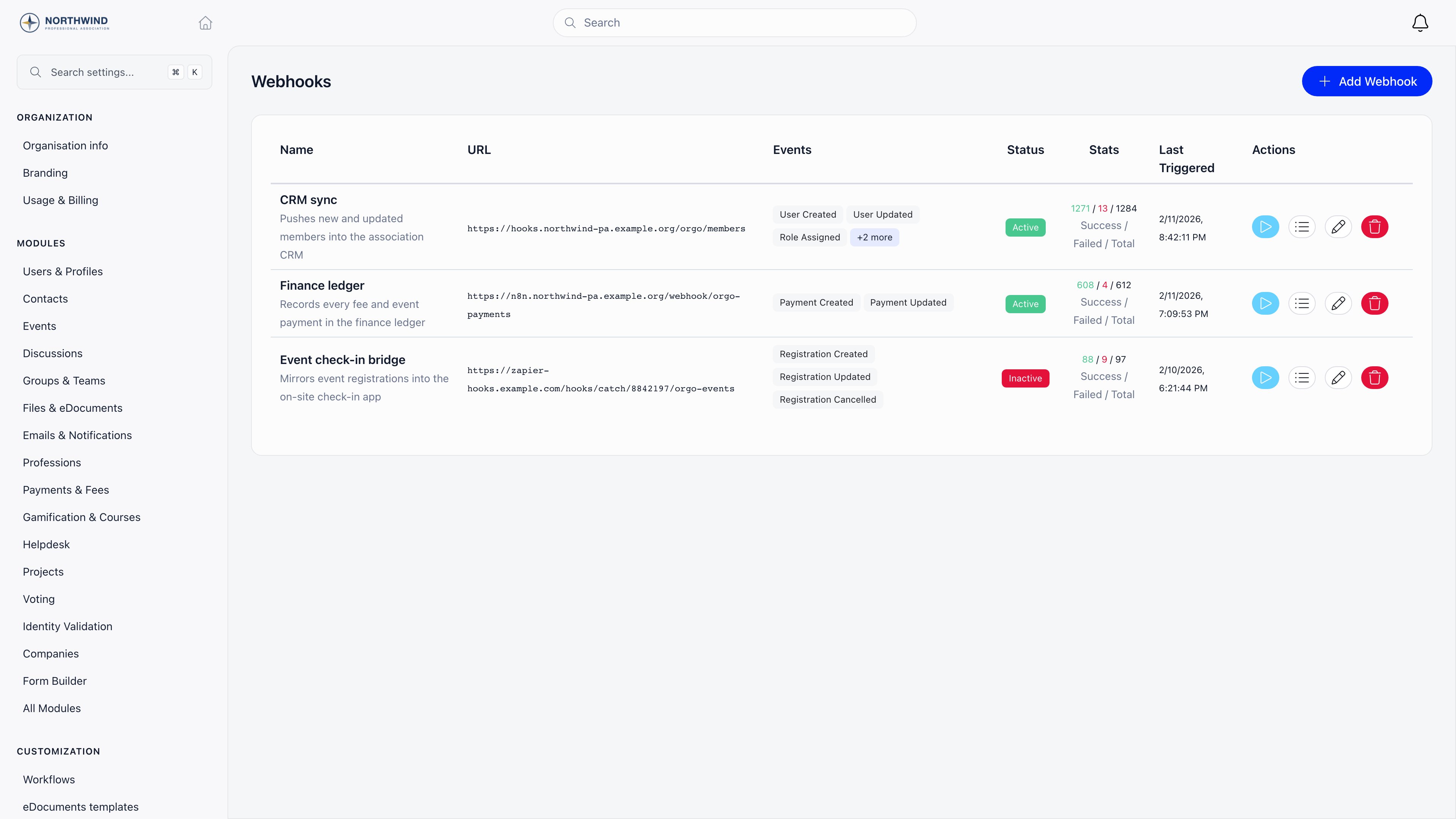
Where it lives
Settings → Developers → Webhooks Creating, editing and deleting a subscription requires ADMIN_TENANT. Testing a webhook and reading its delivery logs are available on the same page.Creating a subscription
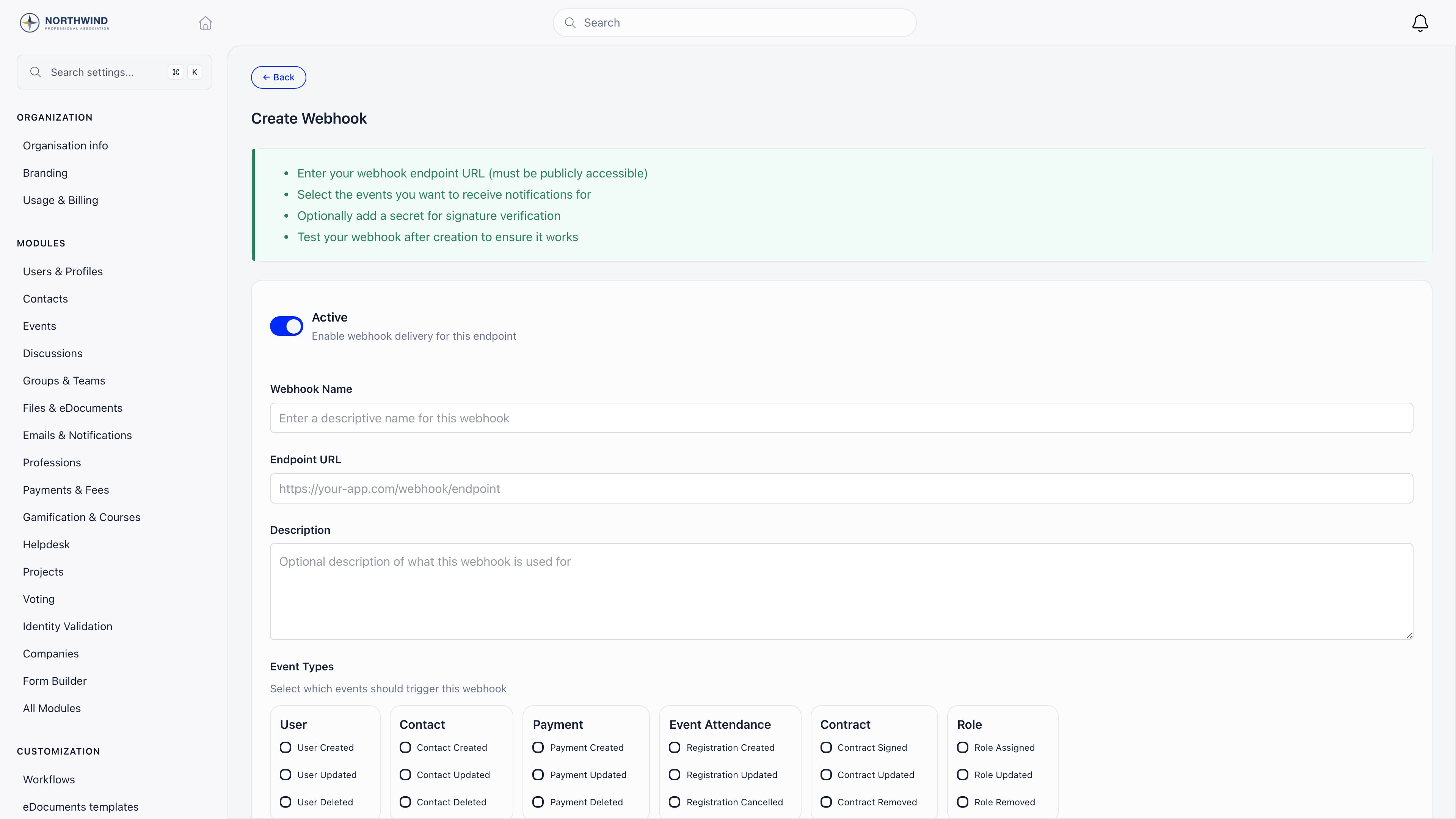
1
Name the webhook
A descriptive name: the receiving system, not the event.
2
Enter the endpoint URL
Must be
https and must resolve to a public address. A URL that resolves to a private or loopback address is rejected when you save it, and again at delivery time.3
Pick the event types
At least one. They are grouped by family (see below).
4
Save, then test
The play button on the list sends a synthetic
webhook.test delivery to the URL so you can confirm your endpoint answers before real traffic arrives.Events you can subscribe to
Eighteen events in total. Each delivery carries the full record as it stands at that moment, and update events also carry the fields that changed. Passwords, tokens and connected-account identifiers are stripped before sending.
The exact payload envelope, headers and per-event schemas are in the Webhooks reference.
Settings reference
Secret, custom headers and metadata sit behind Advanced Options on the form.
Verifying the signature
Set a Webhook Secret and every delivery to that subscription carries a signature your endpoint can check, so you can prove the request came from Orgo and not from someone who found your URL. Use a long random string, at least 32 characters, and store it in your own configuration exactly as you typed it here. The header looks like this:t is the moment Orgo signed the delivery, in Unix seconds, and repeats the value in X-Webhook-Timestamp. v1 is an HMAC-SHA256, hex encoded, over the string t, a full stop, and the request body exactly as it arrived:
1
Read the raw body before anything parses it
Sign the bytes you received. A body that has been decoded and re-encoded to JSON is a different string, and the signature will not match.
2
Split the header on the comma
Take the value after
t= and the value after v1=. Reject the delivery if the header is missing and you expect one.3
Recompute the HMAC
Concatenate
t, . and the raw body, run HMAC-SHA256 over it with your secret as the key, and hex encode the result.4
Compare in constant time
Use your language’s constant-time comparison (
hash_equals, crypto.timingSafeEqual, hmac.compare_digest), not ==. Reject the delivery if it differs.5
Reject deliveries that are too old
Compare
t against your own clock and refuse anything outside a tolerance you choose, five minutes being the usual figure. Because t is inside the signed string, nobody can change it without breaking the signature, which is what makes a captured delivery unusable later.t and a different v1, and a short window does not cause retries to fail. And because the same delivery can therefore carry different signatures, deduplicate on the payload id or on X-Webhook-Delivery, never on the signature.
Delivery and retries
Deliveries are queued, not sent inside the request that caused them, so a slow endpoint never slows down the app.- A
2xxresponse marks the delivery successful. - Anything else, a timeout or a TLS error counts as a failure and is retried until Max Retries is reached.
- Retries back off exponentially, starting around 20 seconds and capped at 10 minutes between attempts.
- Every attempt is logged, including the ones that eventually succeed.
id.
Delivery logs
The list icon on each row opens the delivery log for that subscription.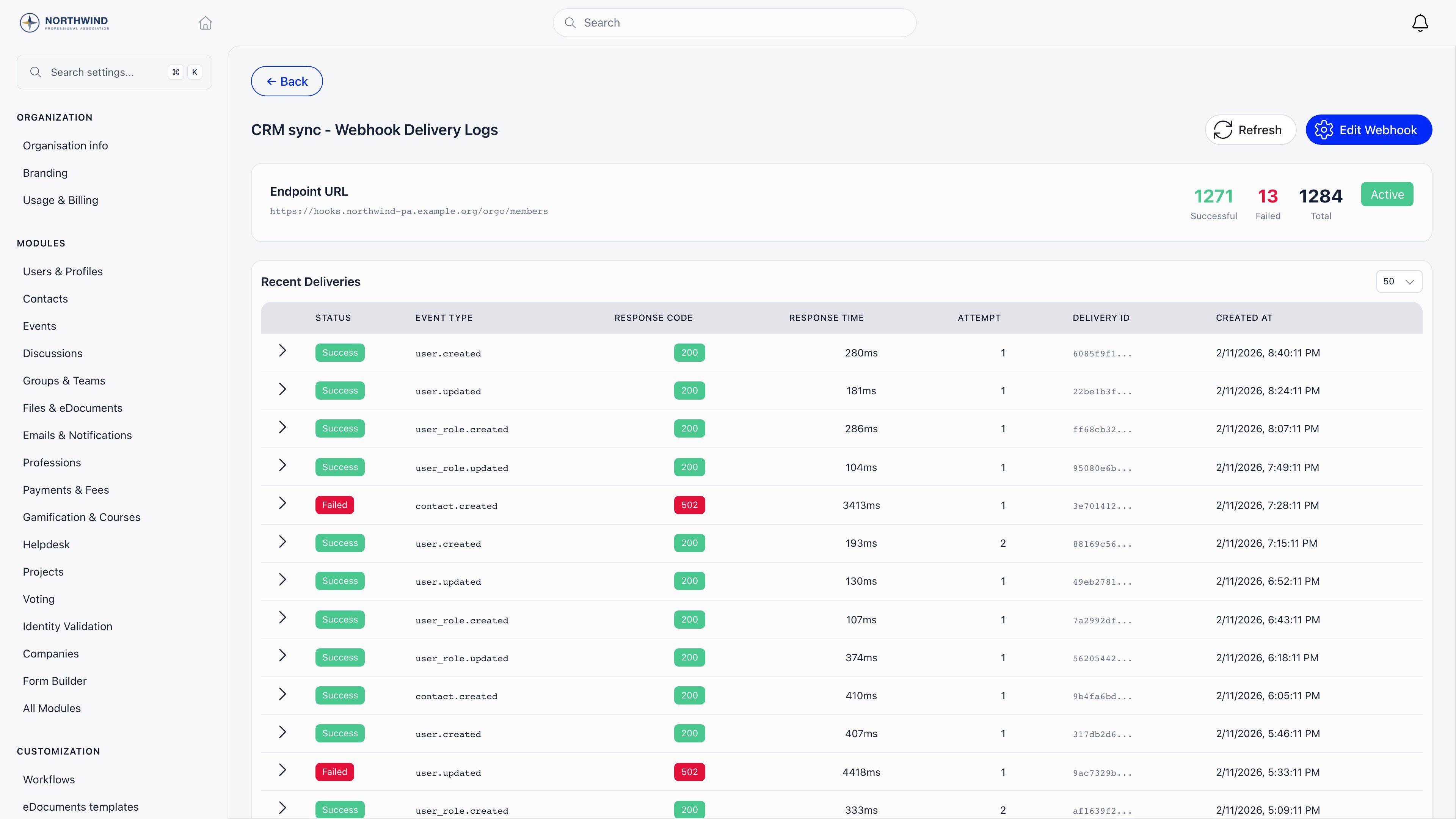
X-Webhook-Delivery, so a line in your own logs can be matched to a row here.
Troubleshooting
Saving the URL fails
Saving the URL fails
The endpoint must use
https, the hostname must resolve, and it must not point at a private or loopback address. A local tunnel with a public https hostname works; http://localhost does not.Nothing arrives
Nothing arrives
Check the subscription is active, that it is subscribed to the event you expect, and run the test delivery. If the test succeeds but real events do not appear, the action you are testing may not be one of the eighteen events above.
Deliveries show as failed with no response code
Deliveries show as failed with no response code
The request never completed: DNS, TLS or a timeout. Raise Timeout (seconds) if your handler does slow work, or better, acknowledge with
200 first and process afterwards.The same event arrives twice
The same event arrives twice
Expected. Retries and at-least-once delivery mean duplicates happen. Deduplicate on the payload
id.The signature never matches
The signature never matches
Three usual causes, in order. Your framework parsed the body before you signed it, so you are hashing re-serialised JSON instead of the bytes that arrived. You hashed the body alone instead of
<t>.<body>. Or the secret in your configuration is not character for character the one saved on the subscription, which you can settle by saving a new secret in both places at once.If you are checking a receiver written before August 2026, it is comparing the old checksum format and will never match the new header.You need an event that is not listed
You need an event that is not listed
Poll the relevant endpoint on a schedule, or build the flow in n8n. The event list is fixed.
Related
- Webhooks reference - payload envelope, headers and event schemas
- Handle webhooks - a full receiver with idempotency and replay
- API Access - tokens for pulling data the other way
- Integrations - HubSpot, n8n, analytics and SSO
- OAuth Server - sign-in for your own applications