

Turning it on
Settings → Modules → Users & Profiles → Configuration → Enable Profile Notes & Activity. It needsADMIN_TENANT and it is off
until you switch it on.
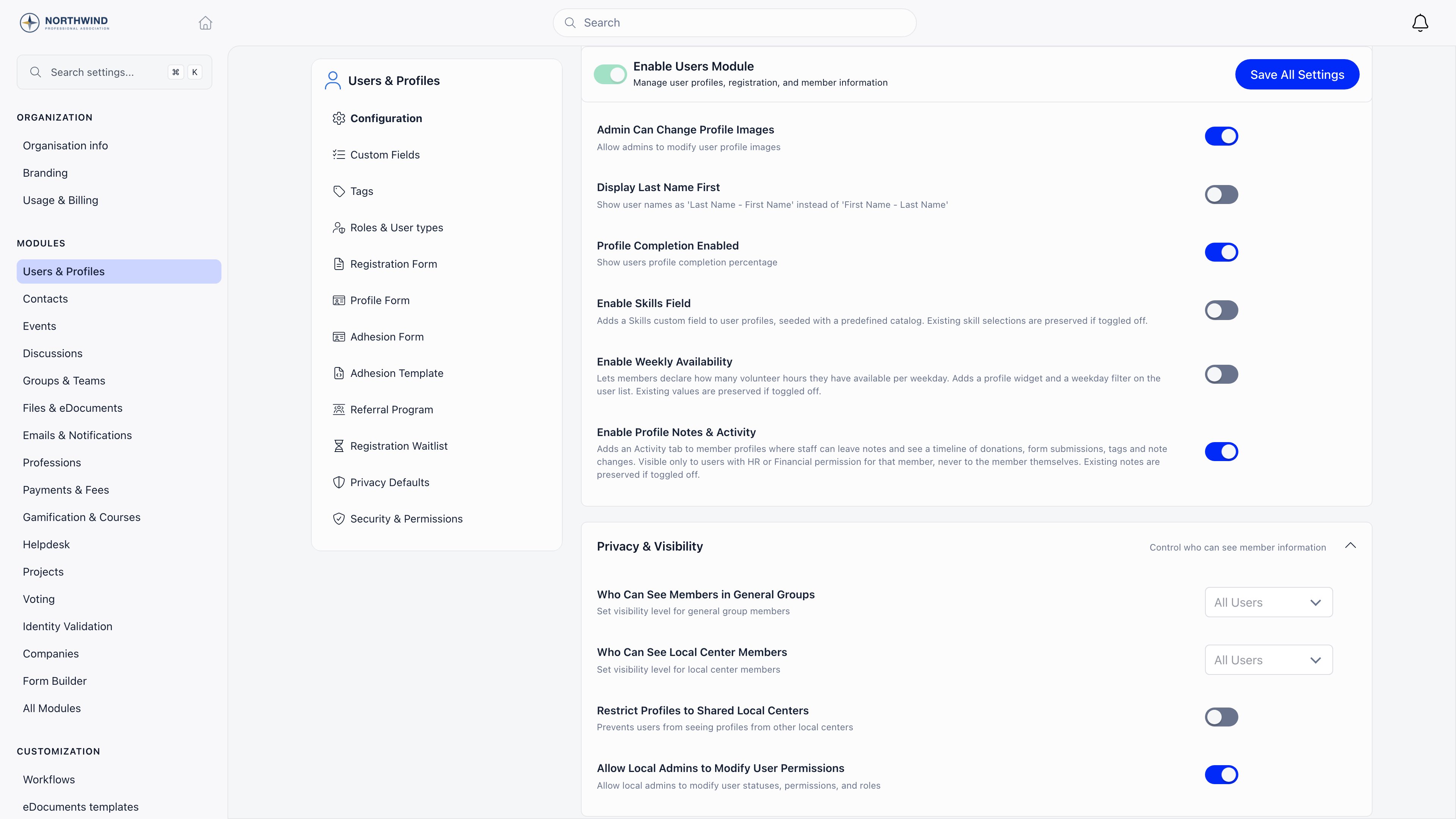
Switching it back off deletes nothing. Notes stay in the database, and they
reappear exactly as they were, with their authors and dates, when the setting
goes back on.
Who can see it
Two conditions have to hold at once: the setting is on, and you hold HR or Financial permission over the person you are looking at.ADMIN_TENANT
covers everybody. Contacts use the identical gate.
So the tabs answer different questions for different people. A chapter
secretary with
HR_LOCAL gets Activity and Forms on their own chapter’s members
and never sees the two log tabs. Someone auditing a disputed profile edit wants
Audit Logs, and only a tenant administrator has it.
More is the control at the end of the tab row. It lists the staff tabs you
can open on this profile. Choosing one shows it as the last tab in the row,
replacing any tab you chose from the menu earlier, and the menu then offers the
others. Audit Logs and Email Logs share one tab, so only one of them is open at
a time.
Where it lives
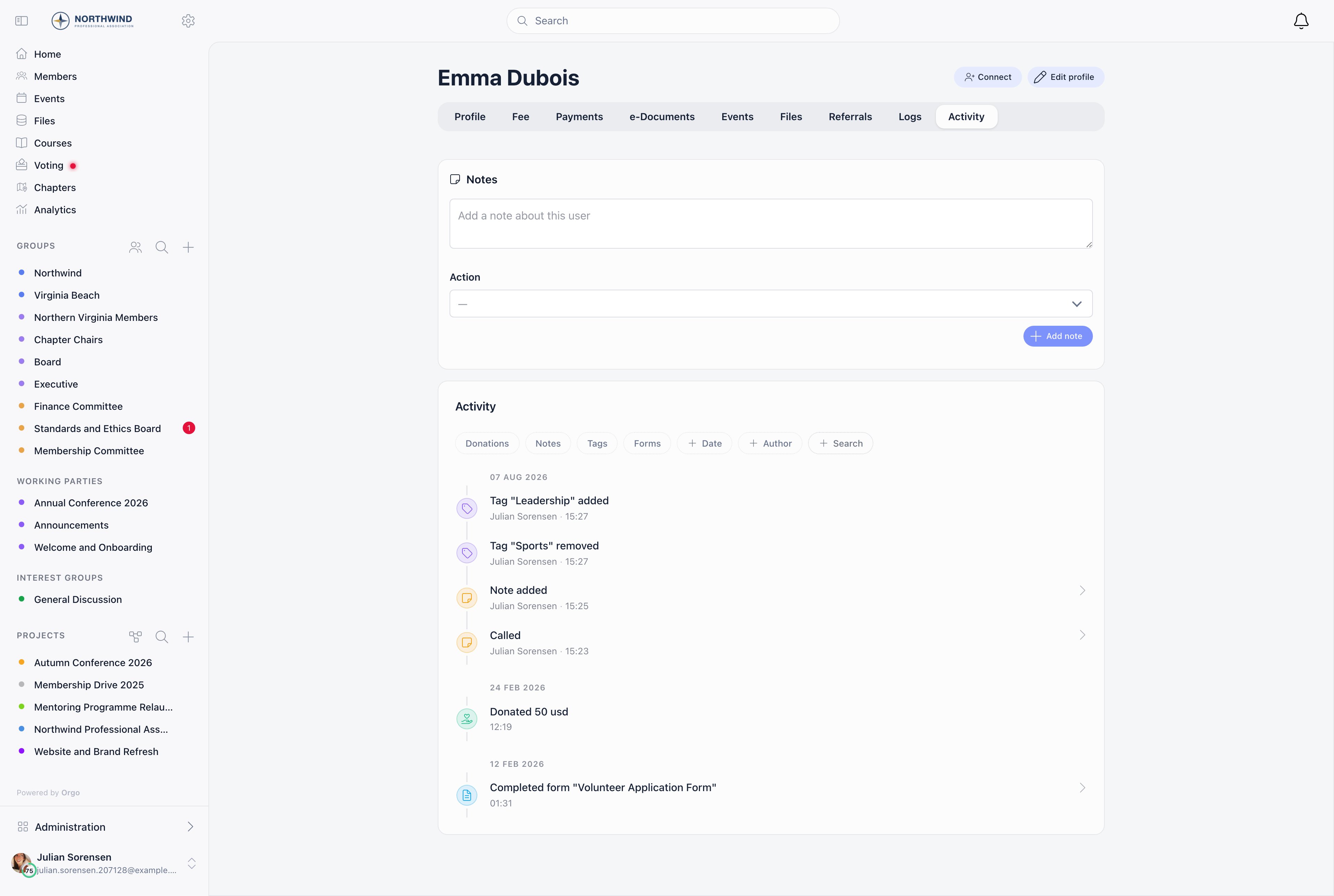
On a member profile, Activity is a tab in the tab row. The note composer sits at the top of the tab and the feed underneath it. On a contact record, there is no tab strip, so Notes and Activity are two stacked cards in the body of the record, below Tags. They behave the same way.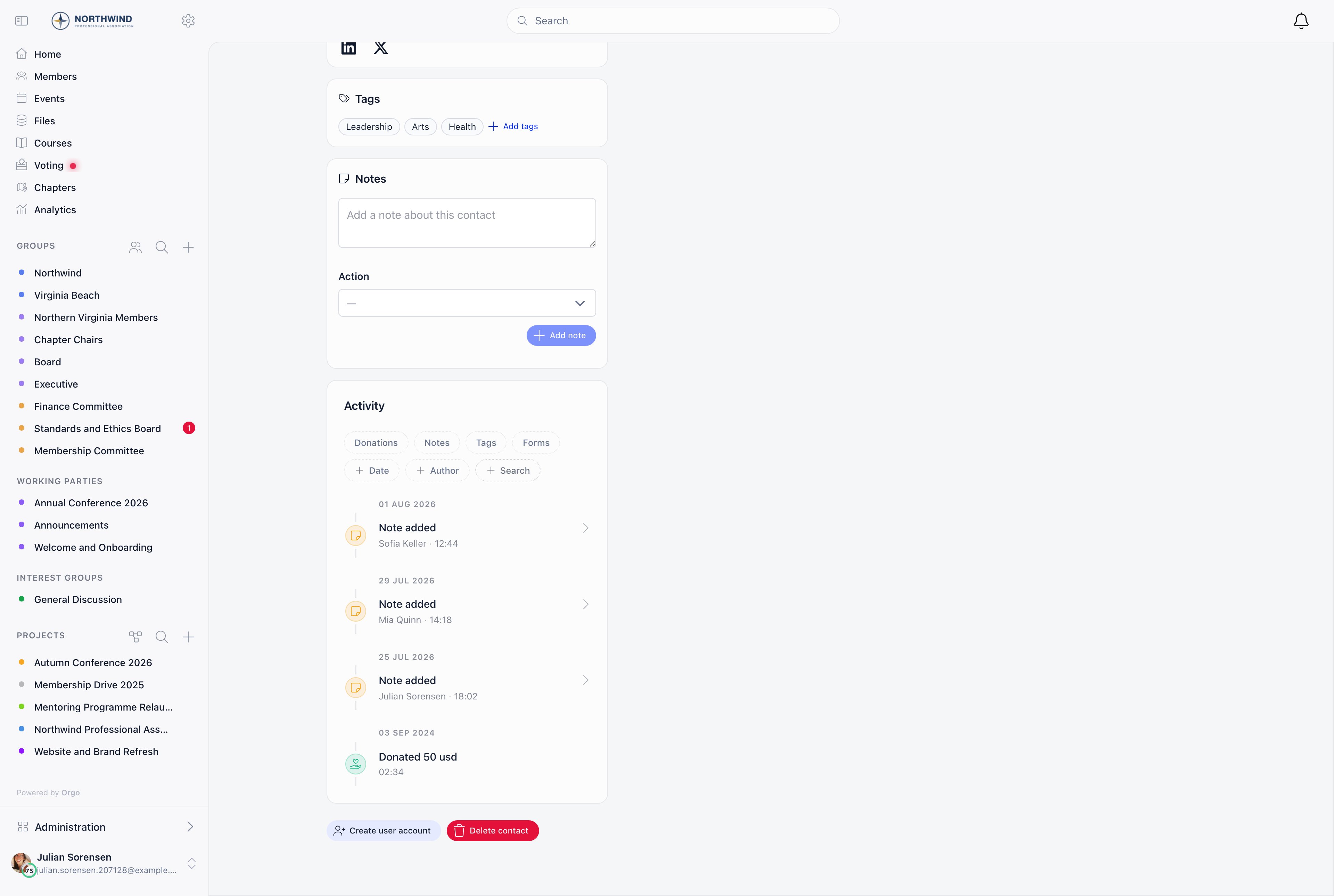
What appears in the feed
Four kinds of entry, merged into one list, newest first.
A fifth row appears once a note is deleted: Note removed, recording that
something was there. It carries no text and it does not open, because the text
is gone.
Donations and form submissions never carry an author, because they are things
the person did rather than things somebody did to their record. Tag changes are
recorded wherever a tag is added or removed through the app, which includes
workflow automations and the public newsletter signup form. Nobody is signed in
for those, so they appear with no author name against them. Bulk CSV imports
write tag links directly and produce no entry at all.
What never appears
Profile field edits are deliberately absent. Somebody changing a member’s email address or town writes nothing to Activity. Those belong in the Activity Log, which stores the old value beside the new one, and they are reachable from the Audit Logs tab on the same profile. Also absent, and not planned for this feed: fees and any payment that is not a donation, event registrations, emails sent or received, logins, e-documents, roles, permission changes, custom field changes and badges. Payments have the Payments tab, emails have the Email Logs tab and the email log, and everything else with an audit trail is in Audit Logs.Notes
Writing one
Type into the composer at the top of the tab, or the Notes card on a contact, and press Add note. A note is capped at 512 characters, and an empty or whitespace-only note is refused. The optional Action select marks what the note records: Called or Emailed. Leave it blank for a plain note. When it is set, the feed shows the action as the entry’s label and as a badge on the note itself, so a run of calls is readable at a glance without opening anything.Reading, editing and deleting
The composer only writes. Everything else happens in the feed: click a note entry and it opens in a modal with the full text, the action badge, the author and the time.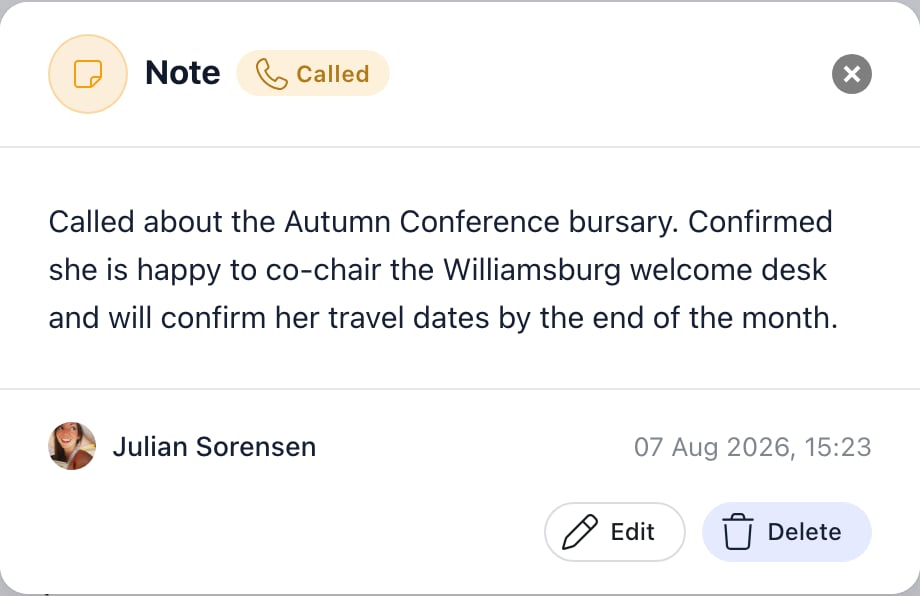
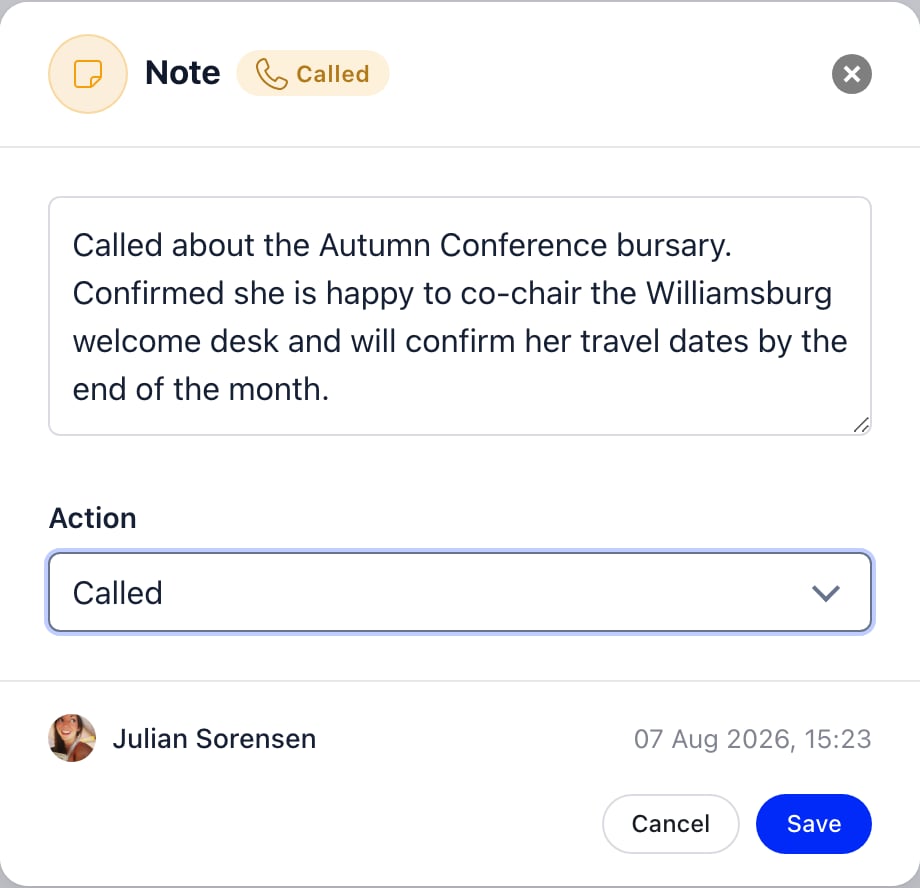
ADMIN_TENANT, and to nobody else. A colleague with the same HR permission can
read a note you wrote but cannot change or remove it.
Notes that existed before this feature keep their original date and appear in
the feed at that point in time. Contact notes carried over from the older
single-box field have no author recorded, so only an
ADMIN_TENANT can edit or
delete those.Opening a form submission
Clicking a Completed form entry opens the whole submission, read-only. Every field on the form is shown, including the ones the person left blank, so you can see what was asked as well as what was answered.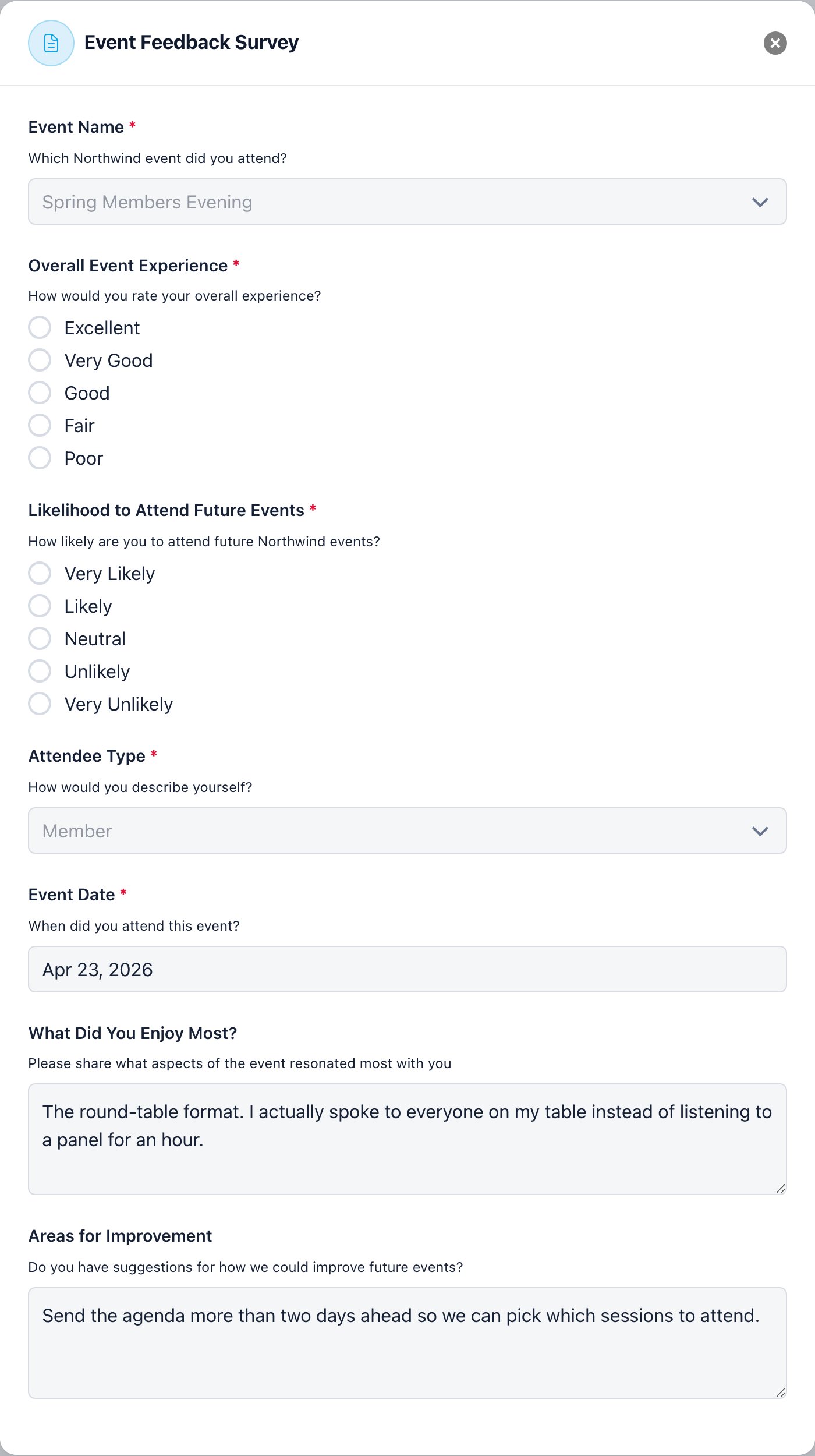
Filtering and searching
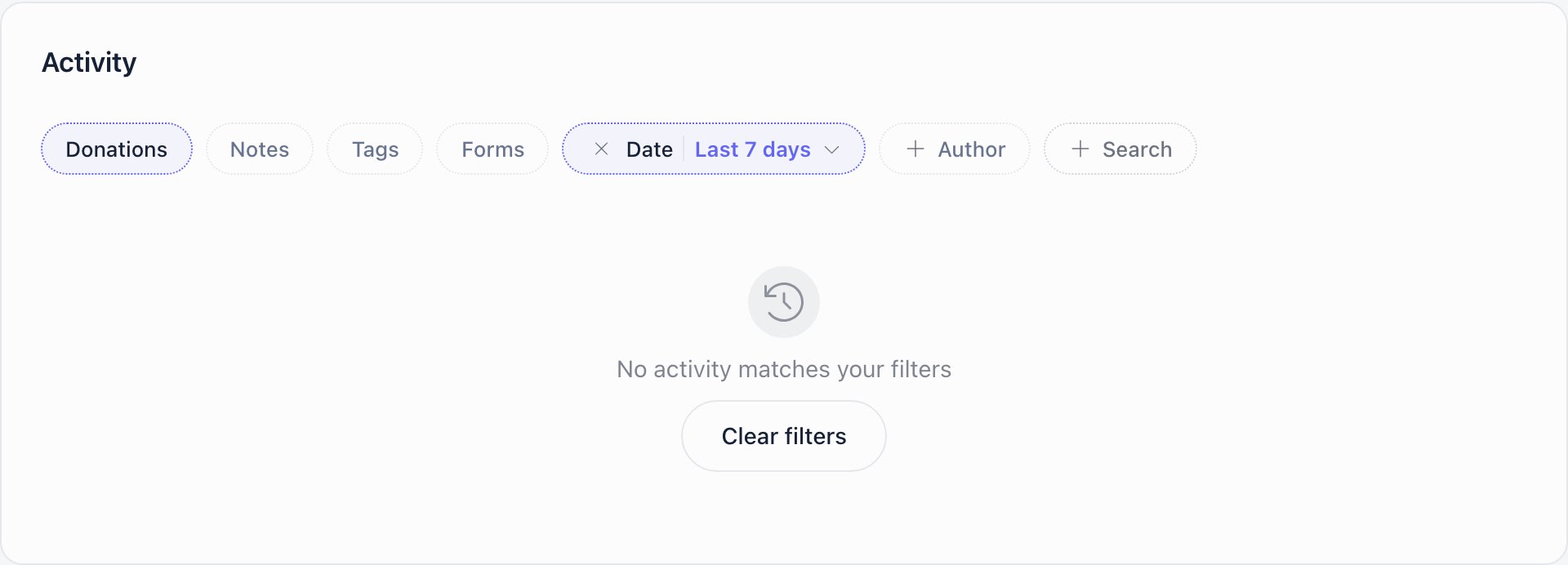
The chips above the feed narrow it. They combine, and they all apply at once.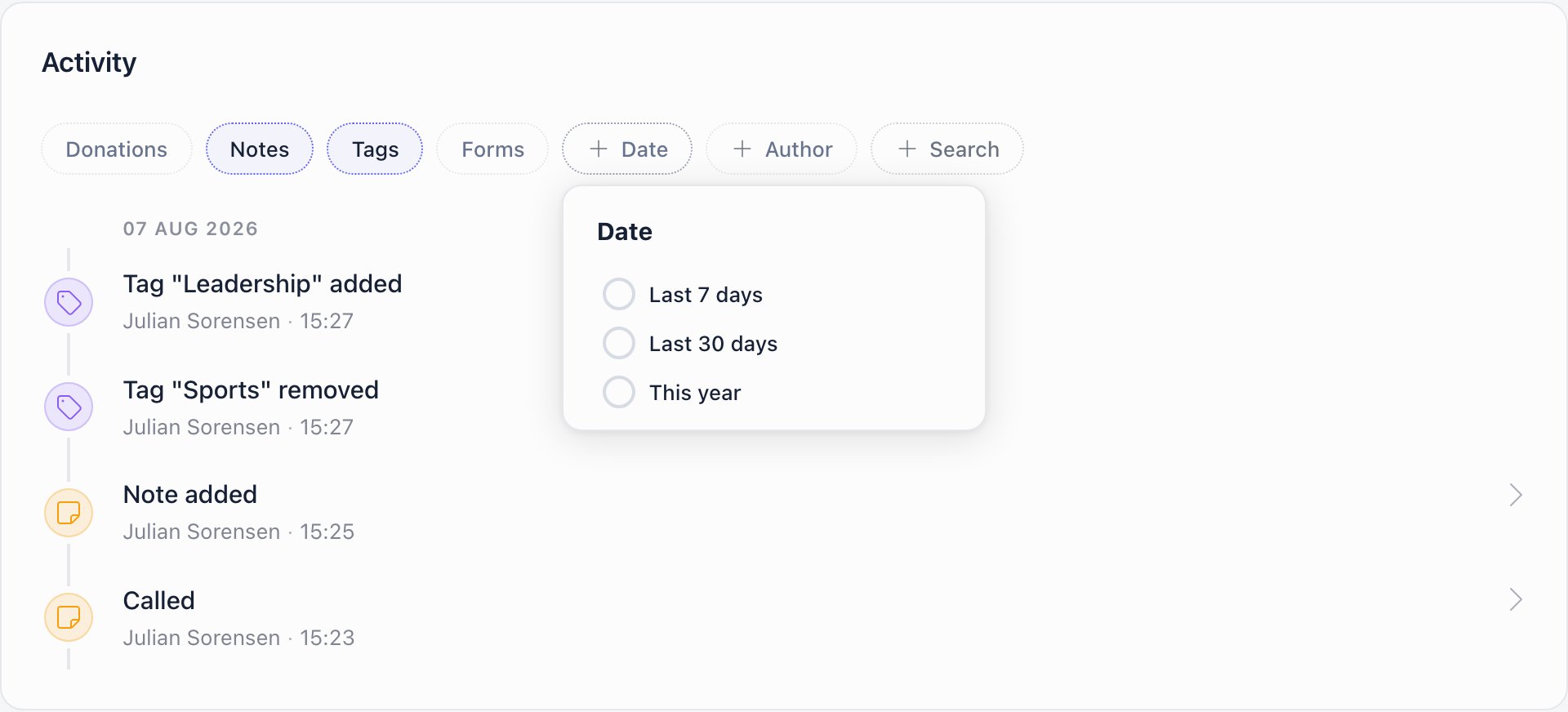
Reading the feed
Entries are grouped under a day heading, in reverse date order, and each row shows its own time under the label. Days with nothing in them are skipped, so a quiet year collapses to a handful of headings. The feed loads 40 entries at a time. When there are more, a Load more button appears at the bottom and adds the next 40 below what you are already looking at. Filters apply to the whole feed, not to the page on screen, so narrowing by type or date searches everything and not only the first 40 rows.Forms, Audit Logs and Email Logs
Forms
The Forms tab lists every form the person has submitted, newest first, ten to a page. It is the same list as the form entries in the Activity feed, without the notes and donations around it, so it is the quickest way to find one submission.
Clicking a row opens the answers, read-only, in the same window the Activity
feed uses, so the warning above about who can read
answers applies here too. An empty list reads “No forms submitted”. The list is
for staff only: a member without
HR_LOCAL or FINANCIAL_LOCAL gets no Forms
tab, not even on their own profile. It does not depend on the Enable Profile
Notes & Activity setting.
Audit Logs
Audit Logs is the per-member view of the organisation’s Activity Log: every recorded change to this profile, newest first, twenty to a page. It needsADMIN_TENANT.
Click a row to see what changed. The window lists each Field with its
Value before and Value after, so you can read an edit as old value next
to new value. If an entry recorded no values it says “No details available”. A
change to the personal identification number opens its own view, and only
HR_TENANT or FINANCIAL_TENANT can reveal the stored value there.
The search box above the table, Search action, details or author, narrows
the list on the server. It looks in three places: the action, the recorded
details (which include the before and after values, so you can search for an old
email address or town), and the first and last name of the author. Type at least
two characters; the list updates a moment after you stop typing, and the page
returns to the first page. The search only ever narrows what this member’s list
already shows. With no match the tab says “No logs match this search”; with no
entries at all it says “No logs available”.
Email Logs
Email Logs lists the emails Orgo sent to this person, the same entries as the organisation-wide email log narrowed to one member. It needsADMIN_TENANT. Its search box, Search subject or content,
matches the subject and the body of each email, again from two characters, and
narrows the member’s list only. The same search box is on the organisation-wide
email log page.
Common questions
The Activity tab is not there
The Activity tab is not there
Two gates, and both have to pass. First, Enable Profile Notes & Activity
under Settings → Modules → Users & Profiles →
Configuration. It is off by default, and a tenant administrator has to
switch it on once for the whole organisation.Second, your permission over the person you are looking at:
HR_LOCAL or
FINANCIAL_LOCAL on their chapter, or ADMIN_TENANT. EVENT_LOCAL,
COMMUNICATION_LOCAL and ADMIN_LOCAL on their own are not enough.Do not use the Audit Logs tab as a guide. That one asks for
ADMIN_TENANT and nothing else, so seeing Audit Logs but not Activity means
the setting is off, and seeing Activity but not Audit Logs is entirely normal
for a chapter administrator.Where are the Forms, Audit Logs and Email Logs tabs?
Where are the Forms, Audit Logs and Email Logs tabs?
Open More at the end of the profile’s tab row. Forms appears for staff with
HR_LOCAL or FINANCIAL_LOCAL over the person, Audit Logs and Email Logs for
ADMIN_TENANT. Picking one shows it as the last tab in the row; Audit Logs and
Email Logs take turns in the same tab.How do I find which change altered a member's email address?
How do I find which change altered a member's email address?
Open More → Audit Logs on the member’s profile and type the old or the
new address into Search action, details or author. Open the matching row
and read the Field, Value before and Value after table. The
Author column says who made the change.
How do I find an email we sent a member?
How do I find an email we sent a member?
Open More → Email Logs on the profile and type a word from the subject
or the message into Search subject or content. Two characters are enough
to start the search.
I can see notes colleagues wrote about me
I can see notes colleagues wrote about me
That is how it works, not a fault. The tab appears on every profile you hold
HR or Financial permission over, and your own profile is one of them.The setting’s help text claims the feature is never visible to the member
themselves. That holds for ordinary members, who have no HR or Financial
permission and get no tab. It does not hold for staff. Brief your team on
that before you switch the feature on, and keep anything sensitive about a
colleague out of the notes field.
A note was deleted and there is still a row for it
A note was deleted and there is still a row for it
Deleting a note leaves a Note removed entry in its place, with the time
and the person who removed it, but no text: the text is gone rather than
hidden, and the row does not open.The deletion is also written to the Activity Log as a
remove action, so a tenant administrator can see it there alongside
everything else that happened that day. Neither record brings the text back,
so treat deletion as final.
Related
- Member Profile - the profile the Activity tab sits on
- Members - the member directory
- Contacts - the same notes and feed on a contact record
- Activity Log - profile field edits, with before and after values
- Permissions - the HR and Financial permissions named here
- Forms - the module that owns the submissions this feed links to
- Donations - where the donation entries come from