

Turning them on
Settings → Payments & Fees → Membership fees → Pricing Options. RequiresADMIN_TENANT.
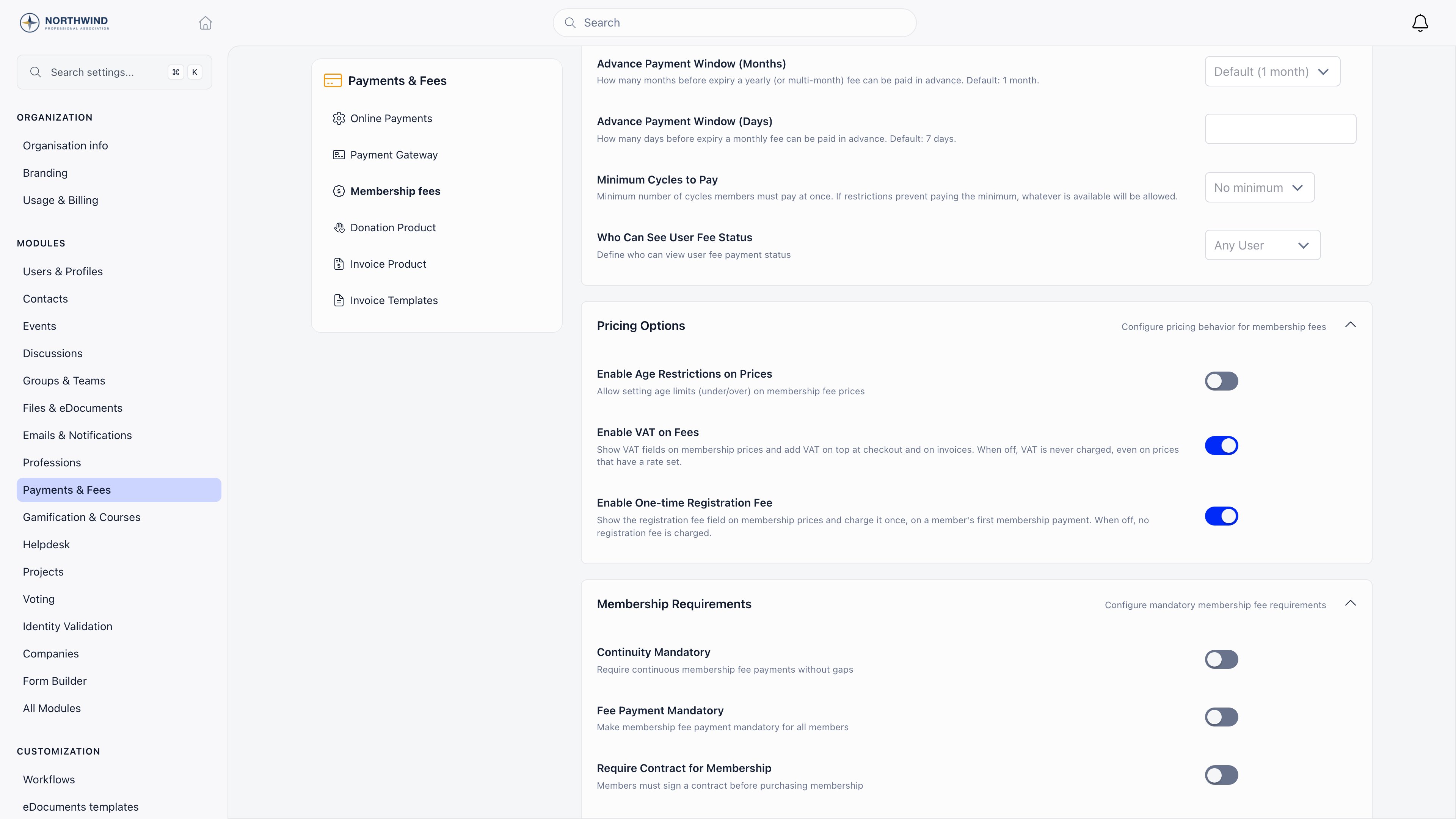
Setting a rate per membership level
Once VAT is on, each membership price on a fee product gains a VAT block:- VAT exempt (not taxable): the level carries no VAT and is excluded from the taxable base.
- VAT rate (%): used when the level is not exempt. Decimal rates are stored as written, so 13.5 or 19.6 are fine.
VAT is added on top
Orgo uses the exclusive model everywhere. The price you type is the net amount, and VAT is calculated on top of it:The one-time registration fee
The registration fee is a joining fee: it is a field on the membership level, and it is charged once per member, on their first membership payment. The field carries the note “Charged once, on the member’s first membership payment. Leave empty for no registration fee.”“First payment” means the member has never had a membership validity date. A
member who paid once and then lapsed for years counts as a returning member and
is never charged the registration fee again. There is no way to re-arm it for an
individual short of clearing their membership history.
- It is only available on organisation-level fee products. A local center fee product does not show the field.
- It has its own VAT treatment, set independently of the price VAT. Those controls appear only once you have entered a registration fee amount, and only when Enable VAT on Fees is also on.
- It is recorded as its own payment row and appears as its own invoice line, so reports separate joining income from recurring dues. It rides on the same card charge as the first membership payment, but it stays a separate row: Refund in Orgo returns only the row you act on, so refunding the membership does not return the joining fee. Refund both rows, or refund the whole charge in the Stripe Dashboard, which marks both refunded in Orgo.
- It buys no membership time. Only the membership portion extends the member’s validity date.
What the member is charged
At checkout the member sees one total built from up to five parts:
The membership summary card, the fee cards and the card payment panel all
compute this the same way, so the amount on the button matches the amount on the
card form.
VAT on an invoice
Membership invoices carry VAT per line, not once for the document. Each line stores either a rate or an exempt flag at the moment the invoice is created, so a historical invoice keeps the treatment that was correct on the day it was raised. Changing a price or a template later never rewrites an issued invoice. The invoice shows a VAT column per line, then a totals block with Subtotal, one VAT row per distinct rate (labelled with the rate and the base it was applied to), Total and Amount due. Line amounts and VAT are rounded to two decimals. When at least one line is exempt, the invoice prints the VAT exemption note, which is the free-text wording that states the legal basis for the exemption.The exemption note is stored on the invoice template and copied onto invoices
Orgo generates itself for membership fee payments. It is not copied onto
invoices you raise by hand, and there is no field for it in the invoice template
form or the invoice form. It can only be set through the API, on the template
(for automatic invoices) or on the individual invoice. If you need it on your
documents, ask support to set it for you.
Tax on manual invoices
Manual invoices take their tax from the invoice template rather than from a membership price. Settings → Payments & Fees → Invoice templates,ADMIN_TENANT.
The template’s tax name and rate are copied onto an invoice when it is created
from that template. Create one template per tax treatment and issue each
invoice from the one that matches it.
Your organisation’s VAT number
The VAT identification number printed in the issuer block of every invoice comes from Settings → Organisation info → VAT Number. It is a display field: Orgo does not validate it and does not use it to decide whether VAT applies.Related
- Membership Fees for collecting and tracking dues
- Products for the fee products and price levels these settings live on
- Renewals for what happens when a membership expires
- Invoices for numbering, templates and delivery
- Stripe Integration for card payments and payouts