

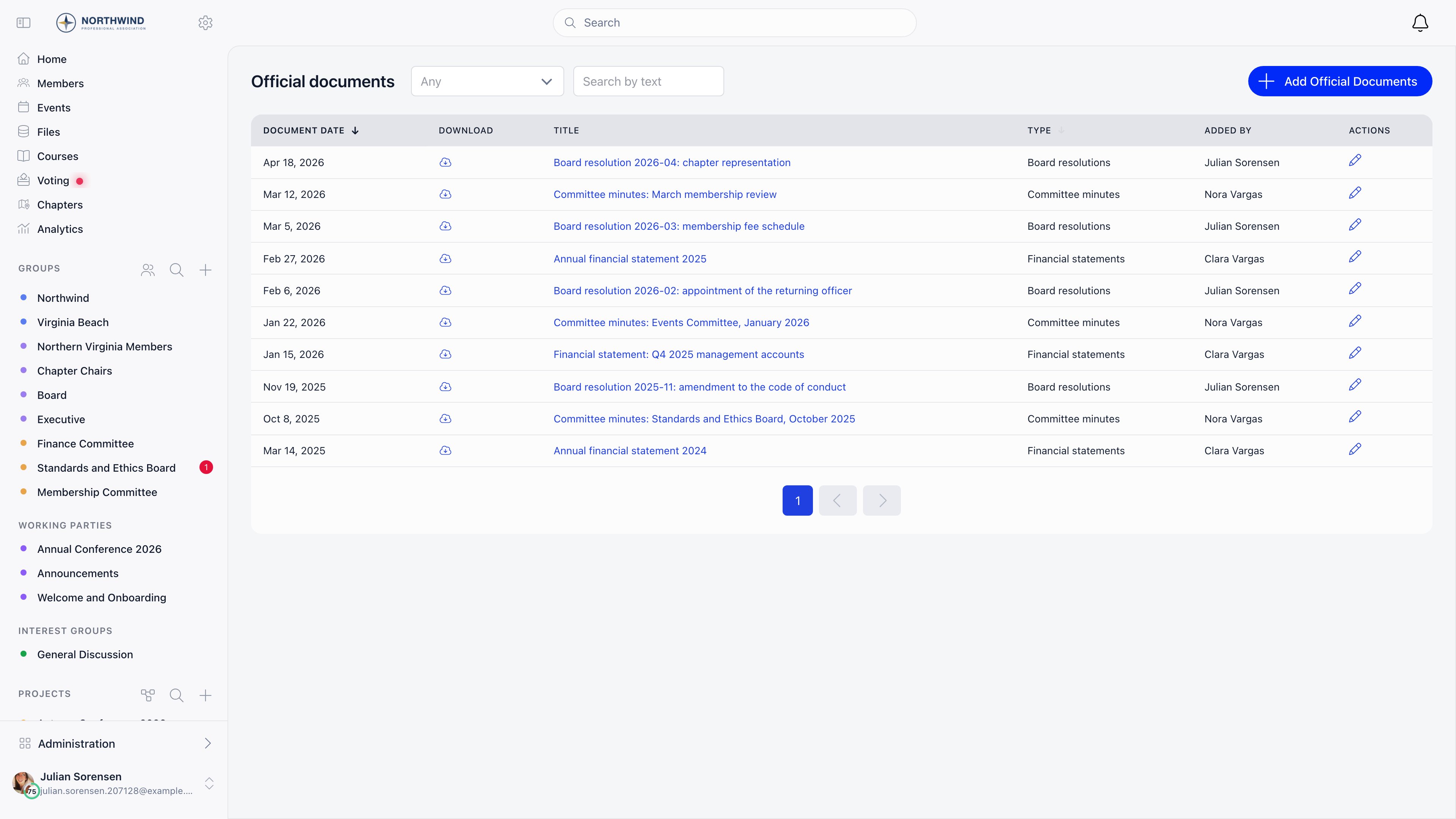
The feature is called Official Gazette in Settings. In the member menu and on the page itself the English label is Official documents. Both refer to the same register.
Turning it on
Settings → Modules → Files & eDocuments → Official Gazette → Enable Official Gazette Module The toggle requiresADMIN_TENANT and is off by default. Once it is on, Official documents appears in the sidebar under Organization.
Who can do what
ADMIN_TENANT includes all of these.
Document types
Every entry must be given a type, chosen from a list your organization already has (“Decision”, “Resolution”, “Minutes”, or whatever your statutes use). Types are reference data: they are read only in the app, so there is no screen for adding or renaming one. If you need a new type, ask Orgo support to add it.Adding an entry
Official documents → Add Official Documents The record is created first and the file is uploaded afterwards. The form says so: “You will be able to upload the file after you create the record”. Saving takes you straight to the edit screen where the upload button appears.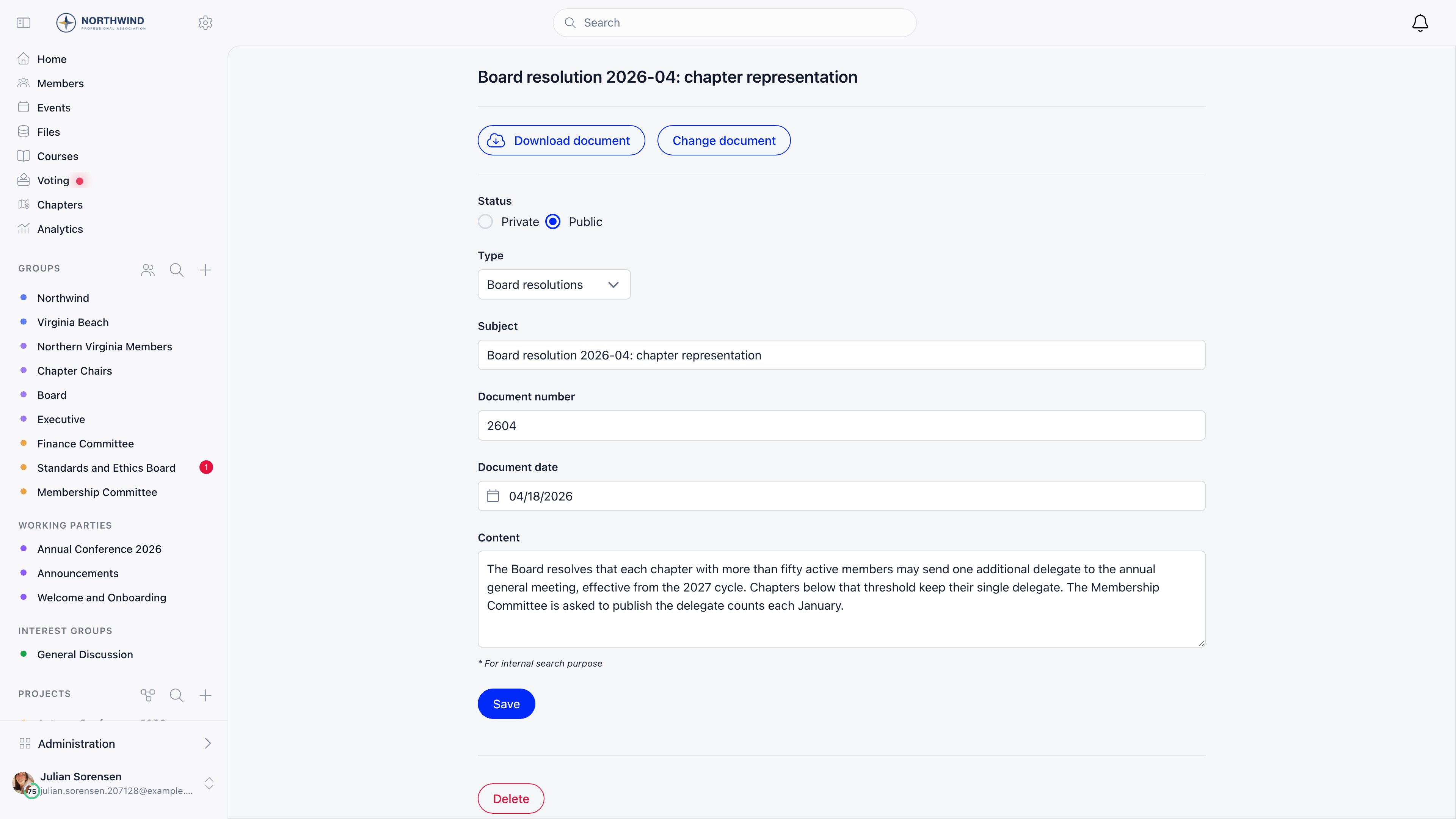
Numbering is yours to define. Orgo stores the number you type and never generates one, so an entry with no number simply shows none.
Finding an entry
The list opens newest first, by document date. Sort by Document date or Type by clicking the column header.
Searching matches anywhere inside the field, so “budget” finds “2025 budget approval”.
Editing and deleting
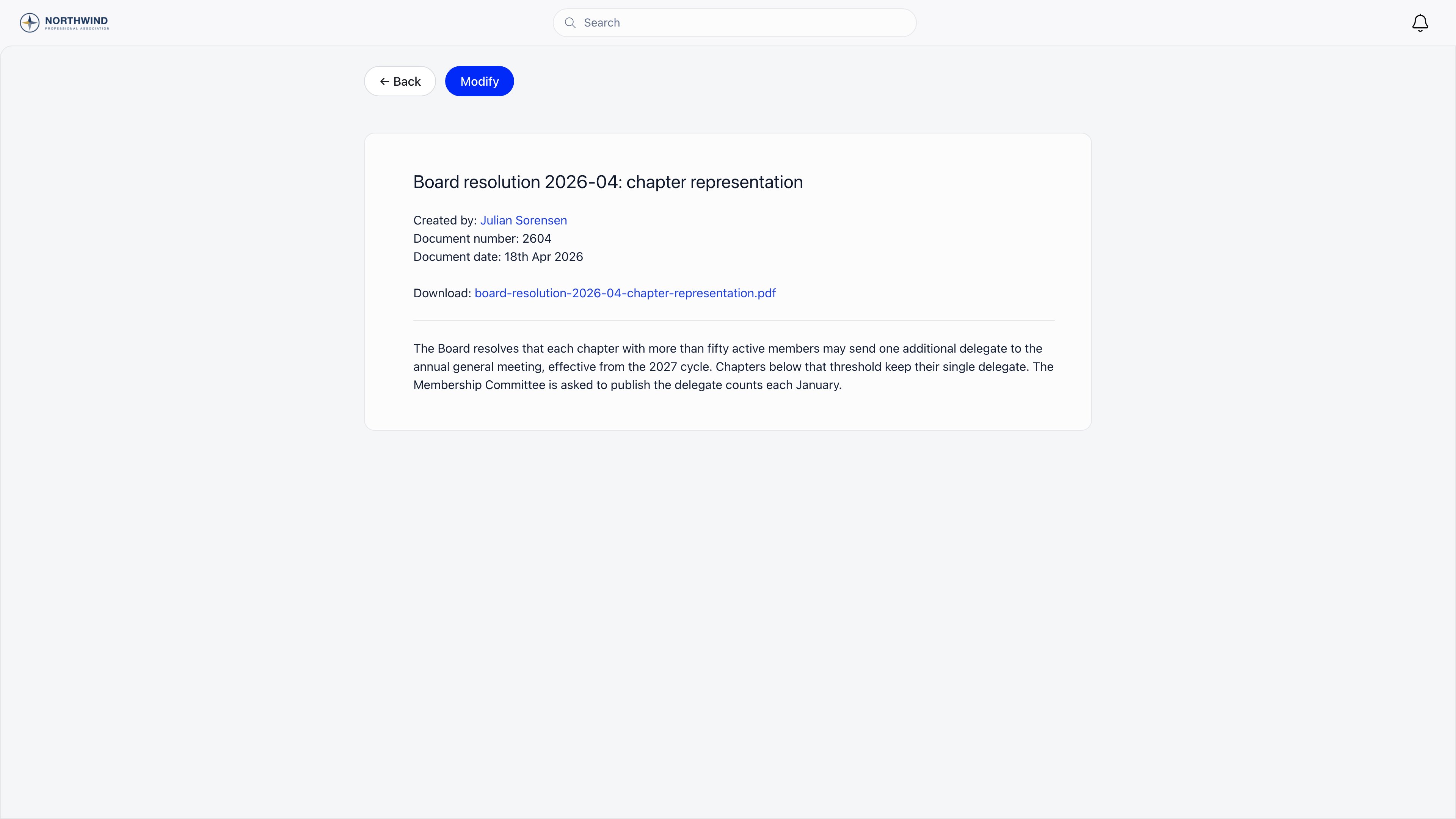
Open an entry and choose Modify, or use the pencil in the list’s Actions column. Every field including the attached file can be changed, and there is no version history: an edit overwrites what was there. Deleting an entry from the edit screen also deletes its attached file. Nothing is archived and nothing is recoverable from the app afterwards.For a correction that has to stay auditable, publish a second entry that references the first rather than editing the original. The register has no built in amendment link, so say it in the subject: “Correction to Decision 14/2025”.
Common questions
I can see the edit pencil but opening it sends me to the login screen
I can see the edit pencil but opening it sends me to the login screen
The edit screen requires
HR_TENANT. The pencil is also shown to the member who created the entry, so someone who added an entry before losing that permission still sees the icon without being able to use it. Ask an administrator to make the change.The type dropdown is empty
The type dropdown is empty
Your organization has no document types yet, and they cannot be created from the app. Contact Orgo support with the list of types your statutes use.
Members are not told when something is published
Members are not told when something is published
Publishing an entry sends nothing. There is no notification, email or digest tied to the register. Announce new entries through a newsletter or a discussion post and link to them.
Should meeting minutes go here or in Files?
Should meeting minutes go here or in Files?
Use the register for documents that need a date, a number and a permanent public record inside the organization. Use Files for working documents, drafts and anything you want scoped to a single group.
Related
- Files - document storage with folder and group level permissions
- Contracts - documents that members sign
- Organizational Chart - the officers who take these decisions
- E-Voting - the votes behind a decision
- Newsletter - announcing a new entry to members