

Turn it on
Settings → Modules → Events → Reporting & Analytics. Changing these requiresADMIN_TENANT.
Either setting is enough on its own: the app checks for one or the other.
The module list also shows National Annual Report. Nothing in the product reads that
setting. The per-local-centre report described on this page is the only annual report
Orgo generates.
Mark the events to include
An event appears in the report only if someone ticks Add to annual report on the event’s Report screen. There is no automatic inclusion and no bulk action for it, so this is the step that decides what the report contains.Generate the report
1
Open the local centre
Go to the local centre page. Its actions list includes Annual report.
2
Choose the period
Pick a Report begin date and a Report end date. Any range works, not just a
calendar year: a season, a quarter or a mandate period is equally valid.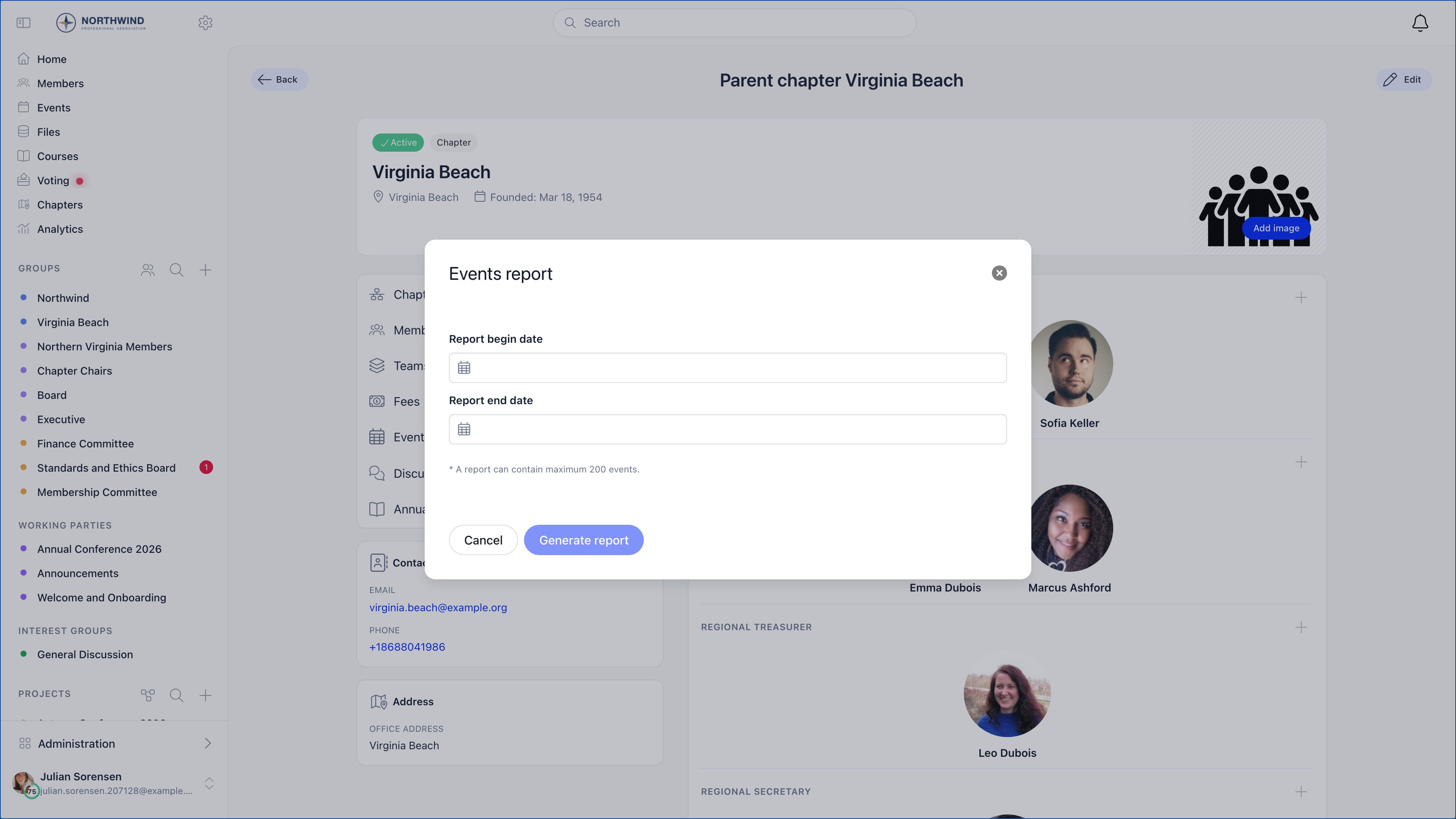
3
Generate
Press Generate report. The report opens in a new browser tab, without the app
sidebar and navigation, so the page is ready to print as it stands.
4
Print or save
Press Print as PDF at the top. That opens your browser’s print dialog, where you can
print or choose “Save as PDF”. Background colours and images are forced on for printing.
What goes in
An event is included when all of these are true:- it is ticked Add to annual report;
- its start date falls inside the range you chose;
- it is hosted by the local centre itself or by one of that centre’s active groups;
- it is published, or it is your own draft (drafts belonging to other people are never listed);
- it is a top-level event, not a sub-event of an agenda.
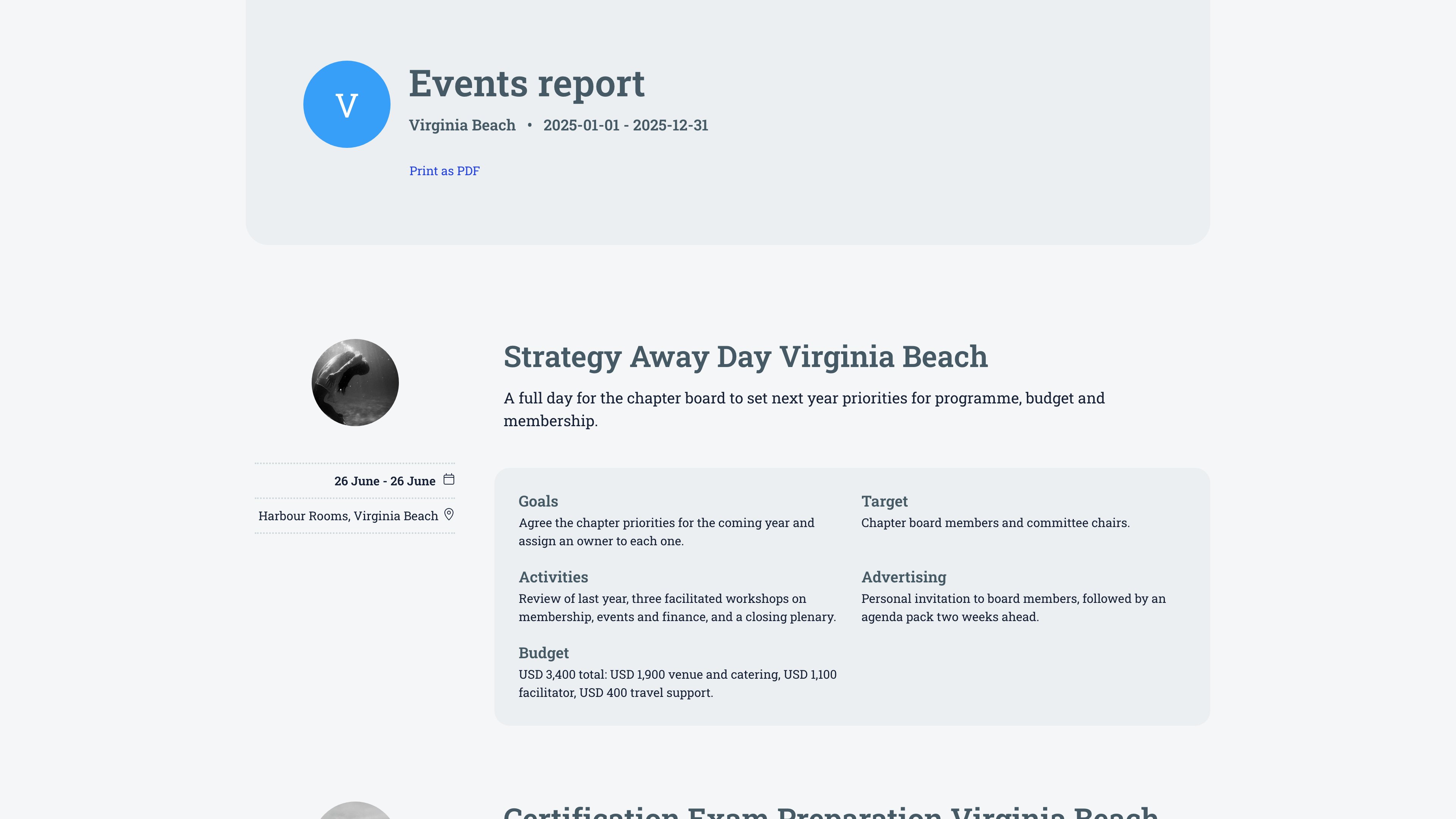
A field containing only a dash is skipped, so importing placeholder dashes will not produce
empty headings.
Gallery items are rendered as images. Videos and documents attached to an event will not
display correctly in the printed report, so keep the gallery to photos for the events you
intend to report on.
What it does not include
The report is a qualitative compilation, not a statistics pack. Verify this against your expectations before promising numbers to a board:- No totals or averages. There is no count of events, no total attendance, no attendance rate, no unique attendees.
- No charts and no year on year comparison.
- No breakdown by event type, group, SDG or volunteer hours.
- No CSV or data export. The only output is the printable page.
- No organisation-wide roll-up. One report covers one local centre. For a whole organisation, generate one per centre.
Common questions
An event is missing from the report
An event is missing from the report
Check the four conditions in order: the Add to annual report checkbox is ticked, the
start date is inside the range, the event is hosted by this local centre or one of its
active groups, and the event is published. A draft belonging to someone else will not
appear even when it is ticked.
The page says there are no events for this year
The page says there are no events for this year
That message means the filter returned nothing. Widen the dates first, then confirm that
at least one event of that centre carries the annual report tick.
Can I edit the layout or add a cover page?
Can I edit the layout or add a cover page?
Not in the app. The report prints as it renders. If you need a cover, an introduction or
a different order, print to PDF and assemble the final document outside Orgo.
Can I run one report across all local centres?
Can I run one report across all local centres?
No. The report is generated from a local centre page and is scoped to that centre and its
groups.
Related
- Event Reports: the per-event text this report compiles
- Analytics: counted attendance, capacity and revenue per event
- Local Groups: local centres and their groups
- Events Overview: module settings and the event lifecycle