

/event-app/ address, is built mobile first, and gives everyone registered for the event a single place to see the agenda, read announcements, find other attendees, book meetings, vote and show their badge at the door.
Built for conferences, congresses, general assemblies and multi-day gatherings where attendees need something in their hand during the event, not just a confirmation email.
Replaces a separate event app product bolted onto your registration system. It uses the same registrations, the same people and the same permissions as the rest of Orgo.
Who can open it
Access is decided per event, not per organisation.
Everyone else is redirected to the normal event page with “You are not registered for this event”.
There is no organisation-wide switch: any event with attendees has the Event App. You control only which tabs appear, under What organisers configure.
The three ways in
Signing in with an email code
This login is deliberately not the normal member login. It proves that someone controls an email address, and nothing more. How it behaves- Six digits, valid for 5 minutes.
- 20 seconds between requests for a new code.
- At most 10 codes per 5 minutes to one email address, counted across every organisation.
- Up to 15 attempts per code, and 10 failed attempts within 10 minutes lock that email out of this login for the rest of the lockout window.
- The screen never says whether the email is known to Orgo: an unknown address returns exactly the same response as a known one, and no email is sent.
USER, USER_LOCAL, EVENT_TENANT, EVENT_LOCAL, EVENT_PARENT_LOCAL). ADMIN_TENANT, HR_TENANT, FINANCIAL_TENANT and their local equivalents are all refused, and administrator roles are stripped from the session token when it is issued.
Non-member attendees are limited further: their session reaches Event App endpoints only, not your member directory, your finances or anything else.
Which organisation the session belongs to
- On a custom domain or your organisation’s own subdomain, the login is pinned to your organisation: a code is only sent if the email exists there, and it can only be redeemed on the host it was requested on. There is no way to pivot from your domain into another organisation.
- On the shared app.orgo.space address, one code signs the person in to every organisation where that email is registered, as a member or as a contact, and they pick from a workspace list. Up to 20 organisations are signed in at once; anything beyond that is available on demand.
My events
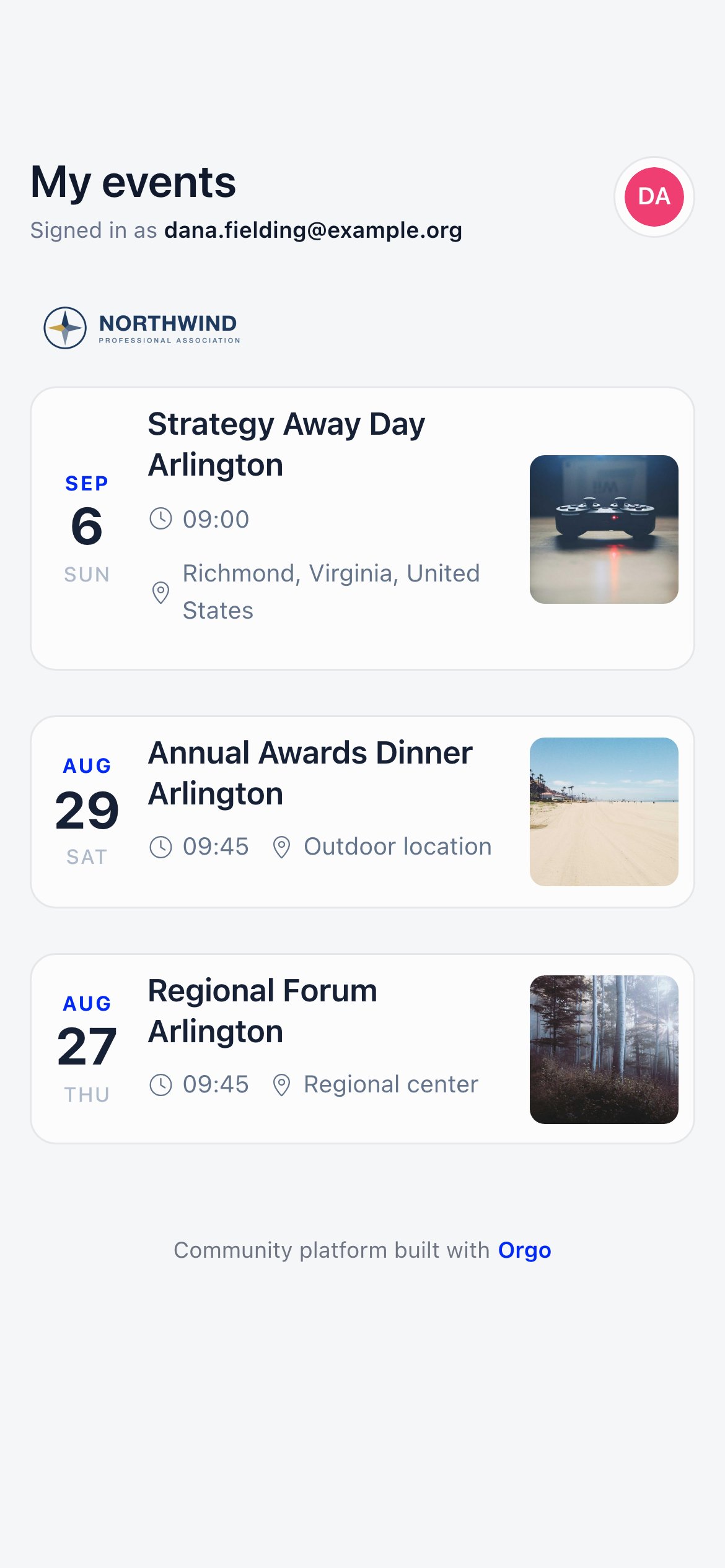
/event-app/my-events): every event in that organisation where they hold a registration that is Registered or Invited and not cancelled, most recent first, one card each, with a “Signed in as” line showing the verified email. The header opens their profile; the workspace drawer switches organisation or logs out.
The screen works for members too. It matches on the verified email rather than on the kind of account, so a member who signs in with a code sees the same list, covering registrations held against their member account and against a contact record carrying the same address.
The tabs
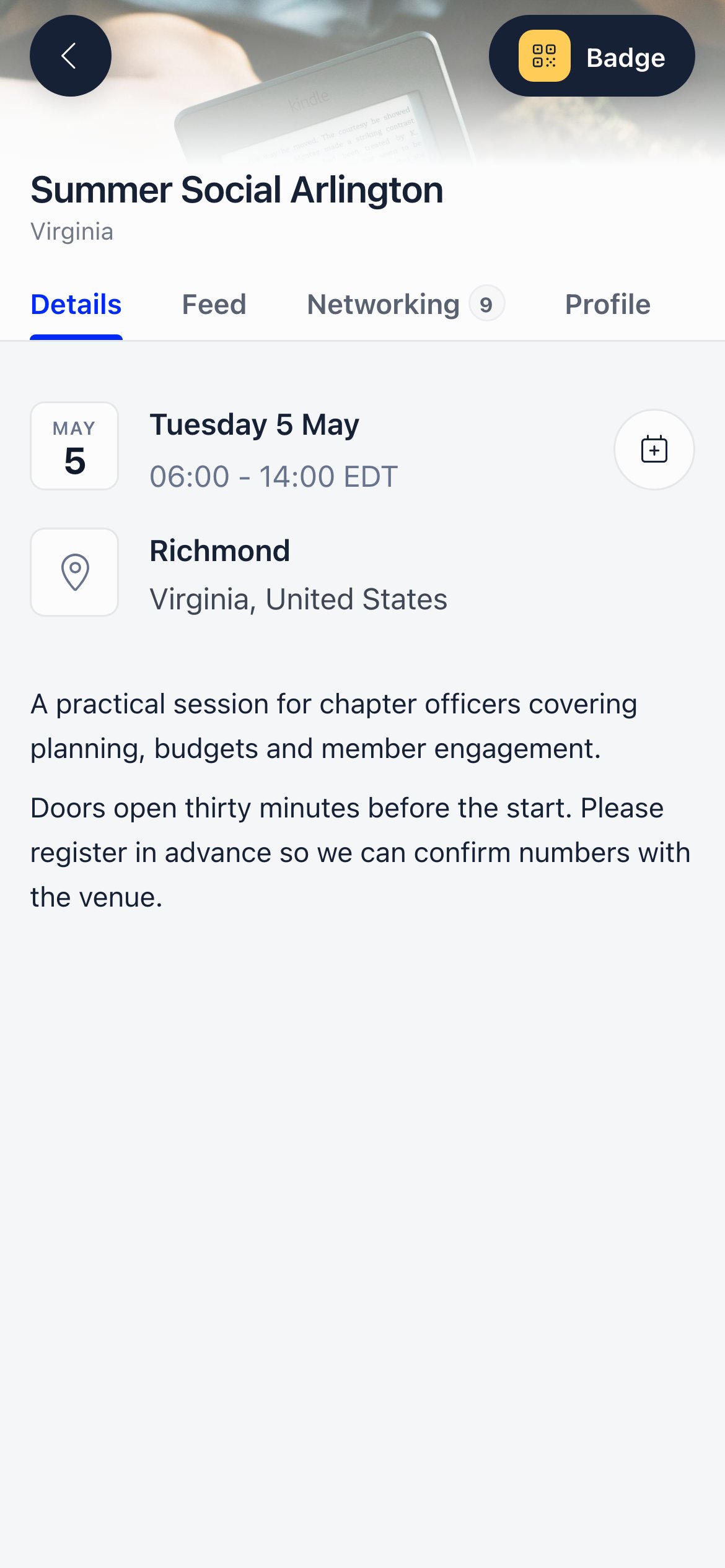
The tab strip adapts to the event:
See Event App: Program, feed and votes and Event App: networking for what each one does.
Above the tabs, every attendee has a Badge button: a QR code identifying their registration, used at check-in and to swap details with other attendees. Event managers also get Scan QR next to it.
What organisers configure
Everything that shapes the Event App lives on the event itself, under Features on the event form. Editing needs the same permission as editing the event: ownership, orEVENT_LOCAL, EVENT_TENANT or ADMIN_TENANT.
Troubleshooting
An attendee says the Event App shortcut is missing
An attendee says the Event App shortcut is missing
The event has no location, and the shortcut only renders once one is entered. Attendees arriving by email link are unaffected.
Someone registered but gets sent back to the event page
Someone registered but gets sent back to the event page
Their status does not grant access: Registered, Invited and Awaiting invoice payment work, Cancelled, Waitlist and No show do not. Check the participant list.
The code email never arrives
The code email never arrives
Requests for an address registered nowhere are silently ignored so the screen cannot reveal who has an account. Confirm the address against the participant list, then check the 20 second cooldown and the 10 codes per 5 minutes limit.
A contact forwarded their email link to someone else
A contact forwarded their email link to someone else
The link is that person’s credential for the event, so treat it like a ticket. Cancelling the registration invalidates it immediately.
Related
- Event App: networking - Attendee profiles, connections and 1:1 meetings
- Event App: Program, feed and votes - The in-event surfaces
- Event Attendance - Registration statuses and the participant list
- Check-in - Scanning badges at the door
- Permissions - What each permission level unlocks