
Switch Enable VAT on Fees on in your membership fee settings, under Pricing Options, then set a VAT rate on each membership price. From that point VAT is added on top at checkout and shown per line on invoices.
Two things decide everything that follows: prices are entered net, and the switch is the authority. A price that already stores a VAT rate is charged with no VAT at all while the switch is off.
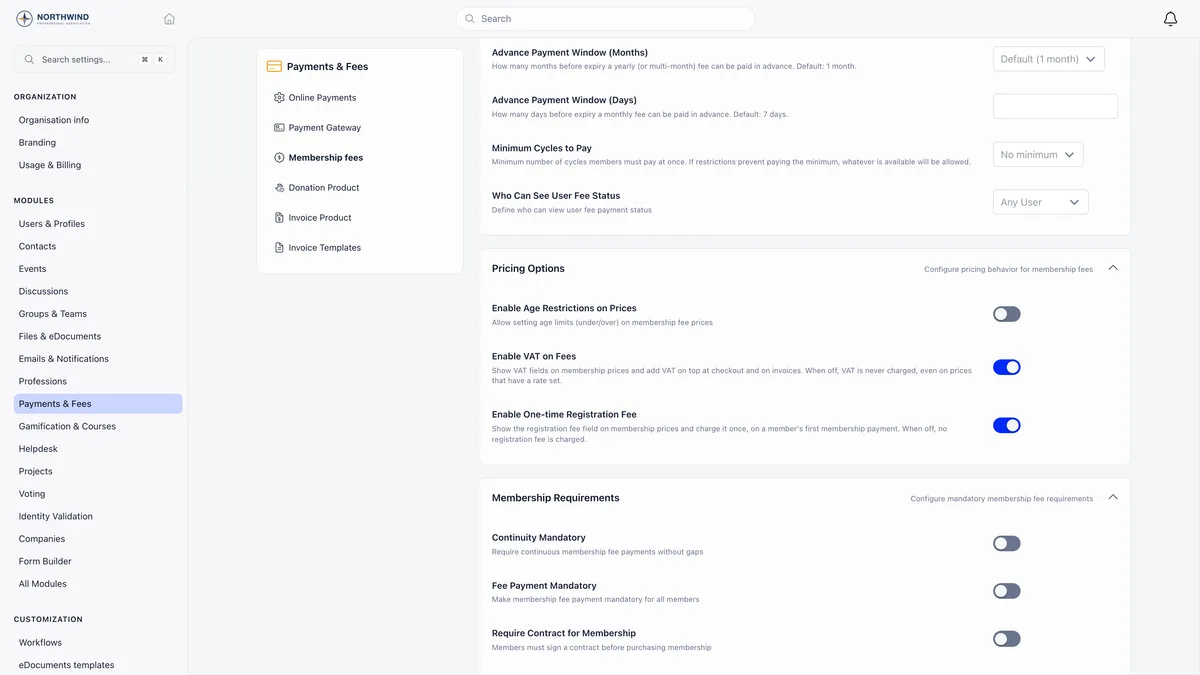
Both switches are off until you turn them on, both need ADMIN_TENANT, and both sit on the membership fee settings screen. Sidebar and settings labels are per-organisation, so the route in may read differently in your workspace.
The switch is the authority, not the stored rate
This is worth reading twice before you flip anything.
| State | What happens |
|---|---|
| Enable VAT on Fees off | VAT is never charged, even on a price that has a rate saved on it. Every invoice line is issued non-taxable |
| Enable VAT on Fees on | The stored rates start applying immediately, at checkout and on every new invoice |
There is no staging step in between. If your prices already carry rates from an earlier configuration, check them before you turn the switch on, because the first member to pay afterwards is charged the stored figure.
Prices are net, VAT goes on top
Orgo uses the exclusive model everywhere. The number you type into a price is the net amount.
One treatment per membership level
VAT is configured per price, not once for the organisation. Every membership price gains a VAT block once the switch is on: a VAT exempt (not taxable) flag, and a VAT rate that accepts decimals, so 13.5 or 19.6 are both fine.
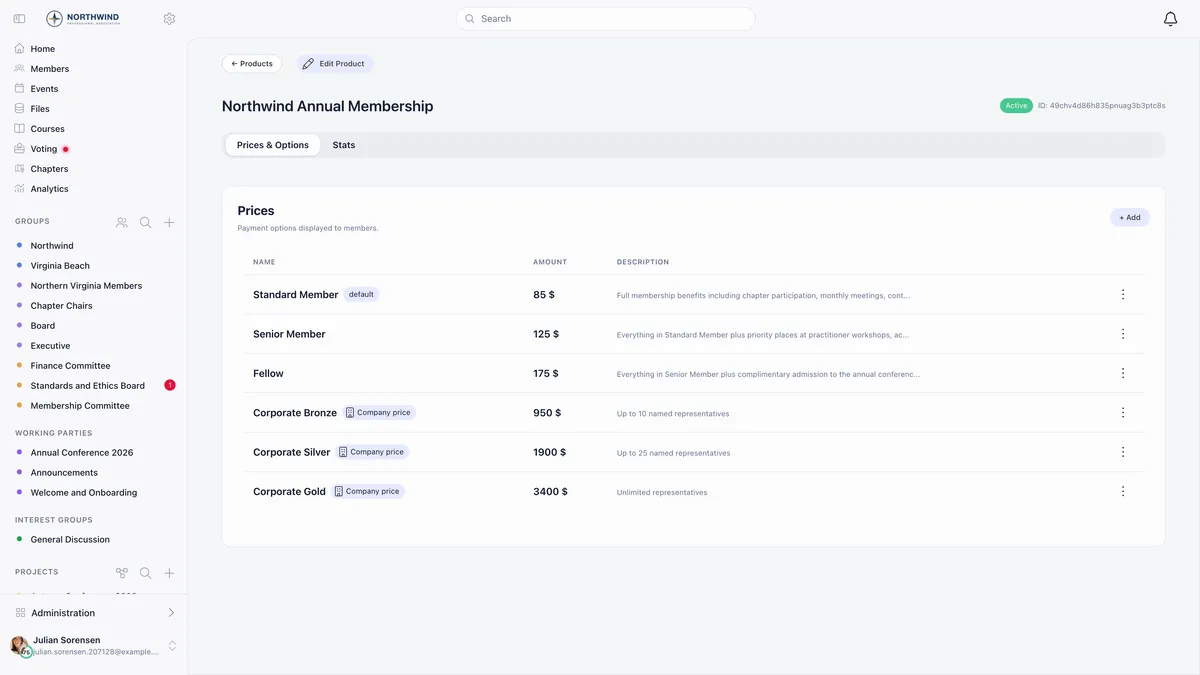
Because each level is a separate price, each carries its own treatment. That is how one organisation charges VAT on a standard membership and none on a reduced or honorary level: you mark the reduced level exempt and leave the standard one rated.
Donation options sitting on a fee product never show the VAT fields, and neither does any product that is not a fee product.
The joining fee is a different switch
Enable One-time Registration Fee is not part of VAT. It reveals a registration fee field on each membership price, and charges it once, on a member’s first membership payment.
The word doing the work is first. It means the member has never had a membership validity date.
Four more things about it:
- It exists on organisation-level fee products only. A chapter fee product does not offer the field, because a chapter payment moves only the chapter validity date, which would let the fee charge over and over.
- It has its own VAT treatment, set independently of the price VAT. Those controls appear only once you have typed an amount and only while VAT is on.
- It is recorded as its own payment row and printed as its own invoice line, so joining income separates cleanly from recurring dues in reporting. It rides on the same card charge as the first membership payment, so refunding that charge reverses both.
- It buys no membership time. Only the membership part moves the validity date forward.
That validity date is the thing to look at when you want to know whether somebody counts as new.
What the member actually sees
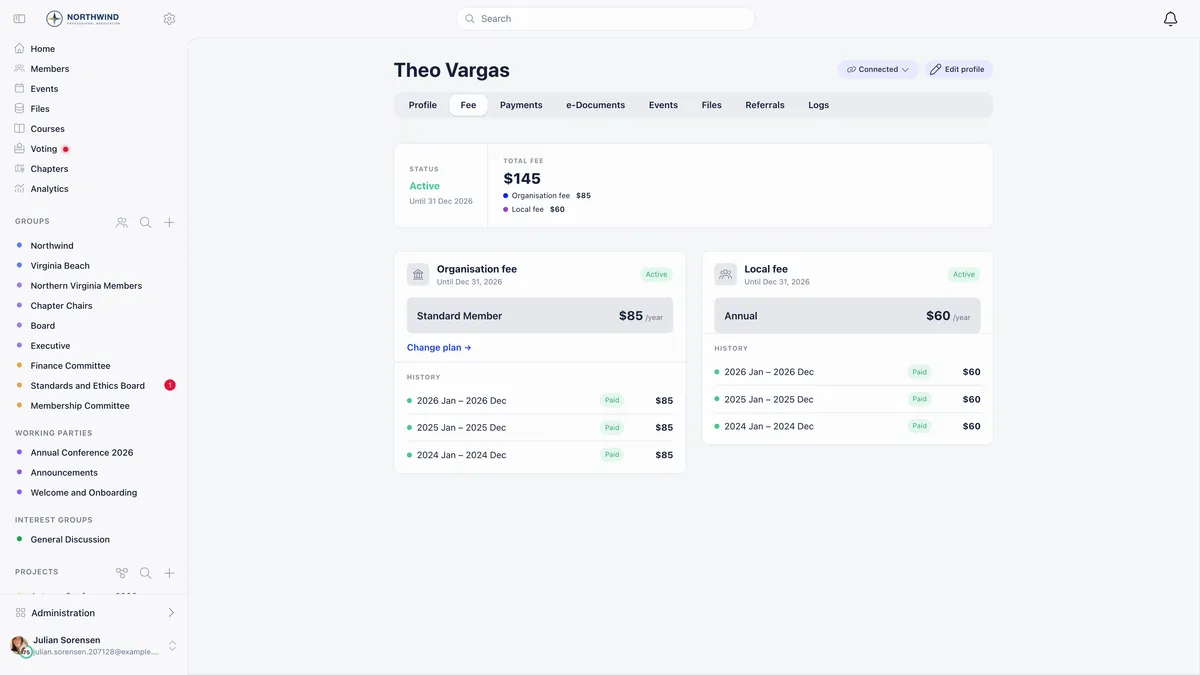
One total. The parts are added up before the member ever gets to a card form, so the amount on the button matches the amount charged.
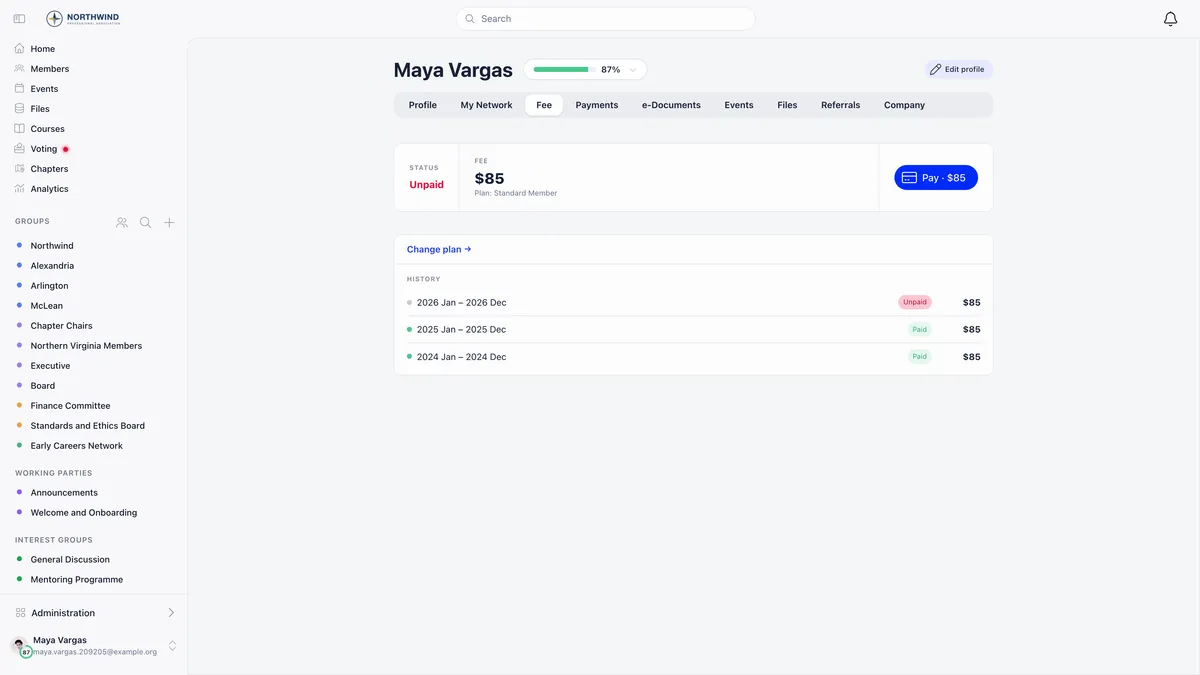
The breakdown of that total is not on the fee card. Where a member needs to see net, VAT and gross written out, they need the invoice.
The same convention holds when an administrator records money that arrived by bank transfer or cash: the amount typed is treated as the net figure with VAT derived on top, not as a gross figure to be split. See recording a payment made outside Orgo.
VAT on the invoice
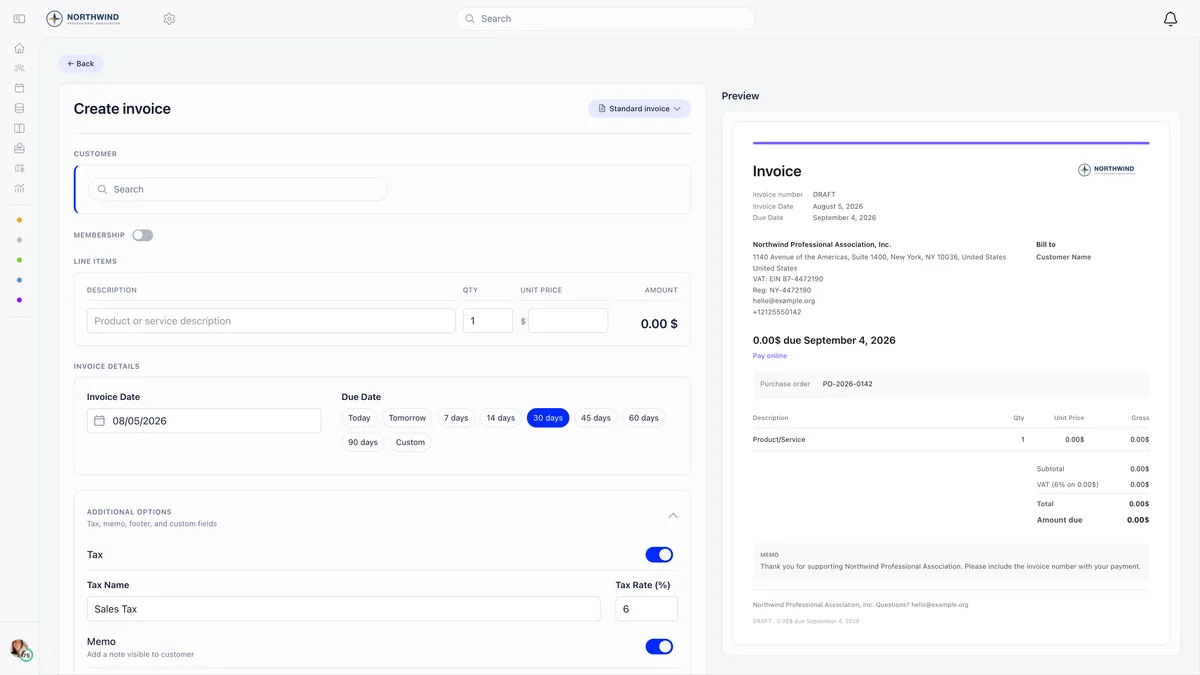
Membership invoices carry VAT per line, not once for the document. Each line stores either a rate or an exempt flag at the moment the invoice is created, so a historical invoice keeps the treatment that was correct on the day it was raised. Changing a price or a template later never rewrites an issued invoice.
The totals block reads Subtotal, then one VAT row per distinct rate labelled with the rate and the base it applied to, then Total and Amount due.
Two details that come up in support:
- When an invoice carries no VAT at all, the VAT columns are dropped entirely rather than printed empty.
- When at least one line is exempt, the invoice prints a VAT exemption note, the free text stating the legal basis. It lives on the invoice template but has no field in the template editor, so it has to be set through the API. Ask support if you need it on your documents.
Templates carry a tax, and membership invoices ignore it
An invoice template holds one flat Tax Name and Tax Rate.
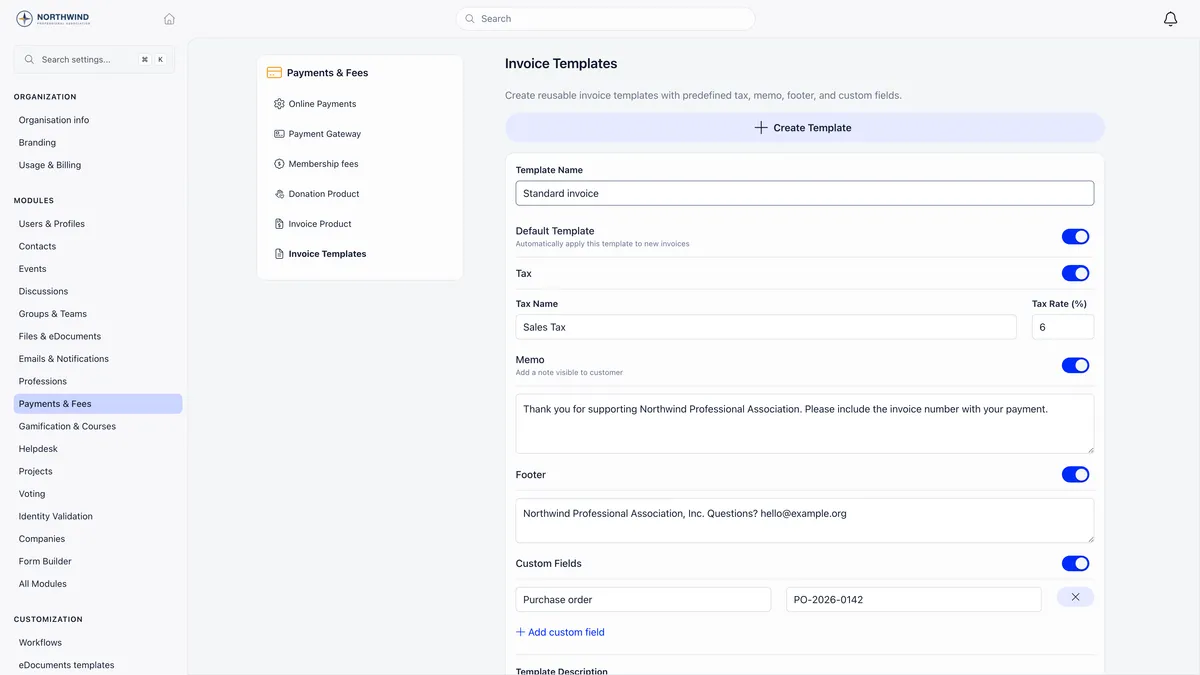
That flat rate is used on manual invoices, the ones you type by hand. On an invoice Orgo generates for a membership payment it is ignored, because each line already carries the VAT rate from its own price.
If your standard membership is rated and your reduced membership is exempt, that difference belongs on the two prices. A second template changes nothing about the membership invoice and leaves you maintaining a distinction the document will not honour.
Your own VAT number
The VAT identification number printed in the issuer block of every invoice comes from your organisation info, not from anything in the fee settings.
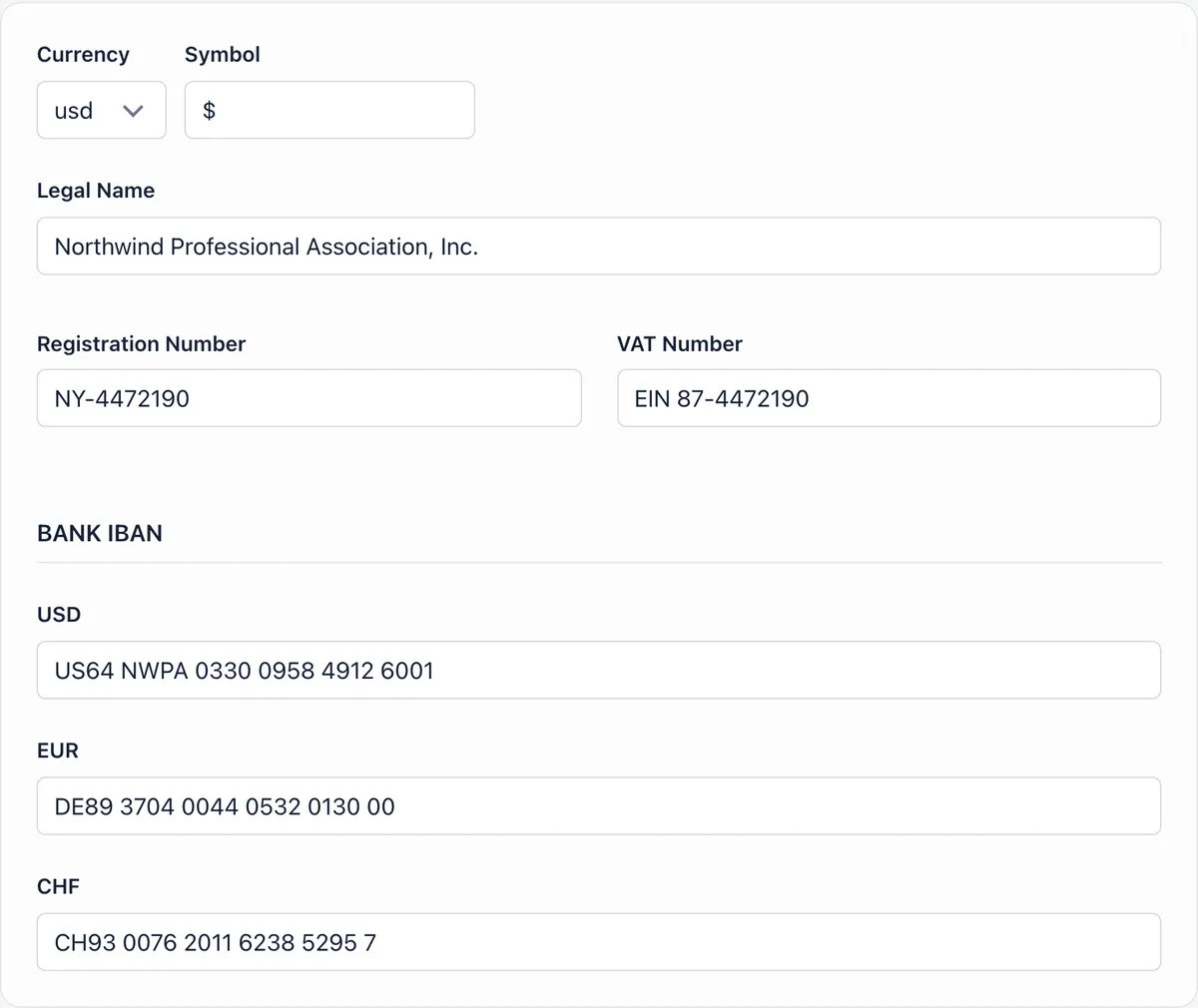
It is a display field. Orgo does not validate it and does not use it to decide whether VAT applies. Whether VAT is charged is decided by the switch and by the rate on the price, and by nothing else.
Where all of this lives
Everything in this guide is on the membership fee settings screen or on the prices beneath it.
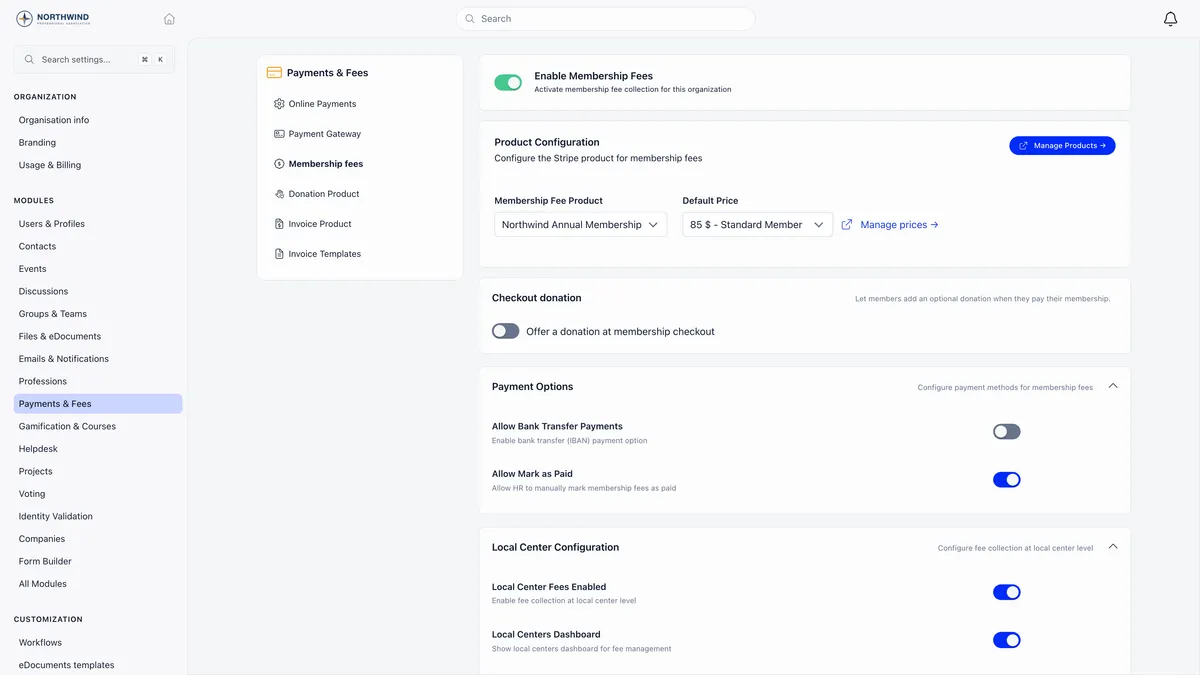
Manage prices from that screen is the fastest route to the VAT and registration fee fields, because they live on the individual price rather than on the product. VAT is one setting inside Orgo’s membership management, where fees, renewals and invoicing are configured together.
Tax on manual invoices is a separate job, described in how to issue an invoice.
Related
- How do I issue an invoice?
- How do I set up membership fees?
- How do I record a payment made outside Orgo?
- My member paid but Orgo still shows them as unpaid
- VAT and registration fees reference
Frequently asked questions
Do I enter my prices with VAT included or excluded?
Excluded, always. The price you type is the net amount and VAT is calculated on top of it, so a level priced at 100 with a 19 percent rate charges the member 119. There is no VAT-inclusive pricing mode anywhere in Orgo, so do not enter a gross figure and expect it to be worked backwards.
Will a member who lapsed and rejoined be charged the joining fee again?
No. The registration fee is charged once, on a member's first membership payment, and first means they have never had a membership validity date. Somebody who paid years ago, lapsed and came back already has one, so they are treated as a returning member and are never charged again. There is no way to re-arm it for one person short of clearing their membership history.
Can I use two invoice templates to separate my VAT treatments?
Not for membership. An invoice template carries one flat tax name and rate, and that is used on manual invoices only. On an invoice Orgo generates for a membership payment, the template's tax is ignored entirely and each line carries the VAT rate stored on its own membership price. Separate treatments come from your prices, not from your templates.