
Four things, in order: create a Membership Fee product and set its period, add one price for each membership level, point your organisation at that product and pick a default price, then decide who is eligible and how renewal works.
The third step is the one people miss. A fee product can be complete and correct and still charge nobody, because the organisation is not pointed at it yet.
Everything here needs ADMIN_TENANT, apart from creating the product and its prices, which needs FINANCIAL_TENANT. Sidebar labels and positions vary between organisations because the menu is configurable, so this guide names destinations rather than click paths.
Turn the module on first
Membership fees live inside the Payments and Fees module. Two switches matter before anything else: Enable Online Payments for the module as a whole, and Membership Fees under Payment Features, which is what allows fee collection by online payment.
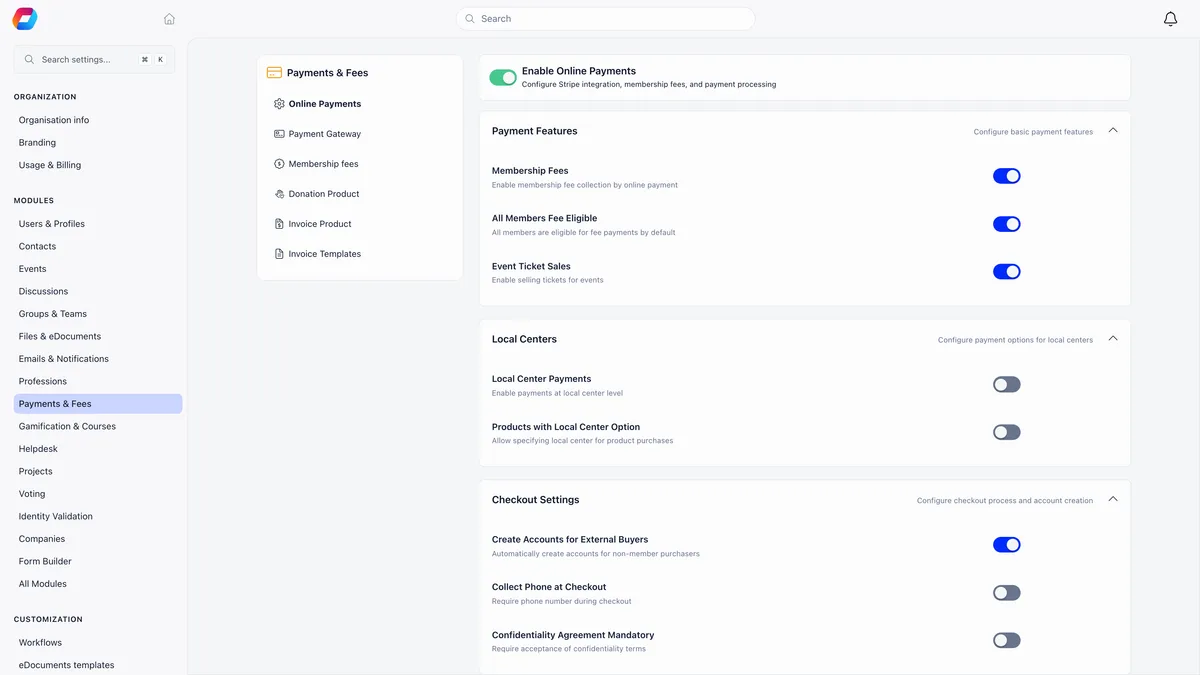
All Members Fee Eligible on the same screen makes every member eligible for fee payments by default. Leave it on unless you intend to open online fee payment chapter by chapter. Fees are one part of membership management software, alongside the member records and renewal cycles they drive.
Create the fee product
A product is what Orgo charges for. Membership dues are a product of type Membership Fee, created from the products list, and it is the only place the billing period is decided.
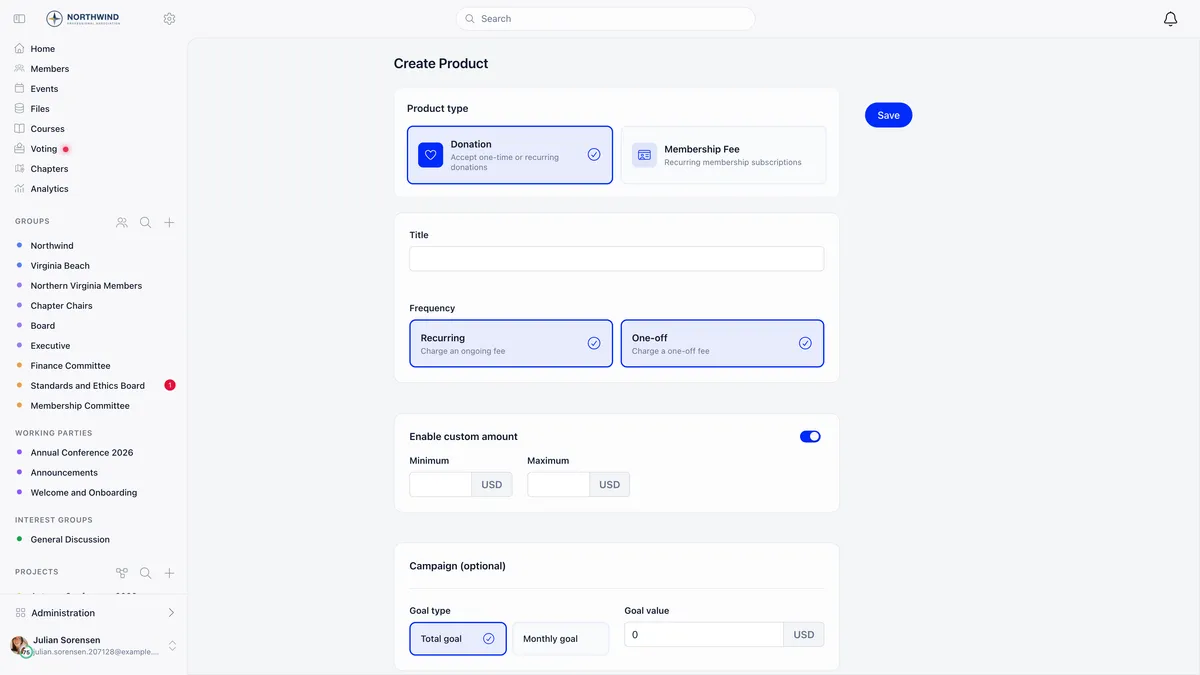
| Field | What it decides |
|---|---|
| Title | What members see on the payment record. A title made only of spaces is rejected. |
| Frequency | Recurring, One-off, or both. At least one is required. Recurring needs a connected Stripe account. |
| Period | Monthly, 3 months, 6 months or annually. Locked once you save, so get it right first. |
| Cycle beginning | A fixed calendar month, or “The month user subscribes”. |
| Enable pro-ratio for shorter first cycle | Reduces the amount for someone joining mid-cycle. Available on periods longer than a month. |
| Number of months after cycle begining to start pro-rate | Suppresses proration for members joining in the opening months of the cycle. |
The type cannot be changed after creation and neither can the period, so a mistake here means a new product rather than an edit.
Decide what a payment buys
Fixed Starting Date for Fees, in your membership fee settings, decides the period a payment buys. It is the single setting that changes how your whole membership year behaves.
Take an annual membership priced at 120 with a September cycle, proration on. A September joiner pays 120 for the full cycle. A January joiner pays 80 for eight months of twelve, and a June joiner pays 30 for three. All three end on 31 August, so everyone renews together. This is an example, not a default.
Proration is measured from the member’s join date rather than the day they pay, so a member who joined in January and settles in June still buys the January to August period at 80.
Add one price per level
Every purchasable amount is a price row on the product. There is no separate concept of a tier.
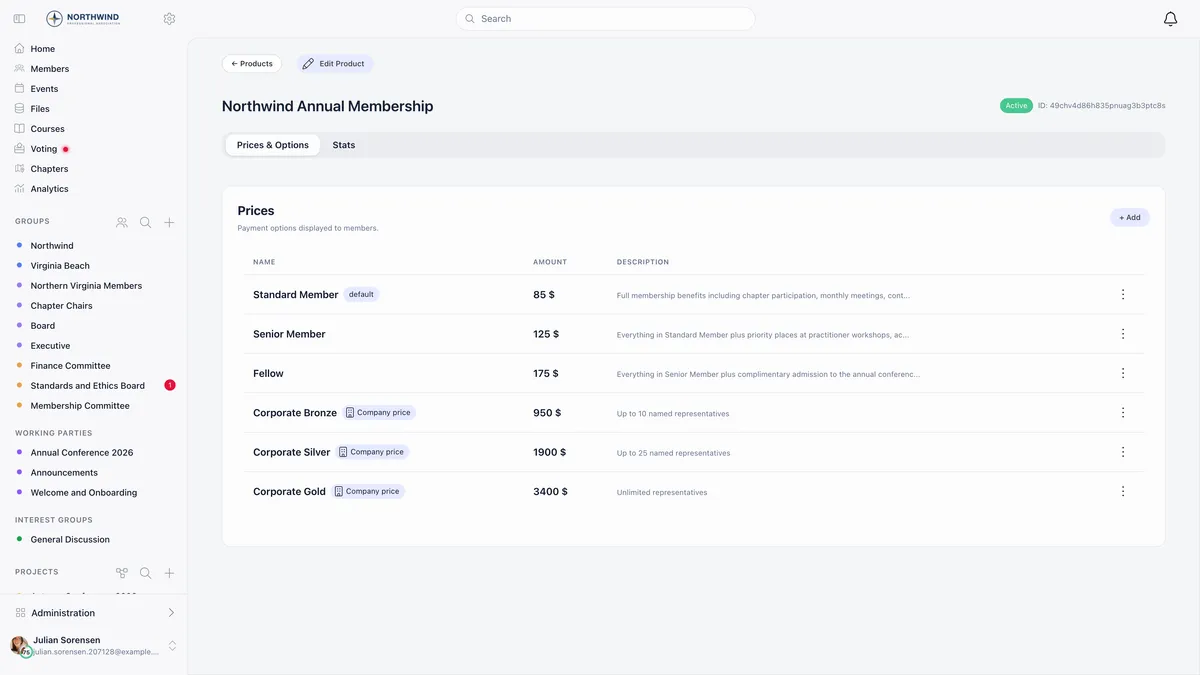
| Price field | What it is for |
|---|---|
| Payment type | One-time, Is recurring, or both. At least one is required. |
| VAT | Exempt or a percentage. Only charged while Enable VAT on Fees is on. |
| Registration fee (one-time) | Charged once, on a member’s first membership payment. Needs Enable One-time Registration Fee. |
| Is only assignable by admins | Members never see it. Use it for honorary and free memberships. |
| Company only and Company slots | Reserves the price for company memberships. Zero slots means unlimited. |
| Age conditioning | Age under and Age over, once Enable Age Restrictions on Prices is on. |
| Cycle period (in months) | Overrides the product period for this one price. |
Once any payment has been taken against a price, its amount is frozen and saving a different figure returns “You cannot edit the price of this product.” That is deliberate. To raise a price, open it, choose New price version, and give the new amount a Valid from date. Orgo closes the old version the day before, and the two never overlap.
Point the organisation at the product
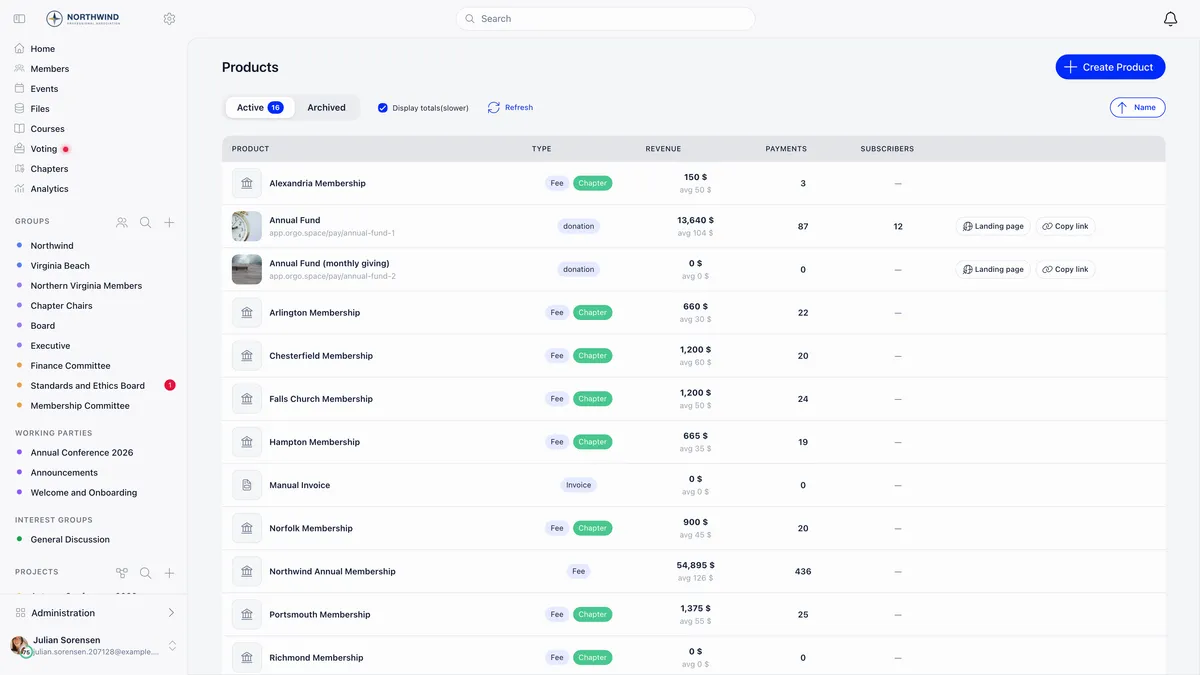
This is the step that switches fees on for real. Turn on Enable Membership Fees, then select the Membership Fee Product and the Default Price new members start on.
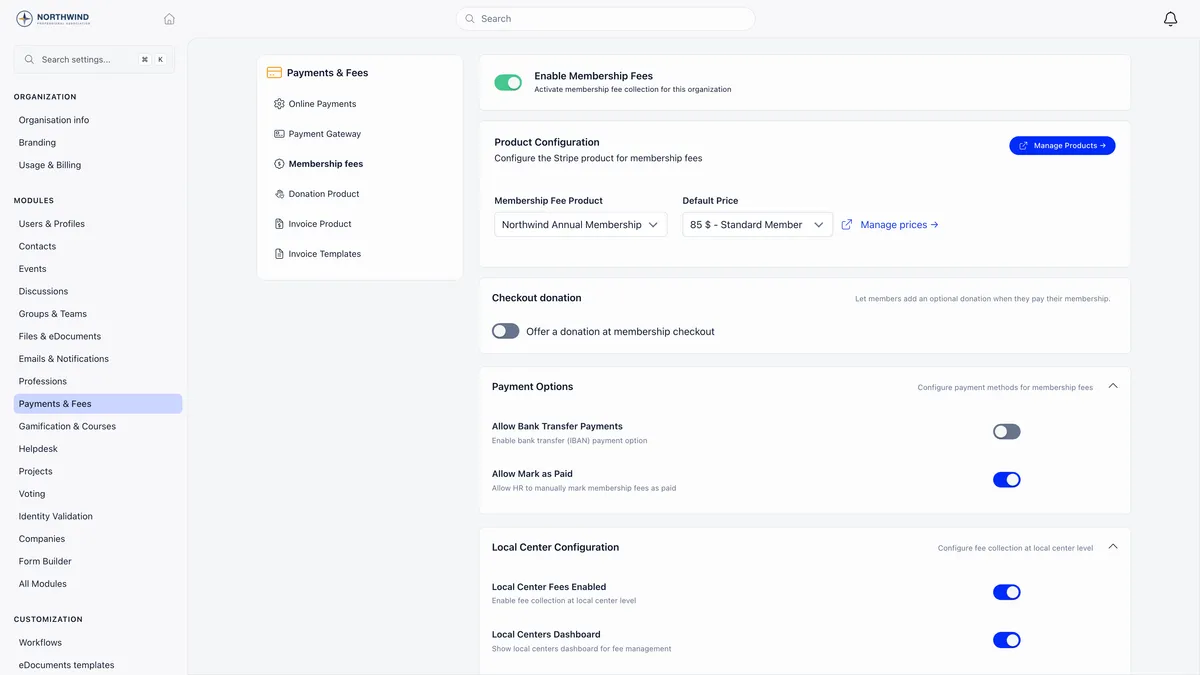
Two other switches on this screen decide how money can reach you at all. Allow Mark as Paid lets an administrator record a fee that arrived by bank transfer or cash, and is on by default. Allow Bank Transfer Payments shows your IBAN as an option, with a second switch to extend it to membership fees specifically.
Which price a member actually pays
A member carries an assigned price. For any given date, Orgo works down this list and stops at the first match.
The practical consequence is that raising a price never reprices history. A 2024 payment still resolves against the 2024 version. It also means a gap between two versions falls through to the organisation default price, so leave no gap when you version.
Who does not pay
Exemption comes from the user type, not from the individual. A user type marked Not eligible for fee, your organisation’s designated non-eligible user type, or an active user-type role carrying that flag all produce the same result: the member is never assigned a fee and sees “You are not eligible for paying fees” on their profile.
Do not try to exempt somebody by deleting their price. Either change their user type, or assign them a price marked Is only assignable by admins with no amount, which keeps an active membership without a payment.
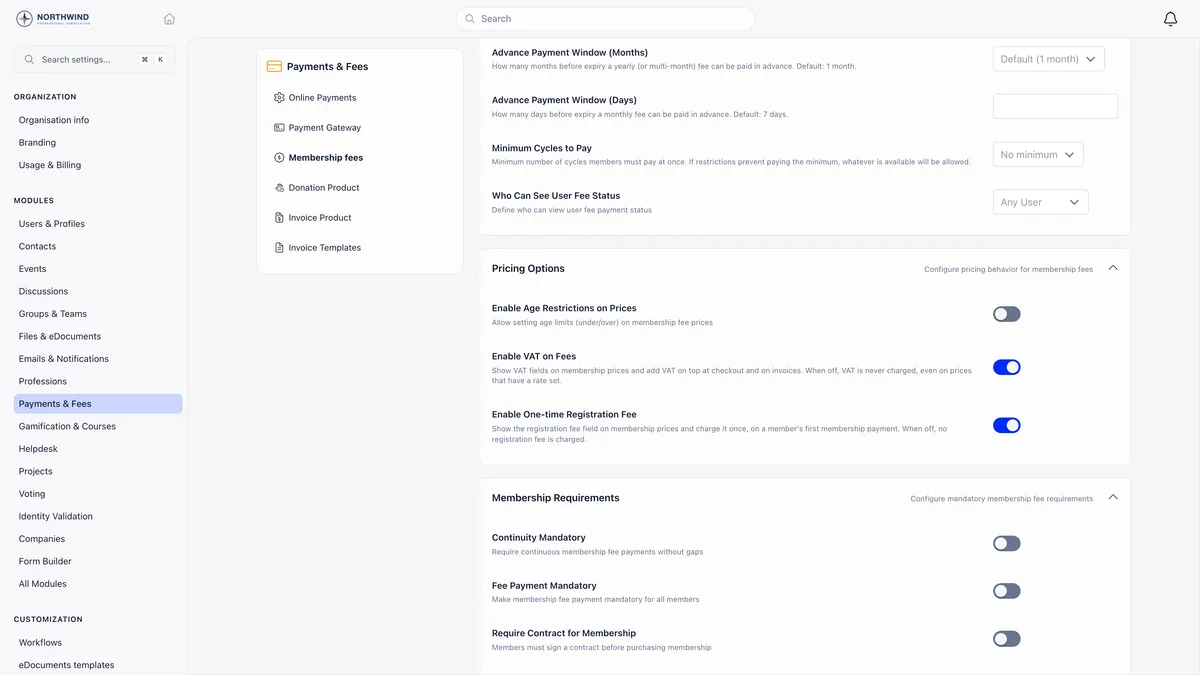
Enable VAT on Fees and Enable One-time Registration Fee are both opt-in and both authoritative. While either is off, nothing is charged for it whatever a price row stores. That is the answer to almost every “why is VAT not appearing” question.
What the member sees
A member with an unpaid period sees their status, the amount, their membership level, and a Pay button on their own fee card, with the history underneath.
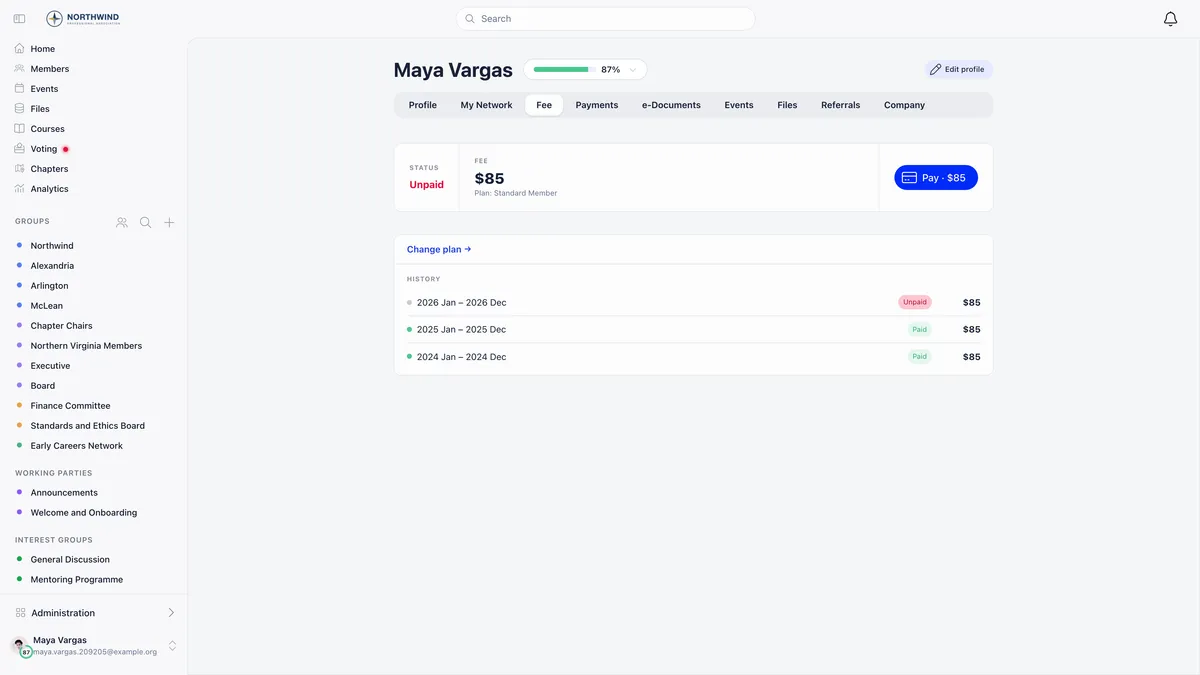
The pay button only ever appears to the member looking at their own fee card. An administrator opening the same tab sees the history and a Mark as Paid action instead, which is working as designed rather than a permission problem.
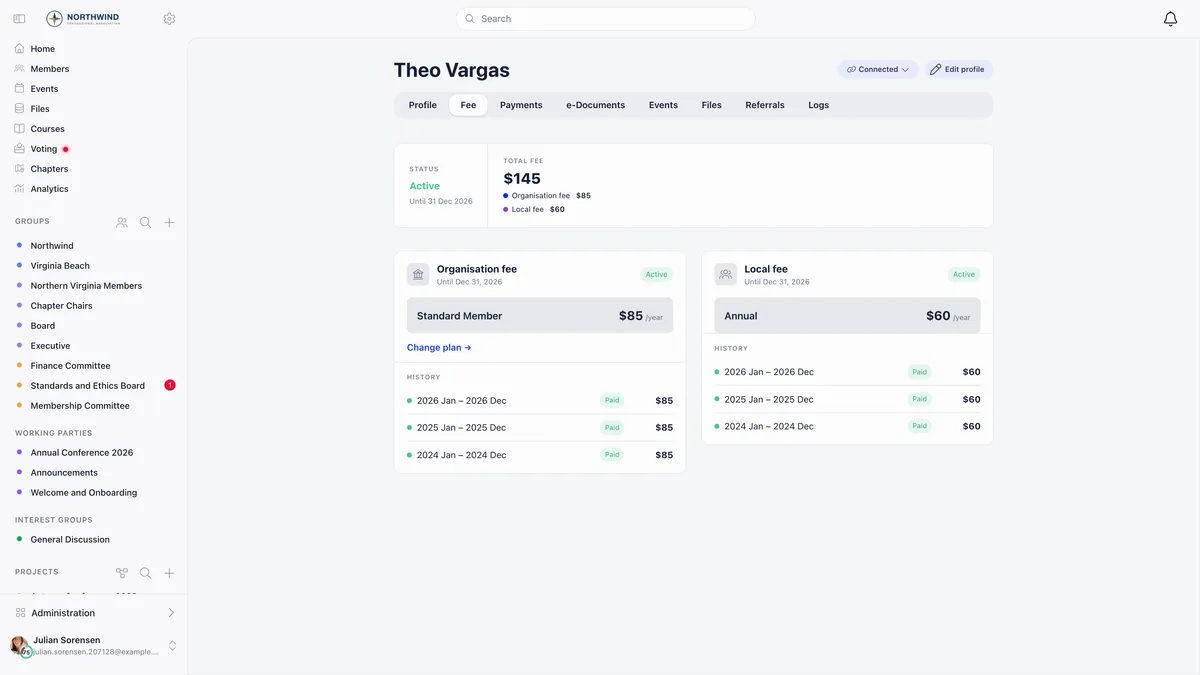
Once paid, the tab reads Active with the validity date, and shows the organisation fee and, where chapter fees are on, the local fee side by side.
Renewal happens on its own
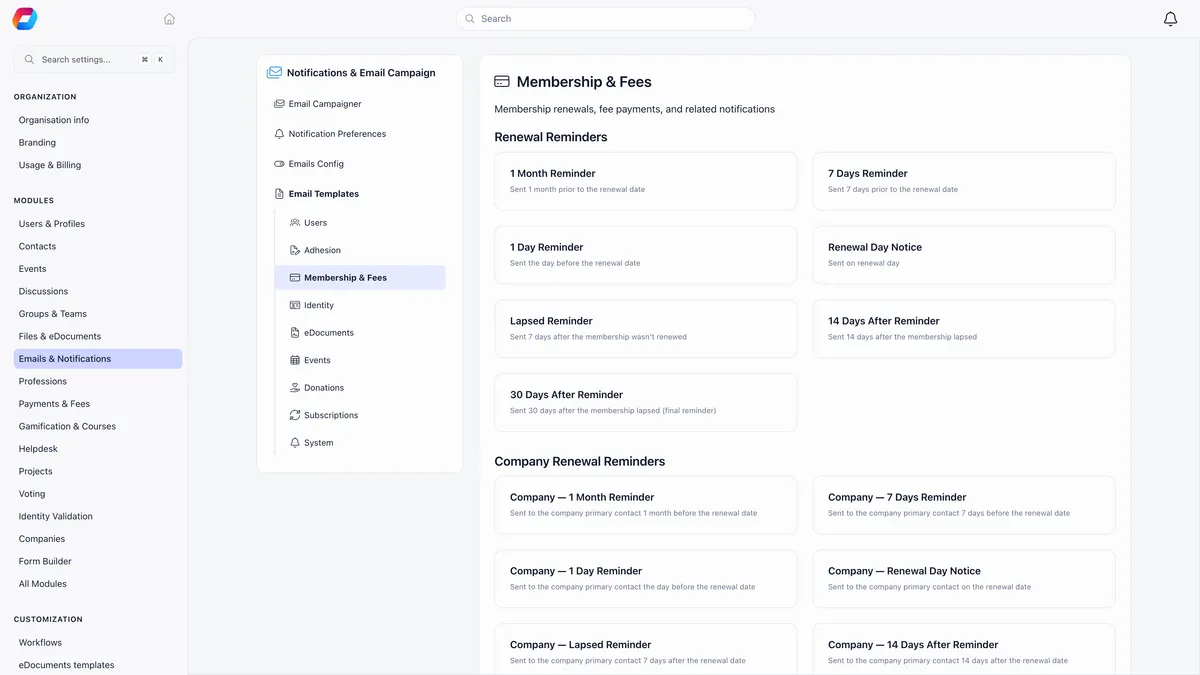
There is no “send reminder” button anywhere. One job runs daily and sends at most one email per member per day, to members whose validity date falls exactly on a milestone.
All fourteen templates, seven individual and seven for company memberships, are editable in your email template settings. Members with an active subscription on the fee product are skipped by design, because they get a Renewal Confirmed or Renewal Failed email after each charge instead. So are fee-exempt user types, company-covered members, and anyone on a period shorter than two months.
Members can pay early only inside the advance-payment window, which defaults to one month for fees of two months or more and seven days for monthly ones. An early payment extends from the existing validity date rather than restarting from the payment date, so nobody loses days by renewing early.
Before you make fees mandatory
Fee Payment Mandatory redirects any member whose validity date has passed to their payment page on every navigation, and it keys on the validity date rather than on any grace window you configured. It degrades the experience for every unpaid member, including ones who are three days late.
If you turn it on, pair it with Days Until Deactivation rather than Auto-deactivate on Fee Expiry alone, so members get a grace window before their account is switched off.
Related
- My member paid but Orgo still shows them as unpaid
- How do I record a payment made outside Orgo?
- How do I take card payments with Stripe?
- Products, prices and price versions
- Renewals and reminders
- Chapter fees
Frequently asked questions
Do I need Stripe connected before I can set up membership fees?
No. You can build the product, the prices and all the fee settings without Stripe, and administrators can record payments that arrived by bank transfer or cash straight away. Stripe is only needed for members to pay online themselves, and the Recurring frequency on a product is greyed out until an account is connected.
A member joins halfway through the year. What do they pay?
It depends on two settings. Fixed Starting Date for Fees decides the period they get: off means the period runs from their payment date, on means it is anchored to the product's cycle month so they end on the same boundary as everyone else. Enable pro-ratio for shorter first cycle decides the amount: off means they pay in full for a shorter period, on means the amount is reduced for the months remaining.
I am putting the membership price up. Will that change what members owe for last year?
No, as long as you raise it with New price version rather than editing the amount. Each version carries a Valid from and Valid to date, and a payment resolves against the version that was valid on the date it covers. Orgo also refuses to edit the amount of a price that already has payments against it, which is the safety net.