
Create a product of type Donation, give it a title, choose whether it takes one-off gifts, monthly gifts or both, and add the suggested amounts a donor picks from. Saving publishes a public page that needs no login and no separate publish step.
Two things catch almost everyone out, so they are worth knowing before you build anything:
- Orgo does not issue tax receipts. Stripe does, and it has to be switched on.
- Donors do not become members. They land in your contacts, unless their email already matches a member.
Before you start
| Requirement | Detail |
|---|---|
| Online Payments module on | On by default |
| A connected Stripe account | Without one, the one-off option cannot even be enabled. A campaign owned by a chapter still needs your organisation to be connected |
FINANCIAL_TENANT | Or FINANCIAL_LOCAL to create and edit a campaign belonging to your own chapter |
Setting Stripe up is a separate job, covered in how to take card payments with Stripe.
Create the campaign
Campaigns live with your products, so you start from Create Product and pick the Donation card. Your sidebar wording is per-organisation, so the route into products may be named differently in your workspace.
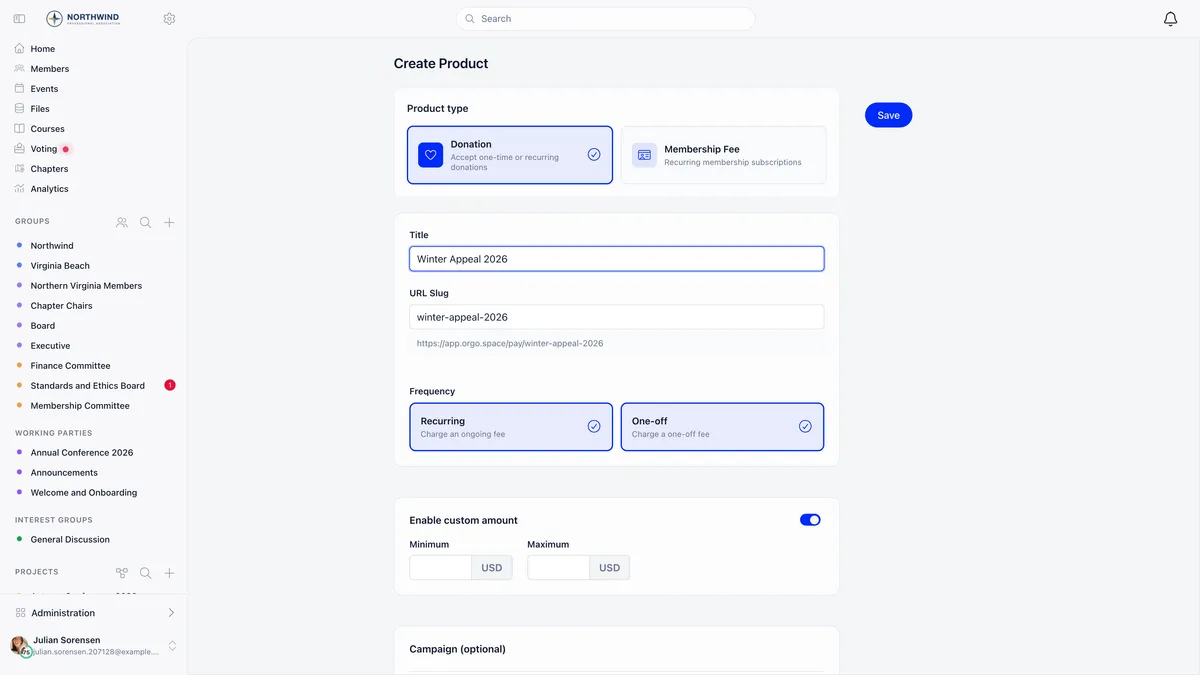
- Name it and check the address. The URL slug is generated from the title as you type and the form previews the public address underneath. Slugs are unique within your organisation.
- Choose the frequency. Recurring and One-off are independent, so turn on either or both. Once a campaign has been saved with only one of them, the interface will not let you switch that one off without turning the other on first.
- Allow a custom amount. On by default for donations. A minimum and maximum are optional, and with several currencies in play the same limits apply to all of them.
- Add a goal, if you want one. A Total goal counts cumulative one-off giving, a Monthly goal counts recurring revenue per month. The goal type selector only appears when both frequencies are on, and goals are not available on multi-currency campaigns.
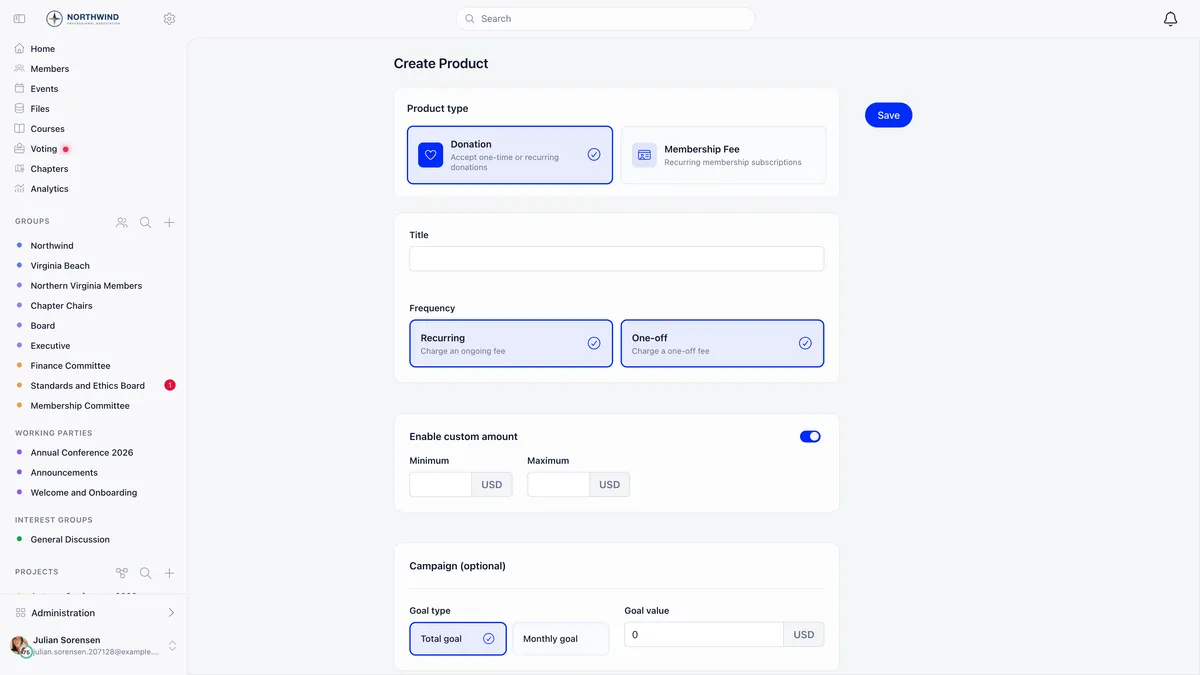
A Target date is optional. Setting one replaces the completion percentage under the public progress bar with the deadline, which is what creates the urgency. It does not stop payments by itself.
The suggested amounts a donor picks from
The Prices and Options tab holds the buttons on the page. Each has a name, an amount, a description and a tag showing whether it is one-time or recurring.
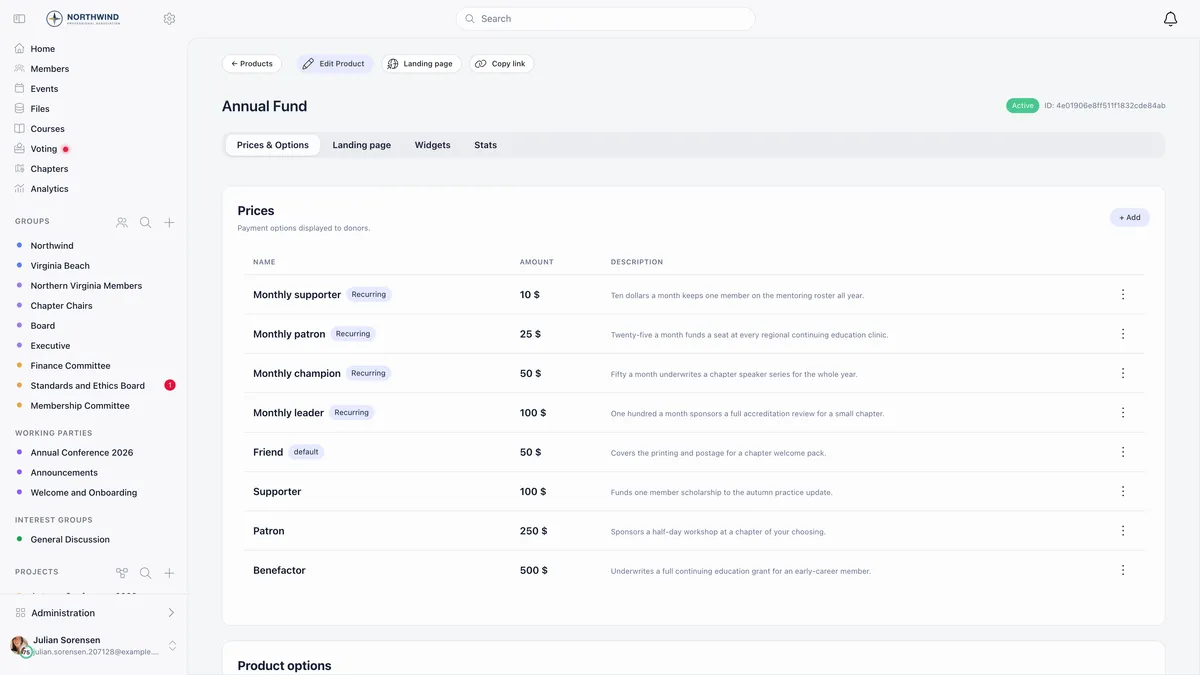
Mark one as the default so it is pre-selected when the page loads. Archive retired amounts rather than deleting them, so past payments keep resolving to something.
Write the descriptions in terms of what the money does. “Fifty a month underwrites a chapter speaker series for the whole year” outperforms “Fifty dollars” because it tells the donor what they are buying.
The public page and its address
Every campaign answers at your payment host followed by /pay/ and the slug. No login, no publish step.
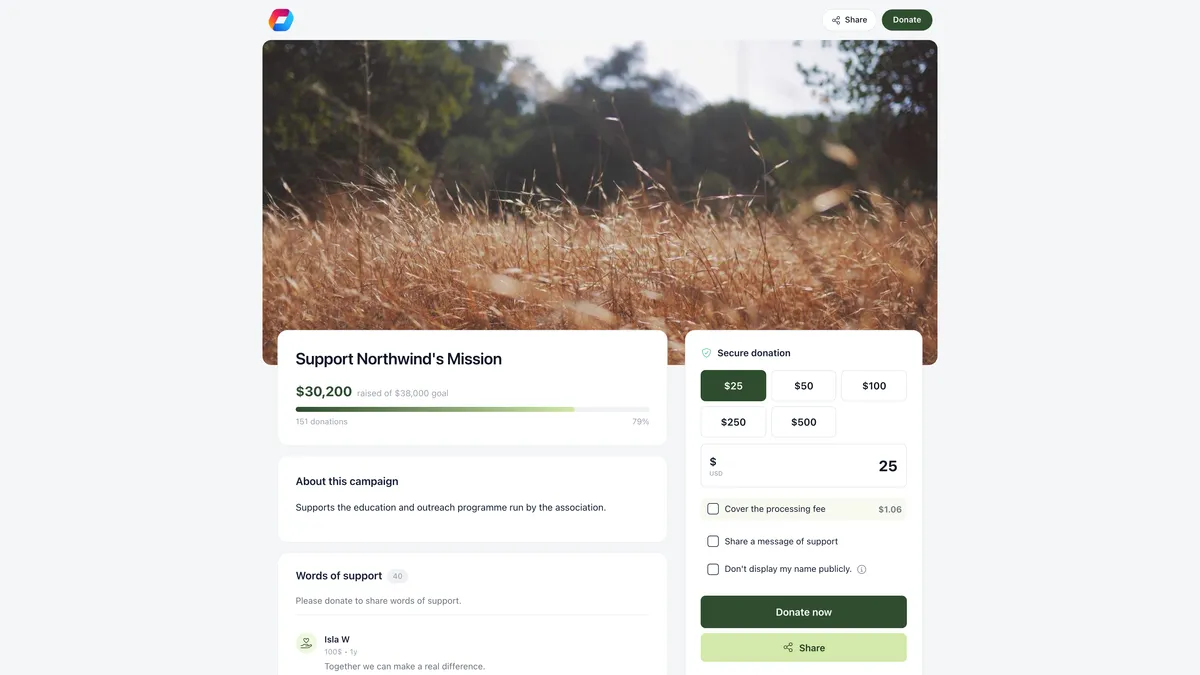
Your products list shows each campaign’s public address and gives you Copy link and Landing page without opening the campaign.
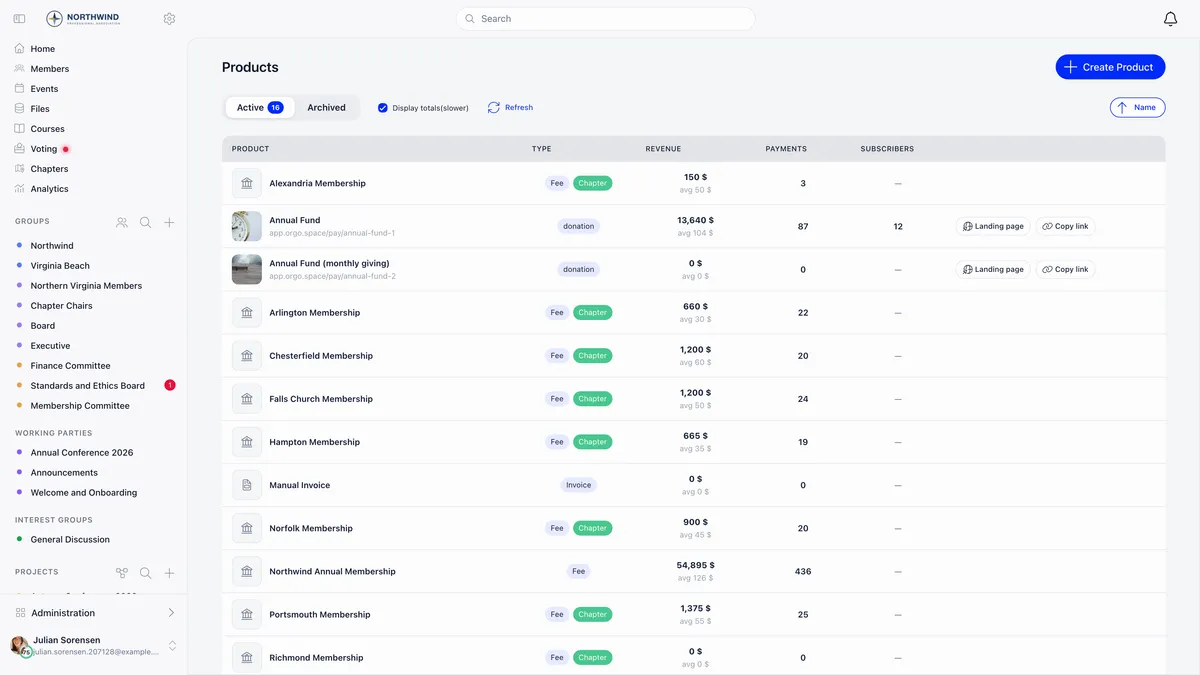
One campaign can also be nominated as your default donation product, which is what the short /donate address resolves to. The first donation campaign you create claims it automatically, and you can move it later.
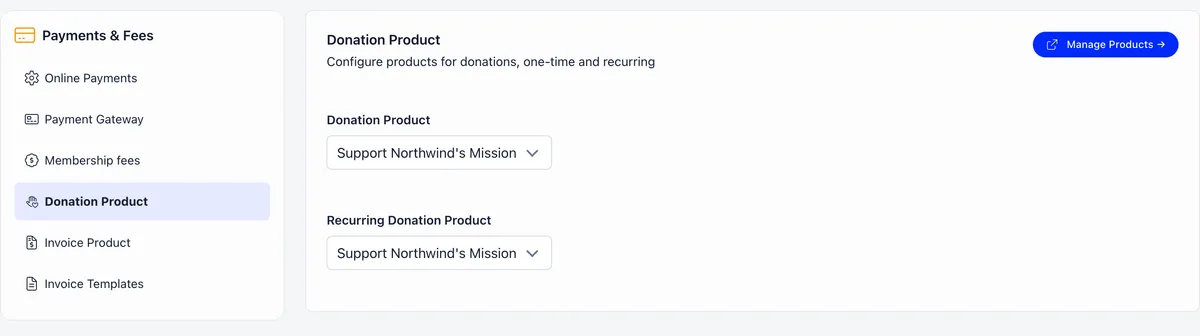
The second dropdown, Recurring Donation Product, does something different: a member with an active, non-confidential subscription to that campaign is flagged as a supporter on their profile and in the member directory.
What the donor gets back, and who sends it
This is the single most misunderstood part of donations in Orgo, and the answer matters for anyone claiming tax relief.
Switch Stripe Email Receipts on under your payment settings, then check the connected Stripe account has customer emails for successful payments enabled. One without the other sends nothing.
Where the gifts arrive
Donations land in the same payments ledger as fees and ticket sales, and each campaign has its own payments view.
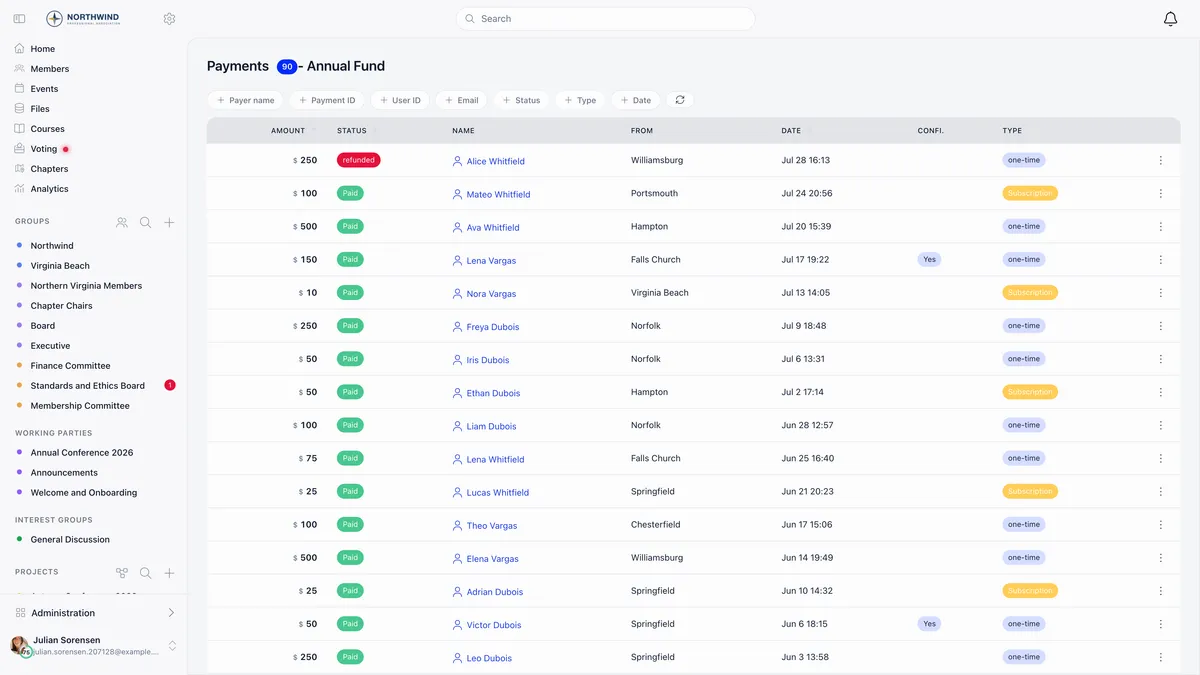
Refund in the row menu returns the full amount through Stripe and moves the payment to refunded. It works only on a payment that already succeeded, and it needs FINANCIAL_LOCAL on the chapter the gift was designated to, or FINANCIAL_TENANT when it was not designated to one. A chapter treasurer cannot refund an undesignated gift.
One routing detail worth knowing if you run chapter campaigns: the donation page’s own card form charges your organisation’s Stripe account, even when a chapter owns the campaign. Chapter Stripe accounts collect chapter fees, not donation-page gifts.
Cover the processing fee lets the donor add the processing cost on top so the full intended amount reaches you. It is calculated as 2.9% plus a fixed amount per currency, 0.30 USD, 0.25 EUR, 0.20 GBP or 1.20 RON. Those are Orgo’s published figures rather than a live reading of your own Stripe pricing, so treat the number the donor sees as an estimate of the fee, not a guarantee.
Donors who give every month
Recurring donors get their own tab, with their status, chapter, designation and amount.
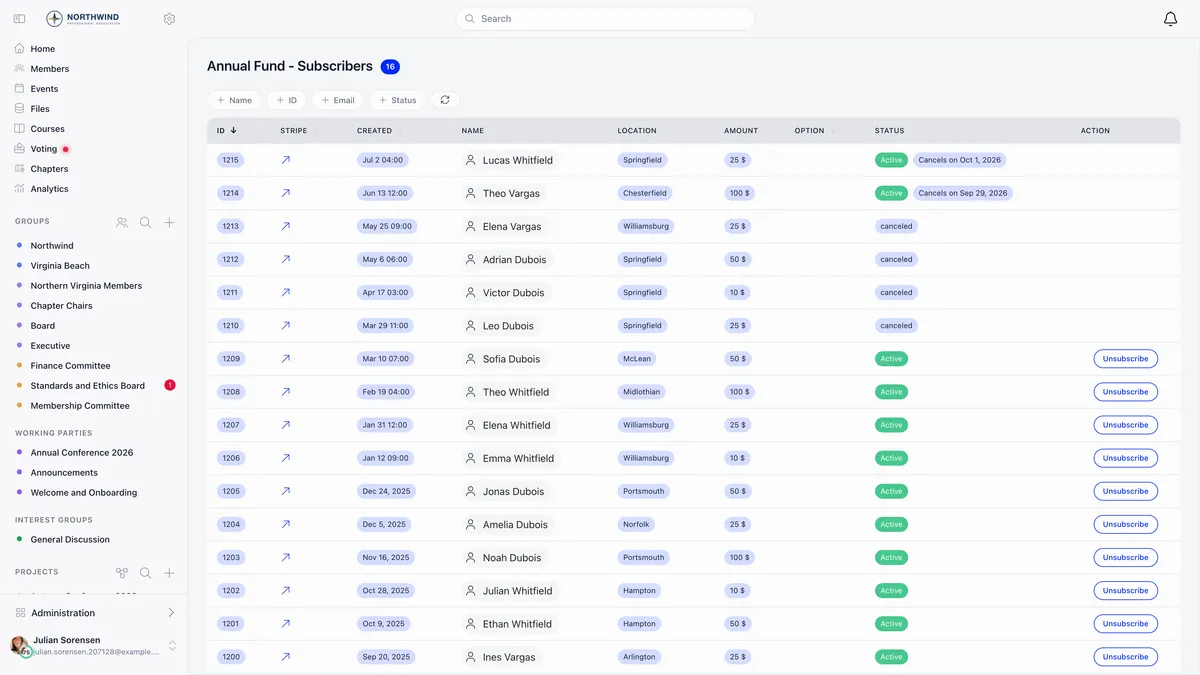
Unsubscribe cancels a subscription from your side. It stops future charges and does not touch the gifts already made. A donor whose subscription is cancelling shows the date it ends rather than disappearing at once.
The donor wall, and giving anonymously
Display top 50 recent donations adds a live panel to the page: a running count, the five most recent gifts, and a flash when several arrive together. See all opens every gift 50 at a time and See top opens the largest.
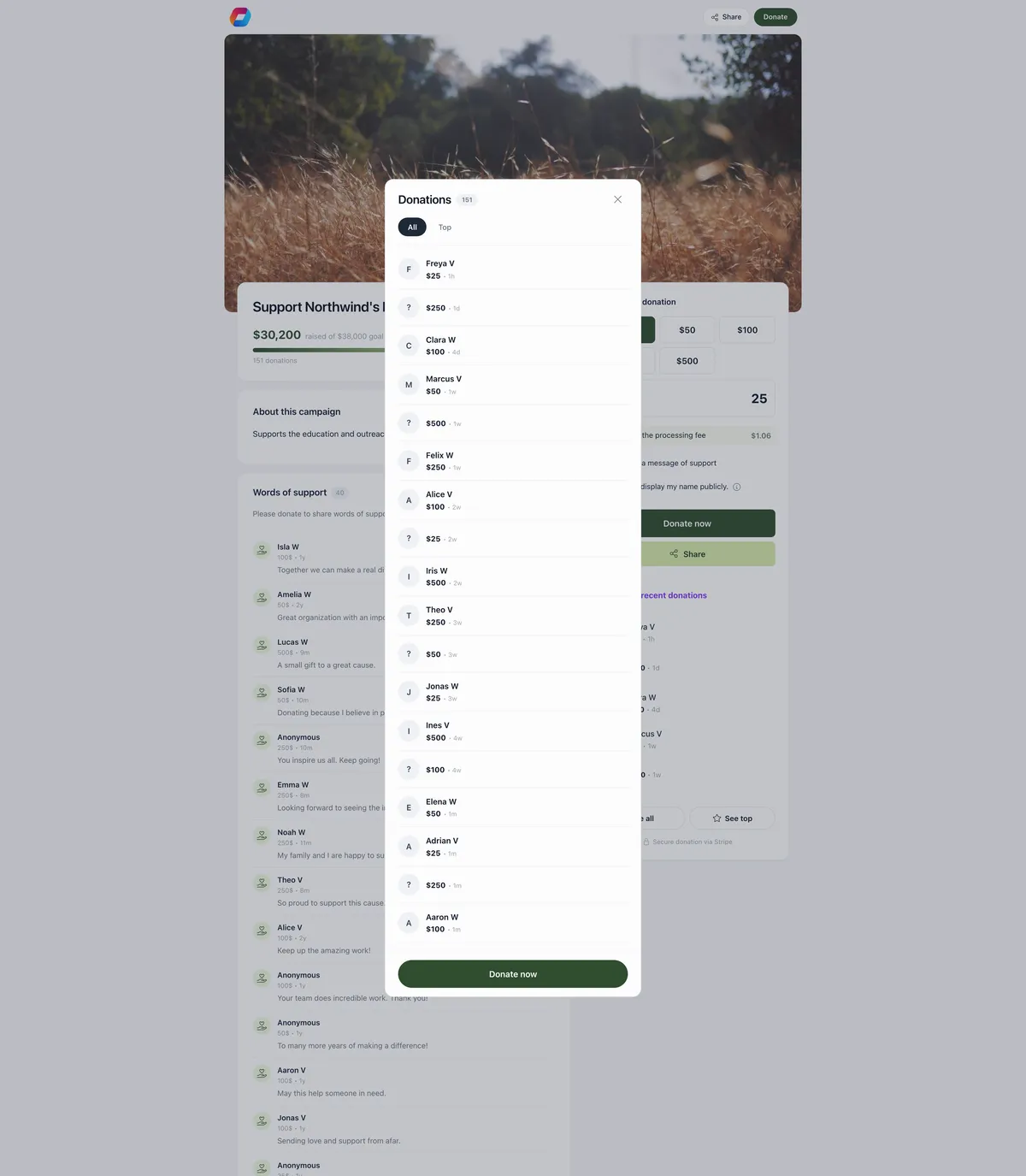
Public names are shortened to a first name and a surname initial. Confidential donors show as anonymous throughout, which is the rows carrying no name in the list above.
Confidentiality is opt-in per campaign. Switch on Enable payment confidentiality and the donor gets a Don’t display my name publicly checkbox. Their gift still counts toward the goal and the donation count, and their real identity stays on the payment record, so your finance view is unaffected.
Messages of support work the same way: a donor can attach a message, approved messages appear on the page newest first, and moderation is after the fact. There is no pending queue, so a message is public the moment the gift succeeds and you take down anything you do not want.
Who the donor becomes in your records
A donation never creates a member. What it creates depends on one thing: whether the email already belongs to somebody.
Contacts created this way are tagged with donation as their source, so you can list them, export them and turn them into a cultivation audience without confusing them with members who have paid dues.
Some organisations show a create-an-account option on the page, controlled by an account-creation setting for external buyers and a per-campaign override. Plan your follow-up around the contact record regardless, because that is what a gift through the donation page reliably produces.
Dressing the page
The Landing page tab edits everything the donor sees, against a live preview you can flip between phone and desktop framing. Nothing changes until you save.
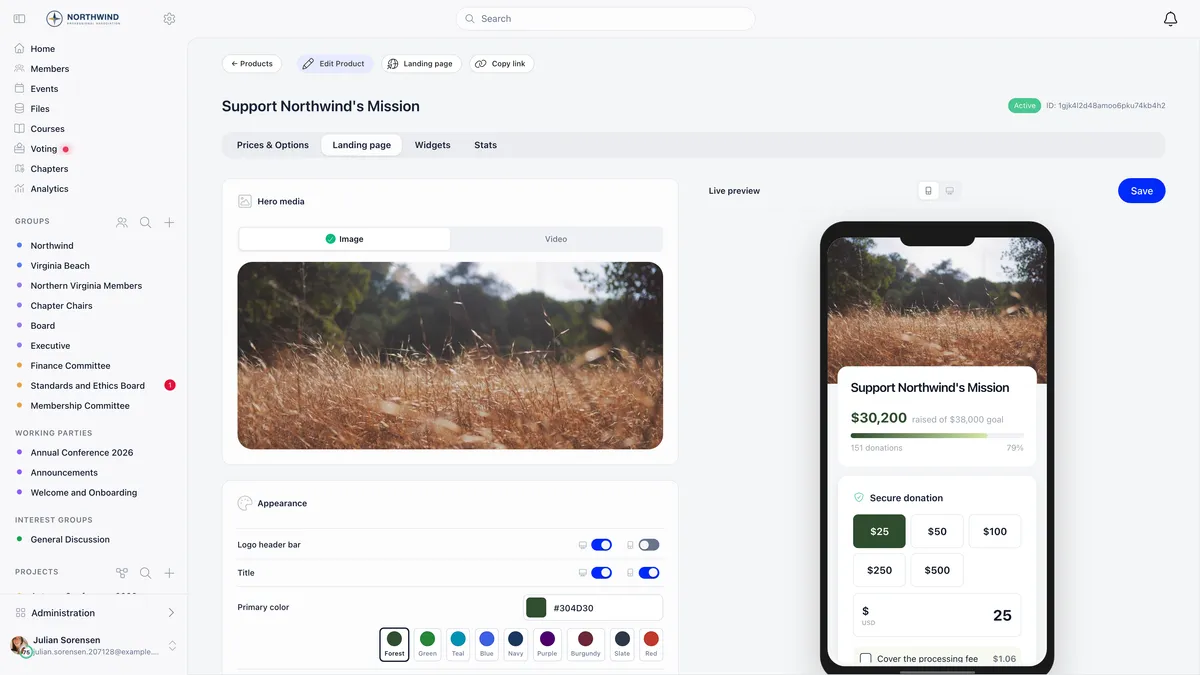
Hero image or video, a primary colour that drives the donate button and the progress bar, the campaign story, and a thank-you message that overrides the default confirmation text. There is also a social share image, used when someone pastes the link into a chat.
A donation ask at fee checkout is not a campaign
There is a second, smaller way to raise money: a prompt offering members an optional donation while they pay their membership fee.
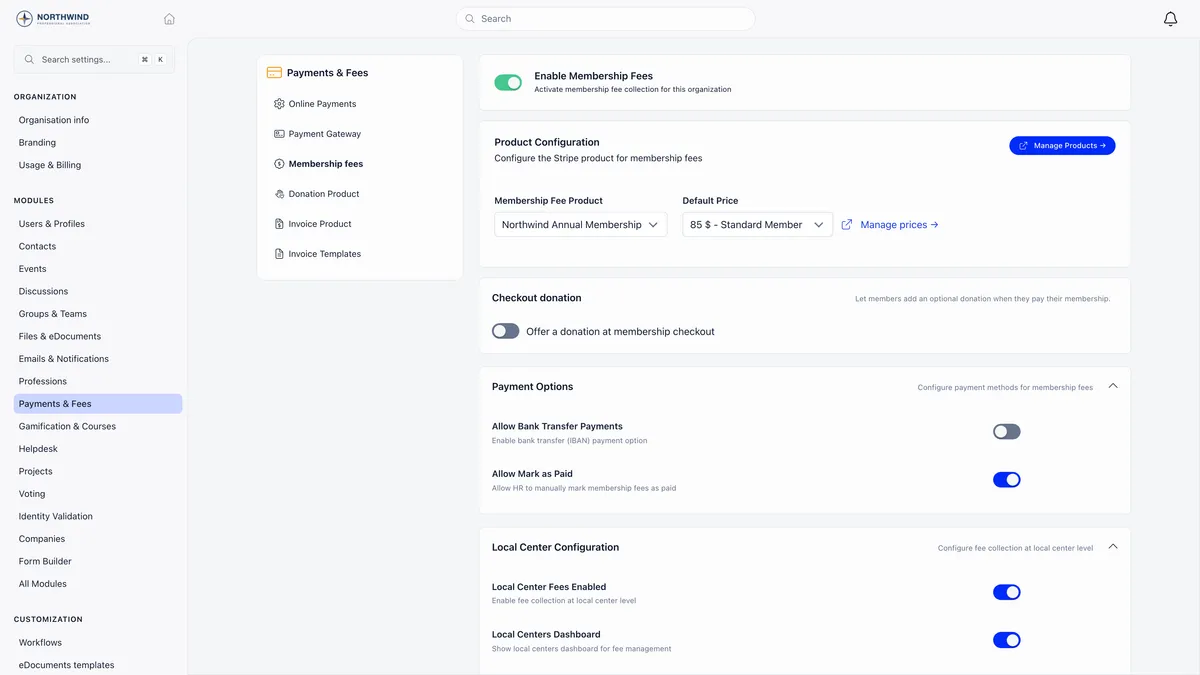
That prompt has its own text, minimum and maximum, and it is configured with your membership fee settings rather than on a campaign. It gets no public page, no goal, no donor wall and no widgets. Use a campaign when you are fundraising, and the checkout prompt when you are topping up dues. Campaigns, donor records and recurring giving together make up Orgo’s fundraising software.
One last rule
A campaign with any payment recorded against it cannot be deleted. Archive it instead: the page still loads, the form is replaced with a notice that payments are disabled, and your history survives.
Related
- How do I take card payments with Stripe?
- How do I issue an invoice?
- How do I set up membership fees?
- Donation pages and widgets
- Donations reference
Frequently asked questions
Does Orgo send my donors a tax receipt?
No. Orgo sends a thank-you email with the amount and the campaign name, which is a thank-you and not a fiscal document. The only receipt a donor can receive is Stripe's own, and it needs two switches: Stripe Email Receipts in your Orgo payment settings, plus customer emails for successful payments enabled on the connected Stripe account itself. Stripe never sends receipts in test mode. No invoice is created for a donation.
Do people who donate become members?
No. A gift from your donation page creates a contact, not a member, and the contact is tagged as having come from a donation. The one exception is a donor whose email already matches a member in your organisation: no new record is made and the donation is attached to that member instead. Plan your follow-up around the contact record.
Can a donor give without their name appearing on the page?
Yes, if you have switched on payment confidentiality for the campaign. The donor then sees a Don't display my name publicly checkbox, and their gift shows as anonymous on the donor wall and on any message they leave. The gift still counts toward the goal and the donation count, and their real identity is still recorded on the payment, so you can see who they are.