
Connect your own Stripe account in your organisation’s online payment settings, and every card payment in Orgo settles into your own bank account. Orgo never handles card data, it tells Stripe what to charge and reads back what happened. It takes no commission on top.
Two things surprise people. Chapters can have their own Stripe account and the money follows the account, not the chapter name. And test mode is not something you can switch on for yourself.
Before you connect
Your organisation must have a country set in your organisation information. Without it the connect buttons are disabled and the connection is refused, because Stripe needs the country when the account is created and it cannot be changed afterwards.
Connecting the organisation account needs ADMIN_TENANT. Connecting a chapter account needs ADMIN_LOCAL on that chapter, and an organisation admin can complete it on a chapter’s behalf.
Connect the account
Two buttons appear while nothing is linked. Connect existing Stripe account sends you to Stripe’s authorisation page for an account you already have. Generate Stripe Account creates a new Stripe Standard account in your country and drops you straight into Stripe’s onboarding form.

The round trip back from Stripe is protected by a single-use token that expires after one hour. If you leave the Stripe tab open over lunch, or reload the return page, you get an error and start again. That is the whole cause of “I get an error after returning from Stripe”.
Read the two badges
Once an account is linked the settings page shows a connection status with Orgo, a Stripe account status, and any outstanding requirements.
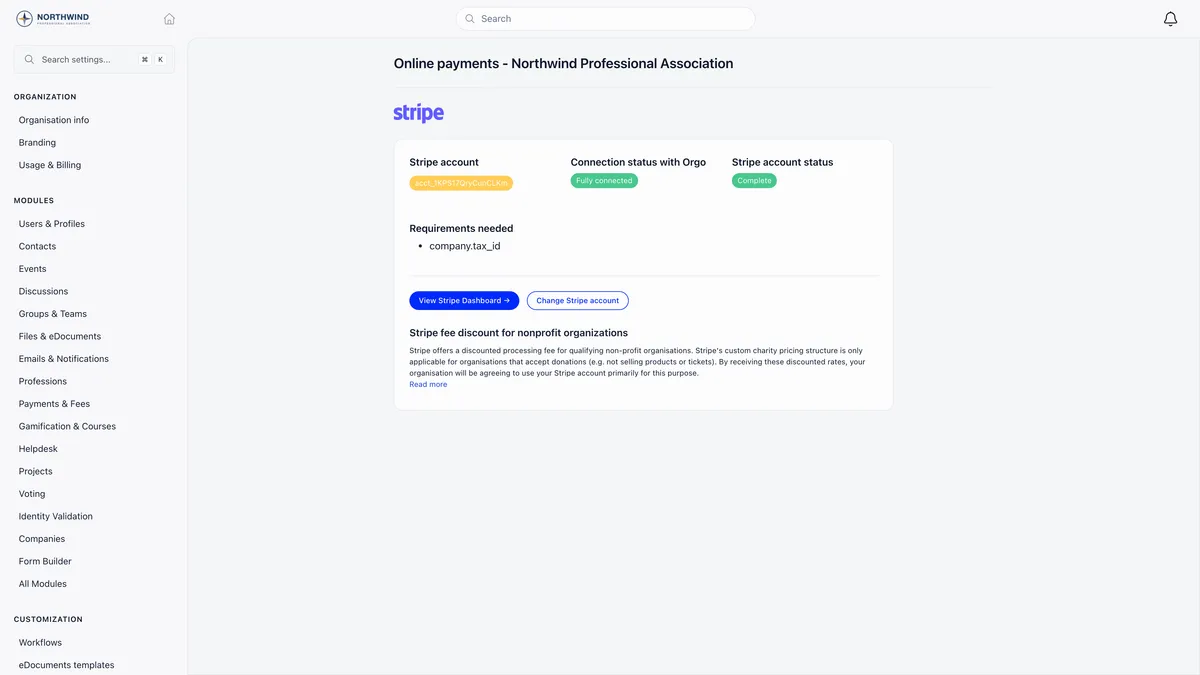
| Badge | What it means |
|---|---|
| Fully connected | Stripe reports the account can take money. |
| Partially connected | The account is linked but Stripe is not letting it charge yet. |
| Complete | Details submitted, charges and payouts both enabled. |
| Charges enabled | Payments work, payouts are still blocked. |
| Pending verification | Details submitted, Stripe has not enabled charges yet. |
| Incomplete | Onboarding was never finished. |
Requirements needed lists whatever Stripe is currently asking of you. Clear them in Stripe and the badges update on the next page load. An open requirement with a deadline still in the future does not stop payments: Stripe only blocks charges once the deadline passes.
There is no disconnect action. To stop using an account, connect a different one with Change Stripe account, or switch the online payments module off.
What a member sees at checkout
The member opens their own fee card and presses Pay. That button appears only to the member looking at their own card, and only once their fee has expired or the advance-payment window has opened.
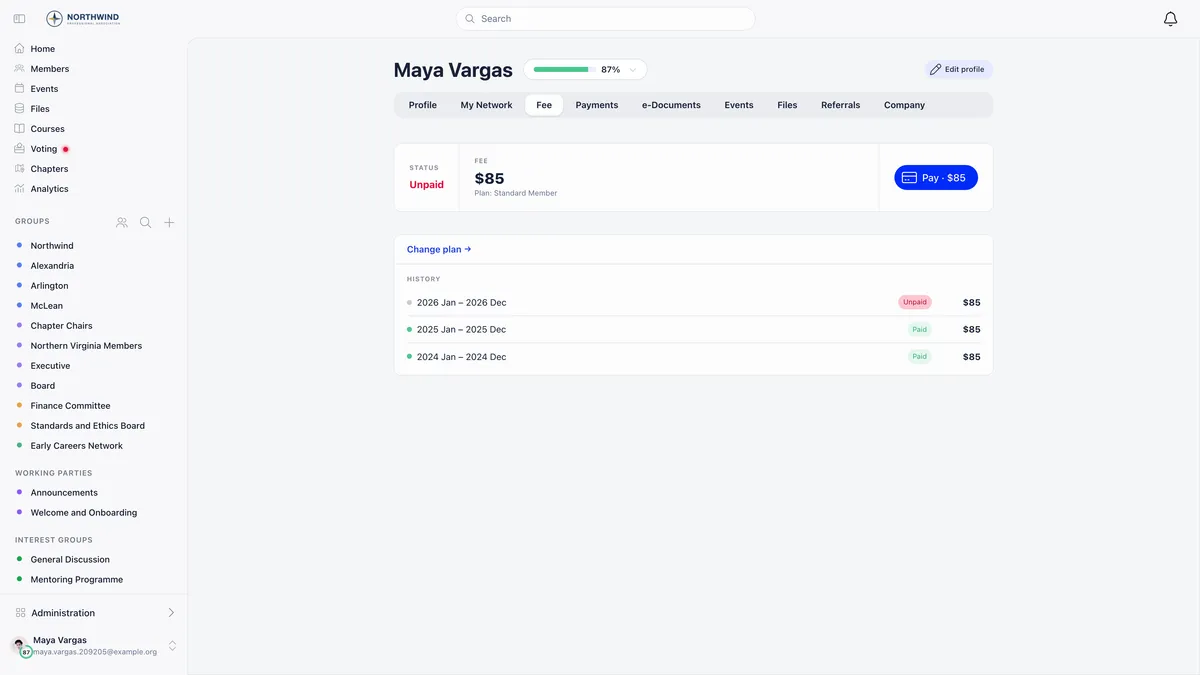
Payment happens in a panel that expands in the page. There is no redirect to a Stripe-hosted page, and the member never leaves Orgo.
Which methods a member is offered is not something Orgo pins. Checkouts use Stripe’s automatic payment methods, so members get exactly what your Stripe account has enabled for that currency and country: cards, wallets, local methods. Turn them on or off in the Stripe Dashboard, not in Orgo.
Copy payment link is the exception to the in-page flow. It produces a shareable hosted Stripe Checkout address, which is what you send to a member who wants to pay from somewhere else.
Recurring memberships need Stripe
A product’s Recurring frequency is unavailable until an account is connected: the organisation’s account for organisation products, the chapter’s own for chapter products.
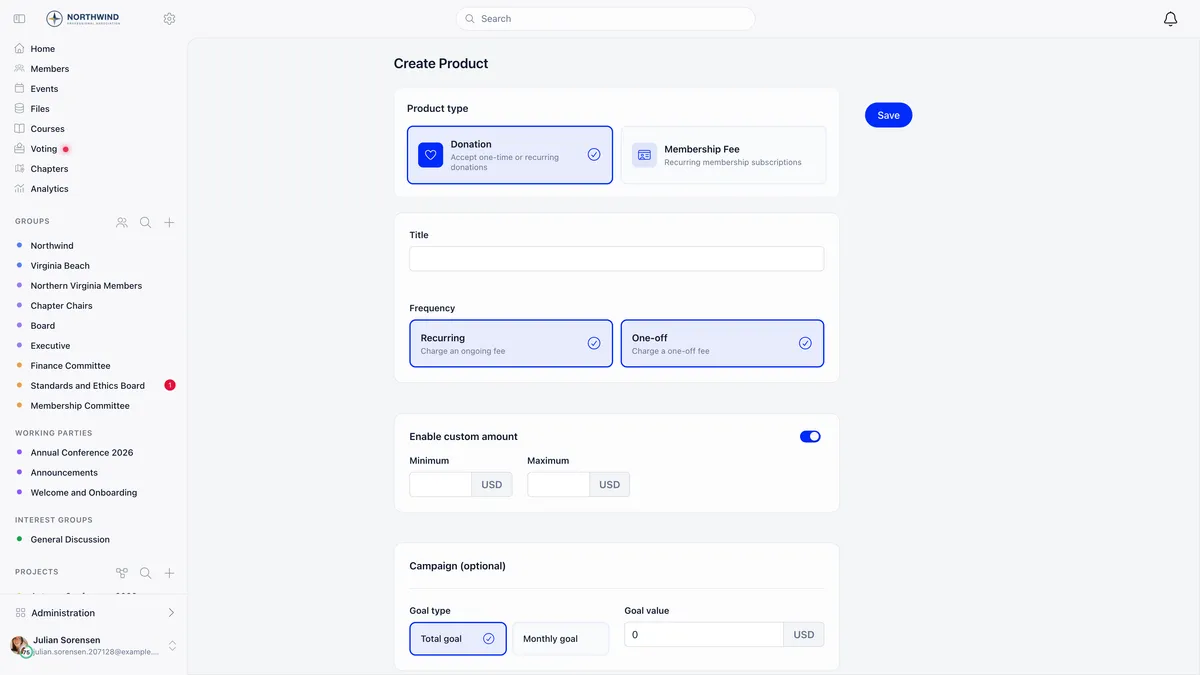
A payment an administrator records by hand never creates a subscription, because there is no card on file to charge next time. That is the usual reason a member you expected to renew automatically did not. Check the Subscribers tab of the fee product before assuming anyone is on automatic renewal.
Where the money actually lands
This is the section worth reading twice. A chapter can connect its own Stripe account, and when it has one, chapter fees charged to that chapter settle there. When it does not, the charge falls back to the organisation account so the chapter is never blocked from collecting.
A chapter’s fee product and default price are chosen in that chapter’s own fee settings, and the product list there only ever offers products that belong to the chapter.

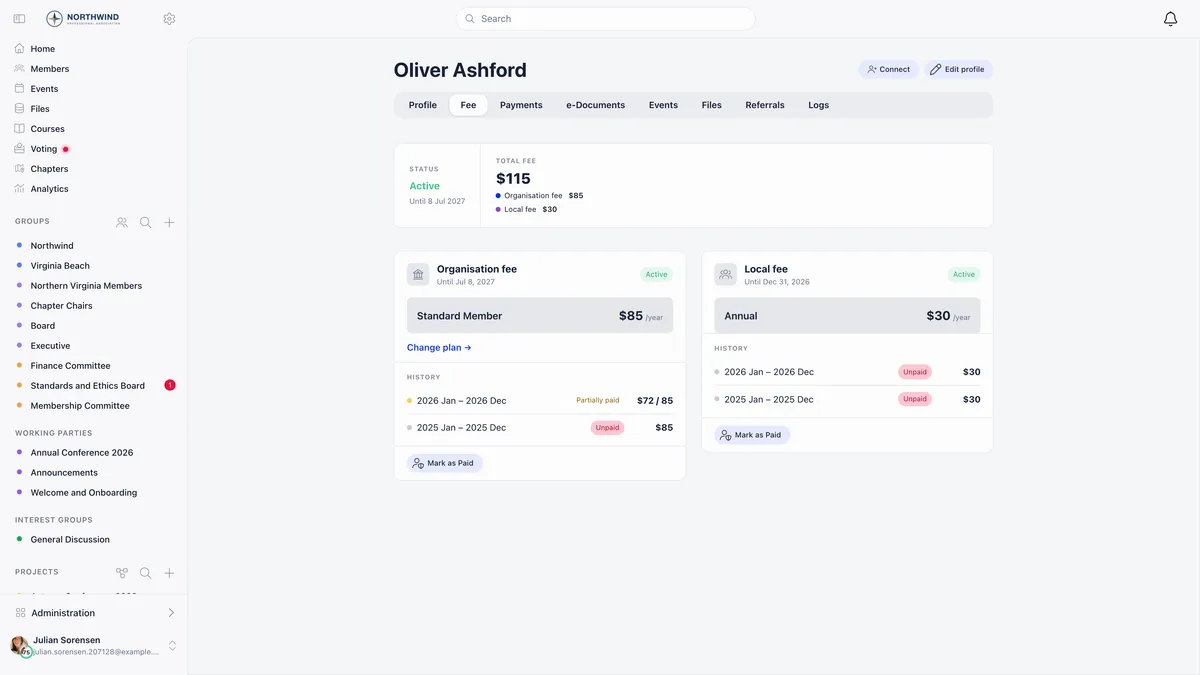
A member of a chapter that charges its own dues carries two independent fee cards and two independent validity dates. The two are never charged in one checkout, so the member pays twice, and each payment goes wherever that product’s routing sends it.
One currency rule follows from all this: a chapter can only be given its own currency once it has its own Stripe account, and that currency cannot be changed afterwards. Both rules exist to stop money being converted twice.
Reading payments back
Every fee payment batch carries the method it was taken with, which is the fastest way to tell a card payment from one somebody recorded by hand.
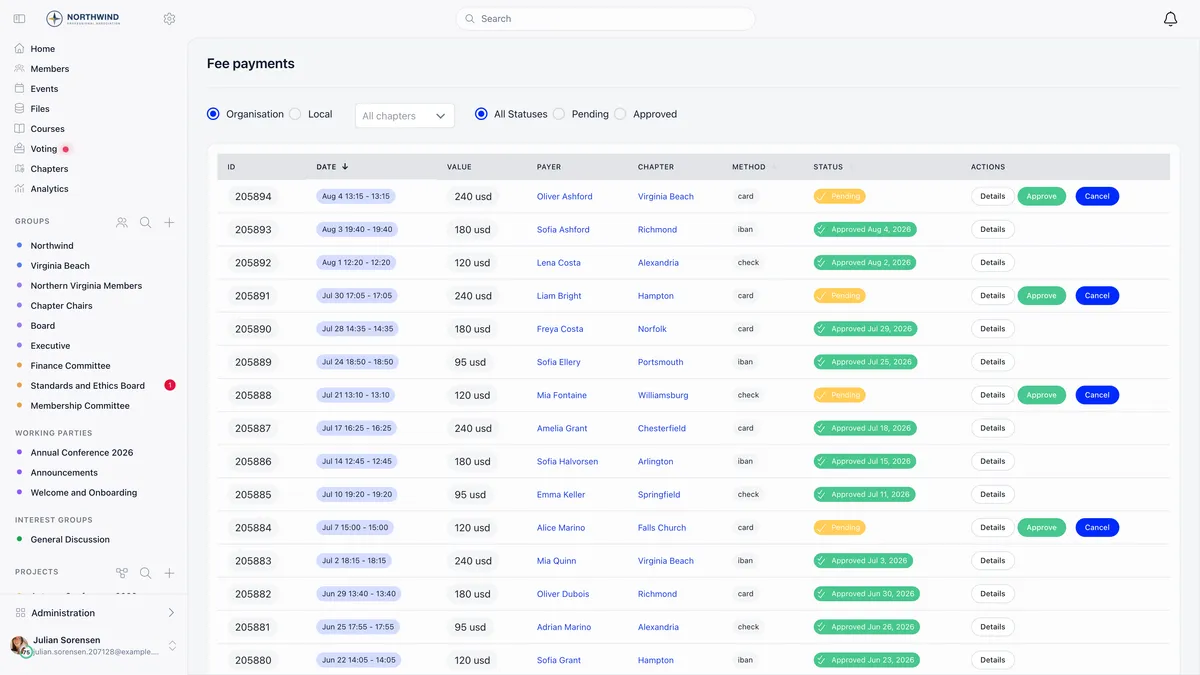
card means the money went through Stripe. check means an administrator recorded it. iban means a bank transfer was recorded and is waiting for an organisation admin to approve it.
You configure no webhook anywhere. Orgo listens on a single endpoint and updates records when Stripe reports a successful payment, a failed or action-required invoice, a subscription created, updated or cancelled, a cancelled payment intent, or a refunded charge.
Commission, fees and payouts
Orgo takes no commission. What you pay is Stripe’s own processing fee, deducted before payout. The settings page also links Stripe’s discounted pricing for qualifying non-profits, which applies to organisations accepting donations. Donation campaigns themselves are configured separately, in Orgo’s fundraising tools.
Payouts are between Stripe and your bank. Orgo does not set the schedule, does not hold funds, and does not show payout history. Use the Stripe Dashboard for that.
Refunds
Refund from the payment’s own row in the payments list. Orgo refunds exactly that row’s amount, which matters when a single card charge produced several records: refunding a membership charge does not claw back the registration fee booked alongside it. Refunds are always the full row amount, with no partial-amount field.
A refund also cancels any linked event attendance, releases the seat, and recalculates the member’s fee validity date from what remains. Refunds you issue in the Stripe Dashboard are picked up and marked in Orgo too.
Refunding needs FINANCIAL_LOCAL on the payment’s chapter, or FINANCIAL_TENANT when the payment carries no chapter, which is the case for every organisation-level payment. ADMIN_TENANT qualifies either way. It only works on a payment that succeeded.
Test mode versus live
Test mode is not a switch in your settings.
Two receipt settings sit in your payment settings and are worth deciding on before you go live. PDF Receipts/Proofs has Orgo generate its own PDF receipt. Stripe Email Receipts lets Stripe send its own, which needs customer emails enabled on your Stripe account.
Related
- How do I set up membership fees?
- How do I record a payment made outside Orgo?
- My member paid but Orgo still shows them as unpaid
- Stripe integration reference
- Chapter fees
- Products and prices
Frequently asked questions
Where does the money go when a member pays by card?
Into the Stripe account that owns the product, and from there to whatever bank account that Stripe account pays out to. For an organisation membership fee that is the organisation's Stripe account. For a chapter fee it is the chapter's own Stripe account when it has one. Orgo never holds the funds and takes no commission, so what you receive is the amount charged less Stripe's own processing fee.
Why did our chapter's membership money land in the national account?
Because that chapter has not connected its own Stripe account. Charges fall back to the organisation account by design so the chapter is never blocked from collecting, but the money settles centrally until the chapter completes its own Stripe connection. Event tickets and donations always charge the organisation account whatever the chapter does.
Can I test a payment without charging a real card?
Not on your own organisation. Test mode is not a switch in your settings, and switching your own Stripe Dashboard to test mode changes nothing about what Orgo charges, because Orgo runs against live Stripe keys. Only demo organisations provisioned by Orgo are wired to Stripe's test mode, so ask us for a demo organisation if you want to rehearse a checkout.