
A user type says what kind of member somebody is. A role says what position they hold, and it is the only one of the two that can carry permissions. They are created on the same screen, they look nearly identical while you are filling the form in, and they do completely different jobs.
That last point is where the expensive mistake lives. An organisation creates a user type called Managers, assigns it to eight people, and expects those eight to be able to manage something. Nothing was granted. A user type grants no permissions whatsoever, and the part of the form where permissions live disappears the moment you set the level to User type.
The one screen they both live on
Roles and user types are the same kind of record, separated by a single setting called level. Level User type makes the record a category. Any other level, meaning Chapter, Parent chapter, Organisation or one of your unit types, makes it a position in your structure.
Both are listed together on the Roles and User types screen in Settings, under Users and Profiles, which needs organisation Admin rights.
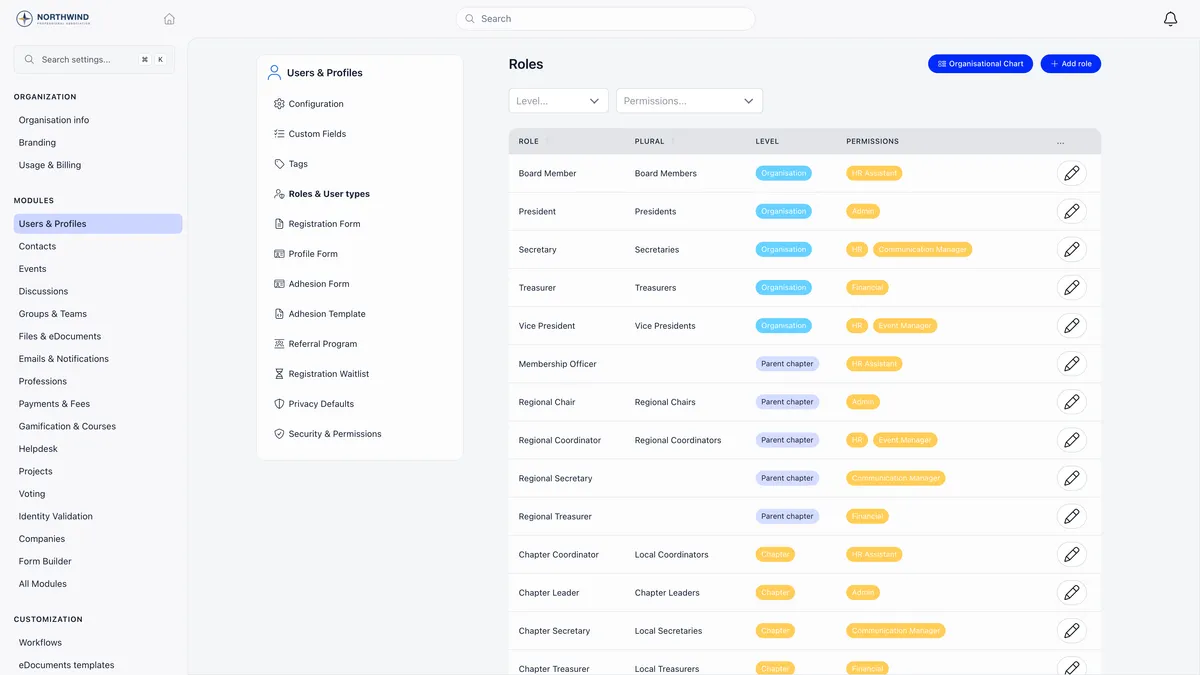
Read the Permissions column on that screen. Every row with a tag in it hands real access to everybody who ever holds it. Every user type row is blank in that column, and always will be.
Creating a user type
- Open the Roles and User types screen and press Add role.
- Fill in the Title and the Plural title. The plural is prefilled from the title as you type, and is used wherever Orgo lists several holders.
- Set the Level to User type. The permissions section disappears and anything already ticked there is cleared.
- Set the extras below, then save. The type is assignable straight away.
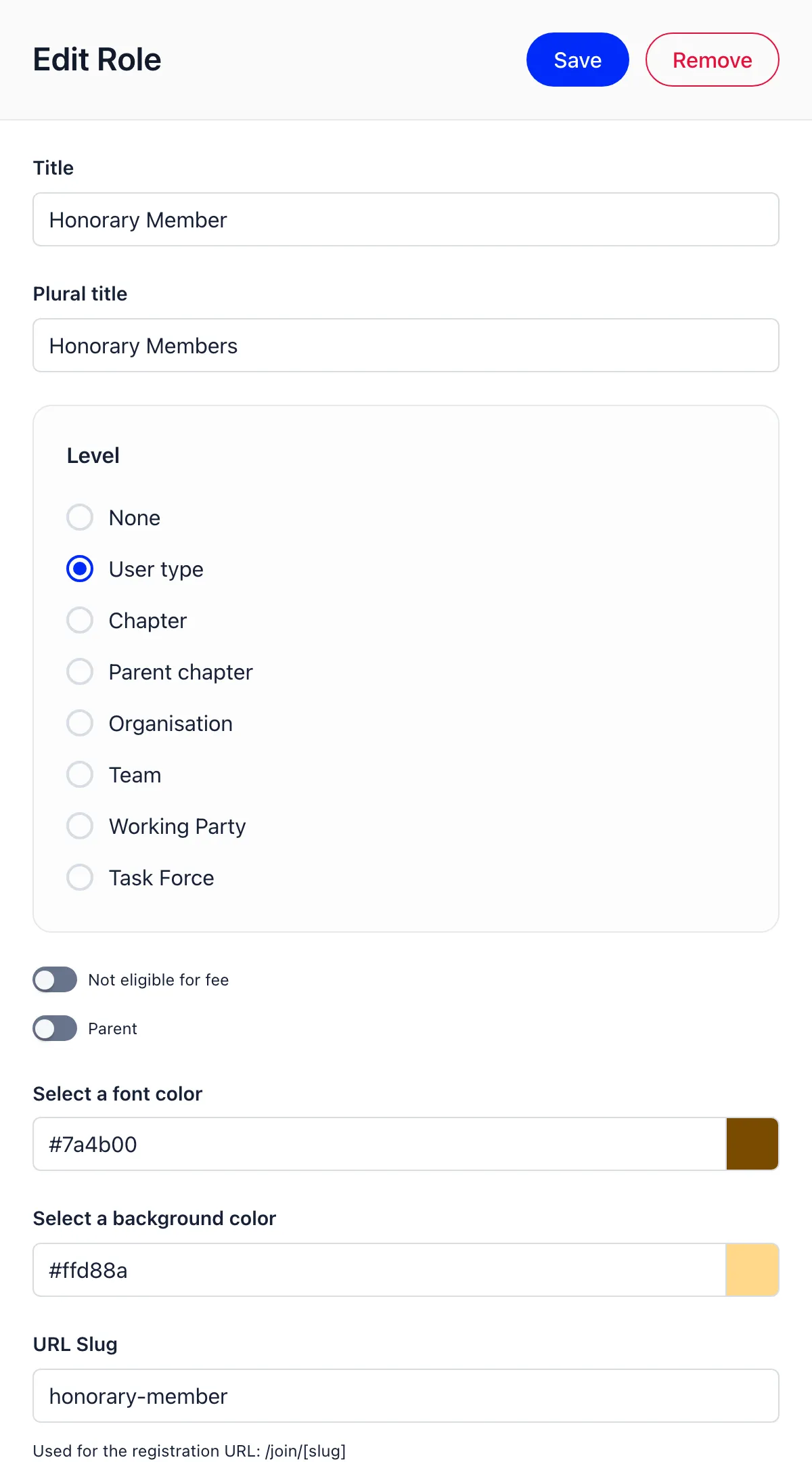
| Setting | What it does |
|---|---|
| Not eligible for fee | Members of this type are never assigned a membership fee, at organisation or chapter level |
| Parent | Marks the type used for parent accounts. Needs family members enabled |
| Volunteer | Marks the type used for volunteers. Needs volunteer roles enabled |
| Font colour, Background colour | Colour the type’s tag wherever it is shown |
| URL Slug | Gives the type its own sign-up page at /join/ plus the slug. A per-type registration form will not save until the slug is set |
The level is only offered when Enable User Types is on. That switch, and the settings deciding who may see and filter by type, sit on the Users and Profiles configuration screen.
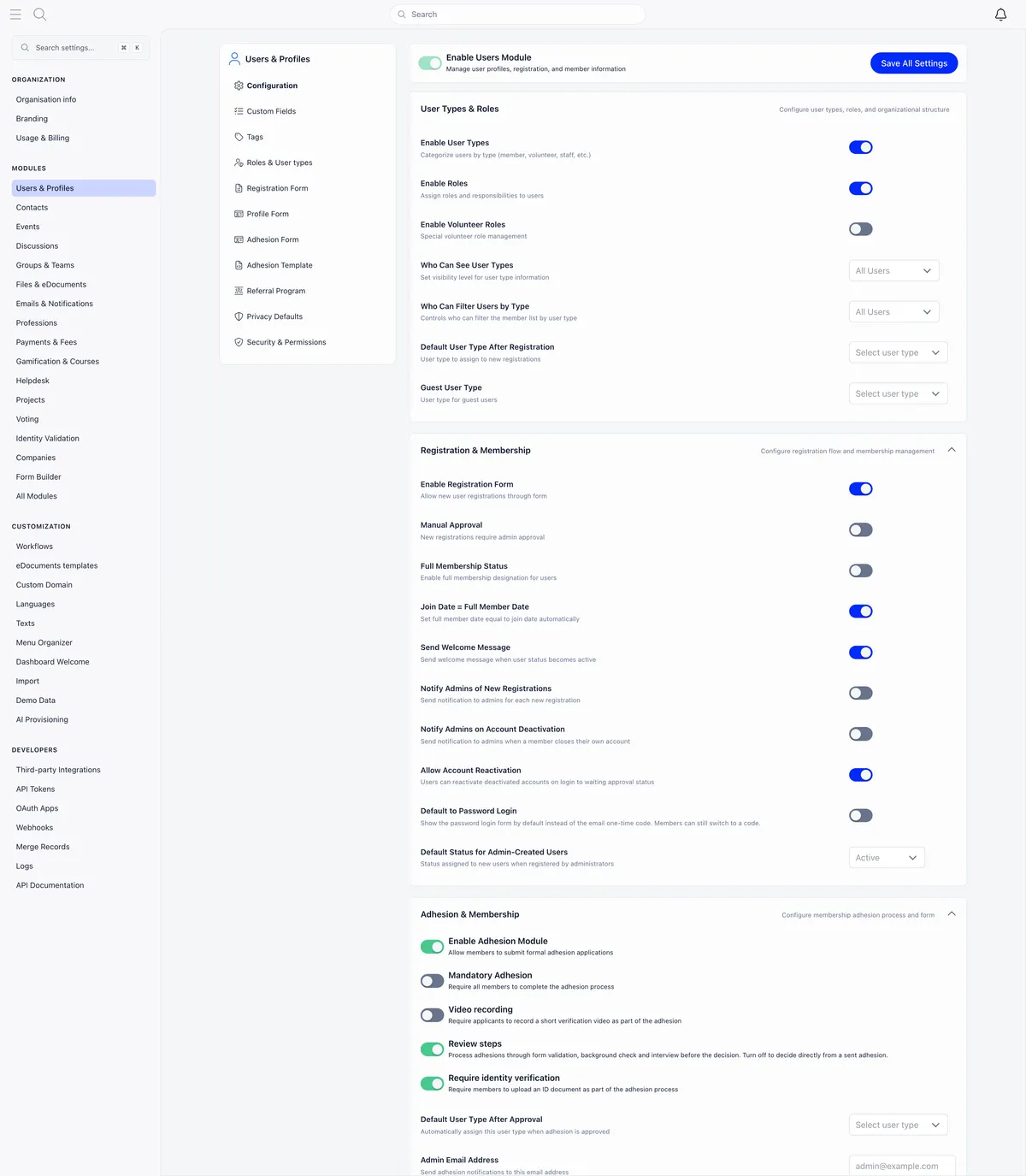
Two of those deserve a deliberate answer. Who Can See User Types controls where the type label is displayed, and it does not remove the type from exports or from the API. Who Can Filter Users by Type is enforced on the server, so filtering by type without the right level is refused rather than quietly ignored.
Assigning a user type
A member has exactly one, and setting a new one replaces the old one. It can arrive several ways:
- On the member’s profile, on the Roles tab, from the user type selector.
- On the create form, when an administrator registers a member.
- Automatically, from Default User Type After Registration.
- From the type’s own sign-up link, which applies that type to everyone who signs up through it.
- From the applicant, if you add the User Types field to your registration form.
- On approval of an adhesion, which emails the member if their type changed.
- During a bulk import.
Editing types or roles on a profile needs HR_TENANT, or HR_LOCAL over that member’s chapter.
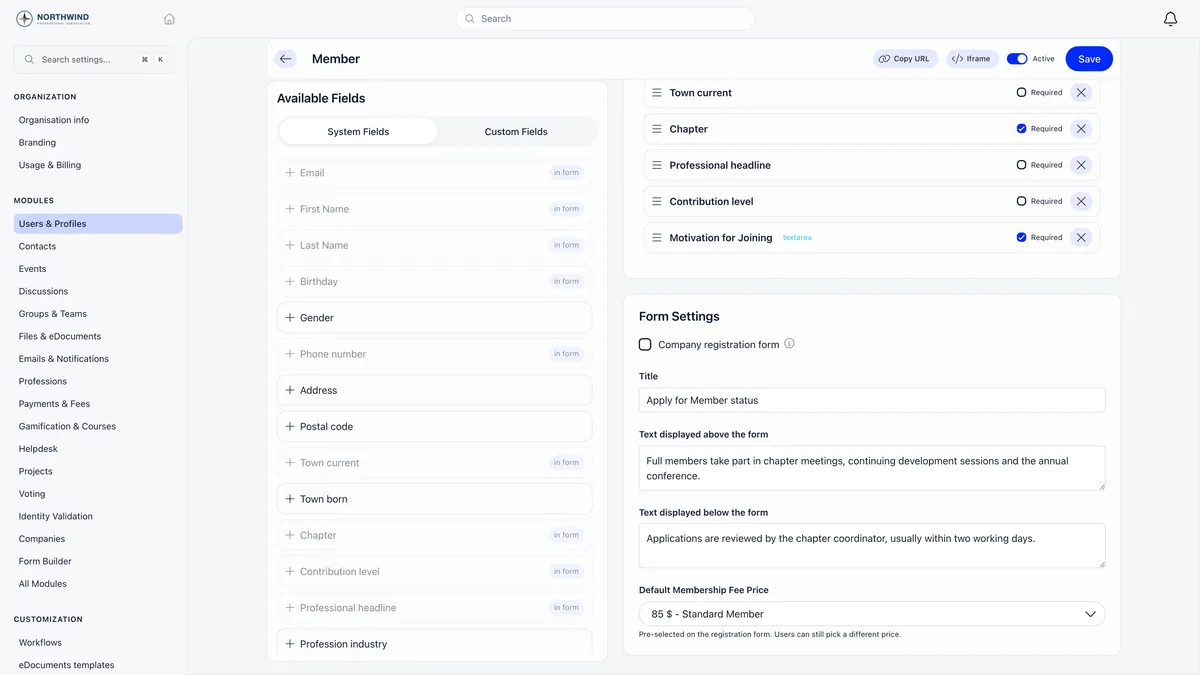
Each type can carry its own registration form, with its own fields, its own wording and a preselected membership price.
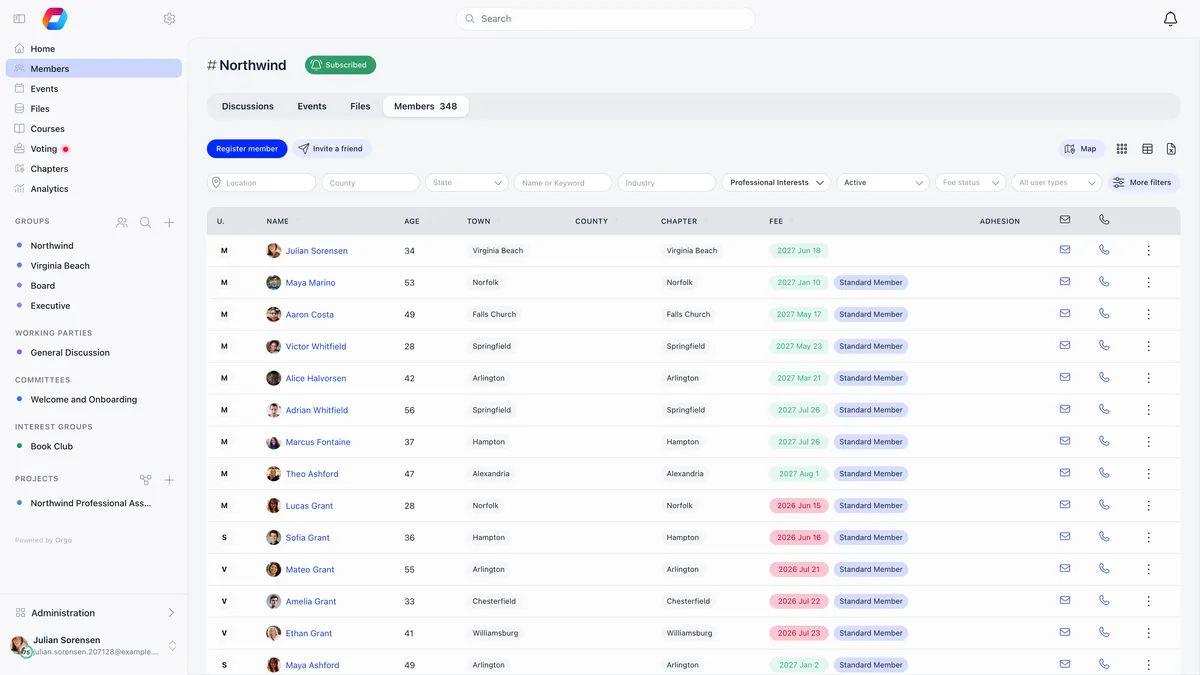
Once types are in use, the member directory can be filtered by them, from the user type filter in the filter row.
Creating a role
Same screen, same Add role button, one different answer.
- Title and plural title, as before.
- Set the Level to Chapter, Parent chapter, Organisation or one of your unit types.
- Tick the permissions the position needs. This section exists only because the level is not User type.
- Save.
Which boxes you can even see, what each one unlocks, and why being refused looks like being signed out are covered in how to assign permissions. Read that before ticking anything, because a permission on a role reaches everybody who ever holds the role, not only the person you had in mind.
Assign the role from the member’s Roles tab, where every assignment carries a start date and an optional end date.
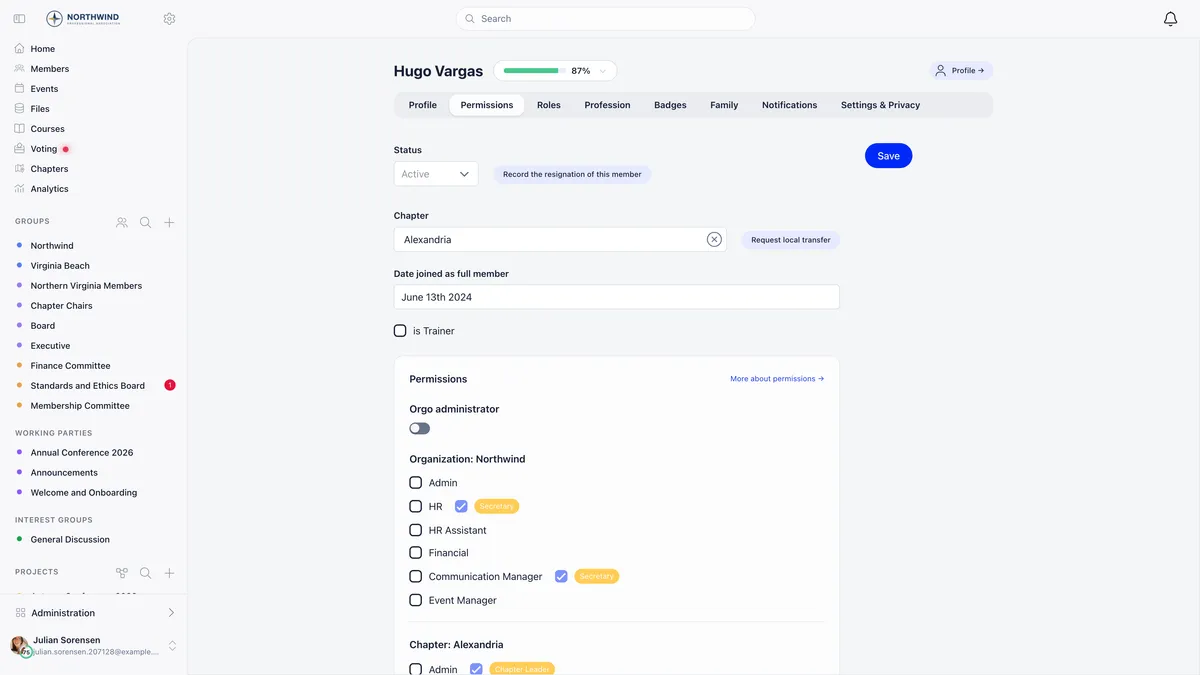
That screenshot is what a permission arriving from a role looks like. The plain HR checkbox is empty, and beside it a second, locked checkbox is ticked and tagged Secretary. Nobody ticked it on this profile and nobody can untick it here. Ending the Secretary role is what removes it.
A member holds several roles at once
One member can be a Chapter Treasurer, a Board Member and a Working Party lead simultaneously, each with its own term. Their user type stays a single value throughout.
This has a consequence worth stating plainly: you cannot read who your administrators are from the roles list. That list tells you which roles carry which permissions. It does not tell you who holds them, it does not show permissions ticked directly on a profile, and a person holding four roles collects the permissions from all four. Use the Permissions filter on the member list for that question, as described in the permissions guide.
The organisational chart is built from the same assignments. Each box is a role, and the number on it is how many active members hold it right now with no end date.
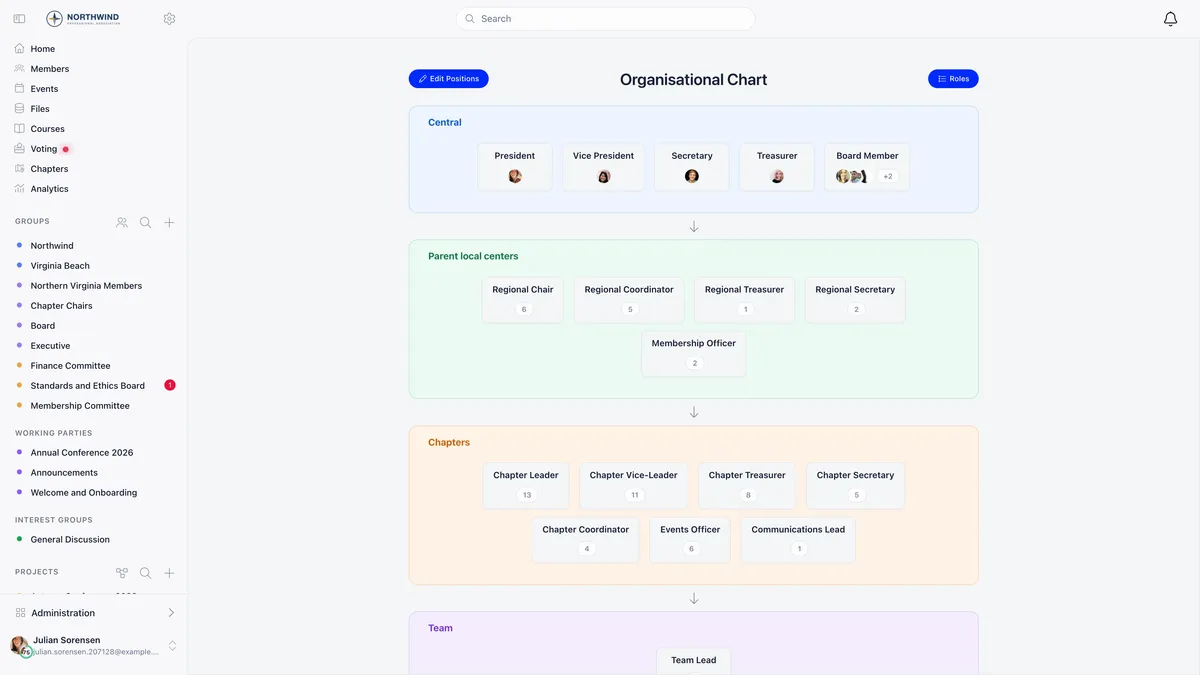
User types never appear on that chart. They are excluded from both the layout and the counts, which is another place the difference shows up in practice.
Role groups fill themselves from roles
A role group is a group whose membership is a query rather than a list. You set the criteria once and Orgo keeps the membership in step with your member data. The space it produces carries the same group discussions as any other group, with the membership list maintained for you. They appear on their own tab on the Groups page, and creating or editing one needs organisation Admin rights.
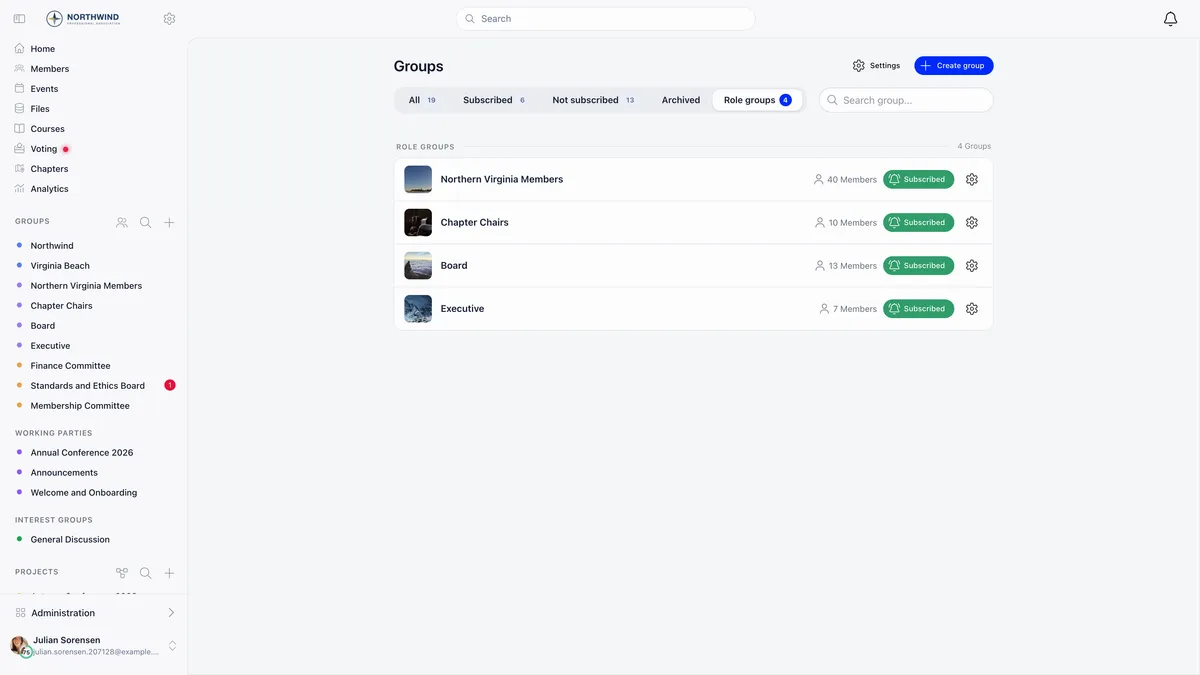
On the create form, pick Role group in the Access selector, then choose a segmentation type. Profile segments on who the member is, using age, gender, region, full member status and membership fee tier. Roles segments on what they have been assigned, and the roles there are grouped by level, with user types among them.
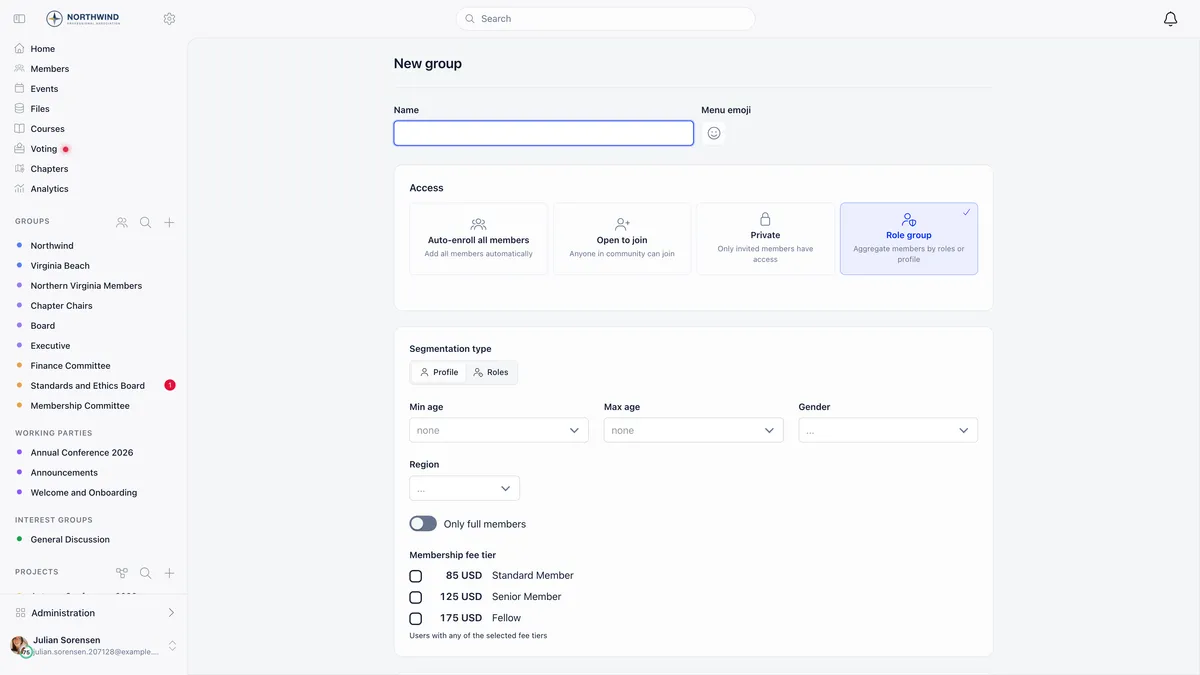
Membership is recalculated when you save the group, when a member’s roles change, and when a member’s profile is created or edited. The rule that surprises people is how an assignment stops counting.
A role group also has an Admins tab for the exceptions the criteria always miss. Anyone added there stays in the group and survives the rebuild that re-saving triggers. Ordinary members cannot leave a role group, because the membership is derived from their data, but they can mute it with the Subscribe button.
When a tag is the better answer
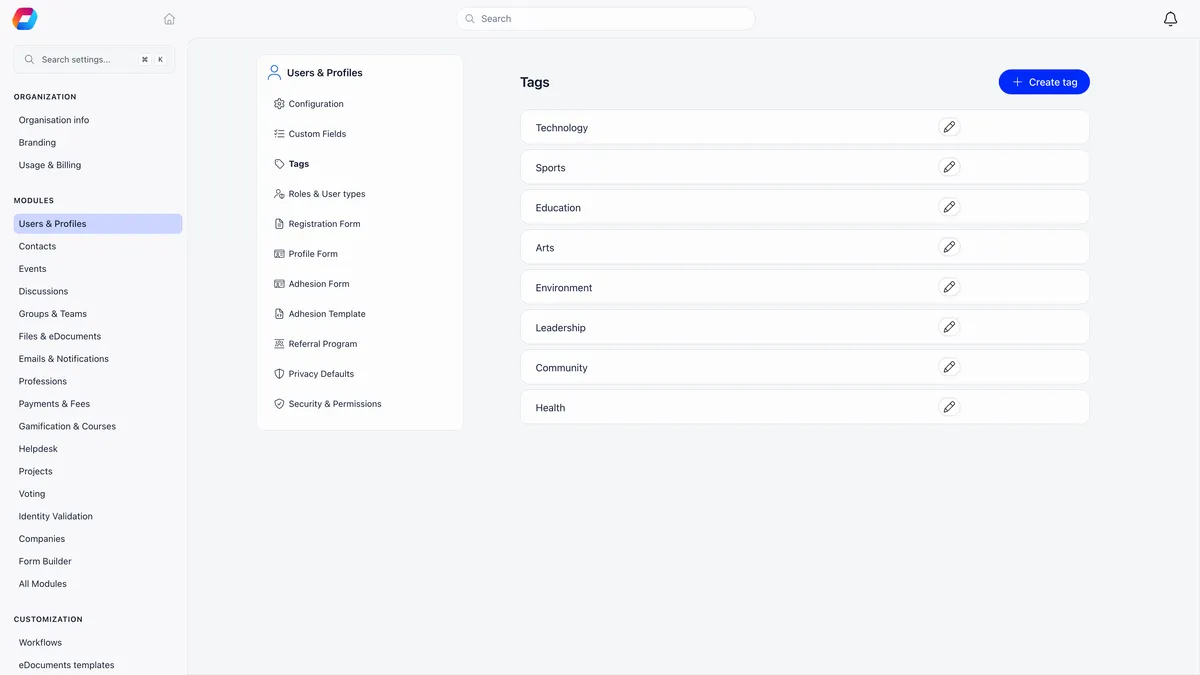
Add a user type when it changes something concrete: a different fee, a different registration form, a different menu or a different report. If it only changes what you call somebody, use a tag instead. Tags are managed on their own screen under Users and Profiles, and they carry no fee logic, no form and no permissions.
Troubleshooting
I gave a user type permissions and they vanished
They were cleared when you set the level to User type. That is the product working as designed. Create a separate role for the position and put the permissions there.
The sign-up link for a type does nothing
The type has no URL Slug, or its registration form has not been saved and made active. Set the slug on the type first, because the per-type form will not save without it.
Somebody left and still has access
Ending their role removes the permissions the role carried, but a permission ticked directly on their profile survives both the role ending and a move to another chapter. Audit with the Permissions filter on the member list.
A role will not delete
Deleting a role that still has members assigned to it is refused. End the assignments first.
Related
- How to assign permissions
- User types and roles, the full reference
- Role groups
- The organisational chart
- The registration form
Frequently asked questions
I created a user type called Managers and they still cannot do anything. Why?
Because a user type grants no permissions at all. It is a category, not an access level. The permissions section of the form disappears the moment you set the level to User type, and any permissions already ticked are cleared. To give those eight people access, create a separate role at the level you need, tick the permissions on it, and assign that role alongside their user type.
Should Leader be a user type or a role?
If it describes a kind of member, and it changes their fee, their registration form or what they see, it is a user type. If it is a post somebody is appointed or elected to, and it comes with the ability to do things, it is a role. If you need both, create both. They are two rows on the same screen, and a member can hold both at once.
Why did somebody drop out of a role group the moment I set an end date on their role?
Role group membership counts only assignments with no end date at all. Setting an end date, including one dated next year, takes effect straight away rather than on the date you typed. The same rule governs the permissions the role carried and the counts on the organisational chart. If you want the person to stay until the date arrives, leave the end date empty and set it when the term is actually over.