
Pick which record goes away and which one you keep, settle the fields where the two disagree, and confirm. Everything attached to the record that goes away is re-pointed at the one you keep, in a single all-or-nothing operation, and you get one 30-day undo.
The question we are asked most is what actually survives. Event registrations, payments, invoices, subscriptions, fee payments, roles, adhesions, badges, course enrolments, form submissions, identity documents, tags, company memberships, family links, posts, files and tasks all move. The chapter does not move, and sign-in material is destroyed rather than transferred. The full picture is further down.
Before you start
| Requirement | Detail |
|---|---|
| Merge Profiles switched on | A toggle in the Users and Profiles module settings, under Advanced Settings. With it off the page sends you back to the dashboard |
Organisation HR rights (HR_TENANT) | Enforced on the page and again on the server, so a chapter-level HR manager cannot merge |
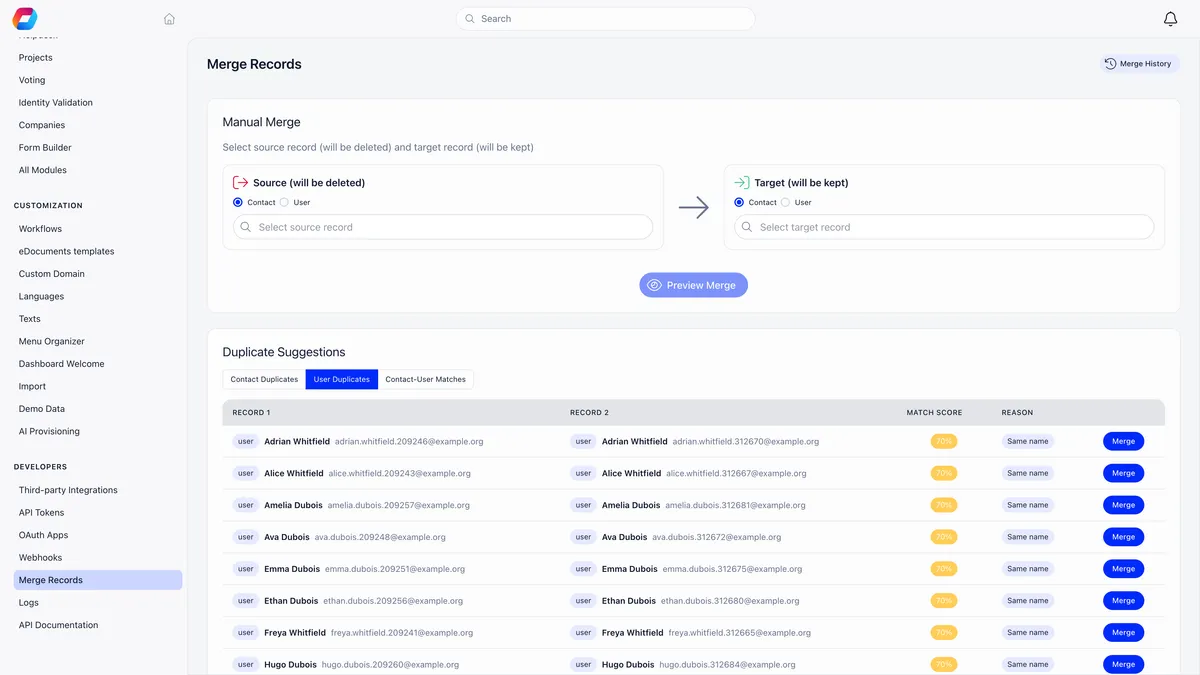
The destination is called Merge Records and sits with the developer tools in Settings. Names and positions in your sidebar are per workspace, so look for the destination rather than a fixed spot in the menu, and expect it to be missing entirely if either of the two requirements above is unmet.
Which record goes away
Orgo labels the two sides plainly: Source (will be deleted) and Target (will be kept). Getting this the wrong way round is the single most common mistake, so read the labels before you press anything.
| Direction | Allowed |
|---|---|
| Contact into contact | Yes |
| Member into member | Yes |
| Contact into member | Yes |
| Member into contact | No |
A member is never folded into a contact, because a contact has no account and no sign-in. Pick that combination and Orgo refuses and tells you to swap the two: the contact goes in the source box, the member in the target box.
Finding the duplicates
Duplicate Suggestions at the bottom of the page has three tabs, each searched separately.
| Tab | What it finds | Score |
|---|---|---|
| Contact Duplicates / User Duplicates | Two records sharing an email address | 100% |
| Contact Duplicates / User Duplicates | Two records sharing a name, with different email addresses | 70% |
| Contact-User Matches | A contact and a member sharing an email address | 95% |
Contact-User Matches is the common case after importing a mailing list, and it is usually the tab worth clearing first. Contacts and members are two different record types in your member records, so an import routinely produces one of each for the same person.
Each tab lists the strongest matches, highest score first, with the reason for the match beside each pair. It is a shortlist rather than an exhaustive audit, so clearing a tab and finding new pairs the next day is normal. Deleted members are left out of the member searches. Merge on a row loads the comparison straight away.
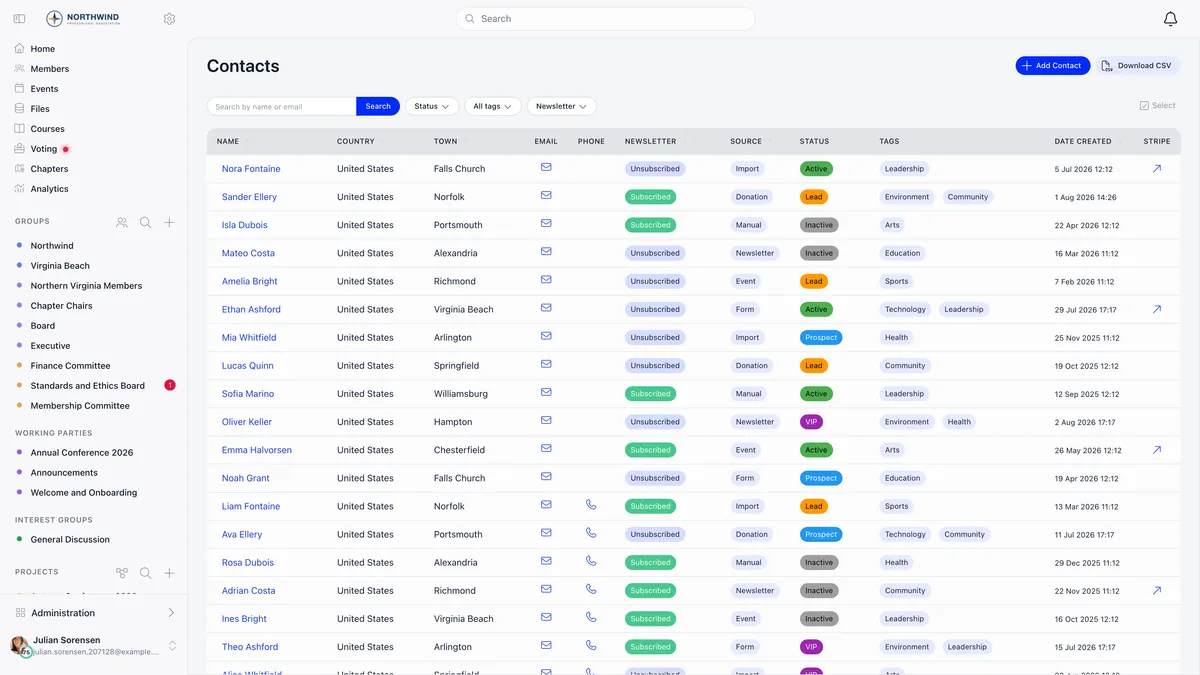
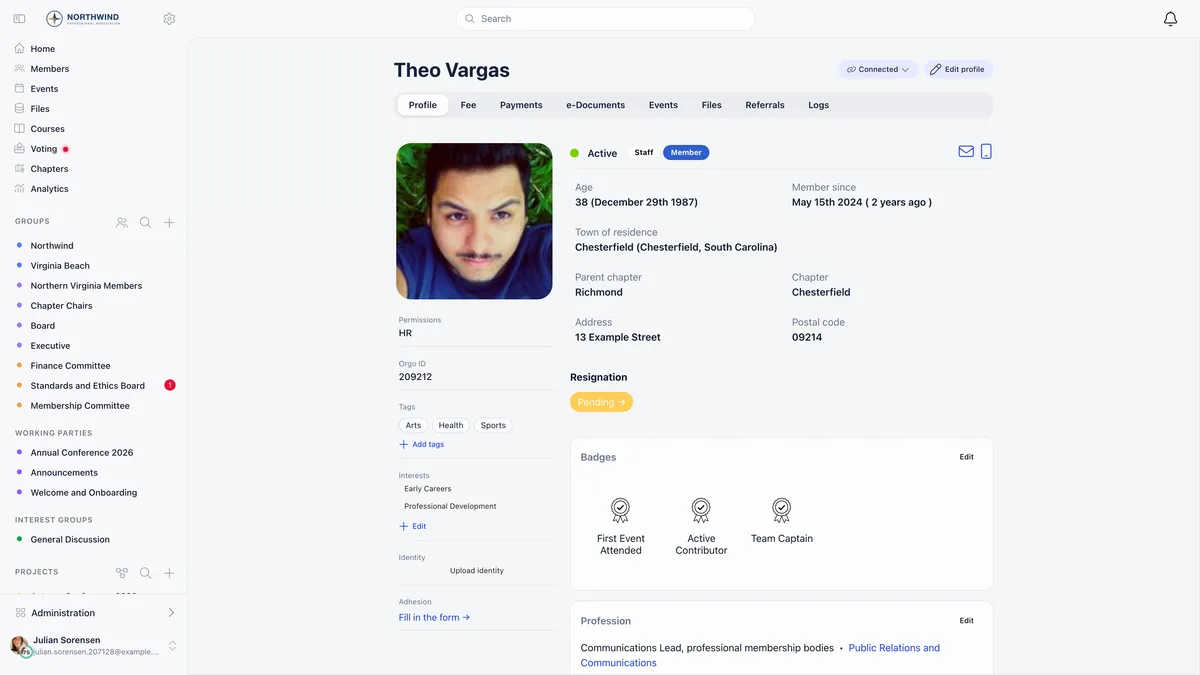
If you already know the pair, use Manual Merge at the top instead. Choose Contact or User on each side, then search by name or email. Every member carries an Orgo ID on their profile, which is the quickest way to be certain you have the right one of two people with the same name.
Reviewing before you merge
The comparison screen is the point of the feature. It puts the two records side by side, one row per field.
Fields where the two agree are ticked and left alone. Fields where they disagree are tagged Conflict and get a pair of radio buttons: keep the source value, or keep the target value. Orgo preselects a suggestion for every conflict, preferring a filled value over an empty one, and the longer text when both are filled. That heuristic is often right and occasionally very wrong, so read the email, phone and date of birth rows yourself.
For member-to-member merges, profile custom field values are compared in the same table alongside the built-in fields.
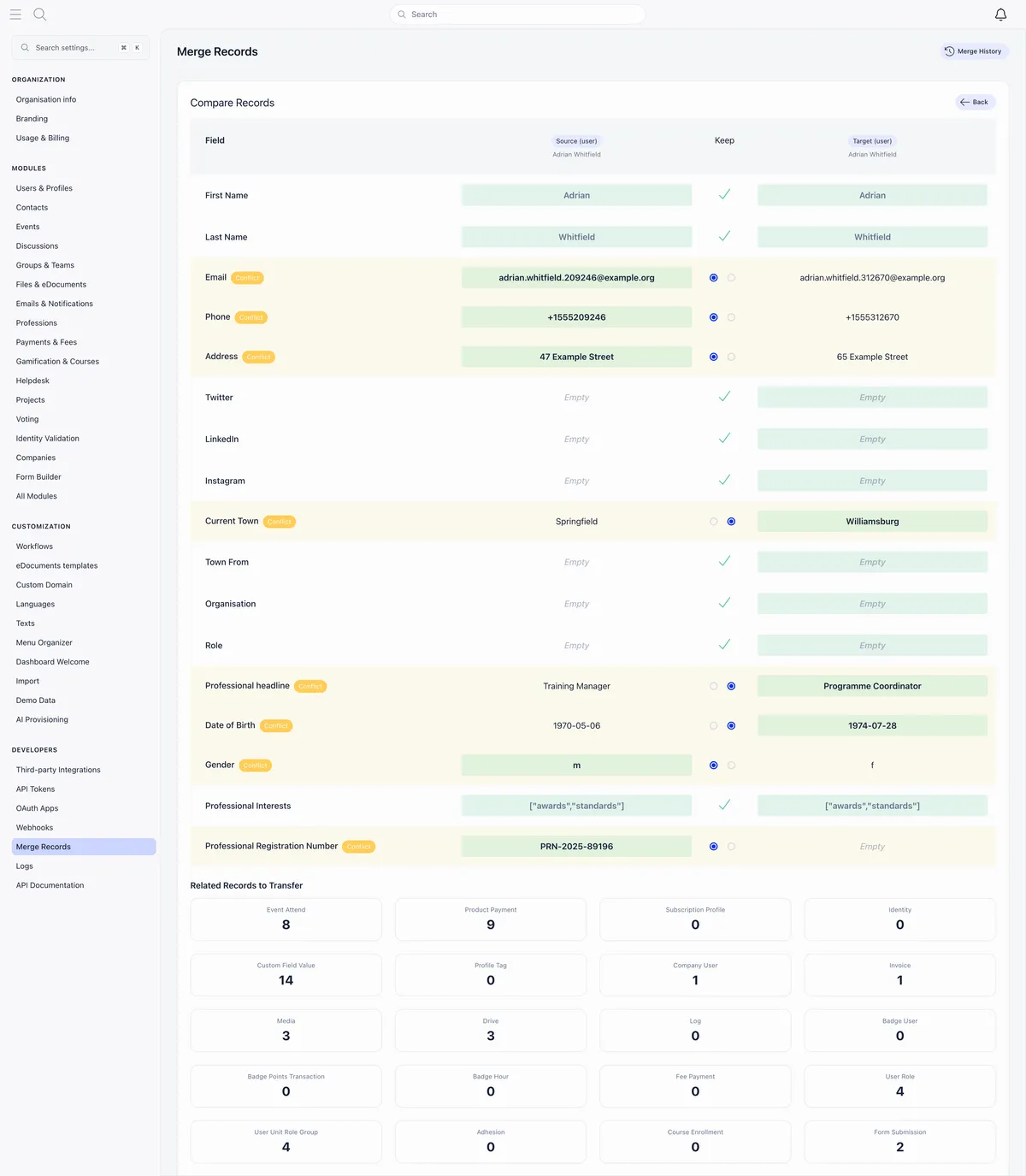
Underneath the field rows, Related Records to Transfer counts everything attached to the record that is about to go away: event attendance, product payments, invoices, custom field values, company memberships, roles, files and the rest. Those counts are what will move. A surprisingly high number is a good reason to stop and check you have the direction right.
What survives the merge, and what does not
This is the question that decides whether a merge is safe, so here it is in full.
Three points from that diagram are worth spelling out, because they are the ones that catch people.
The chapter does not move. The record you keep holds on to its own chapter, whatever the other record said. If you kept the wrong one, set the chapter afterwards. See setting up chapters for what that field decides.
Event attendance is de-duplicated, and the old record wins. Where both records attended the same event, one attendance survives, and it takes the old record’s registration status, RSVP and invitation state. Its payment carries over too, but only where it has one, so a paid registration is never overwritten by an unpaid duplicate.
Signed e-documents and cast votes stay behind. They are deliberately attached to the identity that signed or voted, and moving them would misattribute a signature or a ballot. If a merged member needs to appear on a document, re-issue it.
What happens to the duplicate record itself
| The record that goes away | What is left of it |
|---|---|
| A contact | Deleted outright |
| A member | Kept as a tombstone so nothing that pointed at it breaks |
A tombstoned member is not a working account. The status becomes deleted, the first name is prefixed with [MERGED], and the email address and username are prefixed so the address is immediately free for somebody else to register with. The tombstone drops out of member lists, searches and duplicate detection, and it can no longer be edited.
Sign-in material is destroyed at the same moment, so any device still signed in as the duplicate is signed out.
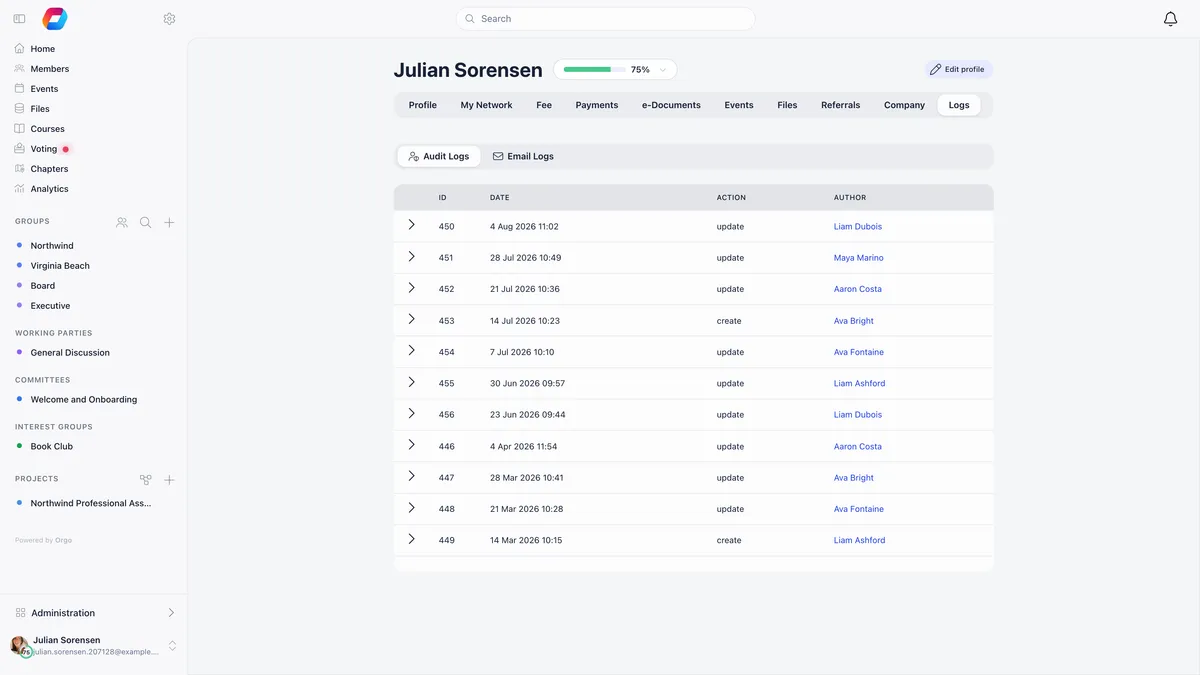
A member-to-member merge writes an entry into the Logs tab of both profiles, recording who did it and which record it was merged into. A contact merged into a member logs it on the member only, because a contact has no logs tab of its own.
Undoing a merge
Merge History lists every merge with its date, direction, both record names, who performed it and its status.
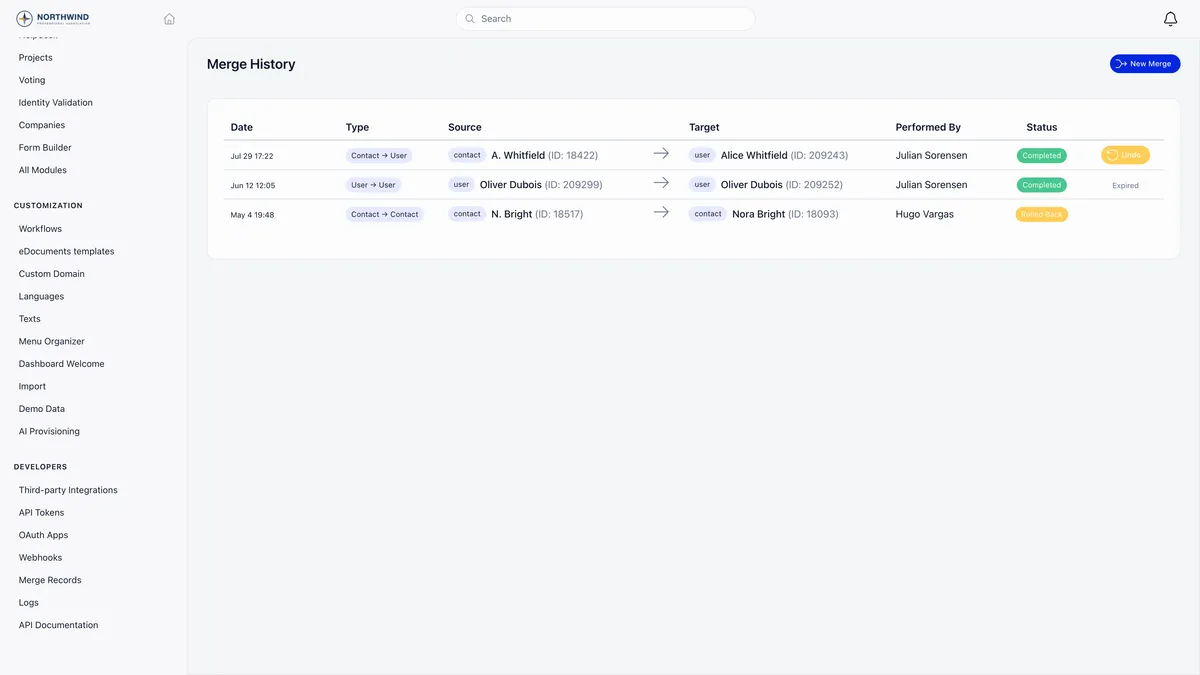
A merge can be undone once, within 30 days. After that the Undo button is replaced by the word Expired and the merge is permanent. A merge you have already rolled back shows as Rolled Back and cannot be rolled back again.
Undo restores the old record from a snapshot taken at merge time and points the transferred records back at it. A source contact that was deleted is recreated, which means it comes back under a new id.
It also rewinds the record you kept. Every field you took from the other record goes back to the survivor’s own pre-merge value. That only happens while the field still holds exactly what the merge wrote into it, so anything you edited on the survivor after the merge is left as you left it. That is deliberate: an undo should not quietly discard a correction.
What undo does not do is remove activity. Anything created on the survivor since the merge stays there, attached to the survivor. Roll back promptly if a merge was wrong, before new registrations and payments pile up on a record you would then have to sort out by hand.
Two edge cases are worth knowing. If restoring the old record would duplicate a value that has to be unique, the undo is refused outright with a message naming that value, and nothing is changed. And if the old email address was claimed by a new account while the merge stood, that live account keeps the sign-in slot, so the restored record comes back needing a fresh address before its owner can sign in again.
What merging is not for
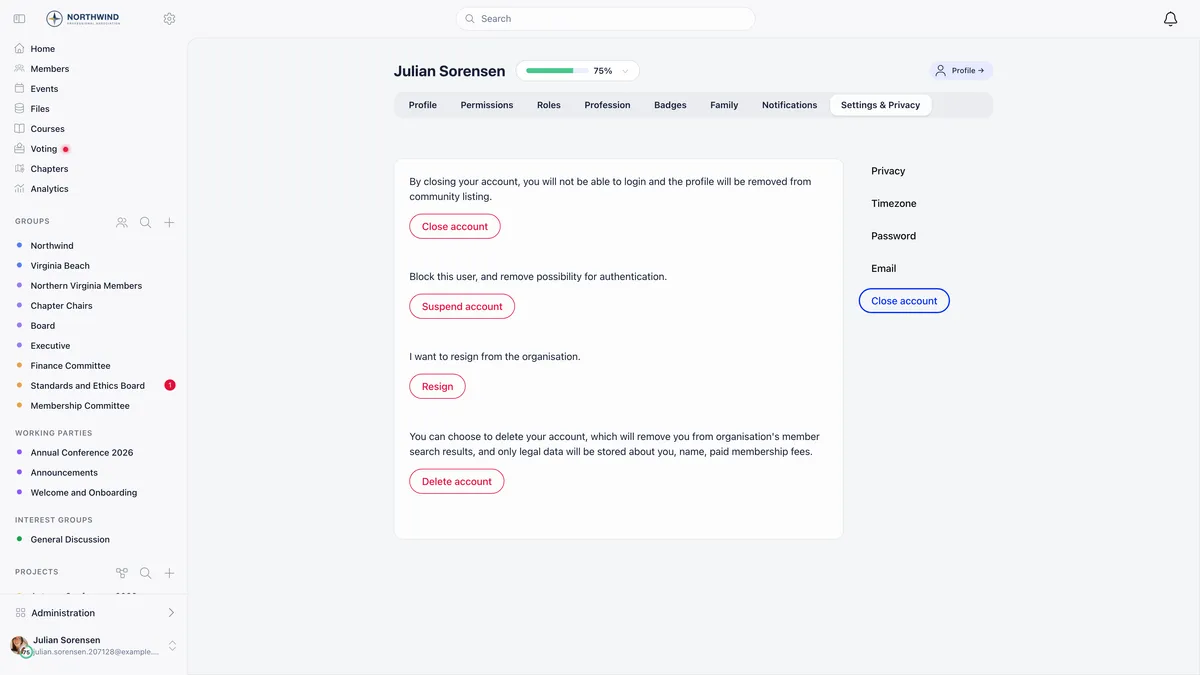
Merging is for two records that are the same person. It is not the way to remove somebody from your database. Use the deletion, resignation or account-closing options on their own profile instead, so their history is not silently attached to somebody else.
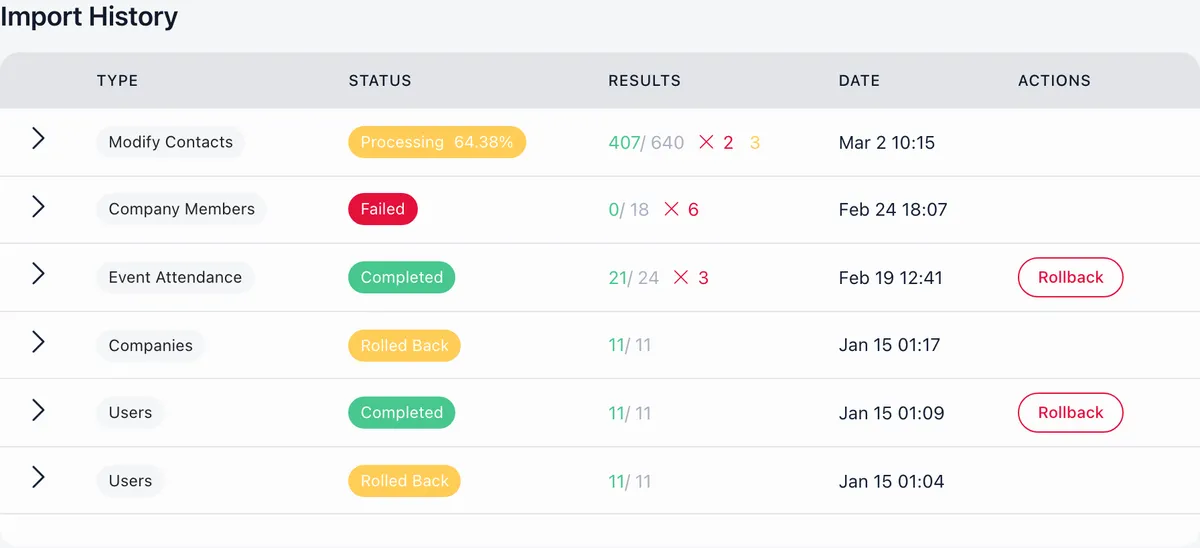
It is also not a bulk tool. There is no merge-all action, and every pair is reviewed on its own, on purpose. If an import created hundreds of duplicates, roll the import back rather than merging your way out of it.
Troubleshooting
Orgo refuses the pair I picked
Check the direction first. A member cannot be folded into a contact, so put the contact in the source box. If both sides are the same record, the preview refuses that too.
The Merge Records destination is not in Settings
Either the Merge Profiles toggle is off in the Users and Profiles module settings, or you hold HR at chapter level rather than organisation level. Both hide the destination, and the second is also enforced on the server, so a direct link will not get you in.
The merged member still appears somewhere
Reload first. The tombstone is dropped from member lists, searches and duplicate detection, but a screen you had open before the merge is showing you the state from before it.
I merged the wrong way round
Open Merge History and undo it, then merge again in the right direction. Do it before anything new lands on the survivor, since undo restores records and fields but never removes activity created after the merge.
Related
- Merging duplicates, the full reference
- Contacts, and how they differ from members
- Data import, the usual source of duplicates
- Deleting an account instead of merging it
- Custom fields, the profile values compared during a merge
Frequently asked questions
Do event registrations, payments and roles survive a merge?
Yes. Event registrations, product payments, invoices, subscriptions, fee payments, roles and role terms, adhesion applications, badges, course enrolments, form submissions, identity documents, tags, company memberships, family links, posts, files and tasks all move to the record you keep. Where both records already have the same thing, one copy is kept rather than two. The exceptions worth knowing are the chapter, which does not move at all, and signed e-documents and cast votes, which stay with the old record.
Can I undo a merge in Orgo?
Once, within 30 days, from Merge History. Undo restores the old record, points the transferred history back at it, and rewinds the fields the merge changed on the record you kept, but only where those fields still hold exactly what the merge wrote. After 30 days the Undo button reads Expired and the merge is permanent.
What happens to the duplicate record after a merge?
A duplicate contact is deleted outright. A duplicate member is kept as a tombstone so nothing that pointed at it breaks: the status becomes deleted, the first name is prefixed with [MERGED], and the email address and username are prefixed so the address is free for somebody else to use. The tombstone is no longer editable and drops out of member lists and searches.