

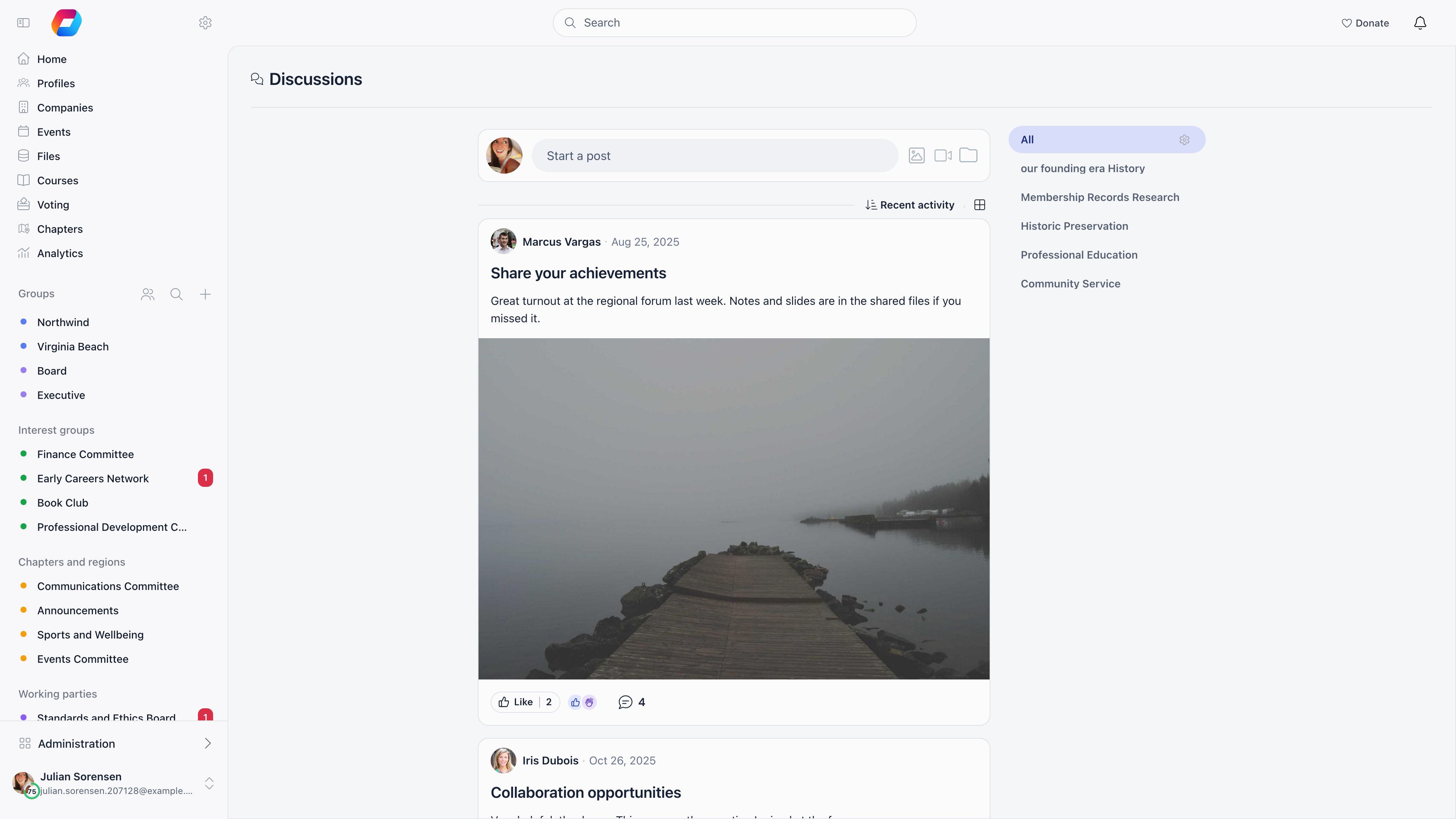
Where a discussion lives
Every discussion is either organization-wide or attached to exactly one unit. Groups, role groups, local centers and organizational units are all units, so a discussion attaches to any of them the same way.
Visibility follows group membership: you see a discussion if it has no group, or if its group is one of yours (your local center, groups you hold a role in, groups that include all members, and open-access local centers when that setting is on). Administrators are not exempt, so a tenant admin does not see posts in groups they have not joined.
Events do not have discussions. Event conversations live in the event feed inside the event app.
Writing a post
Select Start a post at the top of the feed, or the + button on mobile.
Images, videos and files can be attached with the image, video and folder icons, or by dragging them onto the composer. One selection must stay under 1 GB in total.
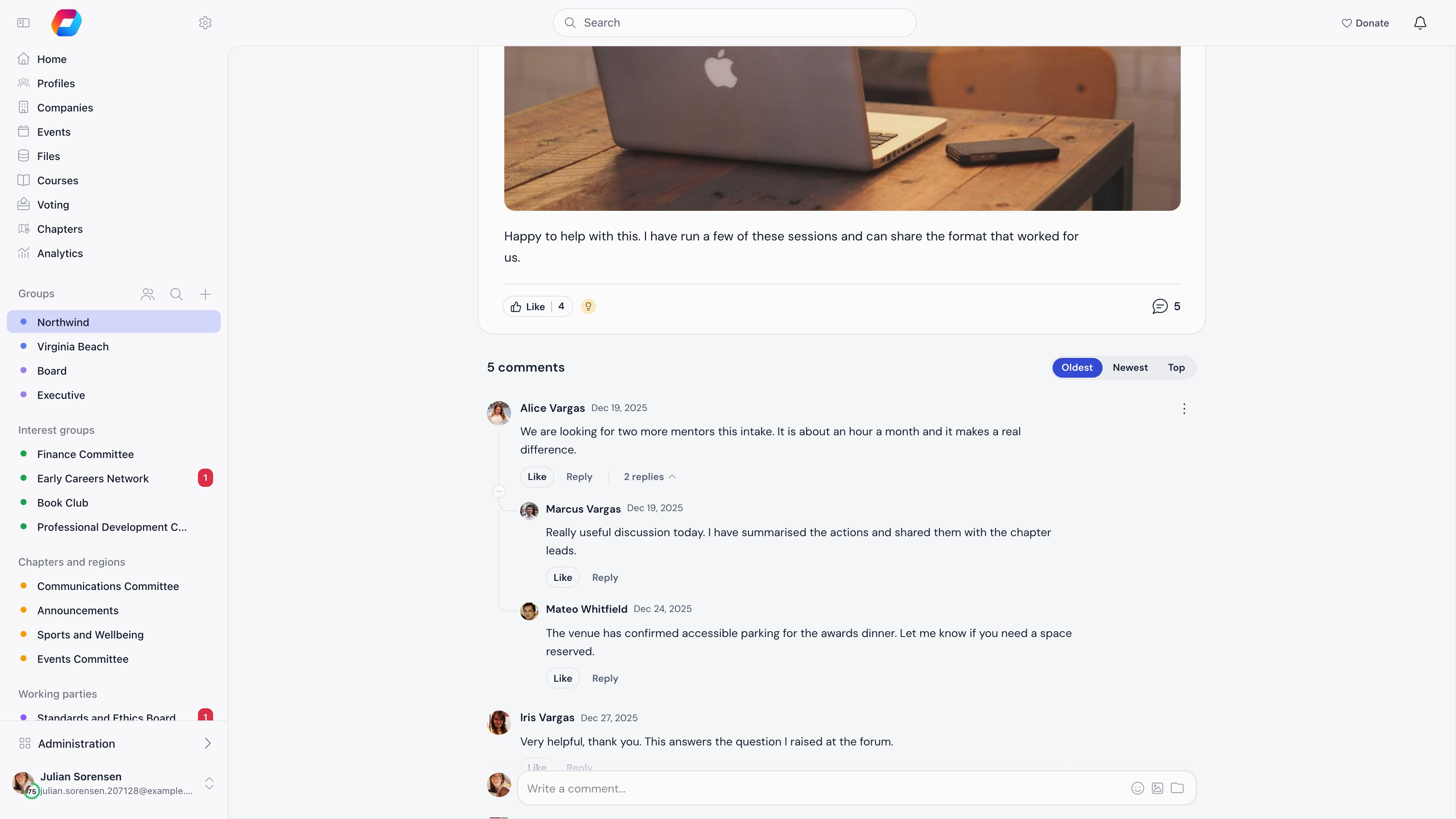
Reading and taking part
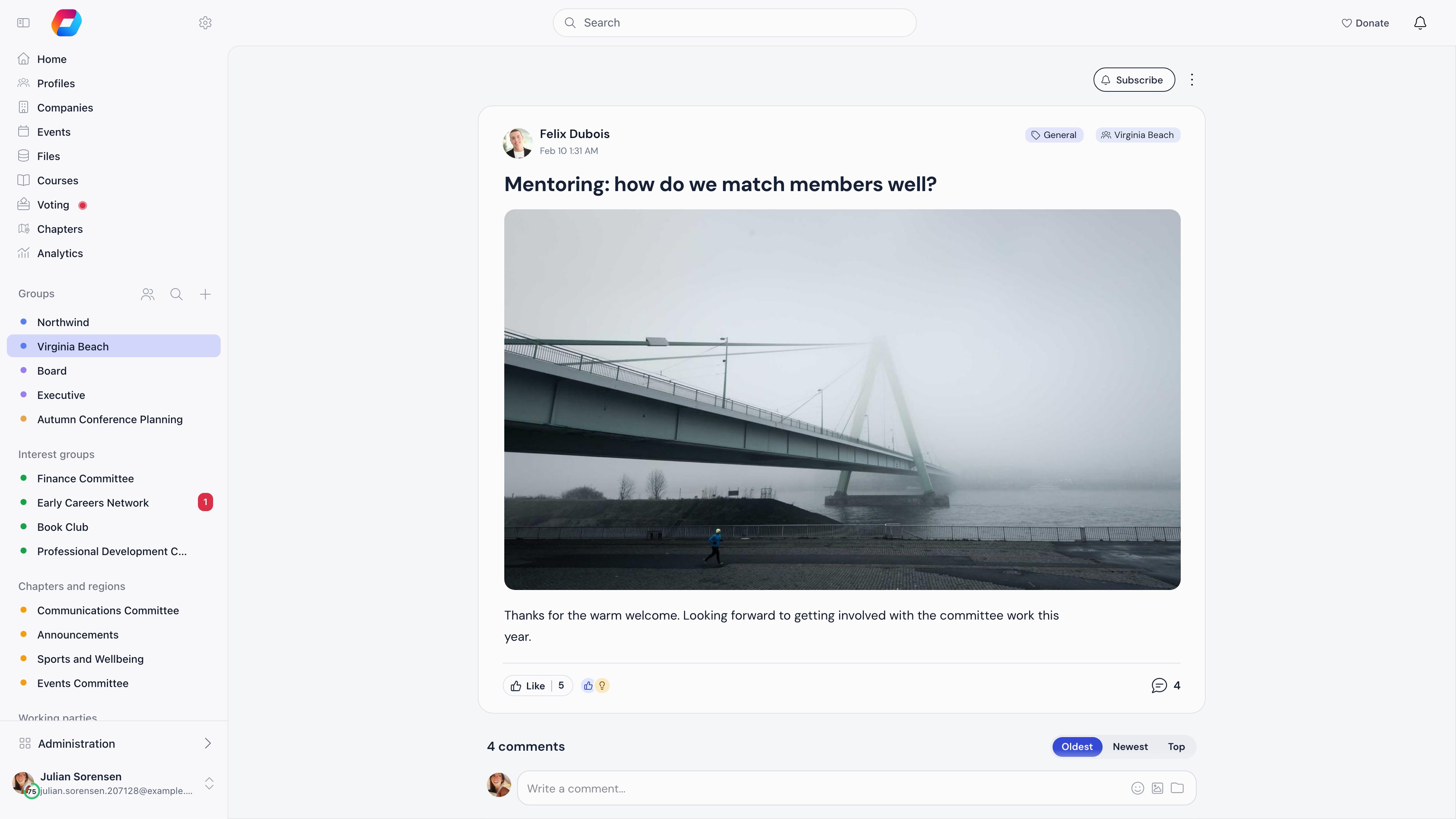
Who can post where
Deleting a comment deletes its replies with it, and deleting a discussion deletes all of its comments. Members who were notified of a deleted comment lose that notification too.
Finding things
On a computer, the sort control under the composer offers Recent activity (the default), Latest, Oldest, Most commented and Least commented, and the icon next to it switches between the card view and a compact list. Phones have no sort control. Your choice is remembered on that device.- Recent activity puts the discussion with the newest visible comment or reply first. A new comment lifts its discussion to the top, and hiding or deleting that comment sends it back. Edits and reactions do not move a discussion. Discussions with no comments sort by when they were posted, and ties go to the newer discussion.
- Latest sorts by when the discussion was first posted, whatever has happened since.
#tag under a post filters the feed to that tag. Feeds load more posts as you scroll.
Notifications
Followers are notified when a new comment is added, the author of a comment is notified of replies to it, and mentioned members are notified of the mention. The authors of a post or comment are also told when someone reacts to it, in the app only. Deleting a comment removes the notifications it created. Whether each one also arrives by email depends on the member’s own settings and on the organization default Email Notifications: Discussions. See Notifications.Settings
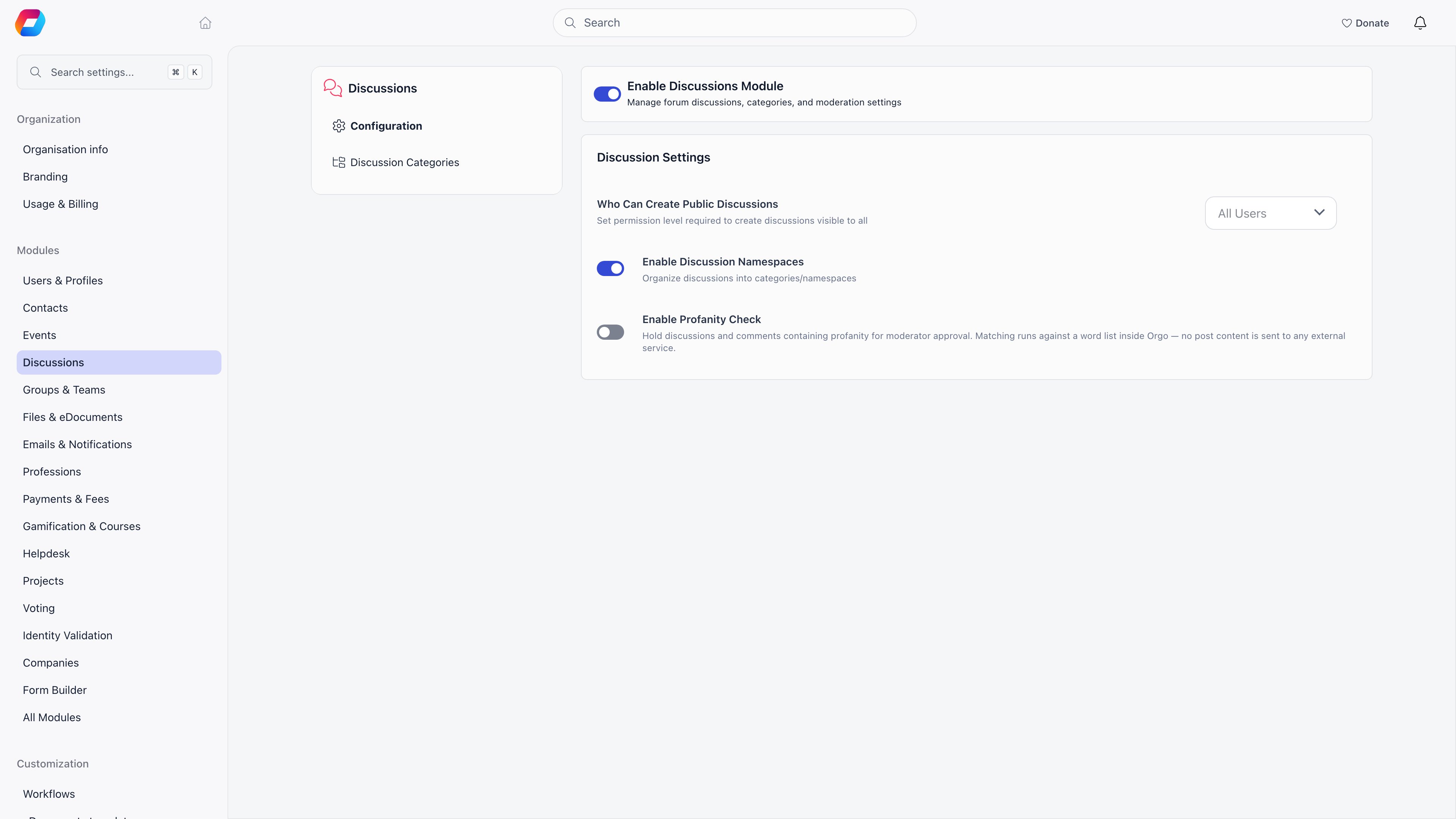
Common questions
The organization feed is too noisy
The organization feed is too noisy
Set Who Can Create Public Discussions to an admin level. The feed becomes an announcement channel, while members keep posting in their groups and local centers. Comments stay open either way, unless the author disables them on a specific post.
A member says they cannot see a post others are talking about
A member says they cannot see a post others are talking about
Discussions attached to a group are visible only to that group’s members, and administrators get no exemption. Check which group the post is in, then check whether the member belongs to it. If the group checks out, have them look at Blocking Members: a member they blocked is hidden from them everywhere in the forum, and only they can see that list.
Can members delete their own posts?
Can members delete their own posts?
Yes, at any time. Deleting a comment also deletes the replies under it, so a member who wants to keep a conversation readable should edit the comment instead.
Related
- Discussion Categories organize posts by topic
- Moderation hold, review and hide posts
- Blocking Members how a member hides one other member’s content for themselves
- Groups where group discussions live
- Notifications what reaches a member and how
- Communication analytics how often posts are seen, opened and liked, and the best time to post
- Permissions the permission levels used above